GearForge - NightsPrower
- By
⚙ GearForge
By NightsPrower

Forge your gear. Plan your upgrades. Know what comes next.
GearForge is a complete gear planning and progression addon for World of Warcraft, designed to help you organize, compare and optimize your character's equipment from a single visual workspace.
Plan future upgrades, compare equipment, track item sources, configure gems and enchants, simulate upgrade levels, organize farming priorities and save complete gear profiles without constantly switching between different menus and external tools.
✦ Main Features
⚙ Workshop
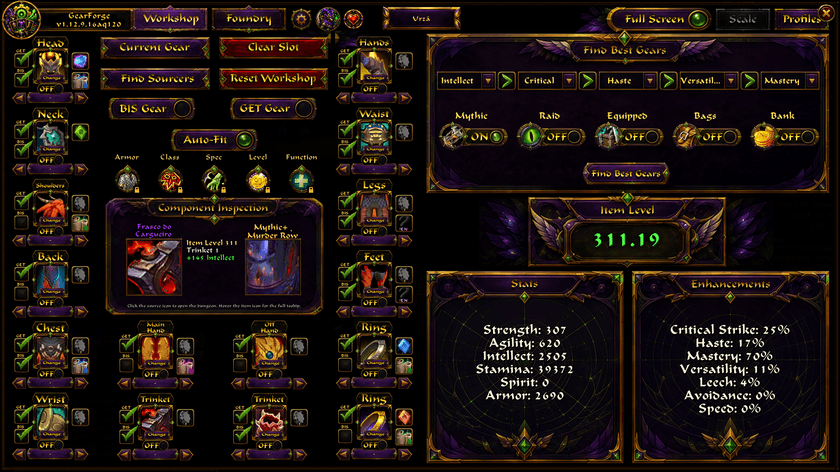
The Workshop is the main GearForge workspace.
Build and visualize your target equipment set slot by slot, compare items and prepare your character's future upgrades before you obtain them.
GearForge keeps your planned equipment organized in a character-sheet style interface so you can immediately see what you have, what you want and what still needs to be obtained.
🔎 Find Best Gear
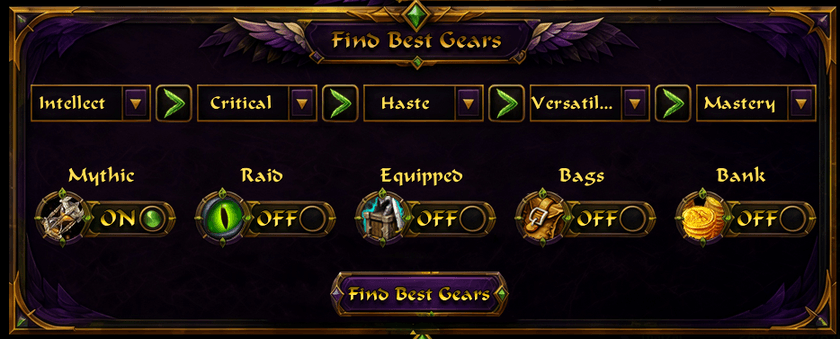
Search your available GearForge item database and quickly find equipment for each slot.
Filter your search by:
- Mythic+
- Raid
- Mythic+ and Raid
- Equipped items
- Bags
- Bank
You can also use GearForge to automatically populate your planned gear according to your selected filters.
🗺 Find Sources
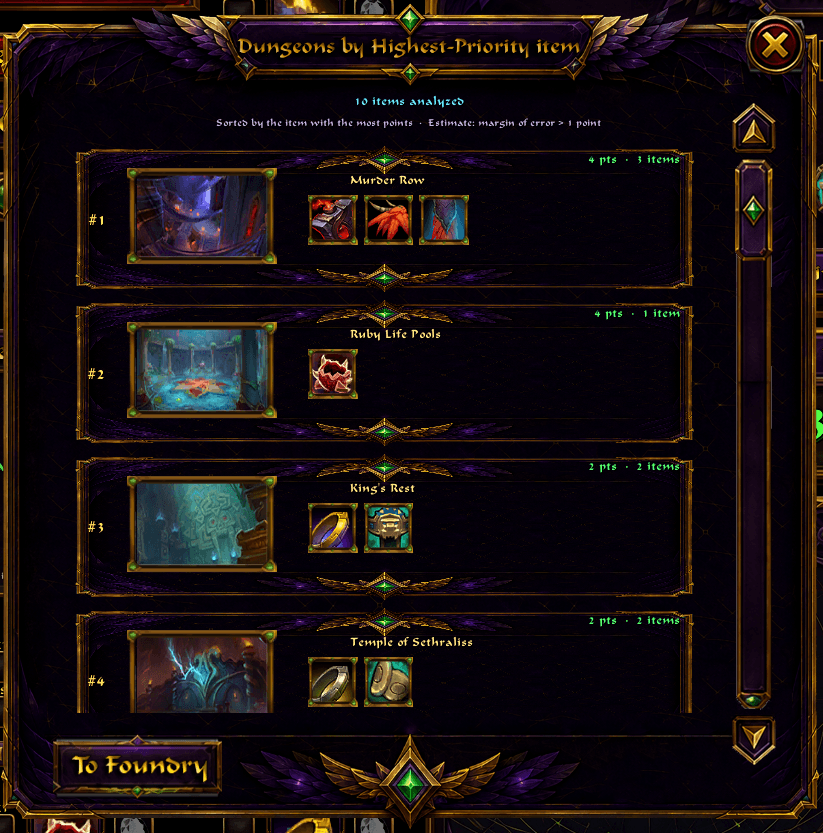
See which activities contain the upgrades that matter most to your character.
GearForge helps organize your remaining upgrades by source so you can quickly identify which dungeons or raids are worth prioritizing.
⚒ Foundry
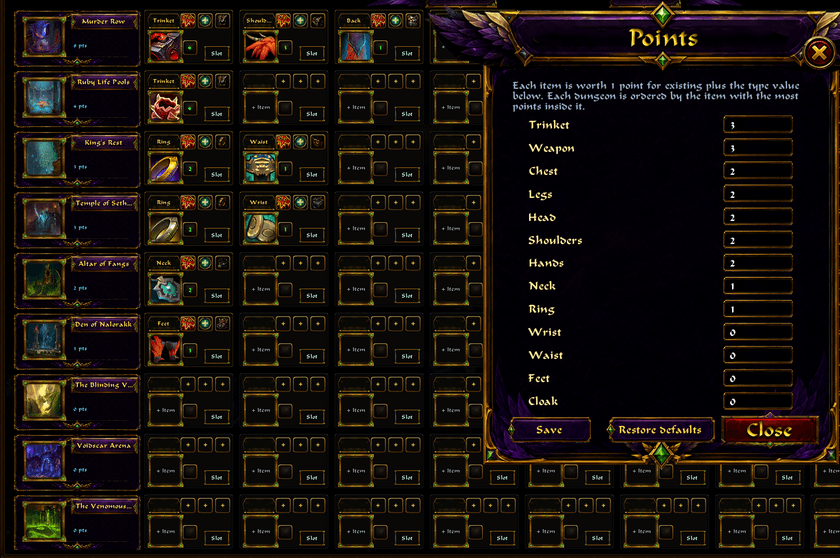
The Foundry lets you build your own farming priority system.
Organize and assign importance to:
- Dungeons
- Raids
- Equipment slots
- Item types
- Character roles
- Specializations
- Classes
This makes it easier to decide where your time should be spent when farming upgrades.
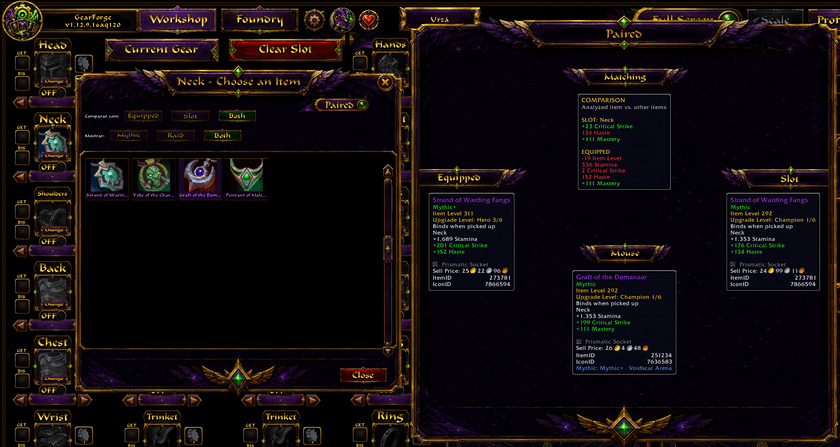
📊 Item Comparison
Compare planned equipment against your currently equipped gear.
GearForge can display changes in:
- Item Level
- Primary Stats
- Secondary Stats
- Gems
- Enchants
- Upgrade levels
This allows you to inspect an upgrade before committing it to your build.
💎 Gems & Enchants
Plan gems and enchants directly inside GearForge.
The addon filters enhancements according to the equipment slot they can actually be used on, helping keep your setup organized and easy to understand.
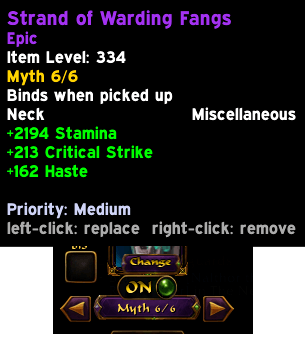
⬆ Upgrade Simulation
GearForge allows planned equipment to be viewed at different upgrade levels.
This helps answer an important question:
"What will this item look like when I actually upgrade it?"
Instead of comparing only the item you currently have, you can plan around its future potential.
💾 Profiles
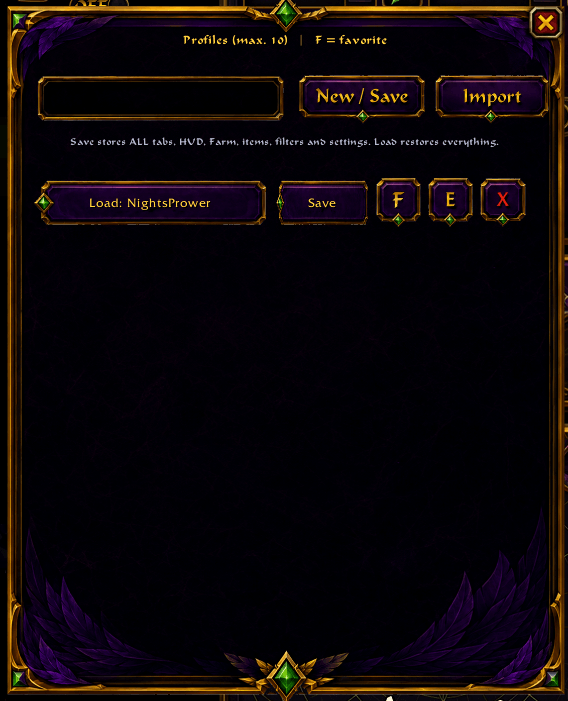
Save different GearForge setups and load them whenever you want.
Useful for:
- Different characters
- Different specializations
- Raid setups
- Mythic+ setups
- Alternative builds
- Future-season planning
Profiles can also be imported and exported.
⚡ Built for Fast Gear Planning
GearForge is designed around its own local addon database whenever possible.
This keeps gear planning fast and predictable instead of repeatedly depending on the Adventure Guide for information GearForge already has available.
🎨 Custom Interface
GearForge features a complete custom interface built specifically for the addon.
It includes:
- Workshop and Foundry workspaces
- Custom equipment slots
- Item tooltips
- Source filters
- Profile management
- Import and export
- Fullscreen mode
- UI scaling
- Minimap access
- Custom visual assets
🛠 Installation
- Install GearForge through CurseForge.
- Enable GearForge from the World of Warcraft AddOns menu.
- Enter the game.
- Click the GearForge minimap icon to open the addon.
No external application is required.
💬 Feedback & Bug Reports
GearForge is actively developed.
If you find a bug, incorrect item information or have an idea that could improve the addon, leave a comment on the CurseForge project page.
When reporting a problem, please include:
- GearForge version
- Character class/spec
- Item or slot involved
- What you expected to happen
- What actually happened
- Screenshot if possible
© License & Redistribution
GearForge is distributed under All Rights Reserved.
Unless explicit permission is granted by the author:
- Do not redistribute or re-upload GearForge.
- Do not publish modified versions of GearForge.
- Do not redistribute GearForge through other addon websites or download services.
- Do not reuse GearForge branding or original project assets in other projects.
- Do not claim GearForge or its original work as your own.
Links to the official CurseForge project are always welcome.
For redistribution, modification or other permissions, contact NightsPrower.
❤️ Support GearForge
GearForge is completely free to use.
Donations are entirely optional and do not unlock features, advantages or exclusive functionality.
If you enjoy GearForge and would like to support its continued development:
☕ International — Ko-fi
Support GearForge on Ko-fi — NightsPrower
🇧🇷 Brazil — PIX ( Raí Marcílio Dantas Lima )
PIX Random Key:
58a43b73-e7f5-4807-86e9-4d1b0b662772
You can also scan the PIX QR Code below:
![GearForge PIX QR Code]

PIX support is also available directly inside GearForge through the heart icon.
🎨 Artwork Disclosure
Some GearForge branding and visual assets were created with AI-assisted image generation.
All in-game screenshots shown on this page represent the actual GearForge interface and functionality.
Created with ❤️ by NightsPrower
The GearForge - NightsPrower Team