

GatherSkillTooltip
- By
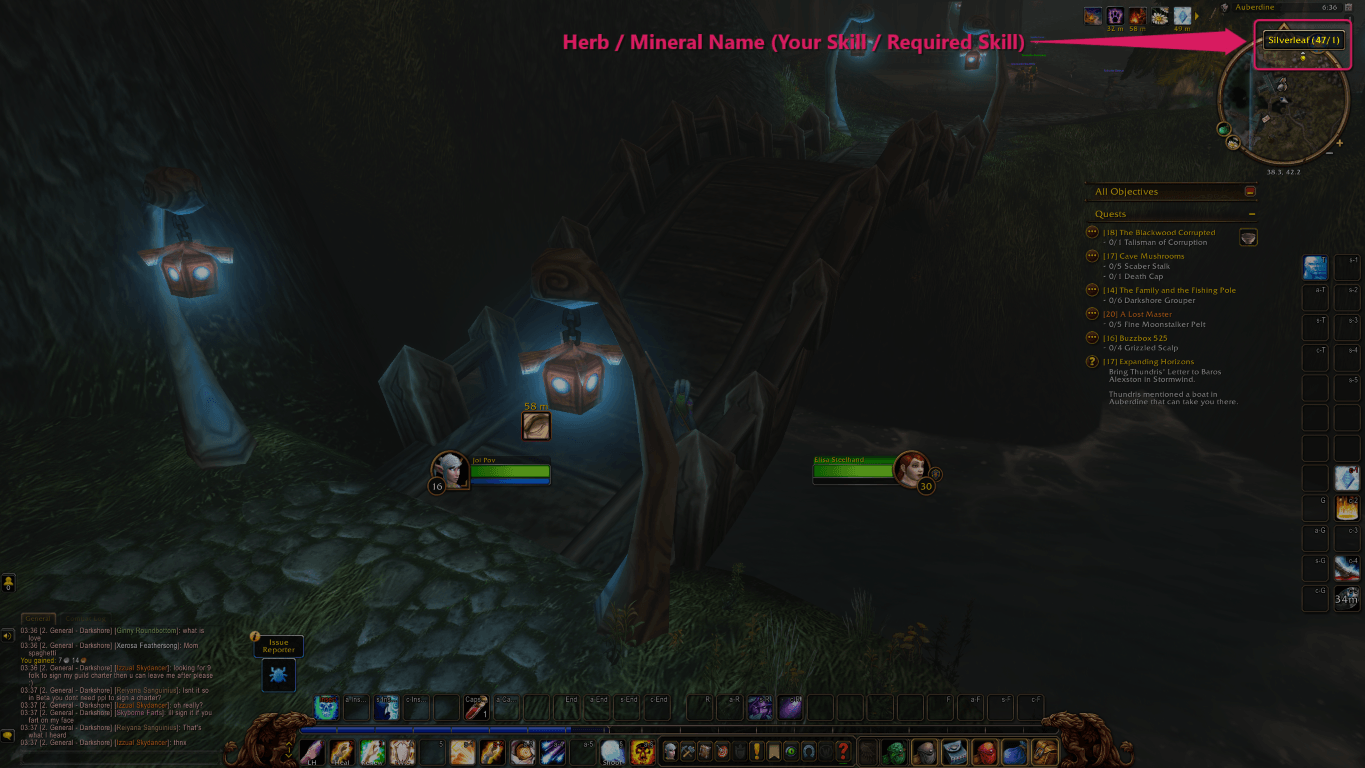
Hovering a herb or mineral on the minimap shows your skill and the skill required to gather it. For example, (47/1) means 47 is your Herbalism and 1 is the skill needed to pick that herb.
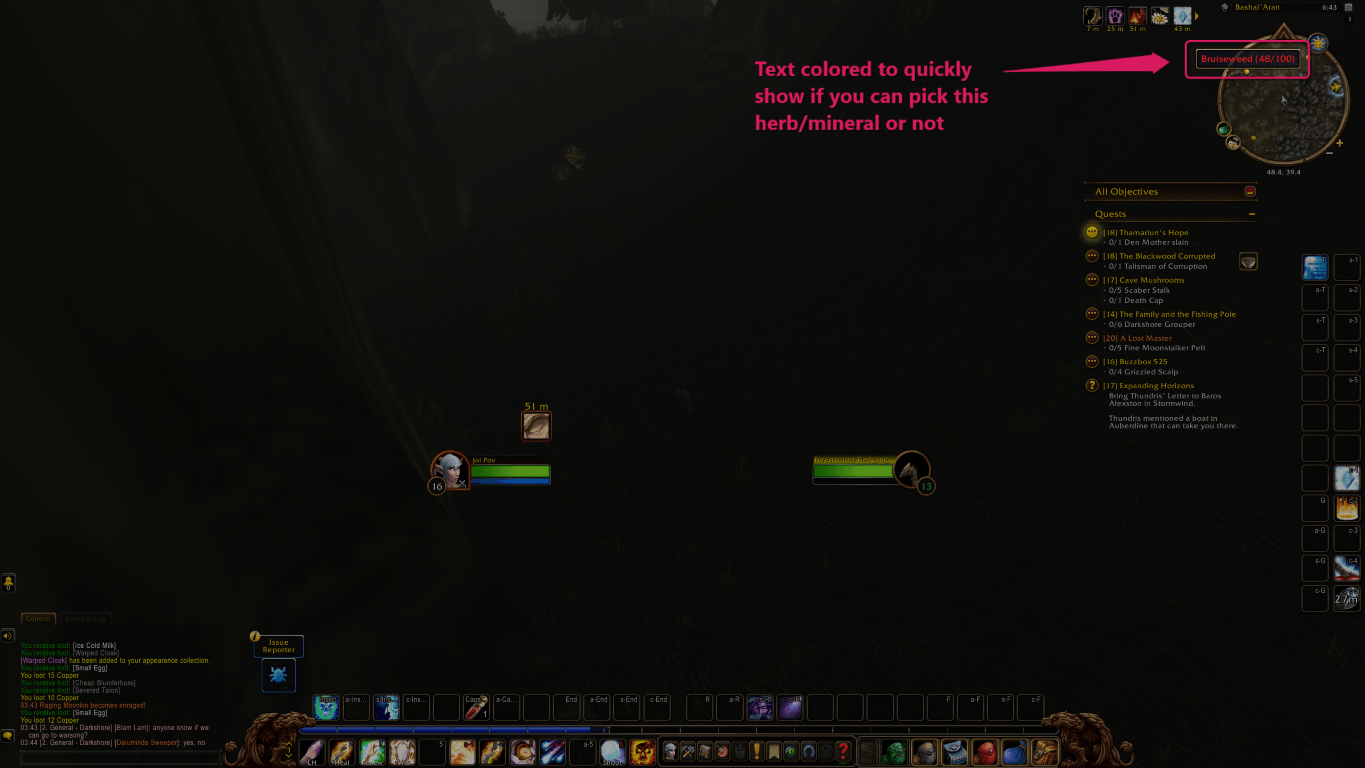
Herb and mineral names are colored by how hard they are to gather: red if you cannot pick them yet, then orange, yellow, green, and grey once they are trivial.
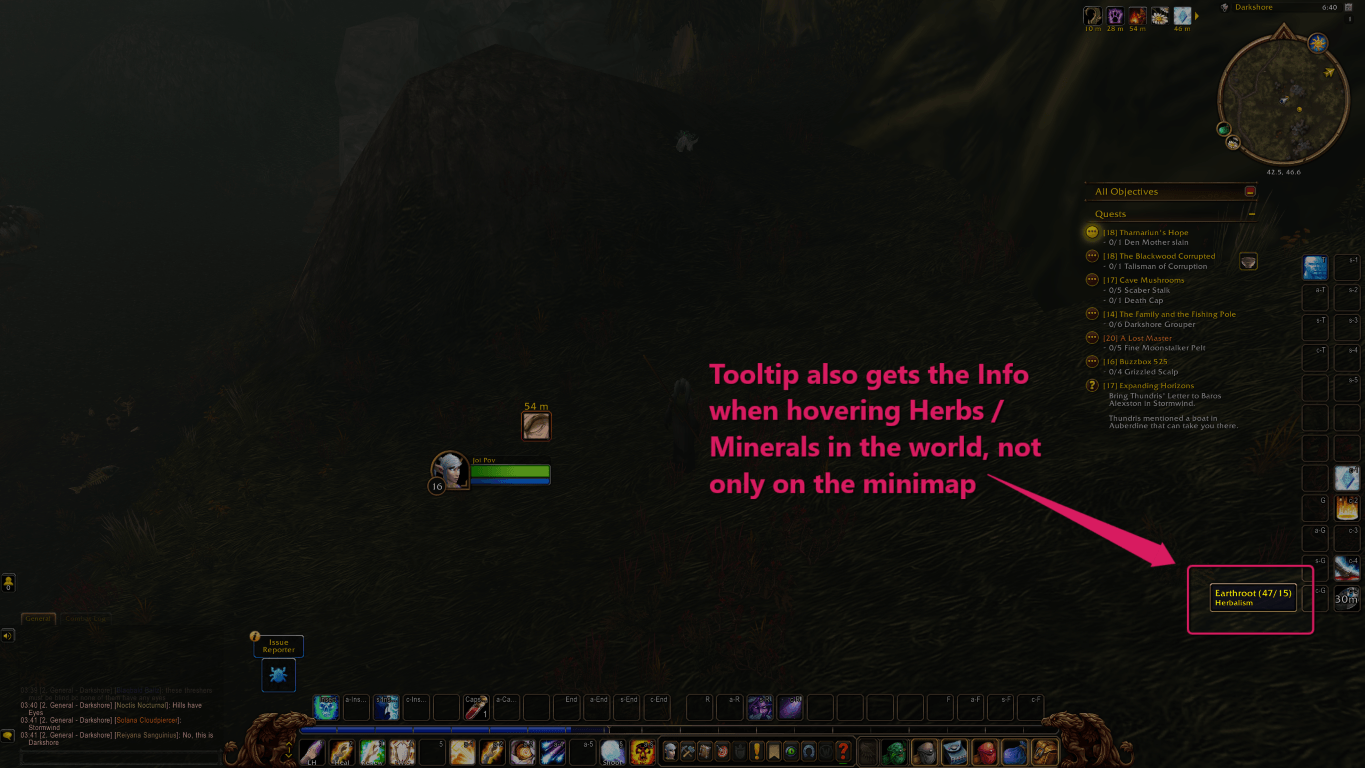
It works in the world too. Hovering a herb or mineral on the ground shows the same skill numbers and colors as the minimap tooltip.
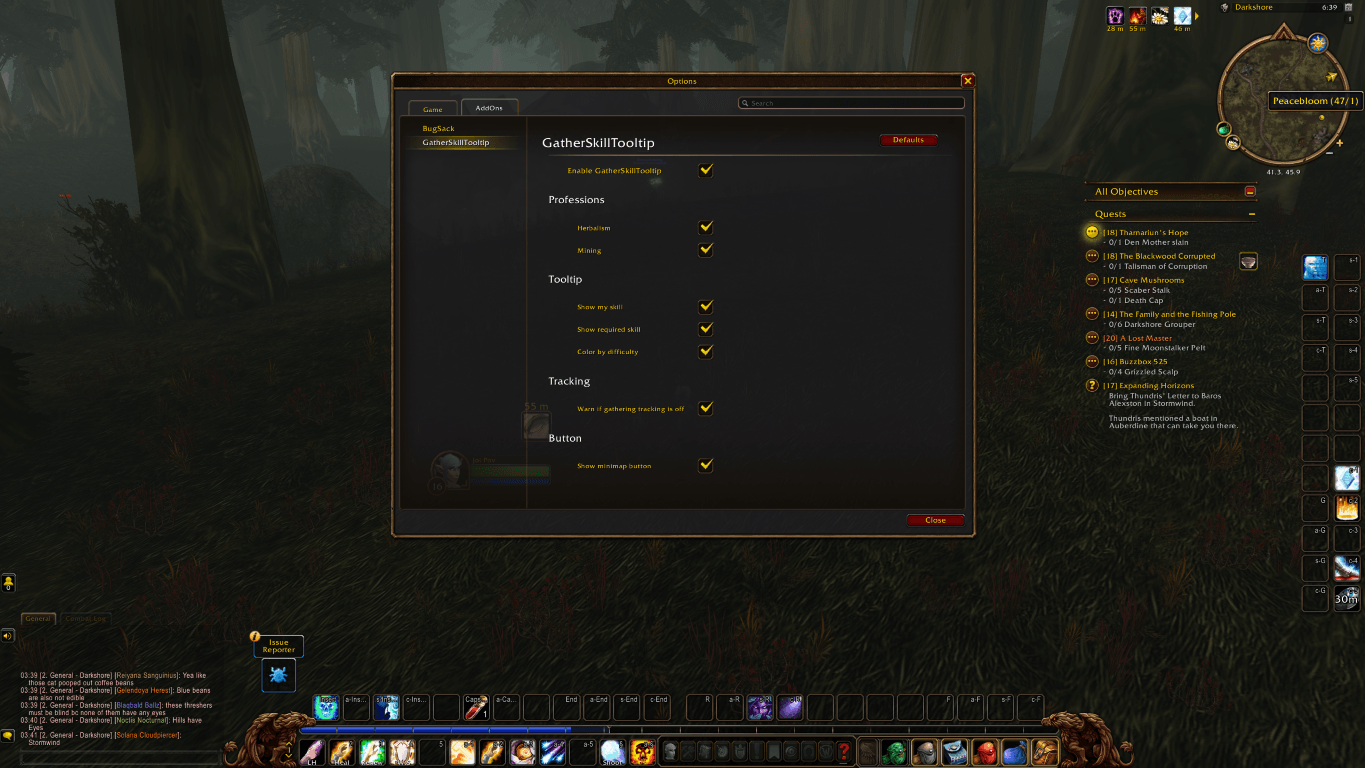
Open the settings with Esc, then Options, then the AddOns tab, or type /gst in chat. From there you can turn each feature on or off.
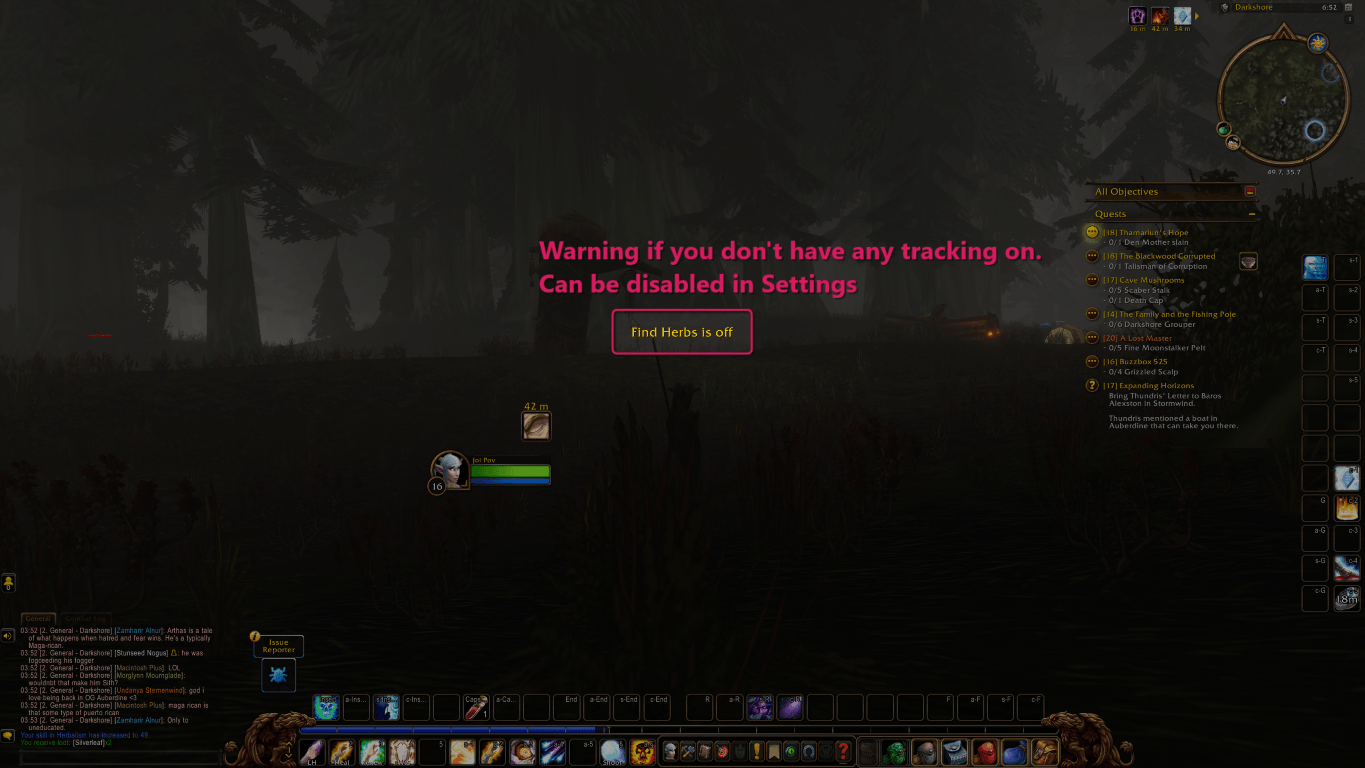
On WoW Forever, dying turns off Find Herbs and Find Minerals. This reminder stays up until you turn tracking back on, and you can disable it in the settings.
Description
GatherSkillTooltip
For World of Warcraft: Forever (Classic Plus).
When you hover a herb or ore, the tooltip is no longer just the name. It shows your current skill and the skill required to gather it, for example Mageroyal (42/50). That works on a minimap pin and when you hover the node in the world. Both are hover only. Nothing stays drawn on the minimap, and the yellow gather dots are not recolored.
When you hover a beast or dragonkin, the same numbers sit beside its level, for example Level 16 (Skinning 42/60) Boar. That includes the corpse. It only appears if you have Skinning. Critters, pets, and friendly creatures are left alone. Beast dots on the minimap stay as they are, because those dots do not carry a level.
Your current skill comes from the game (including gear bonuses). For herbs and ores, the required skill and the colors are a lookup of vanilla nodes (Peacebloom through Black Lotus, Copper through Thorium, including Ooze Covered veins). For skinning, the required skill comes from the creature's level: 1 through level 10, ten points a level from 11 to 20, then five times its level. Red means you cannot gather or skin it yet. Then orange, yellow, green, grey.
Settings, the tracking warning, and the node names follow the client language: English, German, French, Spanish, Italian, Portuguese, Korean, and both Chinese clients. A German client keeps Maguskönigskraut (42/50), not the English name. The skinning label follows the client too. Not Russian. The addon name stays GatherSkillTooltip, and /gst stays /gst.
Forever only lets you run one tracking spell at a time. If you know Herbalism or Mining and neither Find Herbs nor Find Minerals is on, a warning stays in the middle of the screen until you turn one of them on, or you turn the warning off in settings. If you have both professions, one of those spells is enough. You only get the warning when both are off. Skinning has no tracking spell, so it never raises that warning.
Settings
Open with /gst, /gatherskilltooltip, the minimap button, or Esc > Options > AddOns > GatherSkillTooltip. All options default to on. Settings text follows the client language.
- Enable GatherSkillTooltip: master switch. Off means no tooltip changes and no screen warnings.
- Herbalism / Mining / Skinning: which professions get the extra tooltip.
- Show my skill: the first number (42 in Mageroyal (42/50)).
- Show required skill: the second number (50 in Mageroyal (42/50)). You can show both, one, or neither. The same switches apply to the skinning numbers.
- Color by difficulty: colors the name, or the skinning text, as above. If skill, required skill, and color are all off, the tooltip is left alone.
- Warn if gathering tracking is off: the on-screen tracking warning. One of Find Herbs or Find Minerals is enough if you have both professions.
- Remind me to train the next rank: a short message when you gather or skin while Herbalism, Mining, or Skinning is at its current cap and a trainer still has a higher rank.
- Show minimap button: flower button for settings. Ellesmere places it with the other addon buttons. If it sits on the minimap itself, you can drag it.
/gst debug prints unmatched herb and ore names in chat if Forever adds a node that is not in the table.
The GatherSkillTooltip Team
