G Spell Alert Custom (GSAC)
- By
Custom sizing and opacity settings for the game's default Spell Alert proc auras.
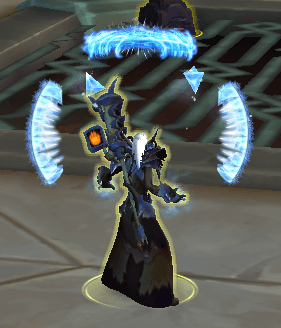
frostmage.png
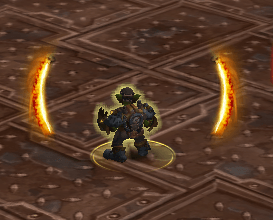
lavasurge.png
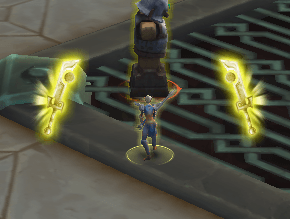
artofwar.png
Description
G Spell Alert Custom (GSAC)
Custom sizing and opacity settings for the game's default Spell Alert proc auras.
Type /gsac to see options.
Note: I've packaged this addon along with some ofther small quality of life features into a separate addon called G Series. You can uninstall this if you choose to switch or if not you may continue using this as a standalone addon.
FAQ
Q: Can this do what WeakAuras does / did?
A: No. WeakAuras is a powerful tool for creating custom logic and new visual elements from scratch. GSAC is much simpler: It only lets you resize and fade the existing "Spell Alerts" (the glowing arcs around your character) that Blizzard built into the game. It cannot create new alerts for spells that don't already have them.
Q: Does this addon save settings per character?
A: By default, GSAC uses a Global profile so your alerts look the same on every character. However, you can "opt-in" to a Spec-Specific profile for any specialization if you want unique setups.
Q: What happens if I uninstall the addon?
A: Because GSAC uses Blizzard's native console variables (CVars) to stay lightweight, the game will remember the last Opacity and Toggle settings you used.
If you wish to return to Blizzard's "out-of-the-box" defaults after uninstalling, simply type these two commands in your chat box:
/run SetCVar("displaySpellActivationOverlays", 1)
/run SetCVar("spellAlertOpacity", 0.65)
Alternately, using the following command after unistalling will "turn it off":
/run SetCVar("displaySpellActivationOverlays", 0)
Q: Is this "legal" according to Blizzard's rules?
A: Yes. GSAC is a purely aesthetic modification that uses Blizzard’s own provided API. It does not automate gameplay, circumvent combat restrictions, or provide any unfair advantage.
Q: Will this affect my frame rate?
A: GSAC is designed to be ultra-lightweight. It only runs its logic when you log in, change specializations, or manually type a command. It consumes virtually zero resources during active combat.
The G Spell Alert Custom (GSAC) Team