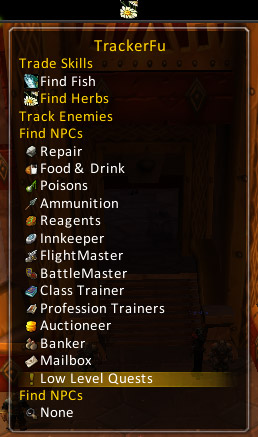
This is the popup tablet for choosing your desired tracking type.
Available choices depend on your character's class and professions, for obvious reasons. ;-)
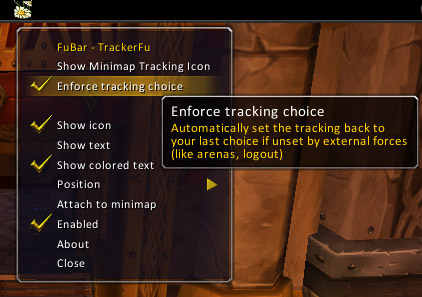
The right-click menu allows you quick access to the (rather minimal) configuration and of course, the FuBar specific settings.
Description
This is a simple FuBar plugin for your tracking needs.
It shows the currently active tracking mode on your FuBar as either the appropriate icon, as text or as both at the same time.
Hovering over the plugin provides you with a way to switch between your available tracking modes easily.
Furthermore it:
- has an option to hide/show the minimap tracking button
- optionally tries to make sure your tracking choice sticks even when unset by outside forces
(non-profession or -class tracking seems to be reset on logout, profession and class tracking is reset on entering arenas)
FuBar_TrackerFu Team

Owner