


fSuite
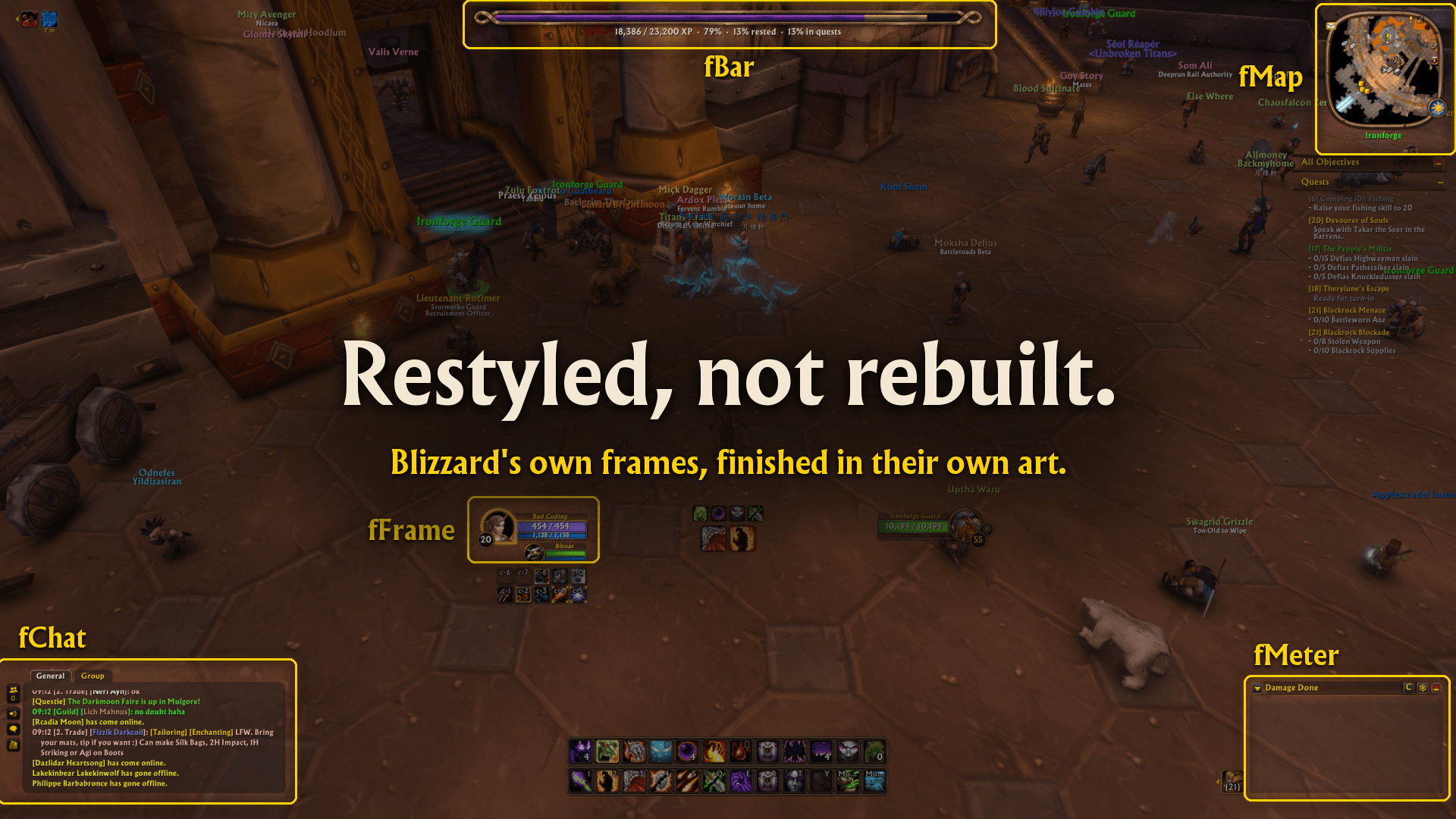
still_3.3.png
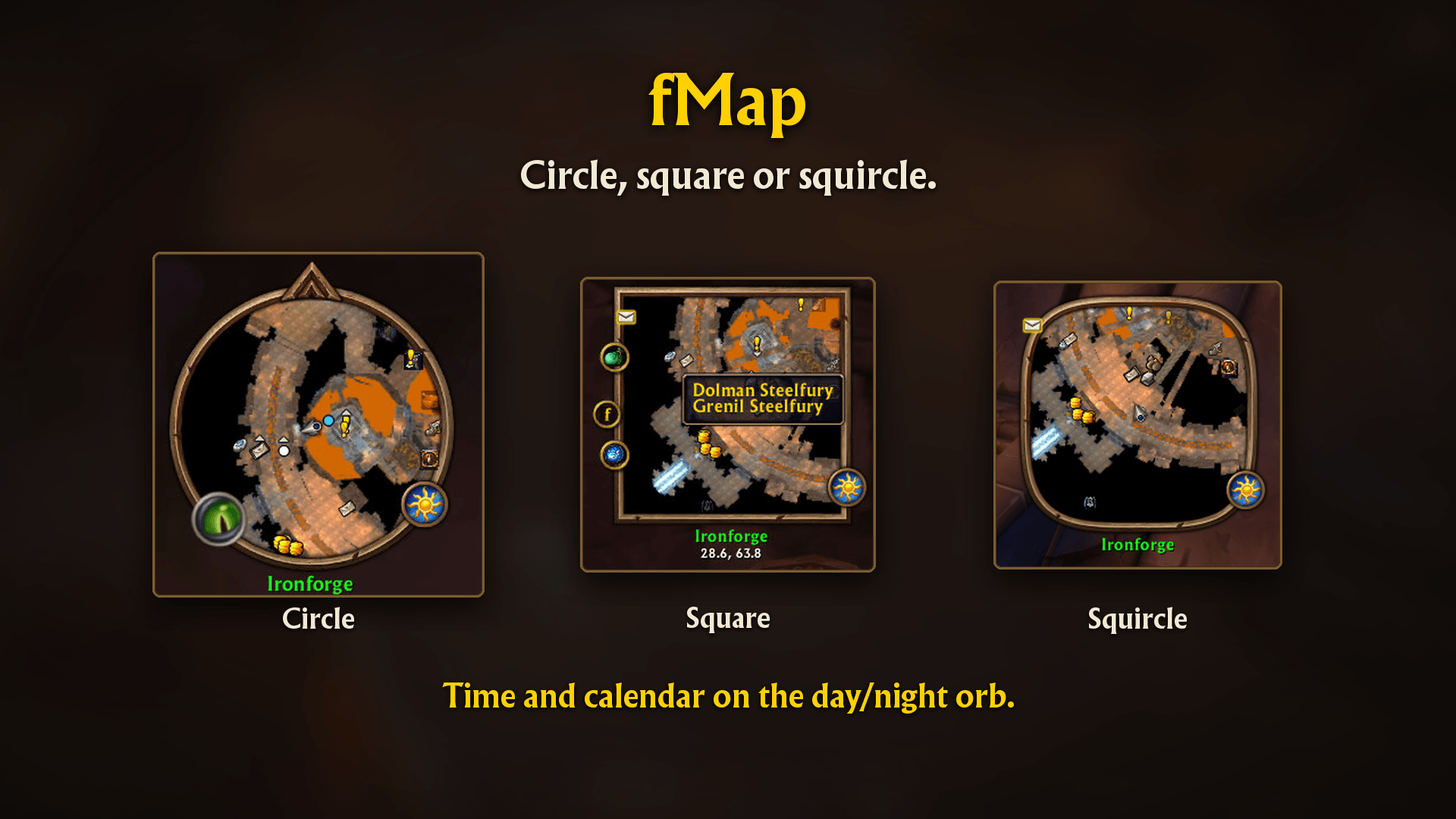
still_11.0.png
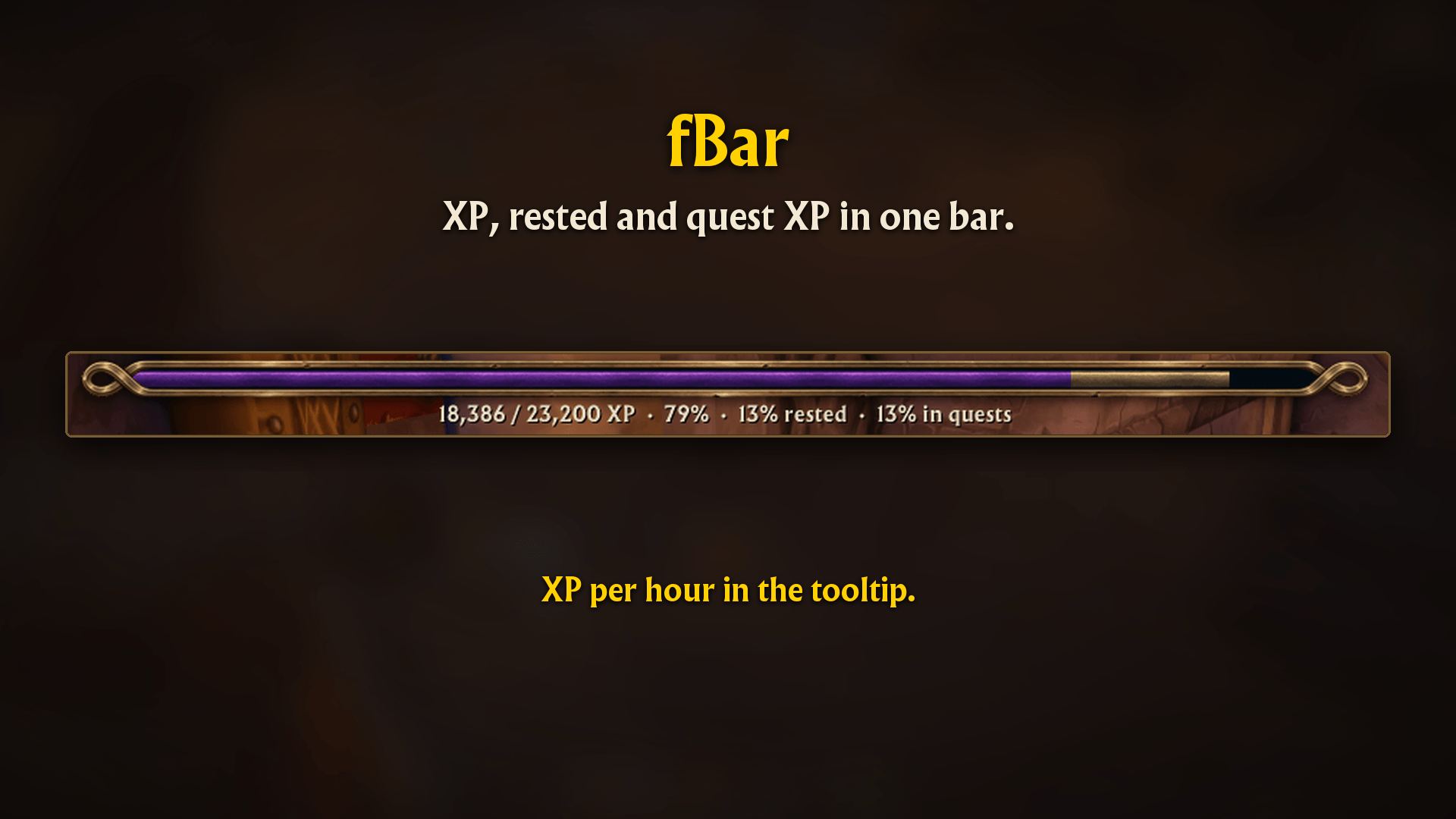
still_14.0.png
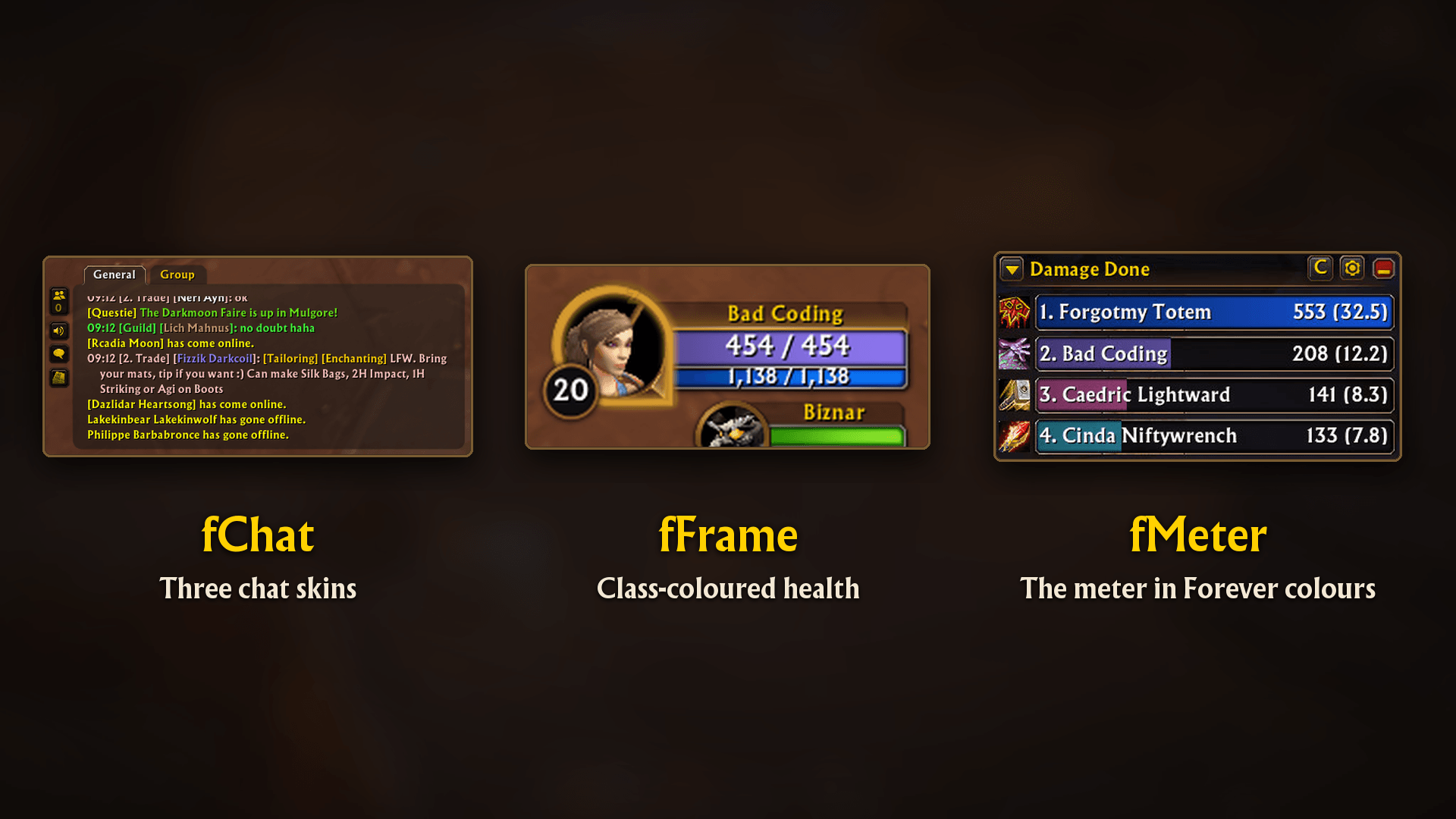
still_18.2.png
still_21.2.png
Description

fSuite brings a consistent Forever look to your interface, with matching bronze details, cleaner layouts, and useful everyday touches.
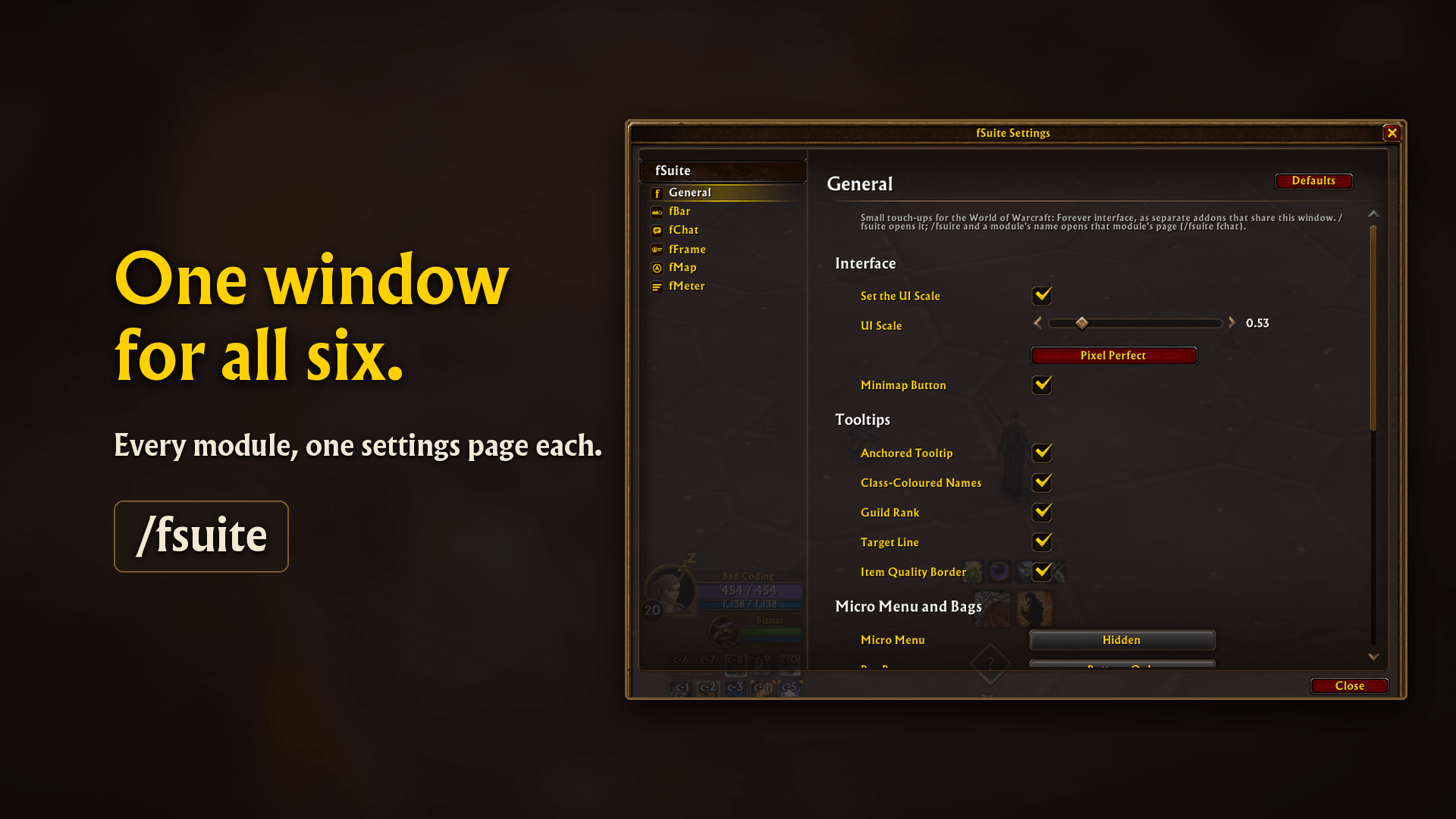
Keep the familiar Blizzard interface and choose the parts you want. Everything shares one settings window.
What’s included
- fChat — Two chat skins: Forever and Camelot. Includes matching chat buttons, shorter channel names, idle fading, extra font sizes, and a window for copying chat.
- fBar — Experience, reputation, and honor bars in Eternity or Default skins, with rested XP, completed-quest XP previews, adjustable ticks and text, and an XP-per-hour tooltip.
- fMap — Circle, square, or squircle minimaps with matching borders. Includes a cleaner zone label, optional coordinates, addon-button visibility controls, and time and calendar access through the day/night orb.
- fFrame — Unit frame refinements, including centred names, class and reaction colours, adjustable health text, and outline and shadow options.
- fMeter — Forever styling for Blizzard’s damage meter, with a matching header and buttons, group reporting, class colours, and text options.
- fSuite — Shared settings and general conveniences: UI scale, movable data text, tooltip styling, micro menu and bag bar visibility, Beta Art for the earlier interface, optional artwork for additional action bars, short keybind labels, objective header hiding, automatic spell-rank upgrades, selling grey items, and repairs.
Getting started
Install fSuite and open its settings with /fsuite or the minimap button.
All six addons are included. Keep fSuite enabled; the other five modules can be enabled or disabled individually in WoW’s AddOns menu.
You can also open a module’s settings directly with /fchat, /fbar, /fmap, /fframe, or /fmeter.
Compatibility
Built for World of Warcraft: Forever.
Bugs or Ideas
When reporting a problem, please include what you were doing, any Lua error, and other addons affecting the same interface element. Screenshots are especially helpful for layout issues.
Credits and license
Made by Norn. The textures and icons are my own art, inspired by the in-game Forever art, along with a few of the game's own textures, some recoloured. All rights reserved; free to use, but please don't reupload or redistribute it.
fSuite Team
