LFG-LFM FrostSeek
- By
FrostSeek isn't just an addon, it's a gaming companion that saves you time and effort managing groups, leaving you more time to... play! ❄️
v2.3.3
2.3.3
Screenshot 2026-08-22 115156.png
v2.3.3
v2.3.3
v2.3.3
v2.3.3
Description
❄️ FrostSeek - is a cross-version WoW addon that streamlines group finding and creation (LFG/LFM). Supports 3.3.5, Vanilla, TBC, Cataclysm, and Mists of Pandaria Classic.
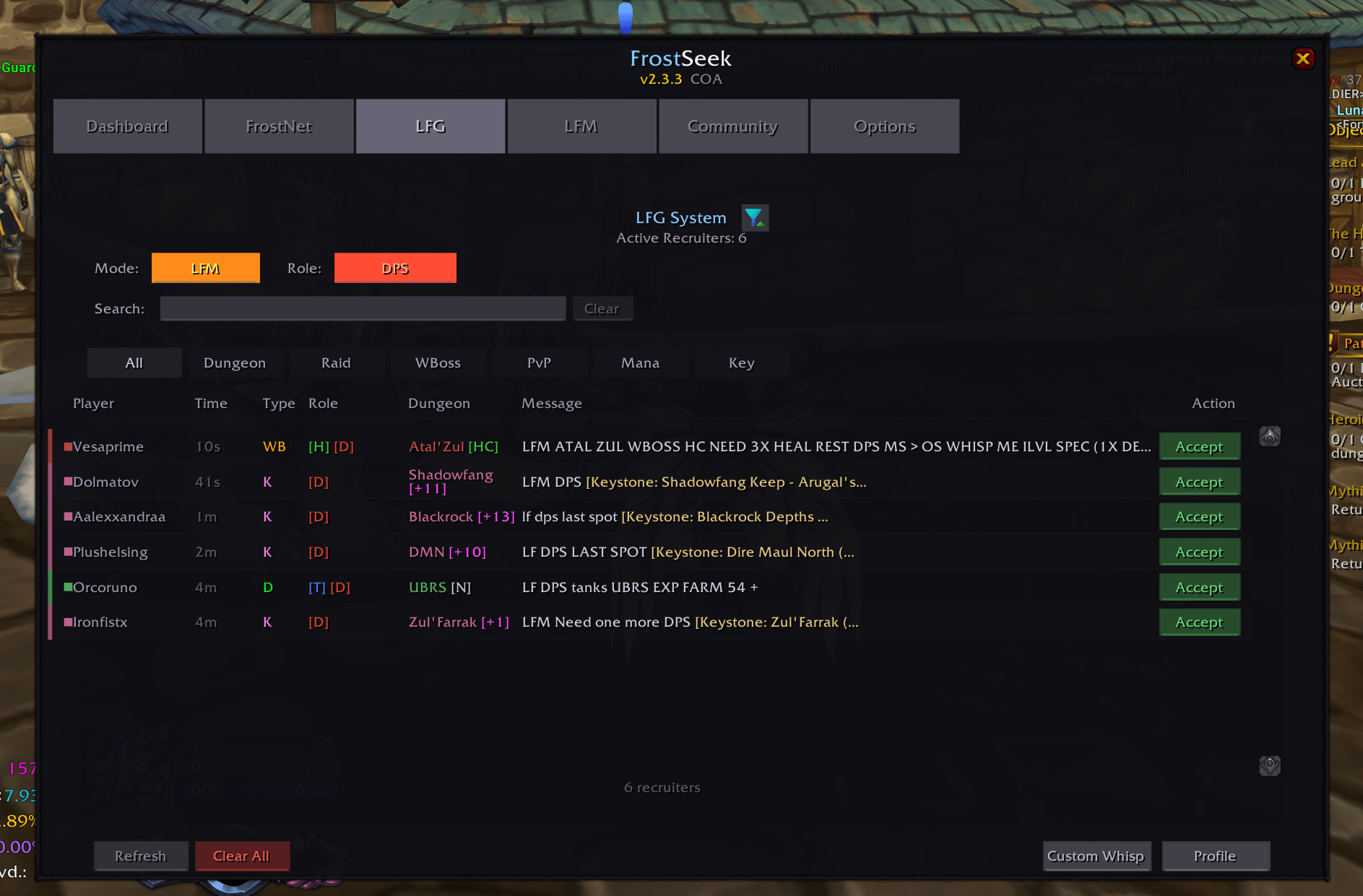
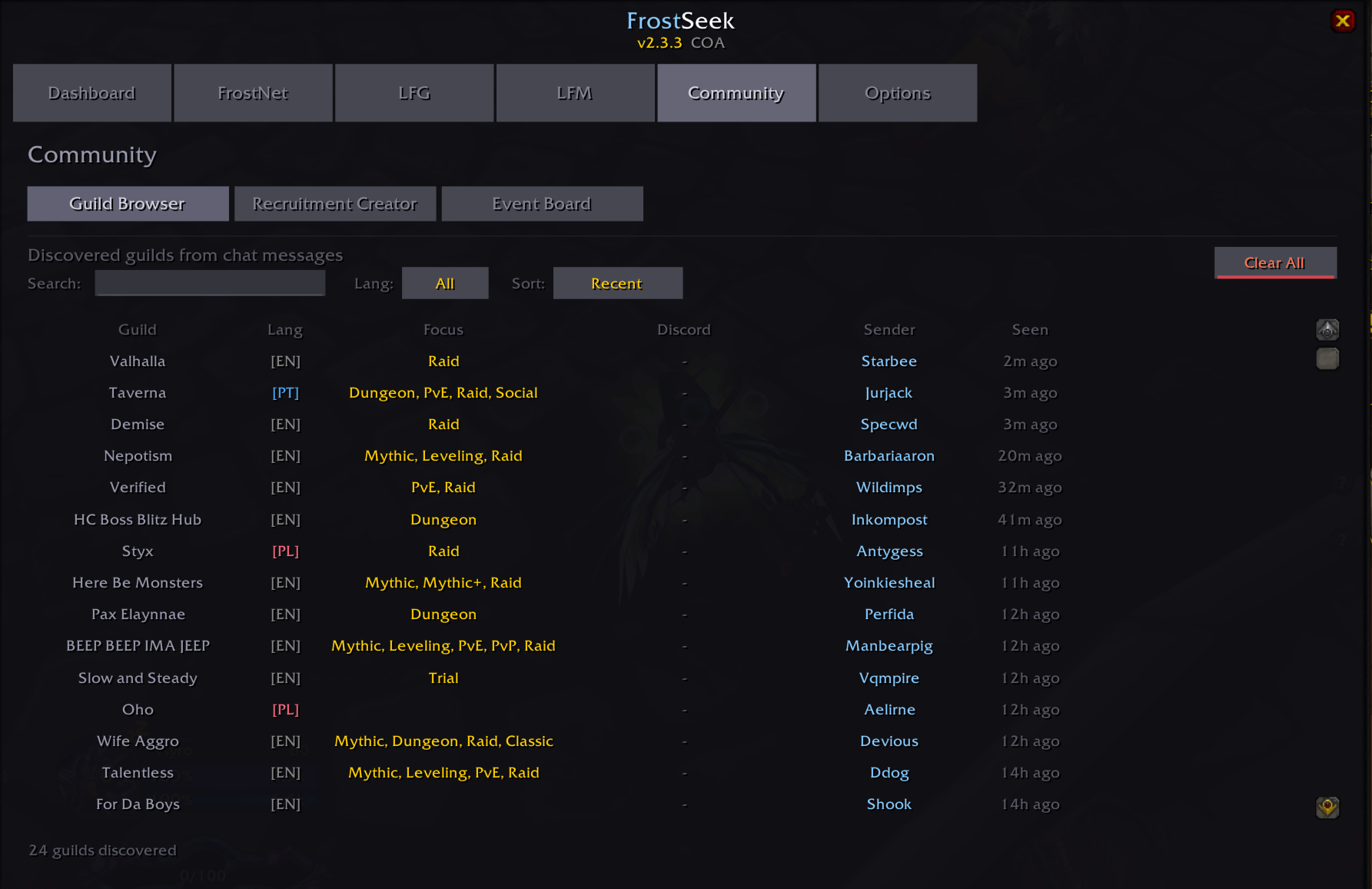
🔍 LFG RADAR
Automatically scans chat channels for LFM messages
Classifies into: Dungeon, Raid, PvP, World Boss, Manastorm, Keystone, Custom
Real-time popup alerts with message preview and quick whisper buttons
Customizable filters, cooldowns, and category toggles
Role parsing detects Tank/Healer/DPS requirements from messages
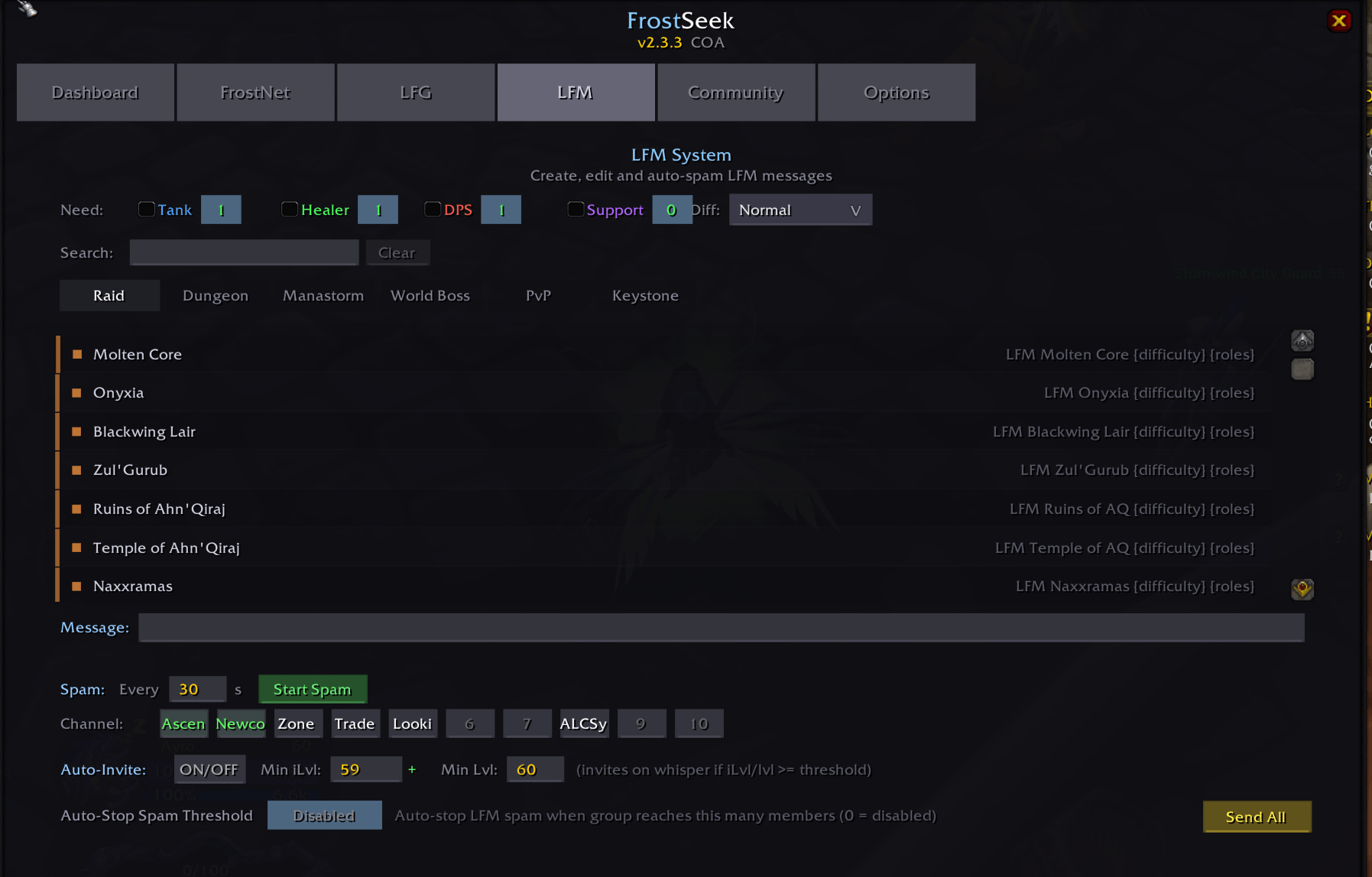
📢 LFM SYSTEM
Complete database of raids, dungeons, world bosses, PvP activities
Smart message generator with role, difficulty, and keystone link
Auto-spam to multiple chat channels with configurable interval
Auto-invite system with role, ilvl, and level filters
Real-time message preview before posting
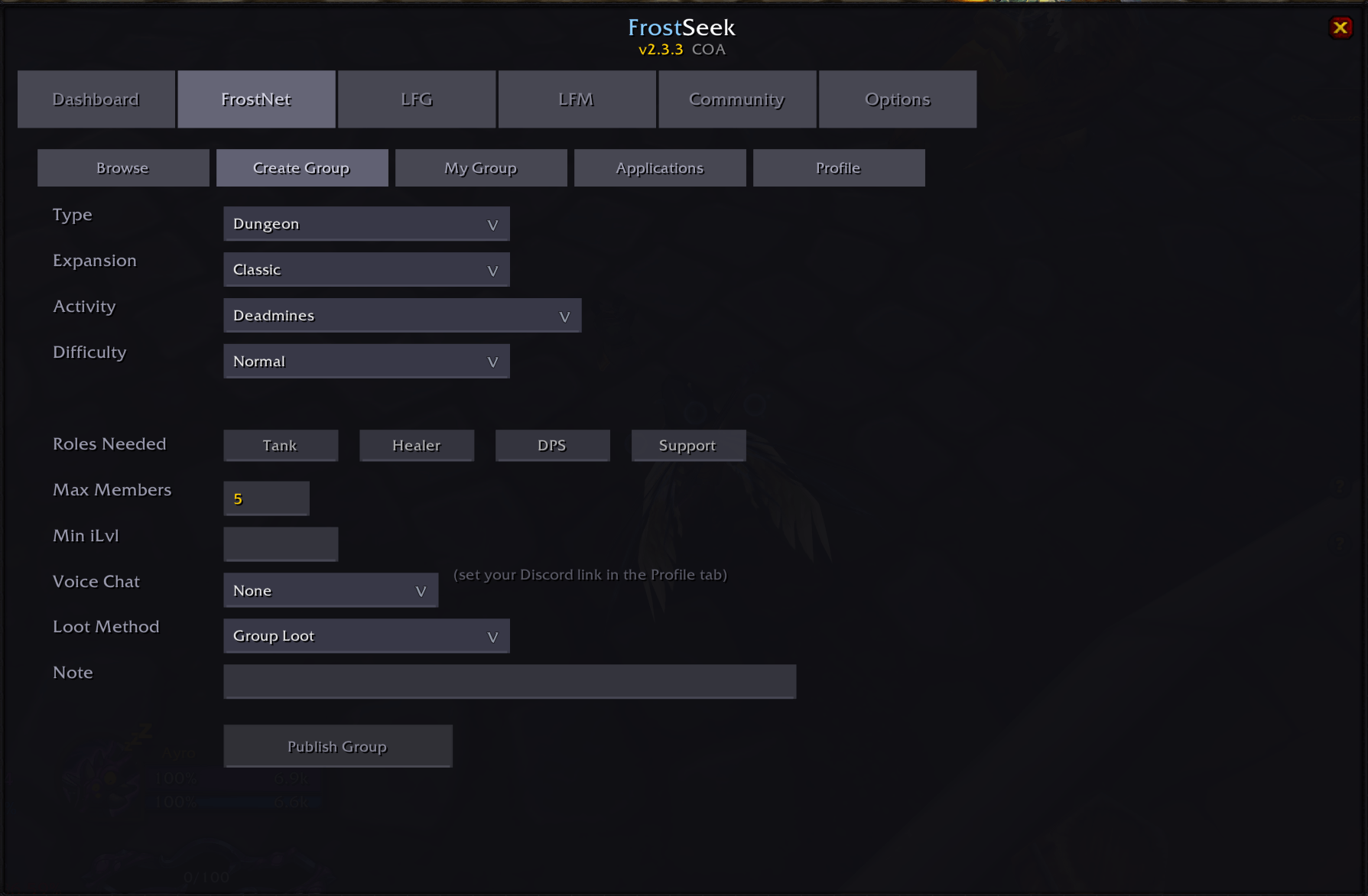
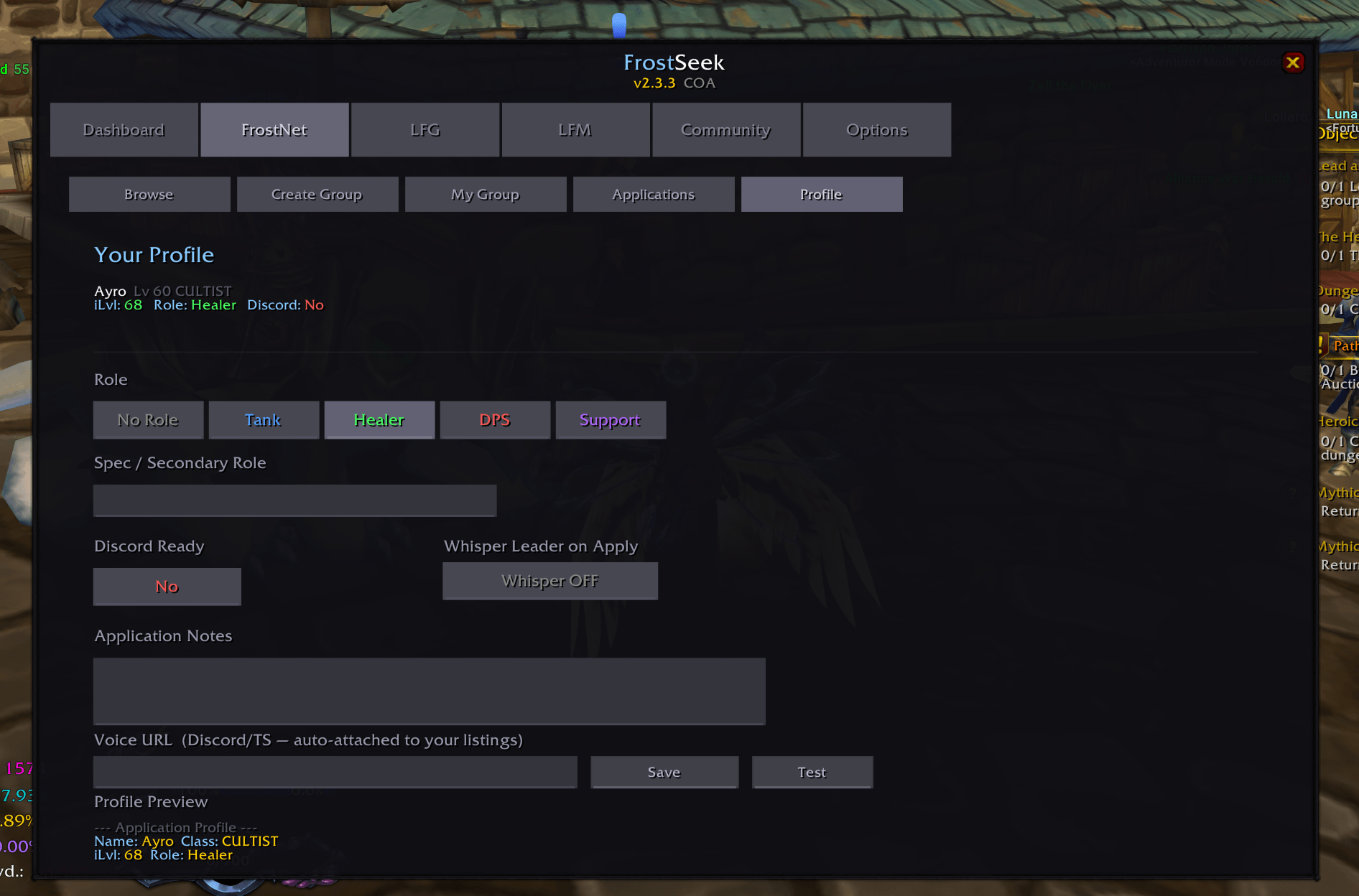
🌐 FROSTNET
Decentralized P2P network via custom chat channels (FSK)
Browse live group listings with activity, leader, roles needed, ilvl, members
Create and publish your own group listing
Apply to groups with one click — applicants shown with role and class info
Role display: see which roles a group needs (Tank/Healer/DPS) at a glance
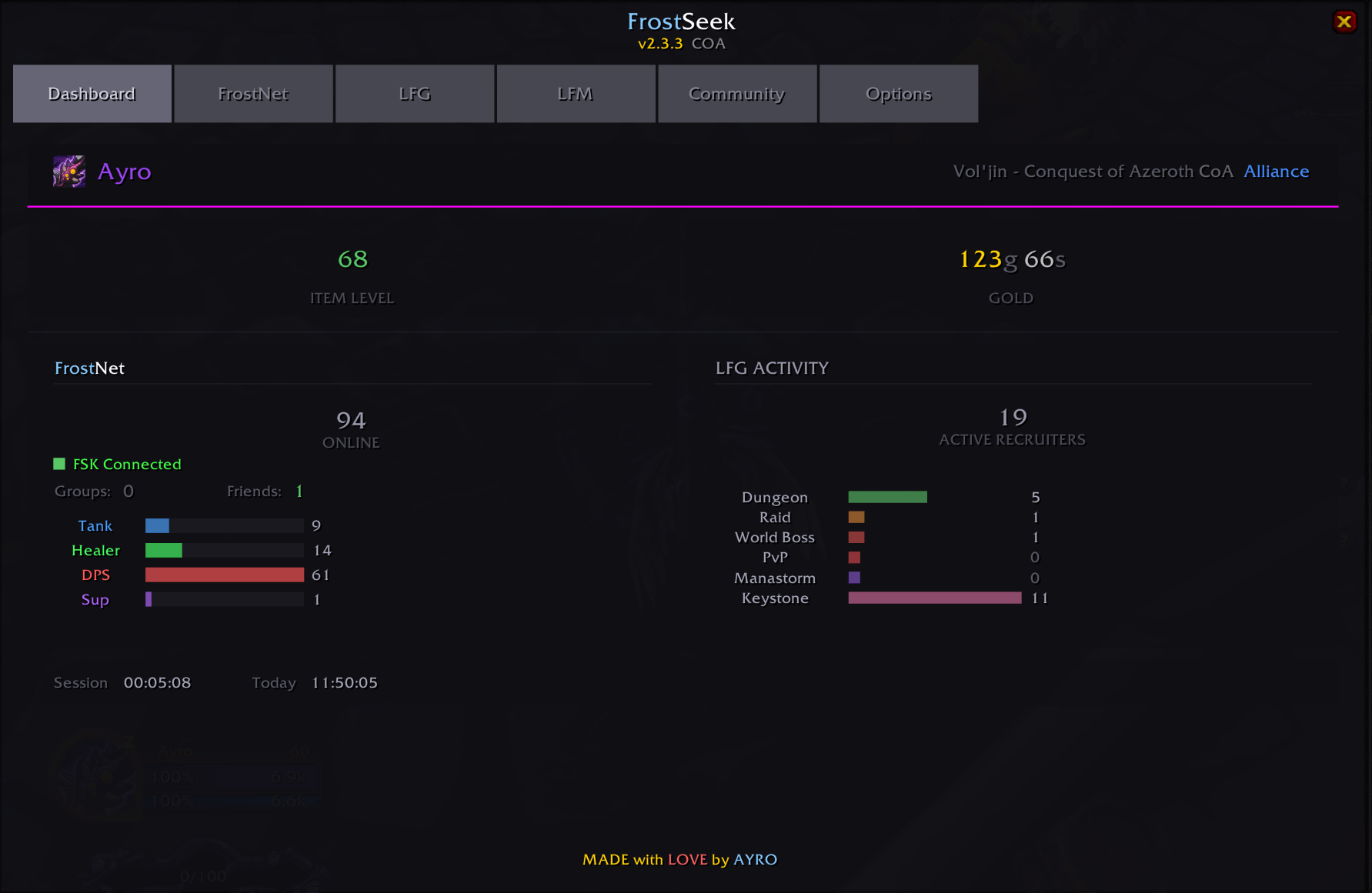
📊 DASHBOARD
Player info (level, class, item level, GearScore, gold)
FrostNet connection status and online user count
Role distribution across connected players (Tank/Healer/DPS)
Session timer and daily playtime tracker
🎨 14 COLOR THEMES
Frost, Blood, Emerald, Void, Classic, Neon, Shadow, Horde, Alliance, Plague, Druid, Warlock, Northrend, Dragon, Titan
Shadow set as default — switch anytime from Options tab
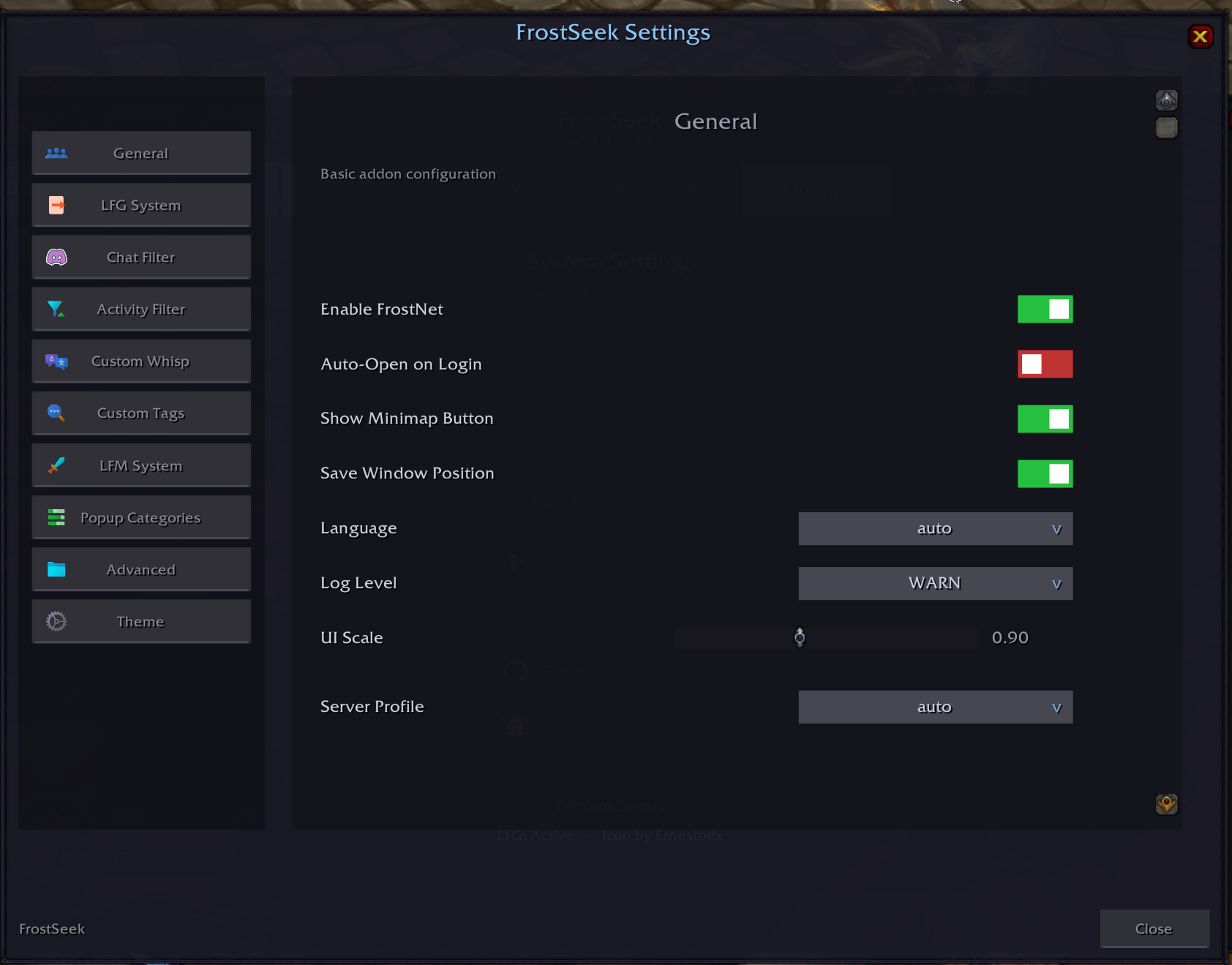
🔧 OPTIONS
Disable all popups
1. Type /fs to open the interface
2. Go to the Options tab
3. Click "Open Settings Window"
4. Select "LFG System" from the sidebar
5. Check "Disable Popups"
Filter popups by category
1. Open Settings Window
2. Go to "Popup Categories"
3. Uncheck categories you don't want popups for:
- Uncheck "Dungeon" to hide normal/heroic dungeons
- Uncheck "Raid" to hide raid notifications
- Uncheck "PvP" to hide arena/battlegrounds
- Uncheck "Manastorm" to hide custom events
- Uncheck "Keystone" to hide keystone runs
4. Or simply enable "All Categories" to see everything
Mute notification sounds only
1. Open Settings Window (Options tab → Open Settings Window)
2. Go to "LFG System" category
3. Check "Silent Notifications"
Adjust popup behavior
In the LFG System settings, you can also:
- "Popup Duration" - How long popups stay on screen (2-10 seconds)
- "Popup Cooldown" - Time between identical popups (60-600 seconds)
- "Max Popups" - Maximum number of popups shown at once (1-5)
- "No Alerts in Group" - Disable popups while in a party/raid
- "No Alerts in Combat" - Disable popups during combat
Slash Commands
- /fs — Open main window
- /fslfg — Open LFG tab
- /fslfm — Open LFM tab
- /fsoptions — Open Options tab
- /fsdebug — Toggle debug mode
LFG-LFM FrostSeek Team