
Friendly Forever
2026-11-12_09-53-09.png
2026-11-12_09-53-29.png
2026-11-12_09-53-53.png
2026-11-12_09-54-18.png
2026-11-12_10-36-43.png
Description
Friendly Forever makes you the friendliest adventurer in WoW Forever: it greets, welcomes and thanks for you, and returns every kindness with a buff. It's built to stay friendly when a whole guild runs it, without flooding chat.
New in 1.5.1:
- the buff button's key and buff mode's on/off key now have a Friendly Forever section in Key Bindings;
- the idle button shows Friendly Forever's own icon, not Mark of the Wild's paw;
- the shift back into your form waits only for you, your group and who needed a buff when you left it, and a refusal's reason, such as "Can only use outside", clears once you move indoors or outdoors, or change zone.
New in 1.5.0:
- one Favours tab replaces the two tabs that held thanking and buffing back: thanking players who buff you, offering your buff back, buff requests, passers-by, the buff button and the lines for both are all in one place;
- buff mode's key, its triggers and top-up are now on the Buffs tab, under Buff mode;
- the tabs now fit in two rows;
- the Buffs tab's place for strangers who buff you is now called Strangers;
- the button that offers your buff back is now called the buff button;
- nothing moves or resets: your settings, edited lines, keys and profiles load unchanged.
New in 1.4.5:
- the zone in guild greetings is now your guildmate's, from the guild roster, not yours;
- after fast-cast buffing, the button offers your druid form or Ghost Wolf back, and your next press shifts you into it;
- each options page and Buffs tab place scrolls only as far as its last control.
New in 1.4.4:
- a refusal about you (not enough mana, in combat, a form) no longer puts the player aside: the button stays on them and shows why;
- in a resting area, passers-by no longer keep buff mode on;
- buff mode's key keeps working in Moonkin Form, and its chat line says to click the button when the key waits.
New in 1.4.3:
- buff mode's key no longer knocks a shaman out of Ghost Wolf;
/friendly blessingsagrees with the Buffs tab when the game's raid answer can't be trusted;- the raid buff split forms even when joining a raid sends an update the game won't let addons read;
- chat sending is sturdier: an error in one queued message drops only that message.
New in 1.4.2:
- hover a message box to see what its placeholders turn into;
- the buff button picks the rank a player's level allows, and waits for druid buffs while you're in a form;
- weapon buffs stay quiet while you're resting in town;
- the passers-by switch is at the top of the Buffs tab, and Shift-clicking the minimap button turns buff mode on or off.
New in 1.4:
- a Buffs tab: your buff order and, for every buff, who gets it in each place;
- weapon buffs (experimental, off by default);
- offer your buffs to passers-by (off by default), and buff mode turns on at a campfire;
- buff mode turns itself on when your own buffs run low, even solo.
Getting started
- Start here: a first options page with what the addon does, your main settings and keys, and a link to every other page.
- A short walkthrough: on a new install, a step-by-step tour of buff order, buff mode's key and triggers, and your thanks and welcome lines. Finish or skip it to switch the addon on. Replay it any time from Start here. After an update, What's new shows only the steps added since. In 1.5 a Favours step shows where each setting moved. In 1.4 it explains the Buffs tab and asks whether to keep your old buff rules or use the new defaults. Skip it and nothing changes: your buffs work as before.
- Find any setting:
/friendly find <word>(for example/friendly find snooze) says which page each matching setting is on. It finds every setting that moved to the Favours tab, including by the old tab names.
Greetings and thanks
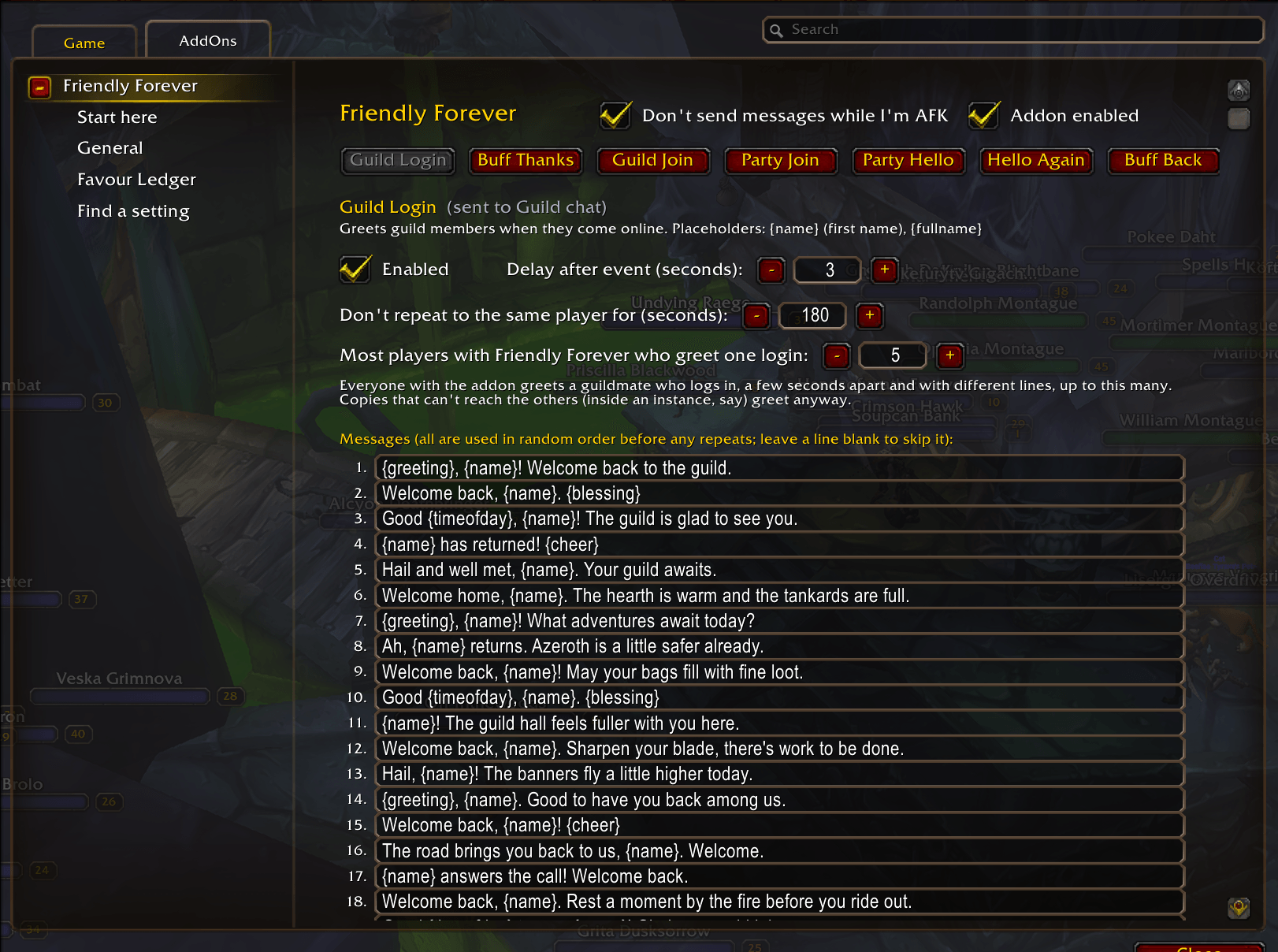
- Guild greetings: says hello when guildmates log in, and welcomes new members to the guild. When a line names a zone, it's your guildmate's, from the guild roster.
- Group welcomes: says hello when you join a party or raid, with a different line when you rejoin the same group.
- Level-up cheers: congratulates a party member who levels up.
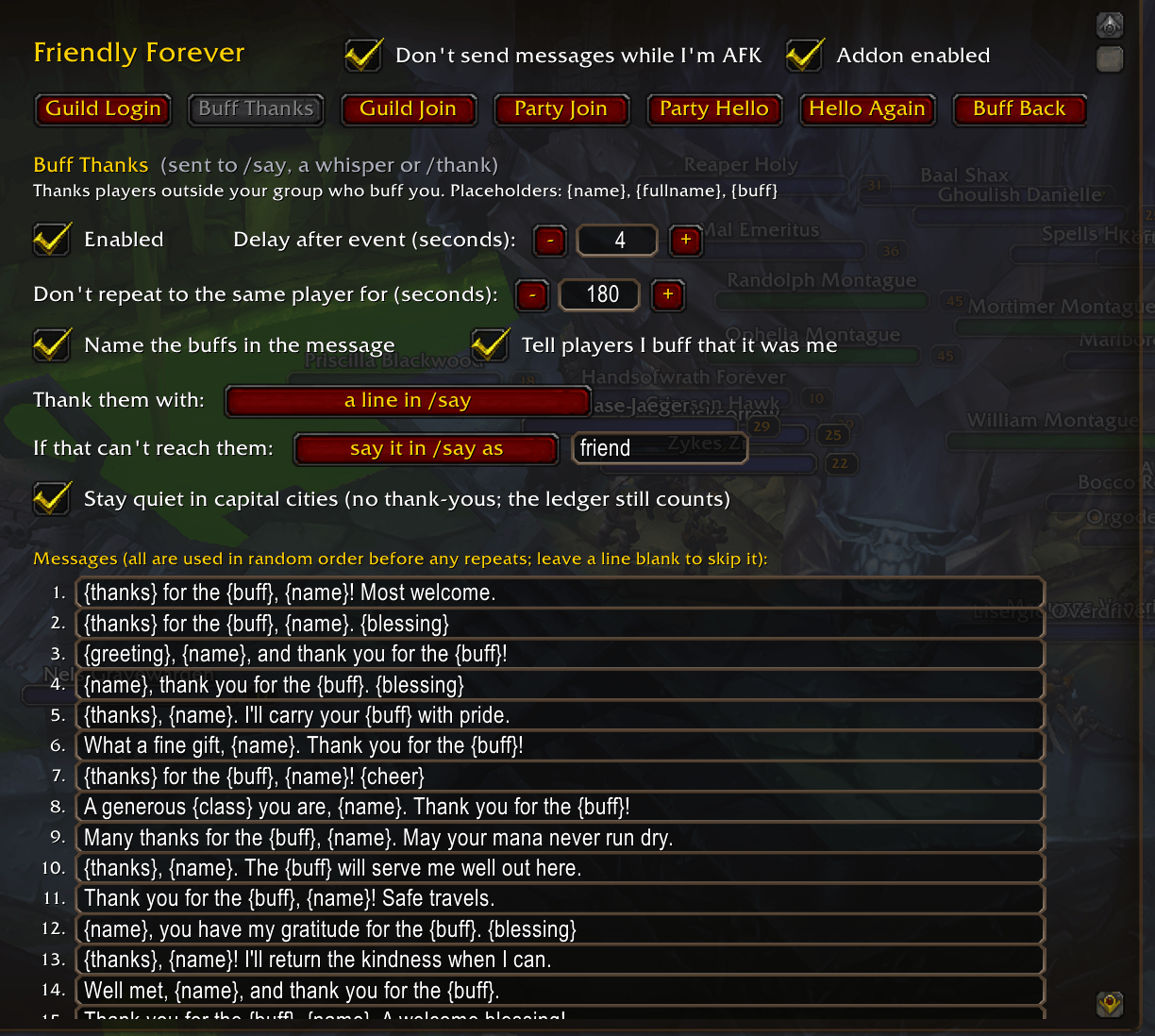
- Thanks for buffs: thanks whoever buffs you, by name and buff, with a line in /say, a whisper, a /thank emote, or a line and an emote. You choose what happens when it can't reach them.
- See what a line will say: hover any message box to see three examples, every phrase each placeholder ({greeting}, {thanks}, {blessing}, {cheer}) can pick, and what {zone}, {timeofday} and {myclass} read now. Hovering changes nothing you've saved.
- Flavour lines: 30 editable lines per message, in a Warcraft fantasy voice. They change with your race, faction, zone and the time of day ("Throm-ka, Thrall! Strength and honor."). Every Forever race has its own voice, including the High Order and Windshaper Skyborne.
Favours
One tab holds all of it. Top to bottom: When someone buffs you (thank them, the delay, the repeat cooldown, how to thank, and what to do if that can't reach them), Return the favour (offer your buff back and how long a favour waits, then a line when your buff lands), Asked and passing by (buff requests in chat and passers-by), and The buff button (the button in capital cities and when to renew, with a link to the Buffs tab). Buff mode's key, its triggers and top-up are on the Buffs tab, under Buff mode. Below them are two sets of 30 editable lines, Thank-you lines and When my buff lands, with Preview random, Reset this tab to defaults, and Load fantasy lines and Load casual lines for the set shown.
- Return the favour: when a stranger buffs you, a button offers your buff back. One key press or click casts it on them and gives you your own target back.
- Picks the right buff: your buffs in the order you choose, never one they already have or their class can't use. A buff of yours that's wearing thin on them is renewed. It casts the highest rank their level allows, and says so when it steps down; a player too low for every rank of a buff gets your next buff instead.
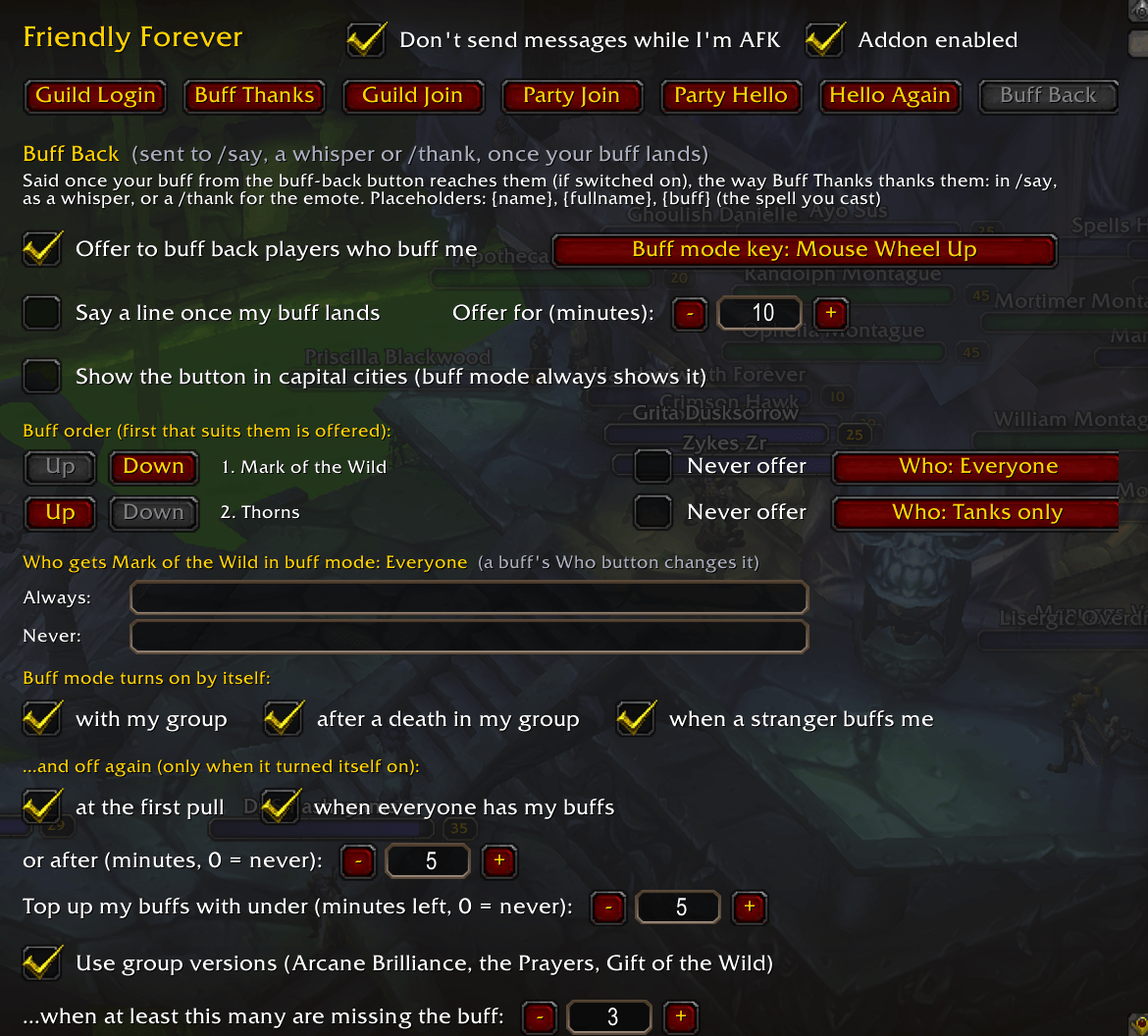
- The Buffs tab: your buff order, with each buff's icon, and Never offer live on one tab. For every buff you choose who gets it in each place: players outside your group who buff you (Strangers), Party, Raid and PvP. Choose by role (Tanks, Healers, Damage), by class or Everyone, add names that always or never get it, or turn it Off.
- Knows who buffed you: when the game can't name a stranger who buffed you, their copy of Friendly Forever quietly tells yours, so you can thank them by name.
- Buff requests in chat (off by default): when someone whispers you, or says in /say or party chat, "mark pls", "int please" or "can I get fort?", they go on the button with the buff they asked for. It only counts your own class's buffs, by name or common nickname, and nothing is said back. A request is always granted while this is on, even for a buff you marked Never offer, but never a buff their class can't use. Switch it on with Offer my buffs to players who ask in chat on the Favours tab.
- Passers-by (off by default): in buff mode, in the open world, the button can also offer your buffs to players nearby who aren't in your group and haven't buffed you. One buff per press, after everything else you owe, and never a word in chat. They're offered a buff only if they lack it (or it's under half its time), your Strangers rule allows it and their class can use it. Never in a dungeon, raid, battleground, arena, capital city or fight, and in a resting area they never keep buff mode on or turn it on, and never someone flagged for PvP while you aren't. Right-click skips someone for 10 minutes. Switch it on with Also offer my buffs to passers-by in buff mode on the Favours tab. It needs friendly nameplates.
- A line once it lands: optionally say a line once the game confirms your buff reached them (Say a line when my buff lands, off by default).
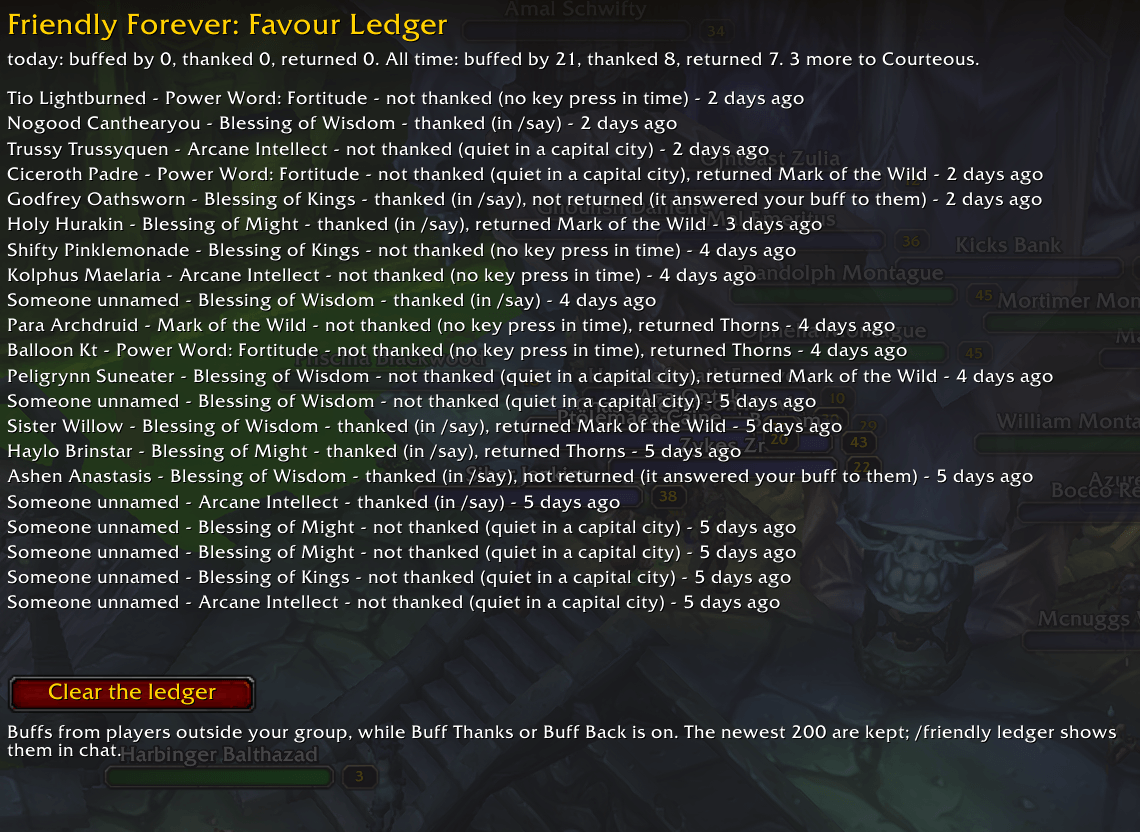
- Favour ledger: who buffed you, whether you thanked them and buffed them back, with titles from Courteous to Friend to All Azeroth.
Safe by design:
- never flags you for PvP;
- never casts on the dead or on someone else;
- nothing is ever cast without your press;
- your ignore list always applies.
Buff mode
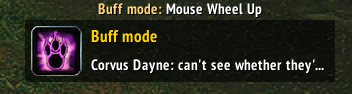
- Lend it a key: lend the button a key of your choice, the mouse wheel by default, and buff a whole raid by scrolling. Shift-click the minimap button to turn buff mode on or off (in a fight it waits until the fight ends); right-click still turns the whole addon on or off. The key is lent only while buff mode is on, so Key Bindings shows it as Not Bound; it goes back to normal when buff mode ends, and during fights. The buff button's key and the key that turns buff mode on and off sit in a Friendly Forever section of Key Bindings. Choose the key, and when buff mode turns itself on and off, in the Buff mode section of the Buffs tab.
- Buffs your group: fills in party and raid members missing your buffs, one per press, skipping anyone dead, out of range, out of sight or flagged for PvP. Group versions (Arcane Brilliance, Prayers, Gift of the Wild, Greater Blessings) are used when they cover enough of the group.
- Buffs you, too: solo, it keeps your own Fortitude, Intellect, Mark or Blessing up, and turns itself on when one is missing or running low.
- Your self-buffs: Inner Fire, mage and warlock armors, Lightning Shield, Battle Shout, Aspects, Trueshot Aura, paladin auras and Righteous Fury, after everyone else is done. Each is marked "(you only)" in your buff order.
- Weapon buffs (new, experimental, off by default): pick a stone, oil, poison or shaman imbue for each hand on the new Weapon buffs page. Once everyone else is done, the button offers it for a hand with nothing on it, and one press puts it on. A weapon with its own Use is left for you. While you're resting (in a city, an inn or a town with one) weapon buffs wait until you leave. It's offered in a druid's form or Ghost Wolf too, and a press may drop you out of the form, as doing it by hand would.
- Druid forms and Ghost Wolf: in cat, bear, travel or any other druid form except Moonkin (which casts as usual), or a shaman's Ghost Wolf, the key leaves your buffs alone so scrolling never knocks you out of the form. The button still shows the buff, and a click casts it. Turn on Fast-cast buffs in form on the Buffs tab (off by default) to let the key cast them in a form or Ghost Wolf too; once everyone who needed a buff when you left the form is done, the button offers your form back, before anyone who turns up later, and your next press shifts you into it; weapon buffs work with the key as before.
- Tops up before it runs out: a buff of yours with under 5 minutes left (you choose) counts as missing, so you renew it in time. Set it with Top up my buffs with under in the Buff mode section of the Buffs tab.
- Shares the work in raids: copies of Friendly Forever split the buffs between them, so three priests give Fortitude, Spirit and Shadow Protection between them, and paladins split their Blessings instead of all giving Kings.
- Paladin-aware: gives one Blessing each, never overwriting yours.
- Even underwater breathing: offers Unending Breath or Water Breathing only near water, so you're never asked to cast them in the desert.
- Dungeons and raids: turns on as you enter with your group and stays on until everyone is in and buffed, or the first pull. Once the whole group is inside, a PvP-flagged member gets buffed too, since nobody can attack you there.
- Battlegrounds and arenas: every buff starts off in PvP; turn on the ones you want on the Buffs tab's PvP place. In a battleground, once the gates open, the addon goes quiet for the rest of the battle.
Turns itself on and off:
- On when you join a group, when someone in your group is missing your buffs, when one of your own buffs is missing or low (solo too), after a death between pulls, when someone buffs you, or at a campfire (when a camp benefit, a near-the-fire aura or Campfire Nearby is added to you).
- Off again at the first pull, once everyone's buffed, or after a timeout.
Friendly, not spammy
When a whole guild runs Friendly Forever, it should feel warm, not noisy:
- Quiet coordination: addon users coordinate over a hidden addon channel that never appears in chat.
- One thanks each way: one combined thank-you per exchange, after the last buff, and buff trades stop after one round.
- Varied hellos: when a guildmate logs in, hellos come a few seconds apart, with different lines, and from at most 5 of you (you choose, 1 to 20). Someone who logs straight back in isn't greeted twice.
- Sensible welcomes: in raids only the leader says the welcome; in 5-player groups, everyone may.
- City quiet mode: in capital cities, with hundreds of players around, it stays quiet and the buff button is hidden by default.
- Rate limits: cooldowns per player and per group, and at most 4 lines a minute in each chat by default.
- Silent group thanks: buffs inside your group are never thanked out loud.
Control and safety
- One options panel: every message type has its own tab (thanks and buffing back share the Favours tab), with on/off, delays, cooldowns and lines; plus snooze, an ignore list and profiles; and export/import of your settings as one line of text.
- Easy to read: one colour palette chosen to read well on the game's dark backgrounds and with colour blindness, and "on" and "off" are always spelled out.
- Stays out of the way: respects AFK, the game's chat lockdown and combat. Settings are checked on load and repaired if damaged, even mid-session.
- Safe with untrusted input: never runs text as code, and other players can't control it. A buff request or a passer-by can only put someone on your button; you still press it.
Updating
Coming from 1.3 or earlier, restart the game after updating: 1.4 adds new files, and /reload isn't enough. From 1.4.0 or later, a /reload is enough.
In active development for WoW Forever. See the changelog for what's in each release.
Friendly Forever Team
