FrameWorks
- By
FrameWorks is an all-in-one QoL and UI customization suite built for WoW: Forever. It sticks to the default art style and just makes the game more comfortable to play.
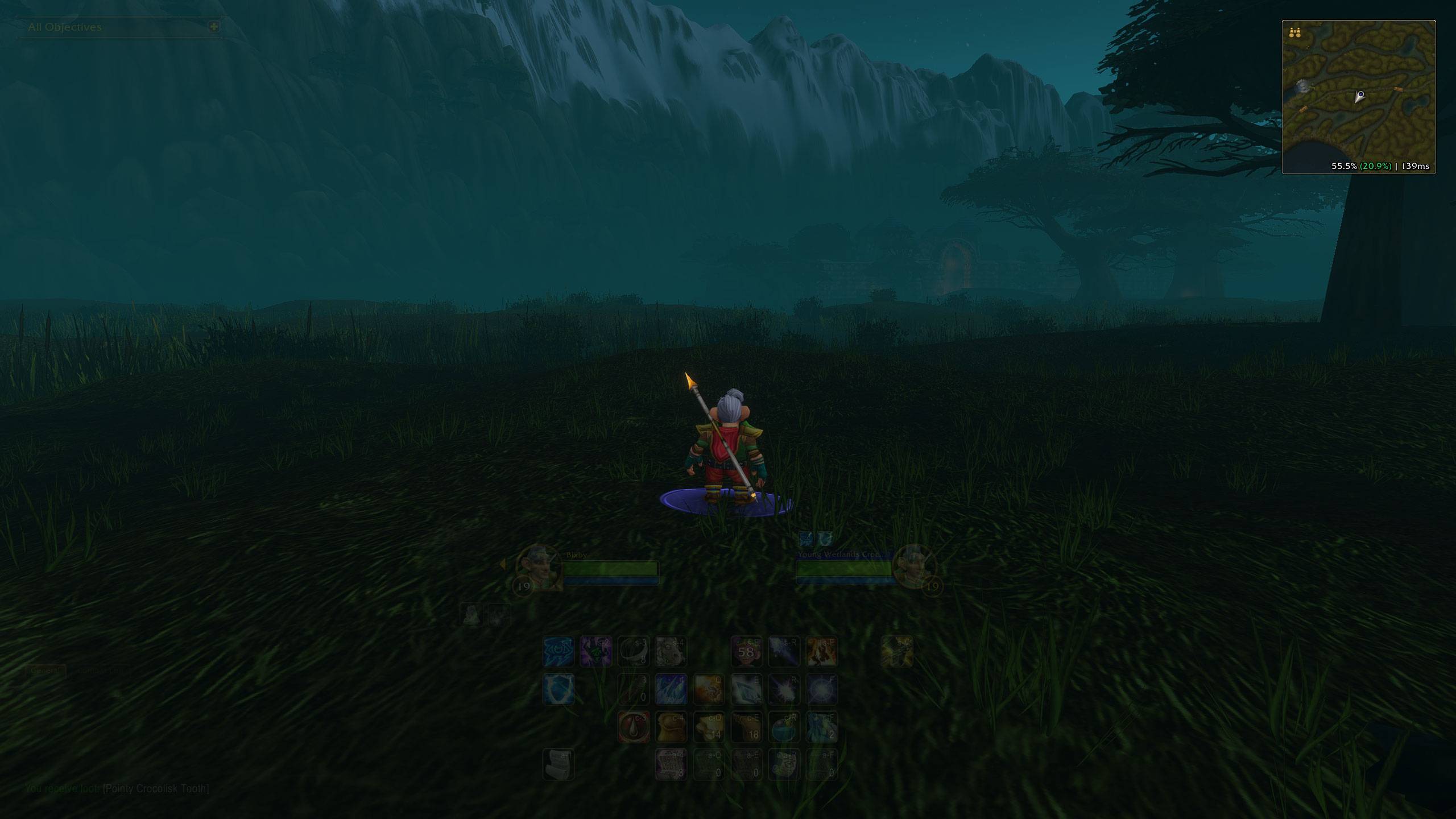
15% alpha fade, visible minimap
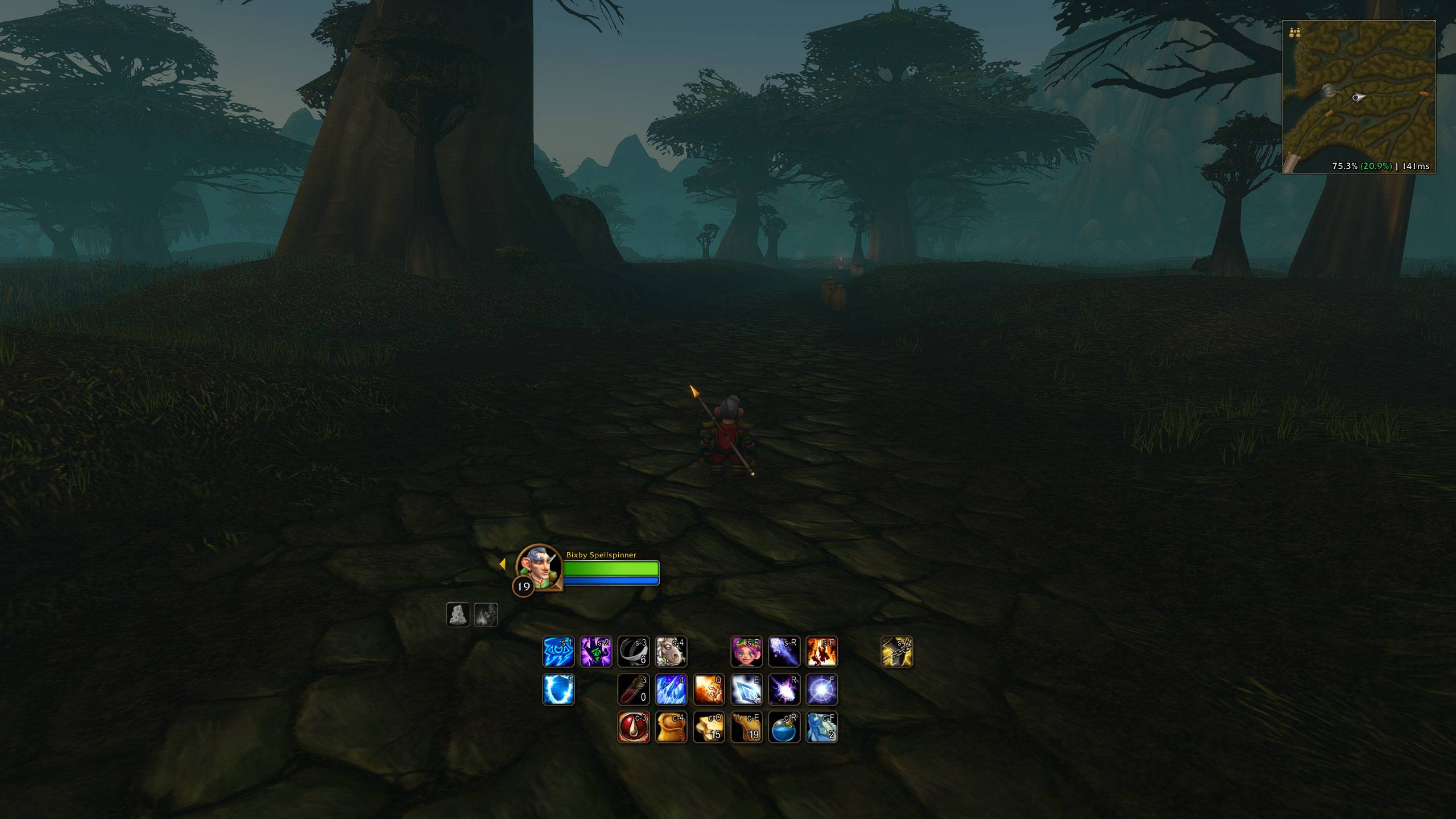
Personal preference across various settings with many elements hidden and/or faded.
Description
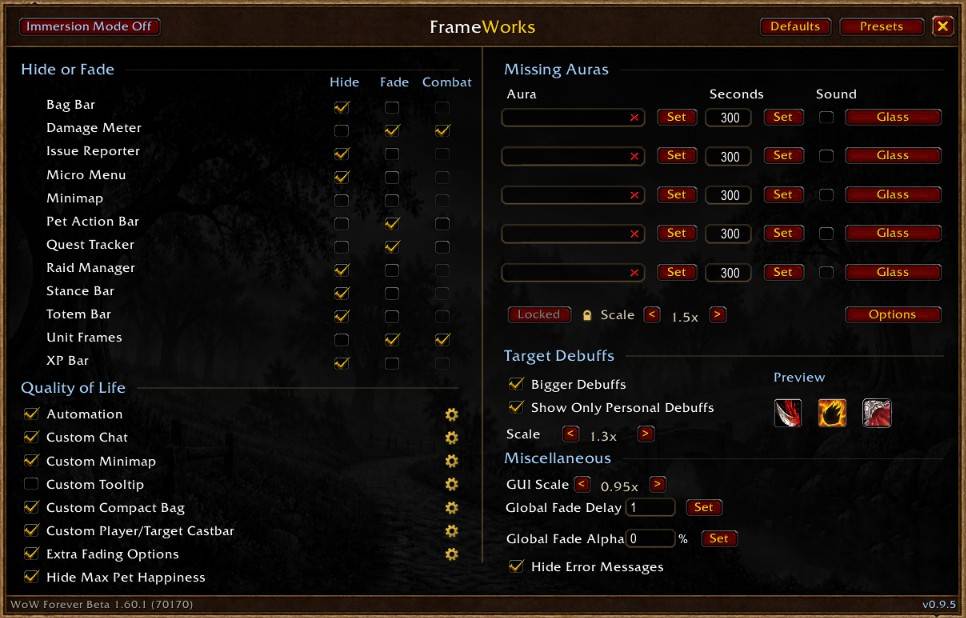
*WIP* FrameWorks (/fw) is an all-in-one quality of life and interface customization suite for WoW: Forever. It looks and feels like part of the default UI, settings save per character, and one account-wide preset carries your whole setup between characters.
- Immersion Mode: there's no cleaner UI than no UI! Fade every UI element except panels and nameplates.
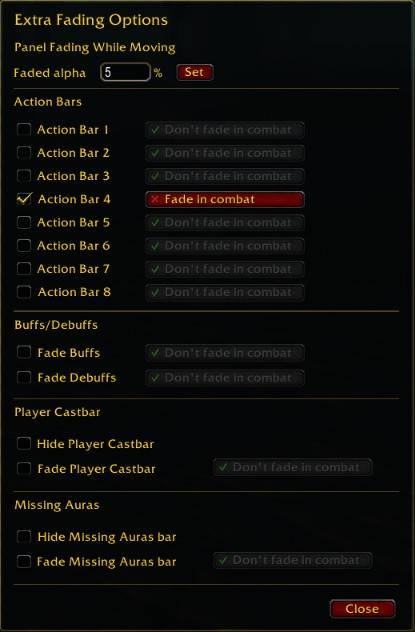
- Fade Panels While Moving: panels like the world map fade out while you move and come back when you stop, with adjustable slider.
- Fade Action Bars: master toggle plus bars 1 to 8 individually, with an adjustable delay. Bars land faded on login and wake on hover.
- Hide or Fade: Bag Bar, Damage Meter, Issue Reporter, Micro Menu, Pet Action Bar, Quest Tracker, Raid Manager, Stance Bar, Totem Bar and XP Bar, each with its own Hide and Fade. Faded elements fade out when idle and come back on hover, and everything starts faded after a reload so your screen loads clean.
- Automation: auto repair, sell grays, auto accept and turn in quests (picks quests straight from the gossip window, handles multi quest NPCs) and double right-click fishing.
- Fast Auto-Loot.
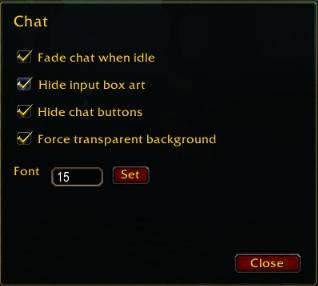
- Custom Chat: idle fade, clean input box, hidden chat buttons, forced transparent background and font size.
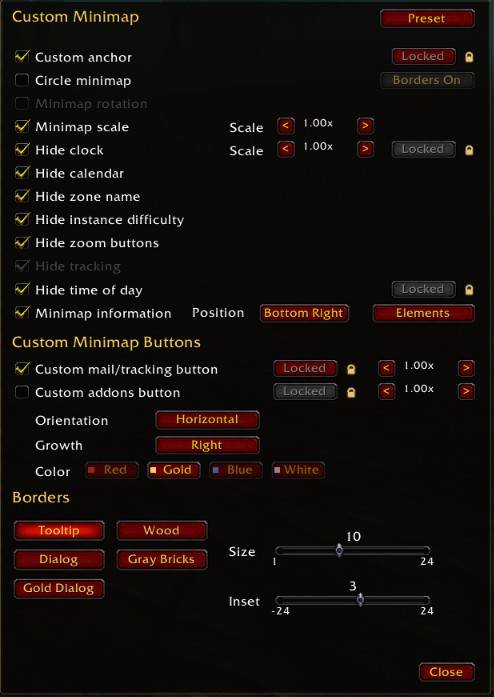
- Custom Minimap: hide the calendar, clock, zone name, tracking, time of day and instance difficulty. Square or circle shape, custom draggable anchor with scale, custom mail/tracking button with four colors and its own scale, addon compartment icons gathered into a movable tray (horizontal or vertical, growth direction, scale), info text with XP percent, completed quest XP, fps and latency, and five border styles with size and inset.
- Missing Auras: watch up to six spells or weapon enchants with a per slot warning timer in seconds and a sound alert. Draggable, scalable bar, saved per character. (tracked auras you have not yet learned or received from other classes fall back to a placeholder book icon until the aura appears on you for the first time, after which it is saved per-character and remembers it - client limitation and looking into workarounds that don't involve a maintenance nightmare)
- Target Debuffs: scale target debuffs up to 2.0x and show only your own debuffs, with a live preview.
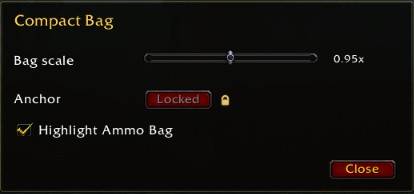
- Custom Compact Bag: movable combined bags with its own anchor and 0.70x to 1.20x scale.
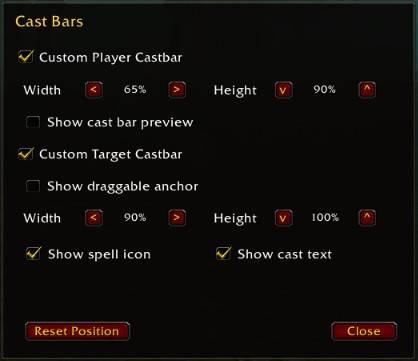
- Custom Player/Target Castbar: independent sizes, cast bar preview, draggable target anchor with spell icon and cast text toggles.
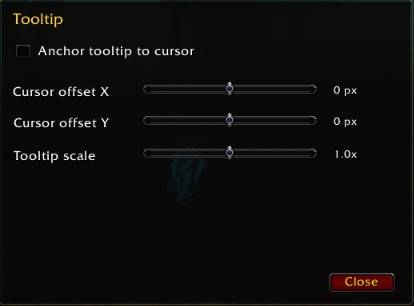
- Custom Tooltip: anchors the tooltip to the cursor with adjustable offset and scale, or just scale the tooltip without anchoring it to the cursor.
- Hide Max Pet Happiness: hides the pet mood icon while your pet is happy.
- Hide Error Messages.
- Presets: Save Preset snapshots your settings account wide, Load Preset applies them on any character, Defaults resets everything to a clean setup with fade timers back to 2 seconds.
Type /fw to open the addon interface, or find it under Options > AddOns > FrameWorks.
WARNING: Known conflicts with other addons that manage same elements, planning to add a guardrail that prompts the user to disable either addon in such case.
Disclaimer: AI is being used to develop this addon.
The FrameWorks Team