Frame Fader
- By
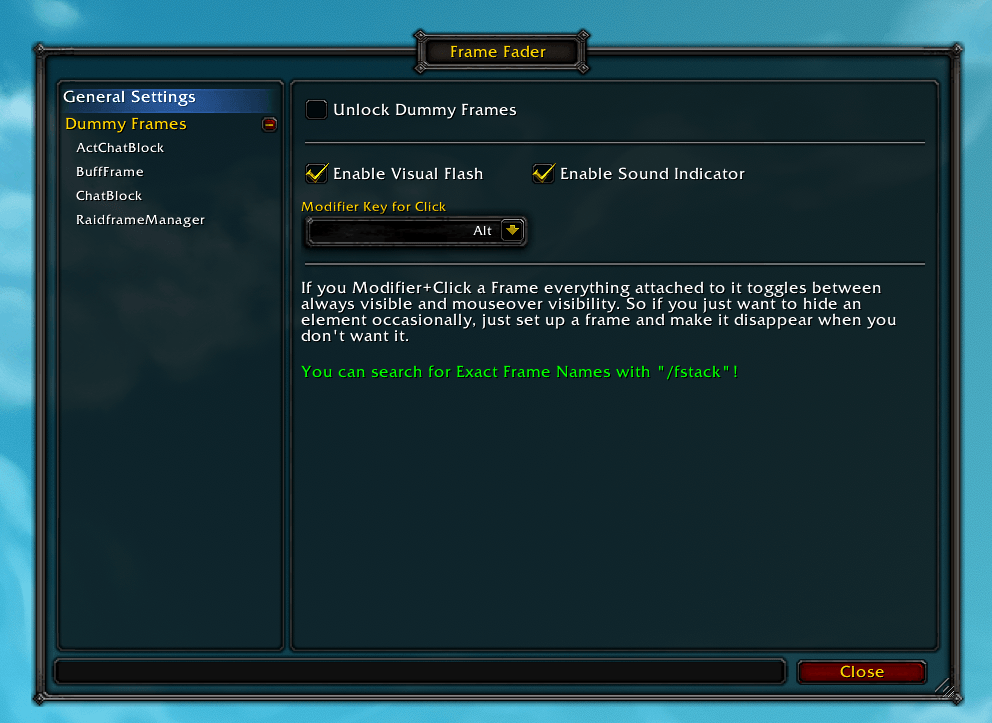
Allows you to give Mouseover Functionality to every Frame (Even Frames from Other Addons!)
FrameFader1.png
FrameFader3.png
FrameFader2.png
Description
Make every frame mouseover and apply rules like always show in Instances etc.
You can toggle Frames between visible and mousover with a modifier+click.
config with /ff.
This is an advanced addon so here is a description on how to use it:
At first you create a dummy frame, this is what reacts to your Mouseover functions.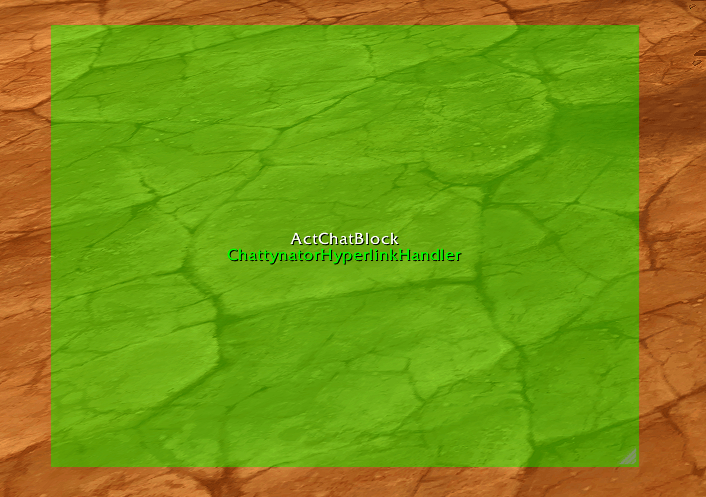
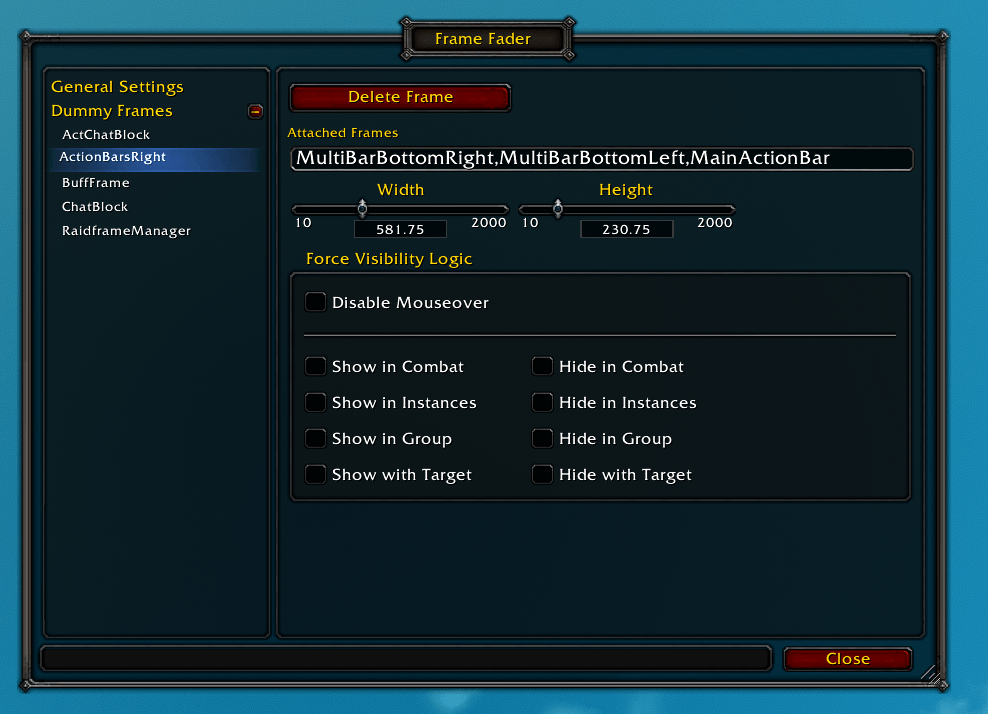
Then you attach the Frames you want to hide to the dummy frame and set when you want to hide or show it. Per default it activates the mousover fade functionality.
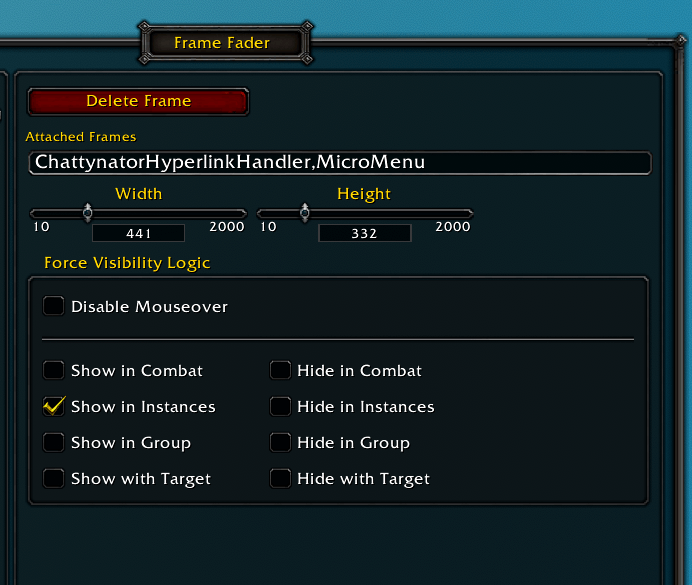
In this example i give my chat the mousover functionality. My MicroMenu is right above my chat so i also include that. I use chattynator as my chat addon so i hide that frame + the default Blizzard MicroMenu.
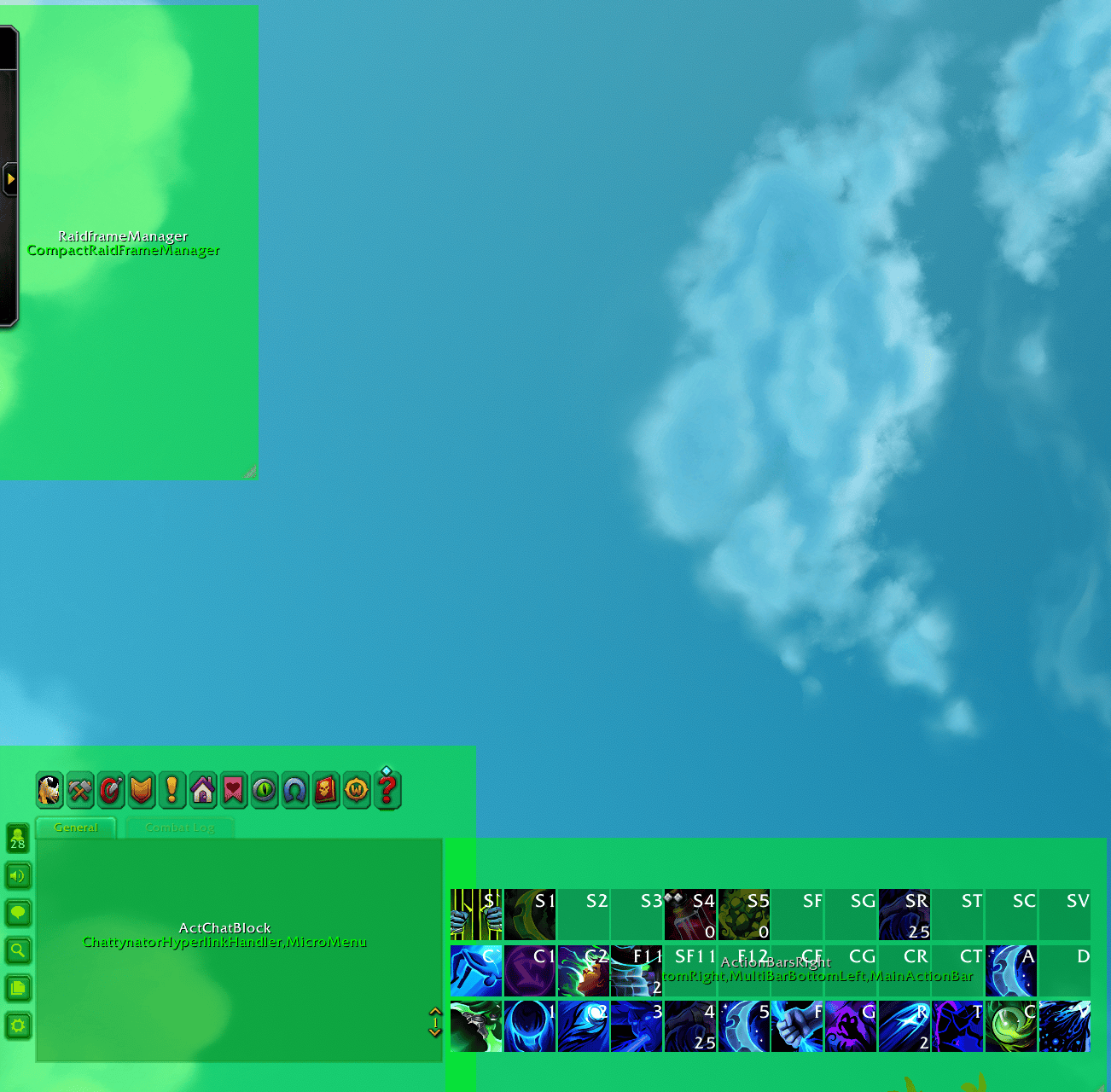
Now you drag your dummy frame over the area where the mouseover should apply. So in my Example i just drag it loosly over the frames.
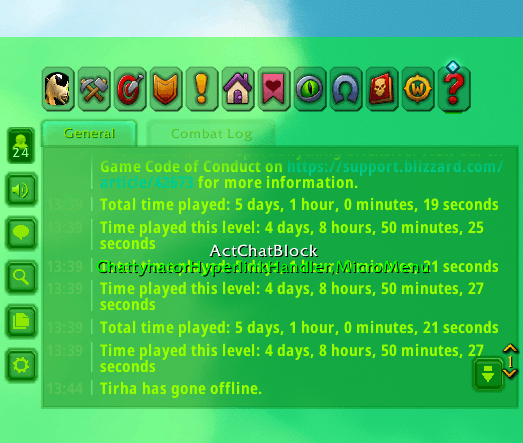
I apply everything and close addon config. Now when i hover over the area where the green box was my Chat + Micro Menu Appears.
If i click that section with alt+click then it won't hide, click it again with alt+ left mouse click and it hides again). I also made my chat appear whenever im in an instance so i have it when i need it.
You can find the exact Frame Names you need with "/fstack".
You can add as many frames as you want to one dummy. So like 5 action bars. The minimap and everything else in the area etc.
open the config with /ff.
The Frame Fader Team