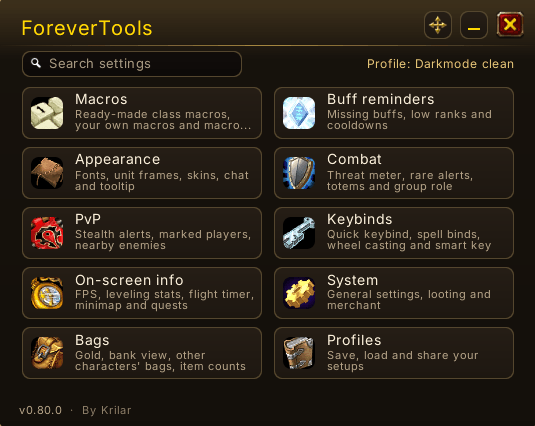
Main menu
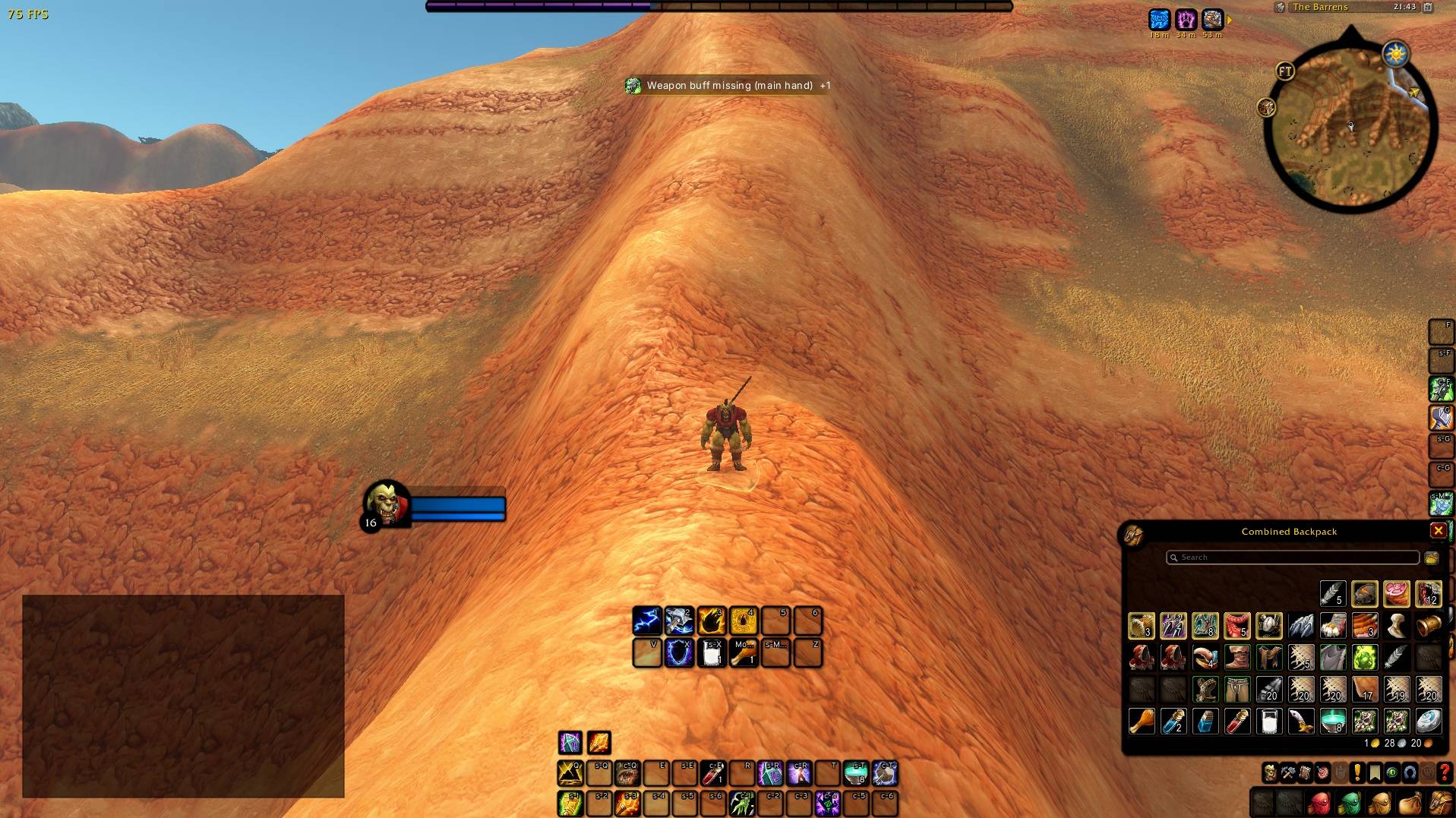
Darkmode setup example
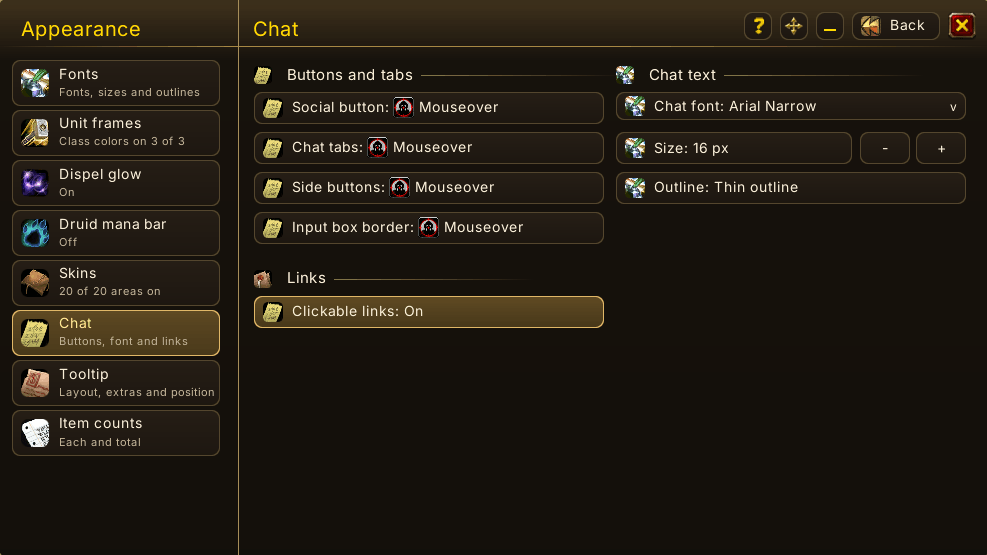
Appearance - Adjust visuals of actionbars, minimap, micro menu & more, supports importing custom fonts
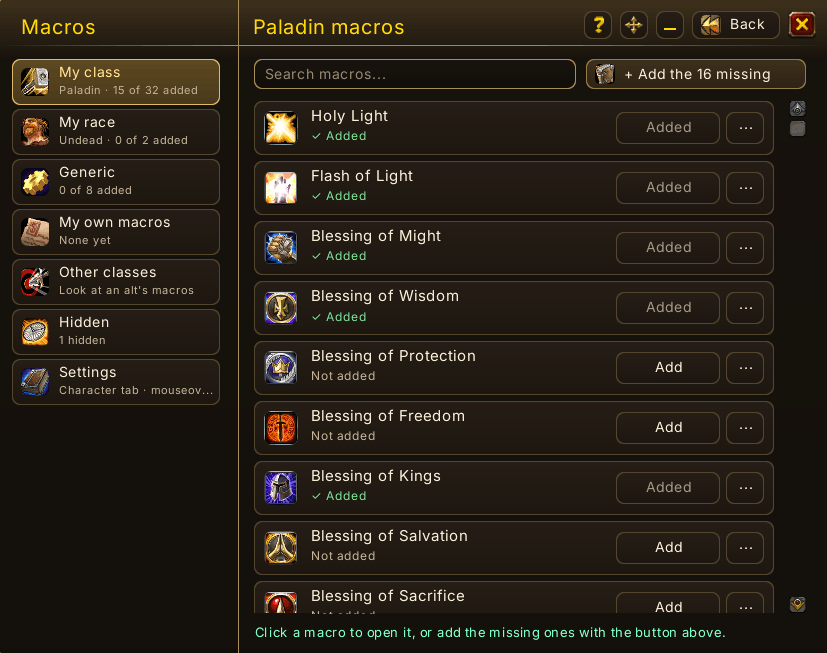
Macro builder - Bulk edit and adding, advanced options for item slots
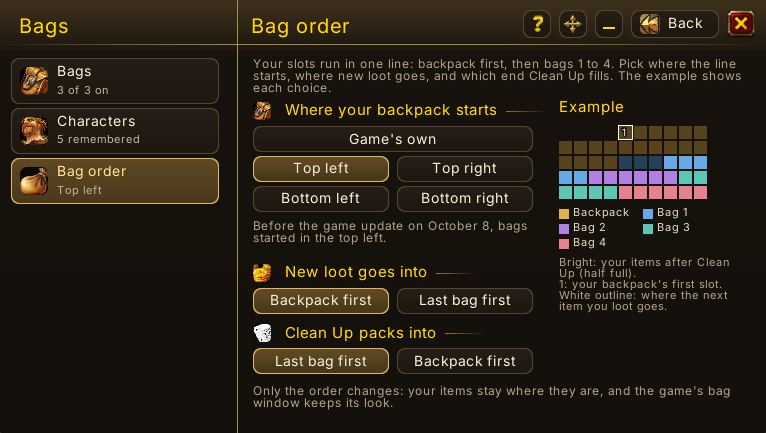
Bags - View other characters bags/bank, total gold, bag order
Description
ForeverTools: QoL for WoW Forever
Brings useful interface adjustments and tools together in one (hopefully) easy-to-navigate addon.
The purpose is mainly avoiding having to install and setup many individual addons.
Disclaimer: This addon's code is written by AI (Claude Opus 5.5 & GPT-6 Astra). Every change is tested ingame as much as practically possible before release, with an extensive full checklist before Forever launch. Performance considerations is key, aiming to be as lightweight as possible. Copying anything from other addons has been disallowed from the start.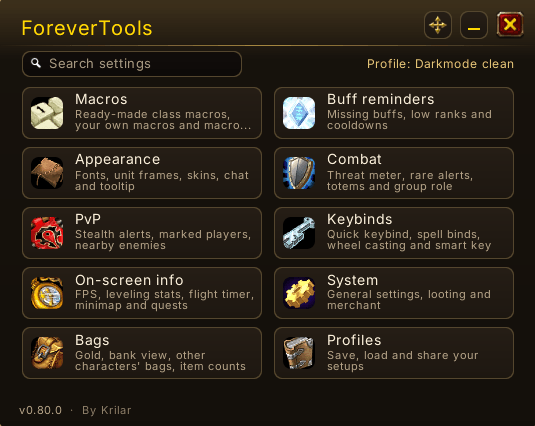
Features
Look and feel
- Dark mode/skins for action bars, buffs, bags, bank, minimap, XP bar, unit frames, cast bars and more.
- Font manager, own fonts supported.
- Class-colored unit frames.
- Dispel glow around frames with a debuff you can remove.
- Druid mana bar while in a form.
- Tooltips: build your own tooltip (name, level, race, class, faction, spell/item ID and more).
- Chat: hide or mouseover-reveal chat buttons, chat font, clickable links.
- Minimap: coordinates, and one menu that groups other addons’ minimap buttons.
Bags
- Gold of all your characters on the bag’s gold, and your bank from anywhere.
- View your other characters’ bags, and item counts per character in tooltips.
- Bag order: put the backpack’s first slot in the corner you want.
Combat
- Threat meter next to the game’s damage meter, and your threat % above your target.
- Rare alerts with an optional sound; click to target.
- Cooldown reminders for racials, trinkets and big cooldowns on tough targets and big pulls.
- Totems (shamans): each totem’s reach on the minimap, and a warning when you leave one behind.
PvP
- Stealth alert when an enemy player near you goes into stealth.
- Marked players: mark an enemy with a reason, get a red alert when they show up again.
- Nearby enemies: a small list of enemy players around you; click a name to target.
- Battleground timer: when a queue pops, a bar counts down the time you have left to enter.
Keybinds
- Spell binds: bind spells, items and macros straight to keys, no action bar needed.
- Role keys: one key per job (Interrupt, Taunt, Dispel, Defensive, Heal and more) that picks your class’s spell, so the same key does the same job on every character. Optional role bar with cooldowns.
- Quick keybinds (/kb), mouse-wheel casting on mouseover, and a smart interact key for questing.
- Backups: keybinds, action bars and spell binds are backed up before an import, and you can put any copy back.
Leveling and miscellaneous tools
- Macro builder: class, racial and general templates with ranks and mouseover, plus your own macros.
- Buff reminders: self and group buffs, XP and stat food, weapon enchants, rogue poisons and more.
- Leveling stats: XP per hour, time to level, kills to level, rested XP.
- Flight timer, FPS counter, fast looting, auto-repair/sell, movable loot rolls, role helper & more.
- Death glow: turn off the glowing screen while you are dead or a ghost.
- Move elements: unlock and drag every ForeverTools element in one place.
Profiles
- Profiles save automatically, with earlier versions you can restore.
- Easy profile selector for alts, or start from a template.
- Export and import as text, optionally with keybinds, action bars and spell binds.
- Edit Mode layout: save your Edit Mode string with the addon and import it at launch.
Good to know
- Everything is off by default, so you set up only what you want to use. A guided tour shows each feature.
- Open the menu with /ft or the minimap button.
- Lightweight: built with performance in mind.
- Found a bug? Report it in CurseForge DM/comment. System > General has a bug form you can paste.
- Open source (MIT).
Work in progress. Features in development:
- PvP functionality
- Profiles across classes: one profile shared by several classes, with class-specific parts kept apart.
- Standing in fire warning: back once it can tell fire on the ground from other damage over time.
- ~120-step pre-Forever release checklist for bulletproofing performance and functionality.
Known issues
- Totem circles and range warning for shaman sometimes unreliable in combat/dungeons
- Dispel glow not showing in combat along with colorazion sometimes being wrong
- Smart interact key not working (potential fix in v0.70.0)
- Battleground timer untested
- Rogue poison reminder untested
ForeverTools Team