


ForeverShiftPlate
- By
A clean, enemy-style nameplate above your own character, with health, power and mana bars that follow you through every form.
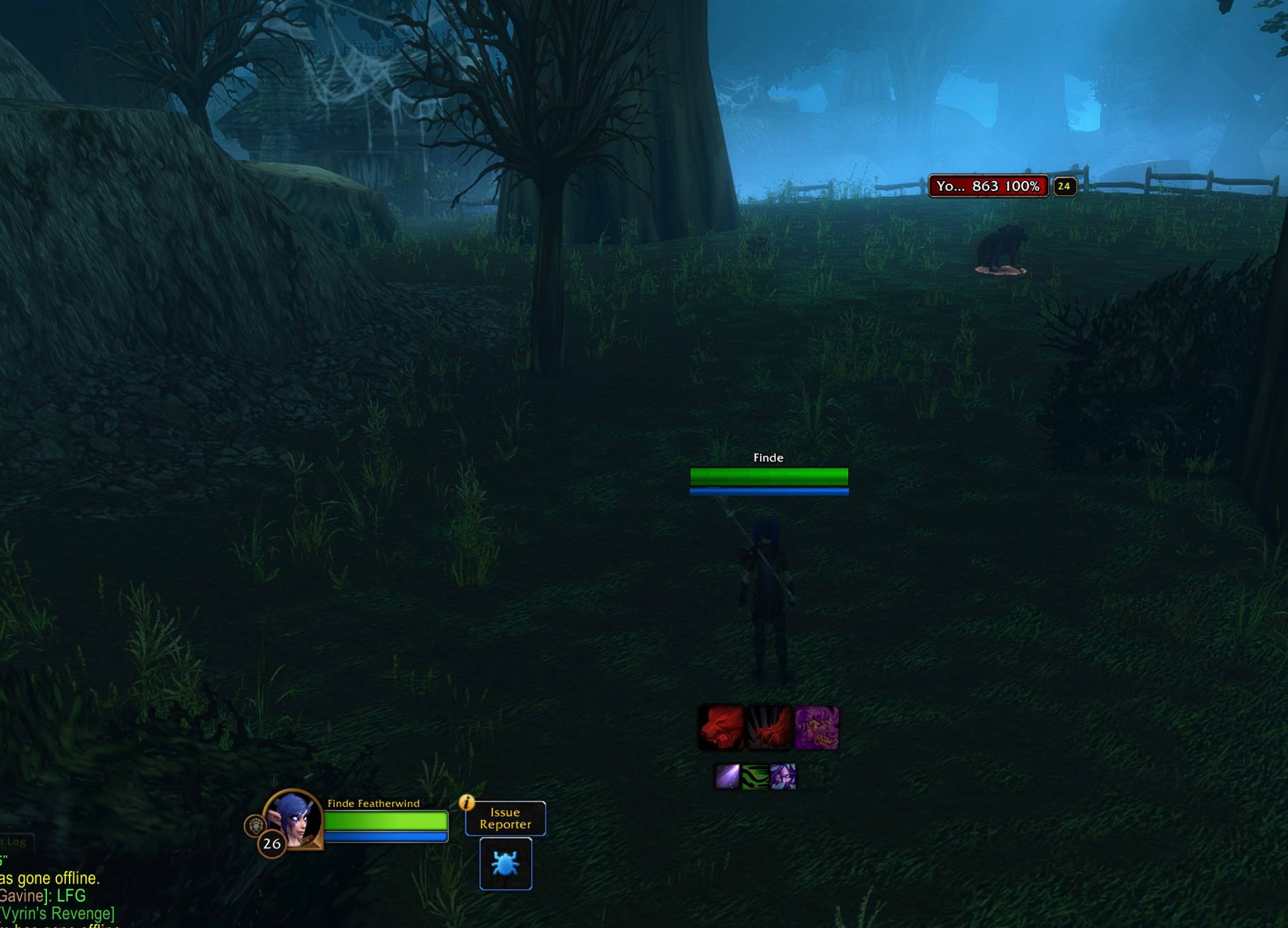
noform.jpg
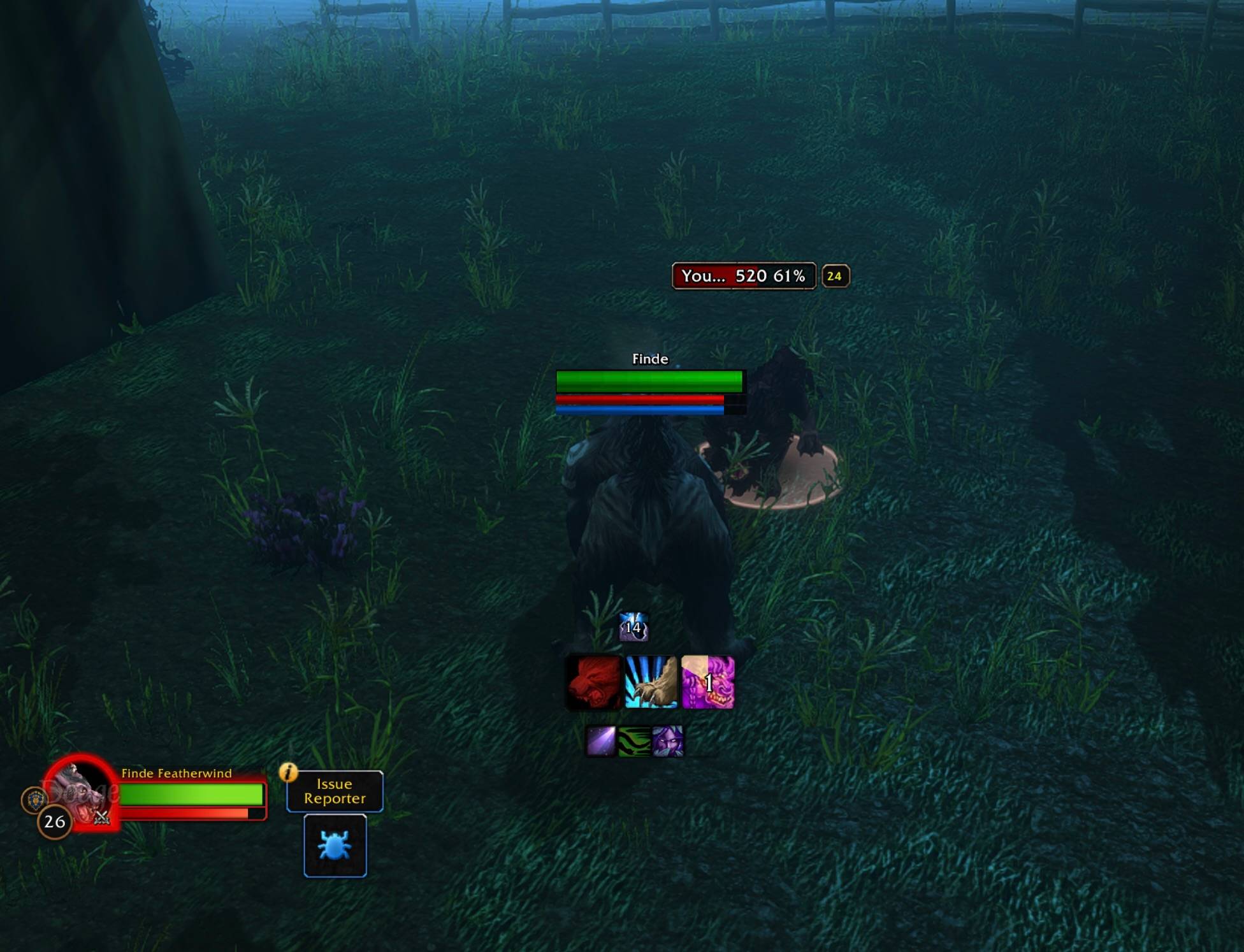
bear.jpg
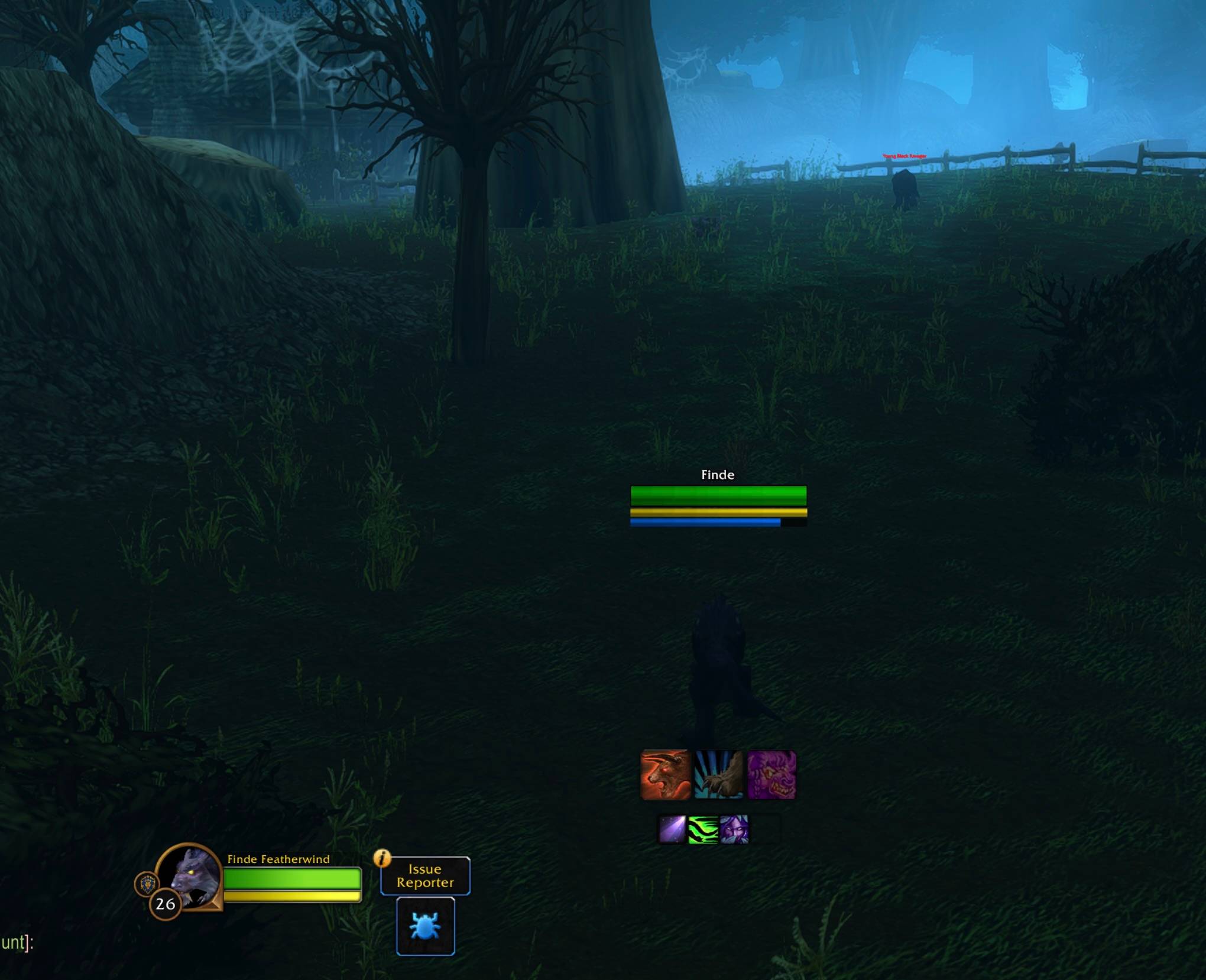
cat.jpg
docked.jpg
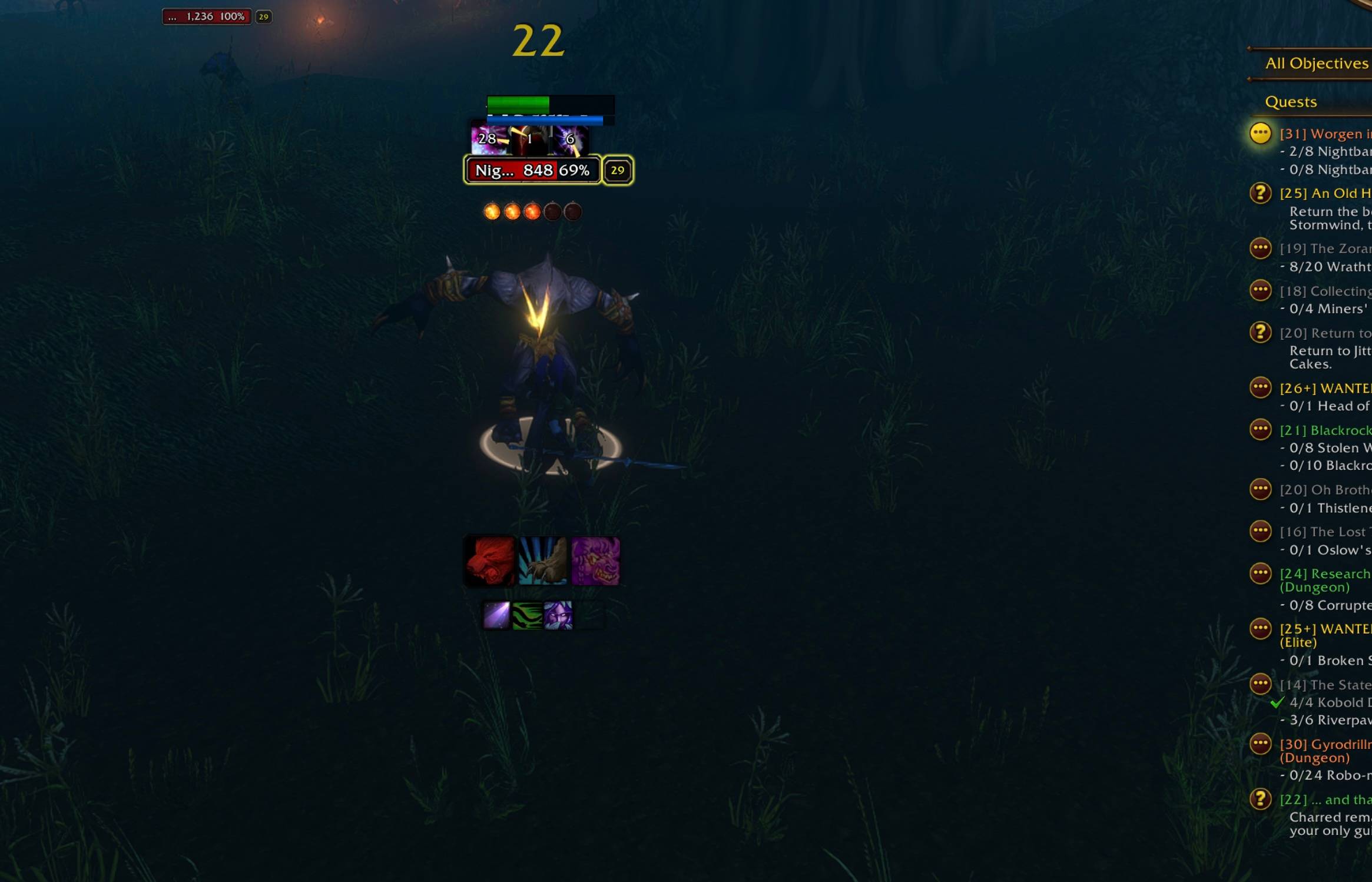
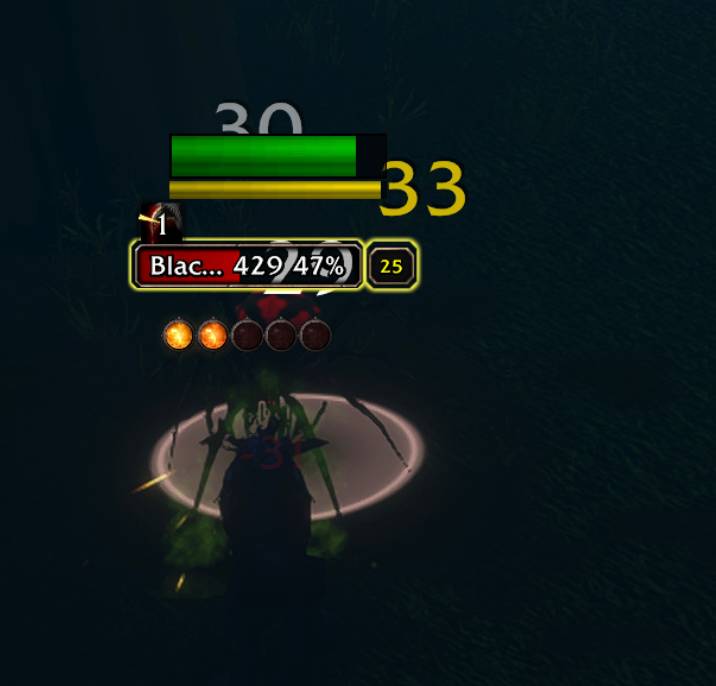
debuffandcombo.jpg
Description
ForeverShiftPlate
Your health and resources, right where you're already looking. When you target an enemy, your bars dock just above their nameplate, so you can compare both healths at a glance without ever taking your eyes off the fight.
Built for WoW Forever. Works for every class.
Features
- Docks above your target in combat: your health and power bars sit just above the enemy's debuffs, lined up with their health bar. Nothing covers the enemy model or their cast bar
- Back over your head out of combat: with no enemy targeted, the plate returns above your own character
- Power bar that follows your class's resource: Energy, Rage or Mana
- Druid bonus: optional extra mana bar. Type
/fsp manato see your mana in Cat or Bear Form before shifting out to heal (off by default) - Bigger enemy debuffs: debuff icons on enemy nameplates are enlarged to 150% so they're easy to read mid-fight, with an option to hide their countdown numbers
- Works in every form: caster, Cat, Bear and more
- Fully adjustable size, position and docking, all saved between sessions
What each class sees
- Warrior: health + Rage
- Rogue: health + Energy
- Mage, Priest, Warlock, Shaman, Paladin, Hunter: health + Mana
- Druid:
- Caster form: health + Mana
- Cat Form: health + Energy
- Bear Form: health + Rage
- Optional: type
/fsp manato also keep a Mana bar visible in Cat and Bear Form (off by default)
Commands
Type /fsp (or /shiftplate) in game to see this list.
Docking (where your bars go while you have an enemy targeted)
/fsp dock above: above the enemy's nameplate (default)/fsp dock left//fsp dock right: beside the enemy's nameplate/fsp dock below: under the enemy's cast bar/fsp dock: turn docking off or back on/fsp gap <number>: space between your bars and the enemy's nameplate
Size
/fsp width <number>: width of all bars (when docked, your bars match the enemy's health bar width)/fsp health <number>: health bar thickness/fsp power <number>: power and mana bar thickness/fsp scale <number>: resize everything at once
Position (when not docked)
/fsp offset <number>: move the plate up (higher number) or down (lower number)
Enemy nameplates
/fsp debuffs <percent>: debuff icon size on enemy nameplates (150% by default), e.g./fsp debuffs 175/fsp timers: hide or show the countdown numbers on enemy debuff icons (your action bar cooldowns aren't affected)
Transparency (only used when docking is off; 100% = fully solid, 0 = invisible)
/fsp healthalpha <0-100%>: health bar and name, e.g./fsp healthalpha 50/fsp alpha <0-100%>: power and mana bars, e.g./fsp alpha 40
Toggles
/fsp text: show health numbers/fsp power: show or hide the power bar/fsp mana: Druids only. Turns the extra Mana bar on or off in Cat and Bear Form (off by default)/fsp class: color the health bar by class
Other
/fsp status: check that the plate is attached to your character/fsp reset: restore default settings
Good to know
- Out of combat, the addon uses the game's Personal Resource Display as an anchor so the plate follows your character. It turns this on automatically and hides Blizzard's version, so you only see this plate.
- Docking needs the enemy's nameplate on screen. If they move off screen, your bars return above your head until their nameplate is back.
- The height offset over your head is set in pixels, so if you zoom your camera in or out a lot, you may want to adjust it with
/fsp offset.
Feedback
Found a bug or have an idea? Leave a comment and I'll take a look!
ForeverShiftPlate Team
