ForeverLFG: Language Search
- By
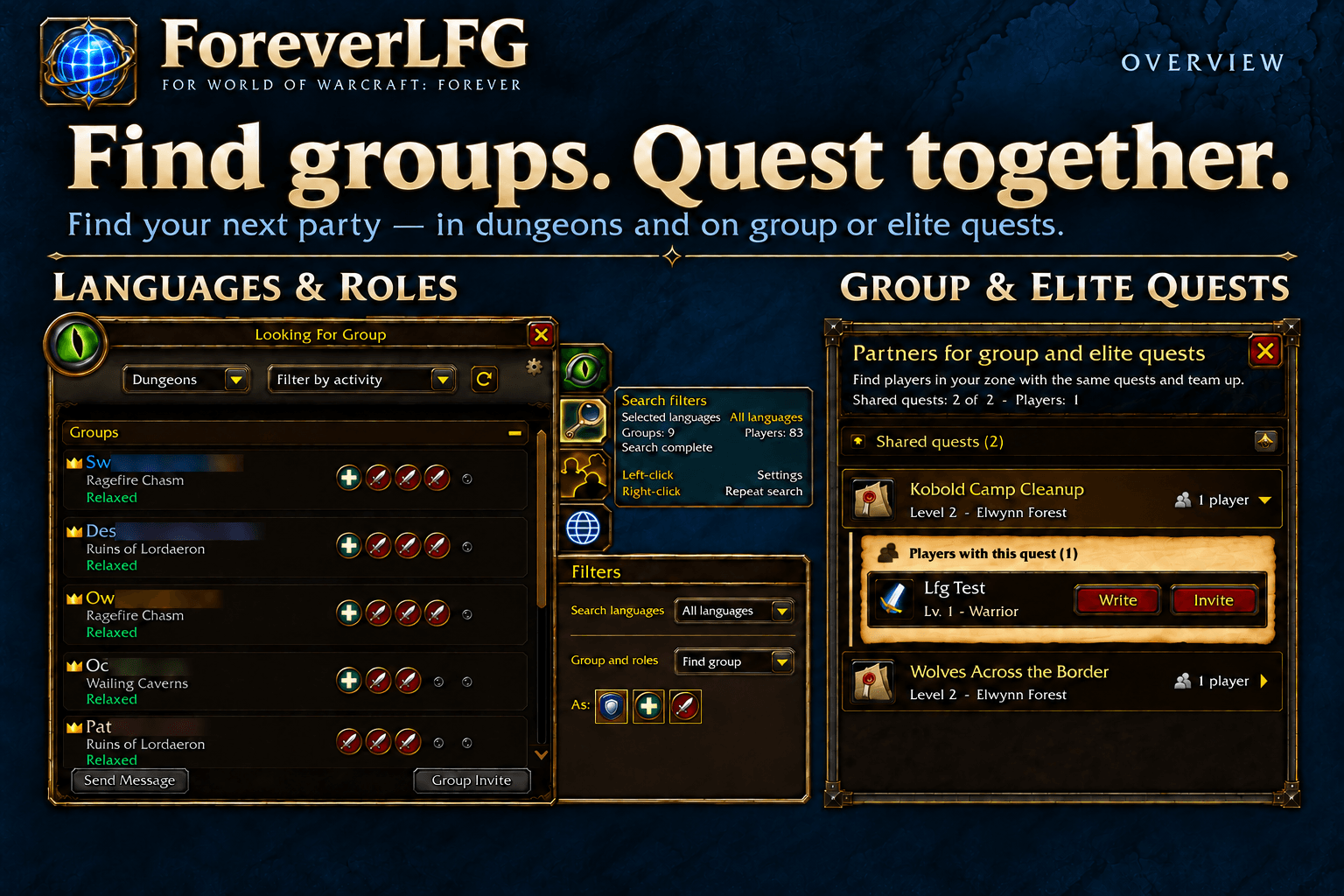
Search across languages, find groups with room for your role, and discover partners for shared group and elite quests.
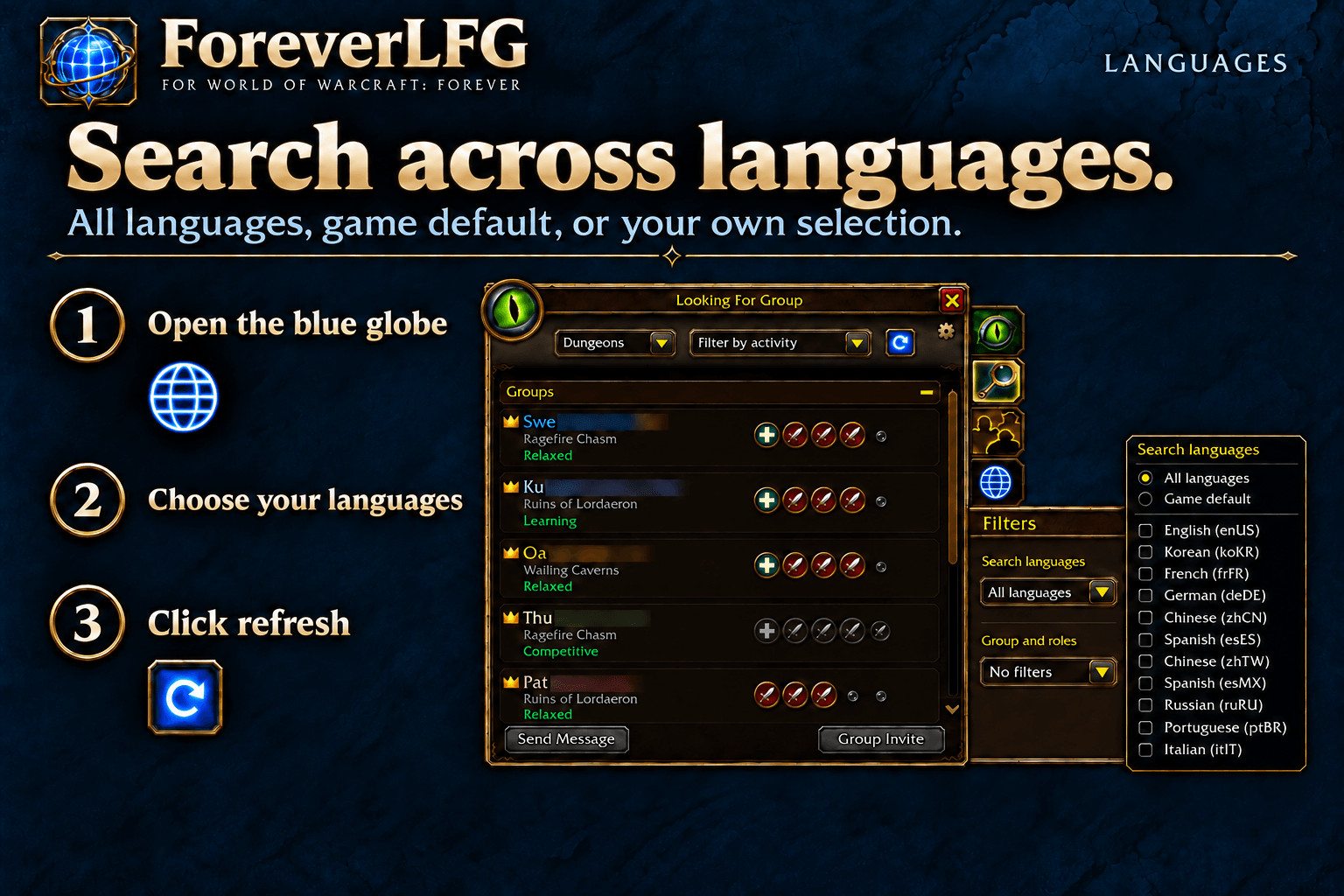
Open the blue globe, choose all languages, the game default, or a custom selection, then click refresh. Search filters do not translate listings.
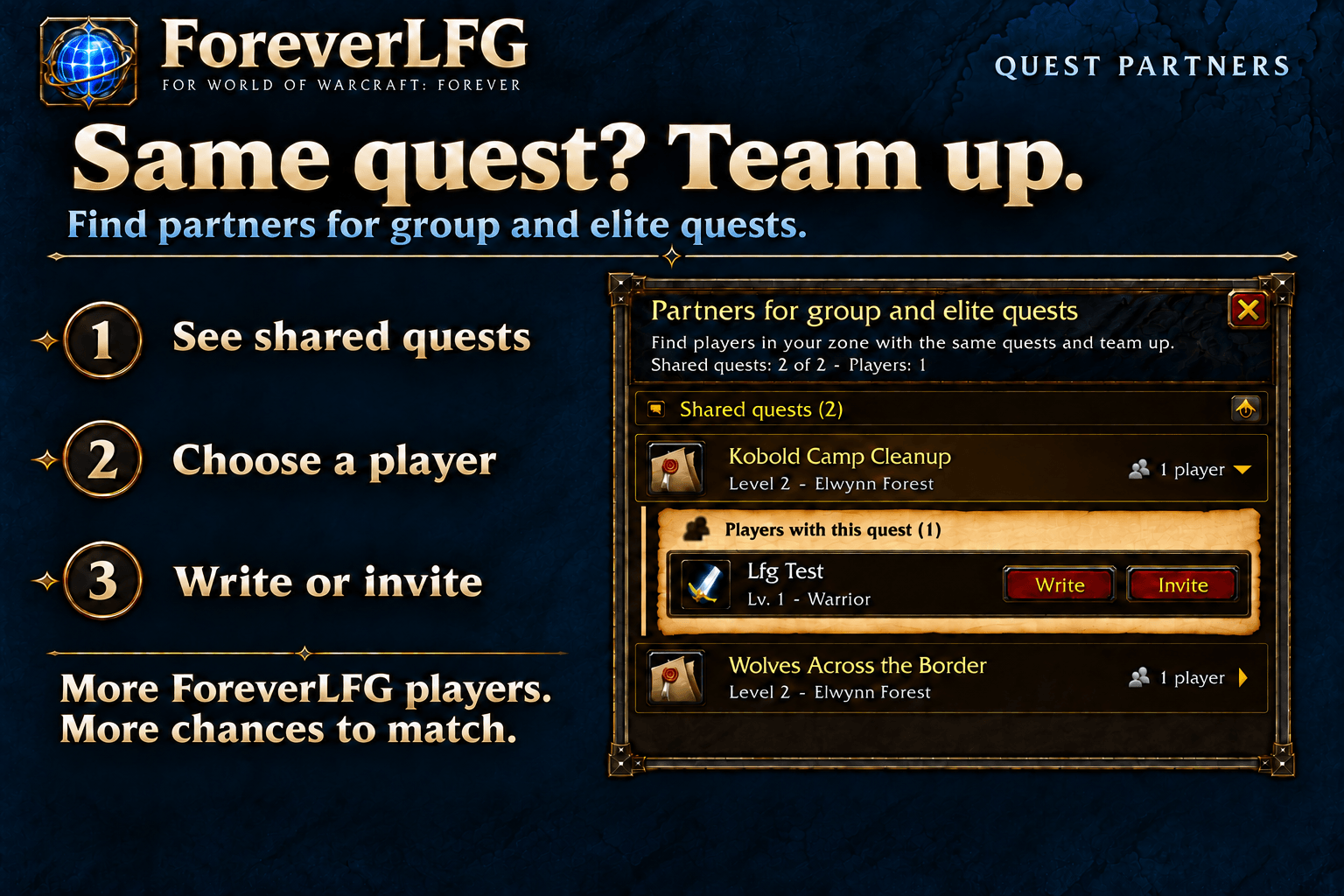
Find other ForeverLFG players of your faction with the same active group or elite quests in your zone. Open a quest, prepare a private message, or invite a player.
Description
ForeverLFG
Find groups. Quest together.
Find your next party in World of Warcraft: Forever. Search across languages, recruit the roles you need, and find partners for shared group and elite quests.
- Find a group: choose your languages and see dungeon groups with room for your role.
- Fill your party: filter players by role, or let Auto follow your party's missing roles.
- Quest together: discover other ForeverLFG players with the same active group or elite quests in your zone.
Search across languages
Open Group Finder and click the blue globe below the three side tabs. Choose All languages, Game default, or a custom selection, then click the refresh arrow. Right-click the globe to repeat a search.
Your language selection is saved. Click refresh after changing categories or activities to apply it. These filters select listings; they do not translate messages or change your advertisement language.
Find a group or recruit
- Find group: select Tank, Healer, or Damage to show dungeon groups with an opening for any selected role.
- Recruit: choose the roles you need, or enable Auto to follow the roles missing from a standard five-player party: one tank, one healer, and three damage dealers.
- No filters: browse the full list.
Mode and role choices are saved per character.
Partners for group and elite quests
Quest partner discovery is in beta.
Find players of your faction in your current zone with the same active group or elite quests. Expand a quest to see its players. Write prepares an editable private message; Invite is a separate action.
Discovery outside your party requires compatible ForeverLFG versions on both players. More players using ForeverLFG means a better chance of finding a quest partner. Share it with your friends and fellow adventurers.
Shared eligible quests within your current party are also checked when the game provides that information; those party members do not need the addon. A match does not guarantee the same layer or phase.
Normal discovery covers unfinished group and elite quests, excluding ordinary solo and raid quests. The gallery's low-level quests are interface examples captured in test mode.
Your matches at a glance
Choose a movable minimap icon or a compact bar. The counter shows distinct quests with matches. Click to open the quest window; click again to close it.
New matches can light up the icon or sweep across the bar, with an optional notification chime. Animation and sound have separate settings and test buttons. Artwork follows your faction.
A short introduction explains the features and lets you choose your launcher. Replay it from Options → AddOns → ForeverLFG or with /flfg tutorial.
Install and start
Install through CurseForge, or extract the ForeverLFG folder into Interface/AddOns, then restart WoW. No separate libraries are required.
Follow the introduction, set your Group Finder filters with the globe, and click refresh. Quest matches update automatically.
The interface supports English, Russian, German, French, Spanish, Simplified Chinese, and Traditional Chinese, with English as the fallback.
Help and feedback
Use /flfg for help, /flfg quests for quest partners, and /flfg settings for options.
Report a problem or suggest an improvement. Include /flfg info, relevant /flfg log output, and a screenshot when reporting a bug.
License
Free personal use in World of Warcraft under the Custom License — All Rights Reserved included with releases from 0.5.5. Reuse, modification, or redistribution requires prior written permission and attribution. Earlier MIT releases retain their terms. See the included LICENSE file; contact wow@werko.dev for permission.
ForeverLFG: Language Search Team