
ForeverFilter
- By
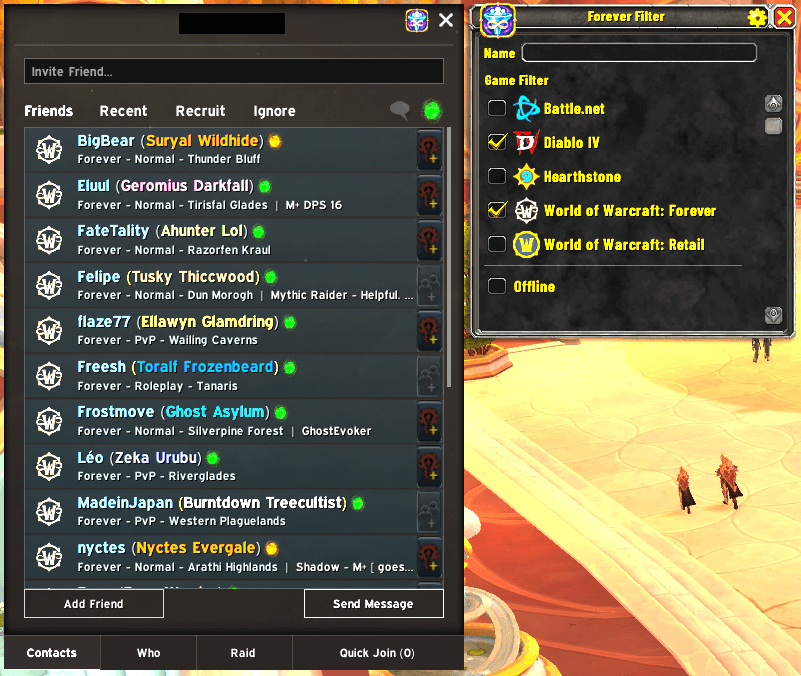
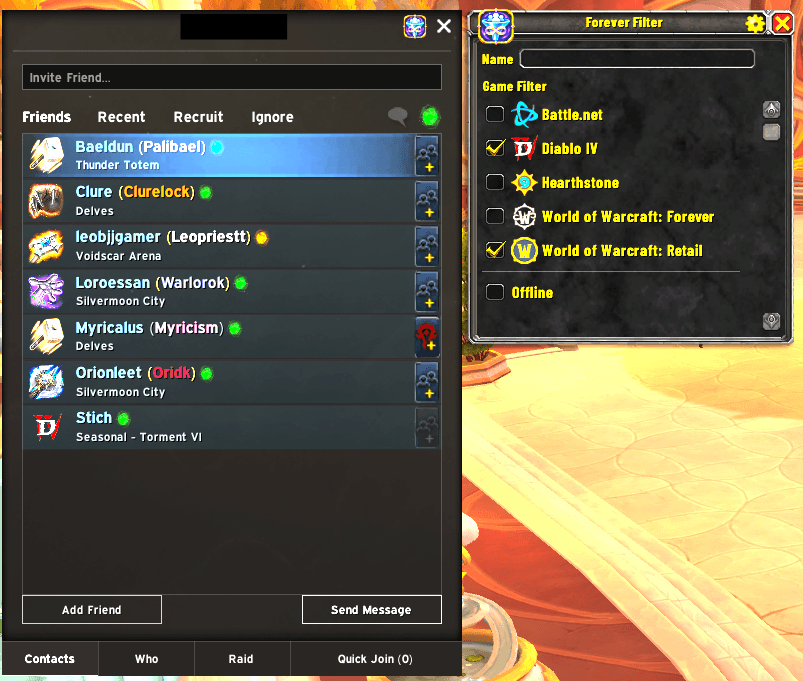
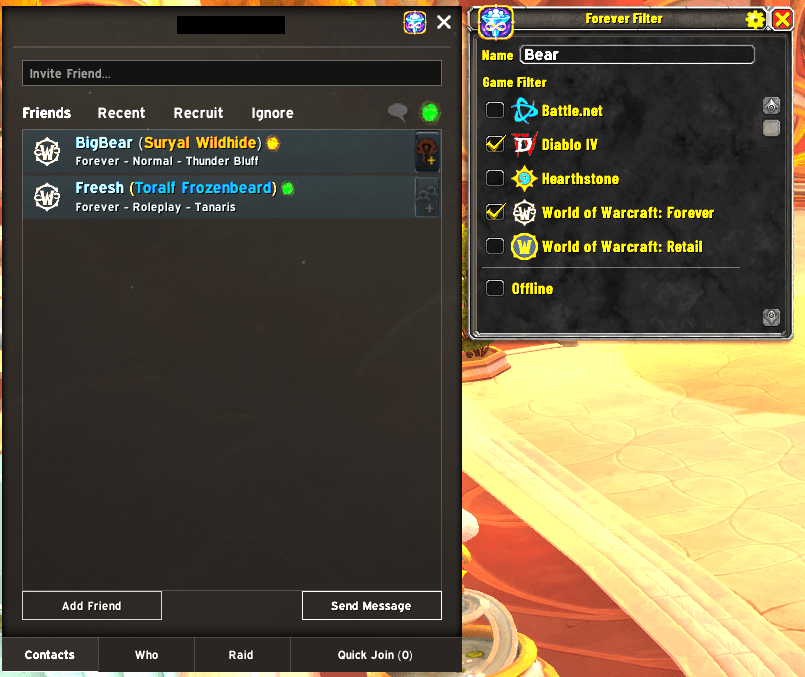
Filter your friends list by the Blizzard Game they are playing, their name, or both!
2-forever-filtered-in.png
1-forever-filter-open.png
3-forever-filter-name.png
Description
Forever Filter
Filter your Friends List by game and by name.
Forever Filter adds a small window beside your Friends List. Untick a game and the friends playing it disappear from the list. Type a name and only matching friends stay. Nothing is removed from your account. Tick the game again, or clear the name, and everyone comes back.
Features
- Filter by game. Every game your online Battle.net friends are playing gets a row with its icon, a friend count and a checkbox. Uncheck a game to hide those friends from the Blizzard Friends List.
- Every WoW version on its own row. Retail, Classic and the other versions each get a separate checkbox, with the same icon the Friends List uses.
- Filter by name. Type in the Name box to show only friends whose account name, BattleTag, character name, realm or rich presence contains your text. Matching ignores upper and lower case. Clearing the box shows everyone again. The name filter works together with the game checkboxes.
- Offline and Battle.net rows. Hide or show your offline Battle.net friends, and friends who are only on the Battle.net app or mobile app. Friends who are in a game and in the app follow the game's checkbox.
- Attached to the Friends List. The window opens beside the Friends List and closes with it. Drag it anywhere and it stays where you put it.
- Icon button on the Friends List. A small button next to the close X opens or closes the filter window. It also remembers whether the window should open with your Friends List, so you can open it, make a change and close it again.
- Minimap button. Left-click to open or close the window. Drag it around the minimap to place it.
- Options. Click the small icon next to the window's close button to change the window scale (0.5 to 1.5) and to show or hide the player count on each game row. "Reset to defaults" restores them.
- Settings are saved. Your game choices, window position, scale and button choices are remembered between sessions. The name you type is not saved and clears on reload.
Slash commands
| Command | What it does |
|---|---|
/ff or /foreverfilter |
Open or close the window |
/ff reset |
Return the window to its default position |
/ff scale <number> |
Set the window scale (0.5 to 1.5) |
/ff minimap |
Show or hide the minimap button |
/ff debug |
Toggle debug output for the current session |
Installation
Install from the CurseForge app, the Wago app or WowUp, or copy the ForeverFilter folder into World of Warcraft\_retail_\Interface\AddOns\ and type /reload.
Notes
- Forever Filter only hides entries in the Friends List display. It never removes a friend or changes your account.
- If something goes wrong with the game filter, the addon turns the game filter off for the session and prints one message, instead of breaking your Friends List. The name filter keeps working.
Feedback and bugs
Please report problems or ideas on the project's issue tracker. Include the addon version, the game version and any error message from /console scriptErrors 1.
License
See the LICENSE file in the project.
ForeverFilter Team
