Forever Enhanced
- By
Movable, resizable panels, cleaner character stats, flexible spellbook and talent layouts, and better bags. All in one addon for WoW Forever.
Bags
Description
ForeverEnhanced
If you're using my old ForeverBagsEnhanced addon, you can delete it. Everything from that addon is now part of ForeverEnhanced.
I started making this because there were a few things about WoW Forever's UI that I didn't like while playing. I couldn't move some of the panels, the icons on the side were way too big, and the character stats took up more space than they needed to. I also wanted the bags to work a bit differently.
I started fixing these things. The bag addon was already there, and as I kept working on the UI, it made sense to put everything together into one addon.
You can find all the settings in one window. Click the gear icon on the minimap or type /fep.
Panels
-
Move the Character, Spellbook, Talents, Professions, Legacy, Group Finder, Collections and Guild panels by dragging their title bars. They'll stay where you leave them.
-
Set the scale for each panel individually.
-
The side icons are smaller by default, using the Guild panel's size. You can change them from 20 to 55 px, either for all panels at once or individually. Changing a panel's scale won't change the icon size.
Character
-
Collapse stat sections you don't need to see all the time.
-
Shift-click a section to move it up or down the list.
-
Adjust the font size and spacing between stat lines to fit more on screen.
-
See the item level of each equipped item and whether it has an enchant.
Spellbook & Talents
-
Choose between 2 or 3 columns in the Spellbook. You can keep the spec icons on the side or use Blizzard's original layout.
-
For Talents, use Blizzard's 3-column layout or switch to one talent tree at a time using the icons on the side.
Professions & Legacy
-
Change the size of the profession bars and their text.
-
Resize the Legacy panel by dragging the grip in its corner.
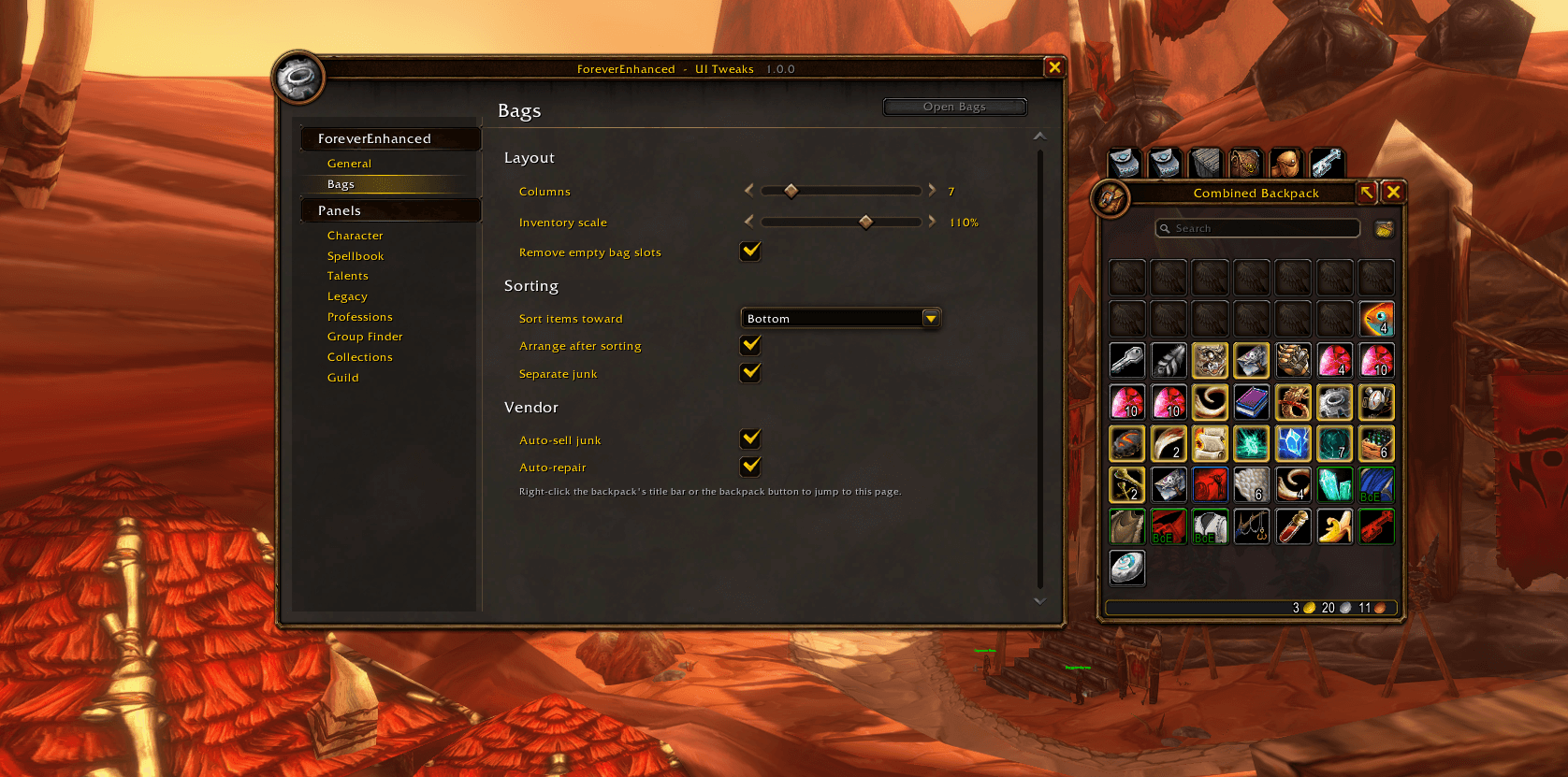
Bags
-
Choose between 6 and 12 columns and adjust the bag scale.
-
Sort items to the top or bottom, and keep junk separate.
-
Automatically sell junk and repair your gear when visiting a vendor. Both options are disabled by default.
-
Use the quick bag buttons beside your backpack to switch between bags.
-
Right-click the backpack title to open the bag settings directly.
If you run into a bug or have an idea for something I could improve, leave a comment and I'll take a look.
The bag module builds on MIT-licensed code by Lars Norberg.
Forever Enhanced Team