
ForEverCompassAddOn
promo_banner.png
dashboard.png
cfPIC2.jpg
Description
Join our community Discord for bug reports, feedback, and updates: https://discord.gg/P4BPxdHA7e
Forever Compass puts a full leveling guide inside WoW Forever. Pick how you play (PvE or PvP, Solo or a main with alts, and how much you want chosen for you) and it works out specs, professions, Legacy perks, your route, macros and gear. All 56 race and class combinations work.
The book has nine bookmarks:
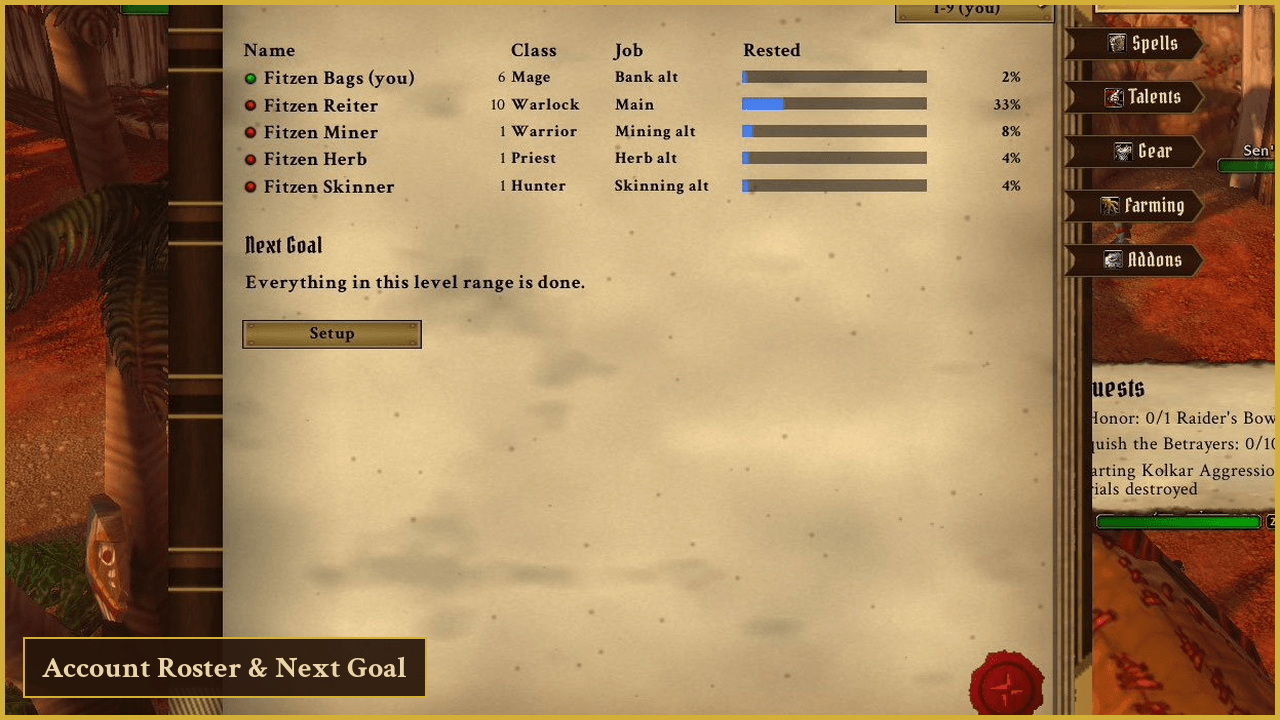
- Dashboard: your characters and rested XP, your Playstyle, Roster Role and Leveling Spec, your Next Goal and a Recommended Roster
- Spells: what to train now and later, with costs
- Talents: your class tree as a star chart, and it can place your points for you
- Legacy: your Legacy perks as a star chart you can hover and click to spend points, a Reset Perks button, and the challenges that earn them
- Gear: upgrades for your level and where to get them, a dressing room, a Notebook, a Crafting Calculator, a Shopping List and Auto-Configure for your bars
- Camping: Campfire Buffs, First Aid, Cooking, Fishing and places to camp
- Addons: graphics presets, UI scale, and which addons are recommended for you
- Automation: Auto-Accept and Auto-Turn-In Quests, Auto-Accept Summons, Auto-Accept Resurrect, Auto-Release Spirit, Auto-Decline Duels, Auto-Repair, Auto-Sell Junk, Auto-Take Flight, Auto-Skip Gossip, Auto-Delete Greys, herb and ore tracking and Rare Mob Alerts. Everything is off until you tick it
- Compendium: the full manual, and your Run Notes
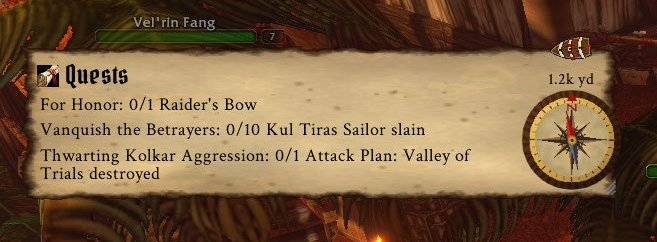
The tracker is a small compass you can drag anywhere, with Route, Targets, Quests and Professions modes. It carries the full 1-60 quest route for Horde and Alliance.
Run Notes is a diary of your dungeon runs: time, deaths, group size and levels gained. It's off until you turn it on with /compassnotes on or the View Run Notes button in the Compendium. Your last 30 runs stay on your computer, and you choose what to copy and share.
How to use it
Click the minimap button or type /compass. Left-click opens or closes the book, and right-click opens the Dashboard.
Other commands: /compass tracker, /compass icon, /compass solo, /compass alts, /compass main, /compass roster, /compass gear, /compass finished, /compass report, /compassnotes.
Works without any other addon
If you already use these, Forever Compass picks them up by itself:
- Guild OS (talent spec and automatic role)
- Auctionator or Auctioneer (auction prices on the Gear page)
- What's Training (trainer prices if a class is missing from the built-in spell list)
Install the included ForeverCompass_Data companion alongside it to save auction, vendor and trainer prices without other addons.
Community
Questions, bugs and ideas: https://discord.gg/P4BPxdHA7e
Notes
- Based on The Forever Compass guide: https://forever-compass.netlify.app/
- Everything stays on your PC. The addon only saves to your WoW folder.
- Rested XP is an estimate.
- Unofficial fan project. Not affiliated with or endorsed by Blizzard Entertainment.
ForEverCompassAddOn Team
