ForeverBuildLab
- By
Screenshot 2026-10-05 210343.png
Screenshot 2026-10-05 205701.png
Screenshot 2026-10-05 210009.png
Screenshot 2026-10-05 210425.png
Screenshot 2026-10-05 210549.png
Description
Forever Build Lab
Author: ttv/Tkemuzz · WoW Forever only · All Rights Reserved
Build your character. Explore the possibilities.
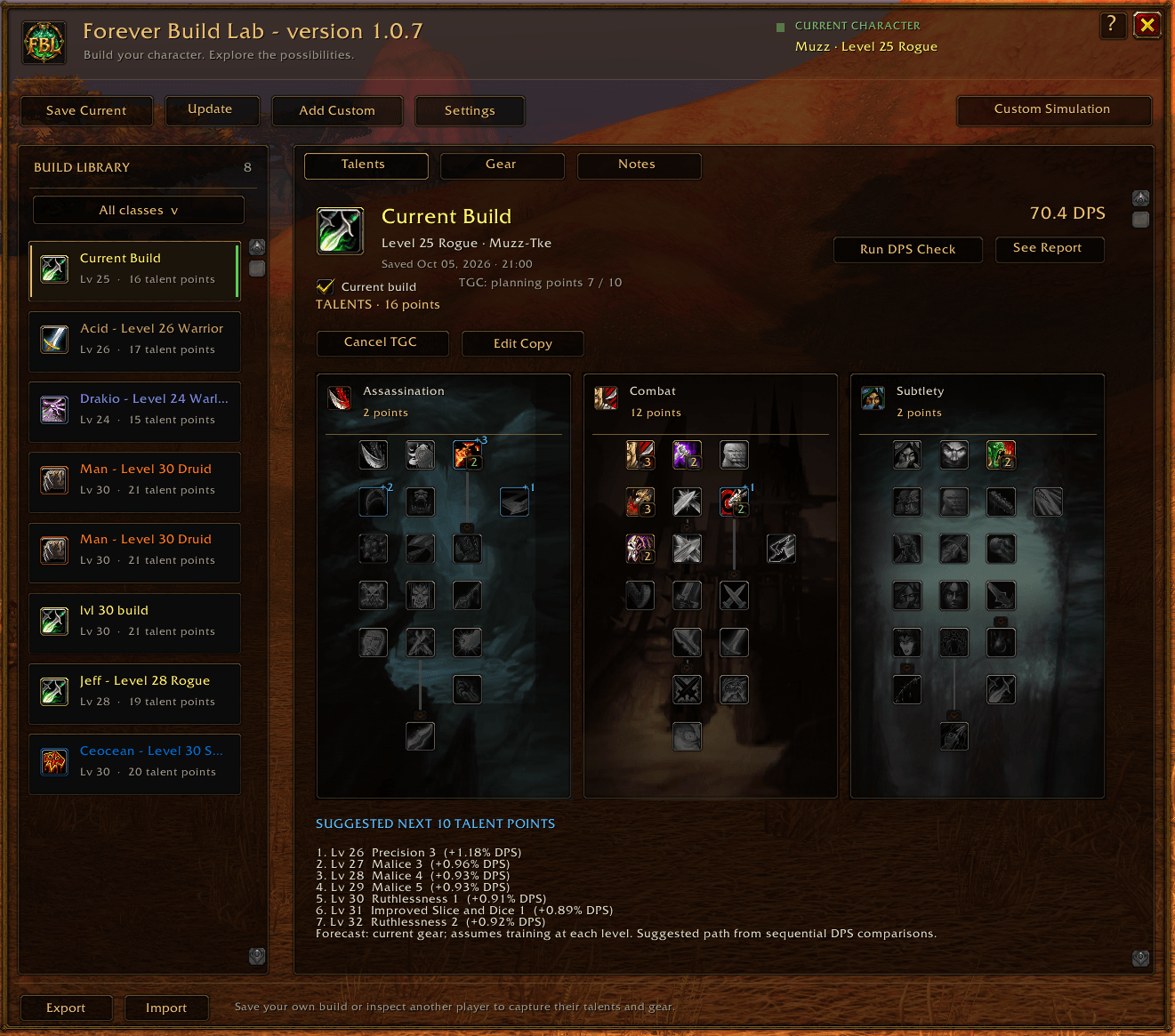
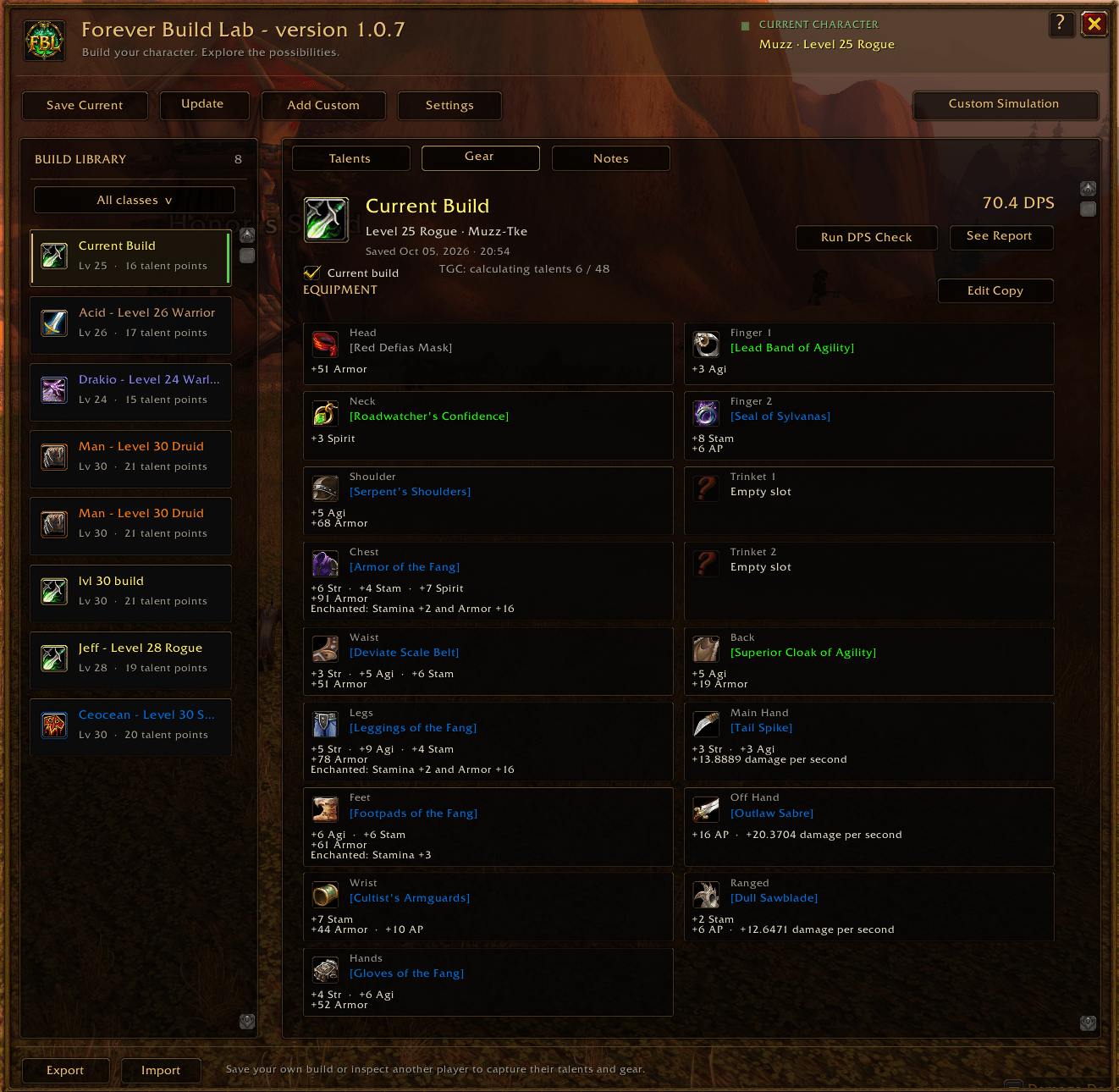
Forever Build Lab brings your talent builds, equipment, notes and experimental DPS estimates into one WoW-themed planner. Save your current character, inspect other players or create editable builds to explore different gear and talents.
Supports all nine classes—Warrior, Paladin, Hunter, Rogue, Priest, Shaman, Mage, Warlock and Druid—with all 27 talent trees and offensive simulation profiles.
Plan and manage builds
- Browse Talents, Gear, Notes and Legacy Points for each build.
- Save your current character's talents, equipment, race and available combat inputs. Mark one entry Current build; settings apply across your library.
- Create custom builds or make editable copies. Change gear and talent ranks while keeping the original entry intact.
- Account for Talented Legacy ranks when deriving a custom build's level and leveling path. Captured characters retain their actual level. Available Legacy data for your own Current build is captured automatically.
- Rename, duplicate or delete entries from the library's right-click menu. Deleting an entry requires confirmation. Export and import custom build strings.
- Keep saved DPS reports and talent guidance tied to the build that produced them. Browsing entries does not automatically run DPS or talent calculations.
- Shared settings control automatic DPS on current-build updates, optional town updates, Talent Guide availability and report detail.
Inspect players and your party
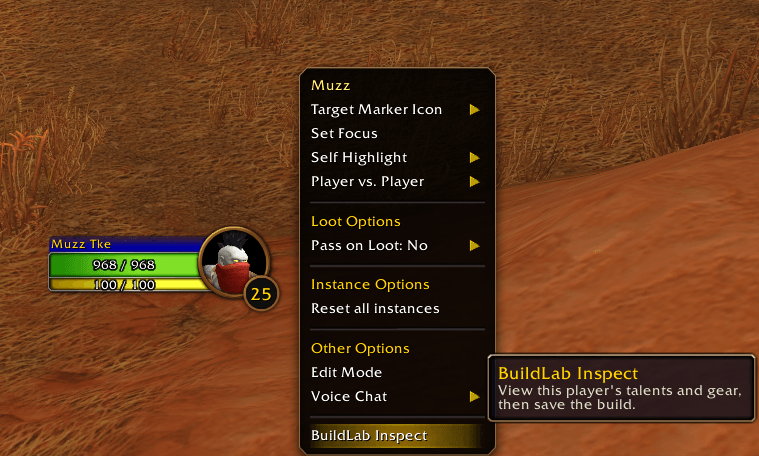
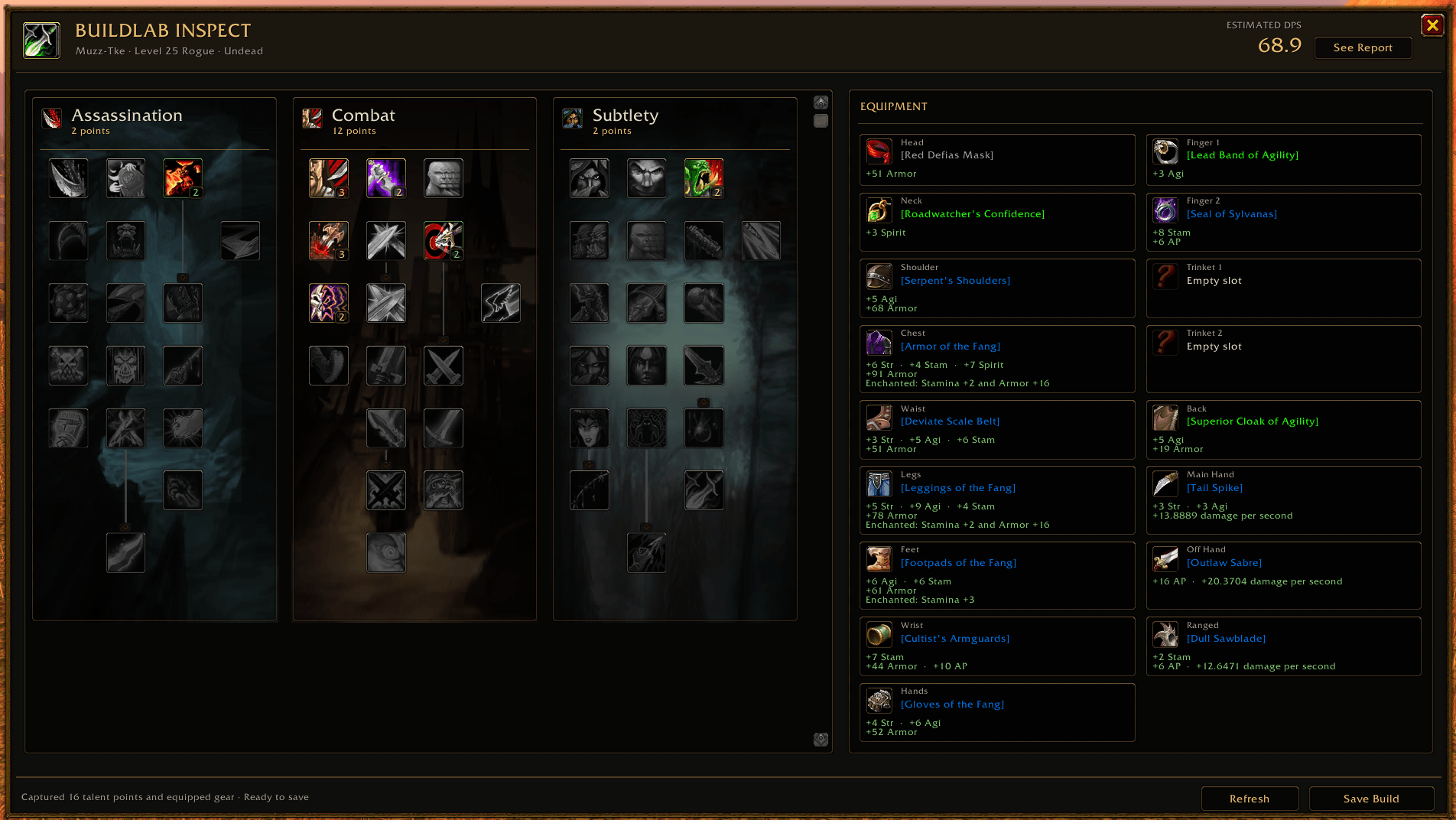
Right-click a player portrait and choose BuildLab Inspect to view available race, talents and equipped gear. The banner shows a quick estimated DPS result with See Report, and Save Build adds the captured snapshot to your library.
Use /fbl groupinspect for a compact five-player party/subgroup window, including
you. Each row shows the player's name, DPS estimate and an Inspect button.
Refresh or stop the pass; unavailable or out-of-range players show a status.
Equipment cards show item icons, rarity-colored names, abbreviated stats and captured enchants. Hover for full tooltips and recorded acquisition sources. Ctrl-click an item to open its details and a selectable Wowhead link.
Search gear and generate suggestions
Custom builds and editable copies can search 11,576 bundled equipment references, including crafted gear and engineering trinkets. Search by name, item ID, item link or Wowhead URL, then filter by an access-level range, rarity and the shared Forever phase. The game client supplies current item details.
Recommended Gear offers PvE/PvP priorities for each class/spec, including separate Druid Cat/Bear profiles. Generate suggestions asynchronously, review the set and apply it when ready. Clear All Equipment lets you start over.
Class, slot, level, weapon, unique-item and phase rules apply. Recorded sources help identify where gear comes from. Current Level and eligible level-60 Pre-raid BiS planning are available. Unconfirmed raid/tier loot remains excluded from planning, and Sanctified gear is excluded from generated sets.
Recommendations rank passive stats; they do not simulate procs, on-use effects or set bonuses. Applying gear leaves the next DPS check under your control.
Check DPS and explore talent upgrades
Run DPS Check calculates and saves a quick estimate for the viewed build. Custom Simulation uses the entry marked Current build, or your equipped character when none is marked. It offers encounter setup and 1–50 rotation-search runs, compares search variations and retains the highest estimated DPS result. Calculations yield across game frames and can be cancelled.
Configure fight length, target armor, magic resistances/immunities, position, debuffs, food, group buffs and supported consumables. Models include supported cooldowns, offensive racials, weapon/trinket effects, stones, oils and poisons. Hunter uses a Wolf preset, Warlock defaults to an Imp, and Feral Druid offers Cat or Bear form selection.
Each simulation uses its build's class, level, race, saved talent allocation and highest eligible learned spell ranks. Captured spellbooks take precedence; missing combat stats use disclosed level/gear estimates with Build Stats overrides. Reports include damage breakdowns and the full action timeline. Advanced report descriptions, off by default, exposes detailed inputs, talent/builder comparisons, coverage and model assumptions.
Run the separate Talent Guide Calculator (TGC) when you want talent comparisons. Supported upgrades show a green +% DPS on hover; utility talents show yellow Optional labels. Leveling builds can view suggested next ten talent points without changing their saved allocation. TGC can be cancelled independently.
Keep your rotation notes on screen
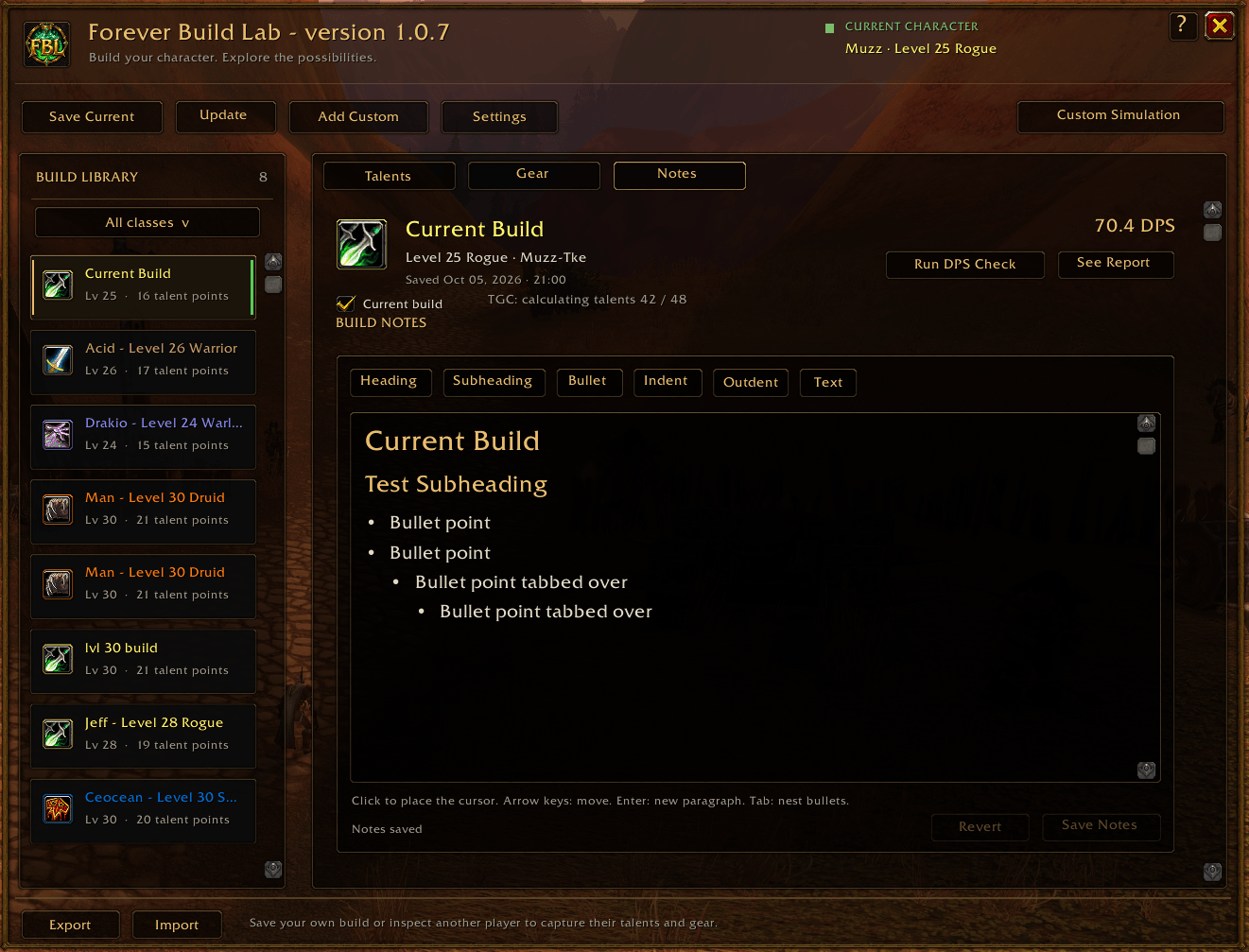
Write notes with headings, subheadings, bullets and scrolling text. Pop Out Notes opens a small, resizable reader that stays pinned to that build while you browse other entries, close the planner or enter combat. Move it, resize it, scroll through long notes and lock its position when ready.
Get started
- Open the addon with
/fblor its minimap icon. New installs receive a skippable Let's get started guide; the ? help icon reopens it. - Save Current, inspect another player or choose Add Custom.
- Review the build, then select Run DPS Check.
- Use Custom Simulation, Recommended Gear or TGC for further exploration.
DPS estimates remain experimental. Some abilities, talents, pet interactions and coefficients still have incomplete models. Boss-level attack tables are not server-calibrated. Healing output, tank survival, movement and multi-target encounters are outside the simulation scope. Detailed reports identify model coverage and assumptions.
For bug reports, include the addon/client versions, class and level, encounter settings, copied report, reproduction steps and any Lua error/stack. Existing builds and notes persist through updates; rerun DPS/TGC when a model changes. -> discord: tkemuzz
Future addon updates use 1.0.11. Ability, talent and equipment references are based on Wowhead Forever data; the bundled catalog is refreshed with addon updates.
ForeverBuildLab Team