


Forever-XP-Level-Tracking
- By
Screenshot 2026-11-27 193445.png
Screenshot 2026-11-27 193357.png
Screenshot 2026-11-27 193526.png
Screenshot 2026-11-27 193544.png
Screenshot 2026-11-27 193604.png
Description
Forever-XP-Level-Tracking puts your levelling progress in one small frame.
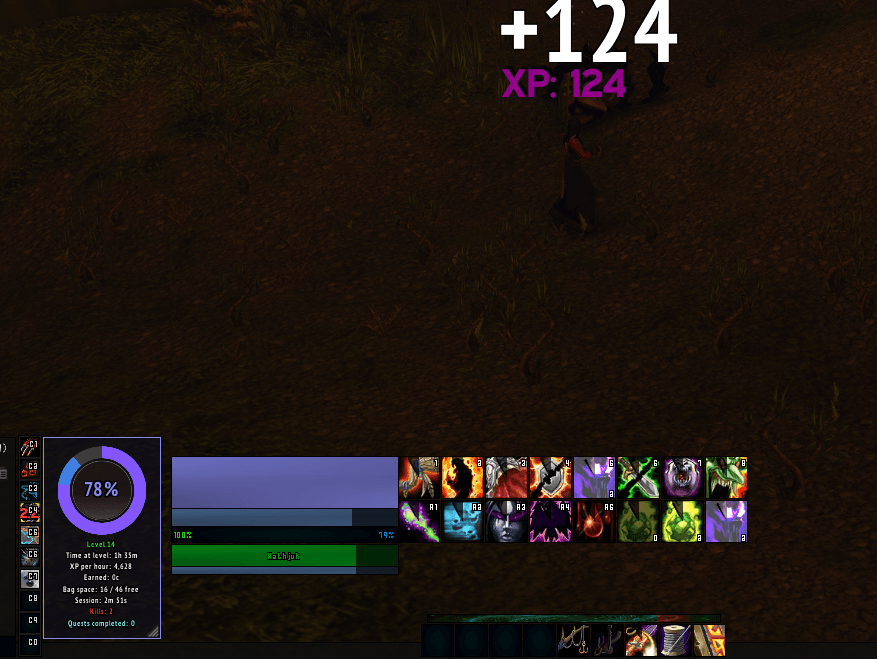
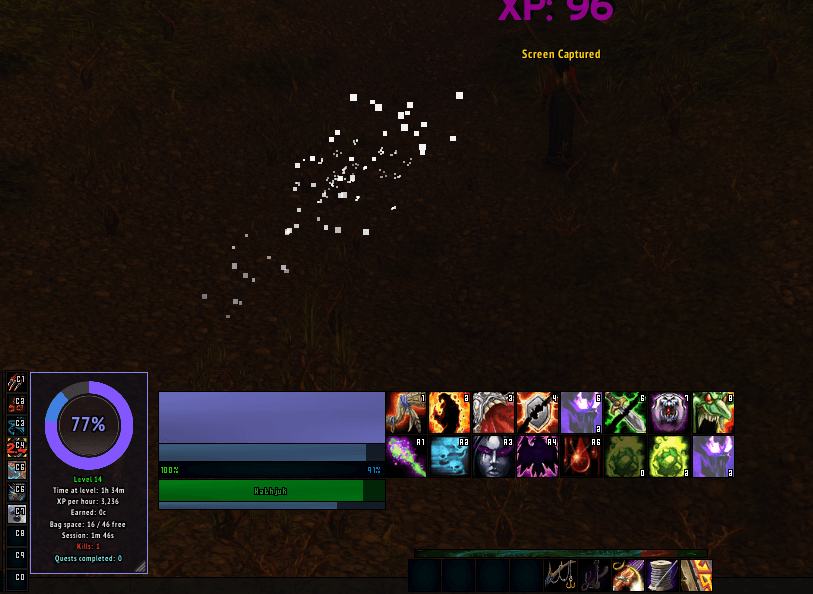
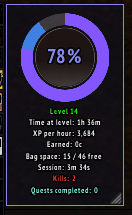
A donut fills white as you gain XP, and the percent through your current level sits in the middle. Rested XP shows as a blue arc just ahead of the fill. When you gain XP, the number appears large on screen, breaks into snow, drifts down onto the ring and turns to dust. The ring then refills and the donut flashes.
## Text under the donut
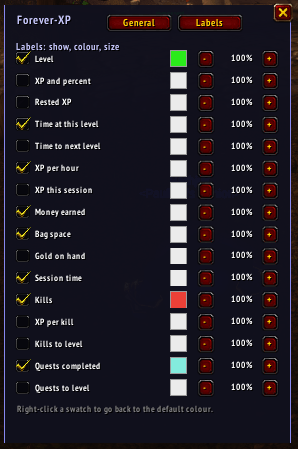
Pick which lines you want to see:
- Level, XP and percent, rested XP
- Time at this level, time to next level, XP per hour, XP this session
- Money earned, gold on hand, bag space, session time
- Kills, XP per kill, kills to level, quests completed, quests to level
Every line can be switched on or off, and each one has its own colour and size.
## The frame
- Drag it to move it.
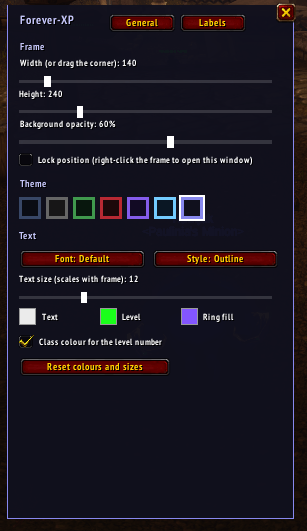
- Drag the bottom-right corner to change the width and height separately. The donut and the text rescale to fit whatever shape you make it.
- Seven themes, including one that uses your class colour.
- Font, outline, text size, colours and background opacity are all in the options window.
- Long lines are cut with "..." so text never spills outside the frame.
## Commands
- `/fxp` or right-click the frame to open the options
- `/fxp reset` to go back to the defaults
## Good to know
- Kills are estimated. XP that arrives straight after a quest hand-in counts as quest XP, and any other XP gain counts as a kill. That means exploration and gathering XP are counted as kills too.
- The "to level" figures use your averages from this session, so they show `--` until you have some data.
- The addon does not read the combat log.
- Settings are saved between sessions.
## Feedback
Found a bug or want something added? Leave a comment or use the issue tracker and I'll take a look.
Forever-XP-Level-Tracking Team
