


Forever Whisper
- By
WowB_oYxG6FF9MA.png
WowB_YSkW0fT3rg.png
WowB_mnUAiYCPqI.png
WowB_KshCpnYUAE.png
Description
Forever Whisper
A little closer to your people.
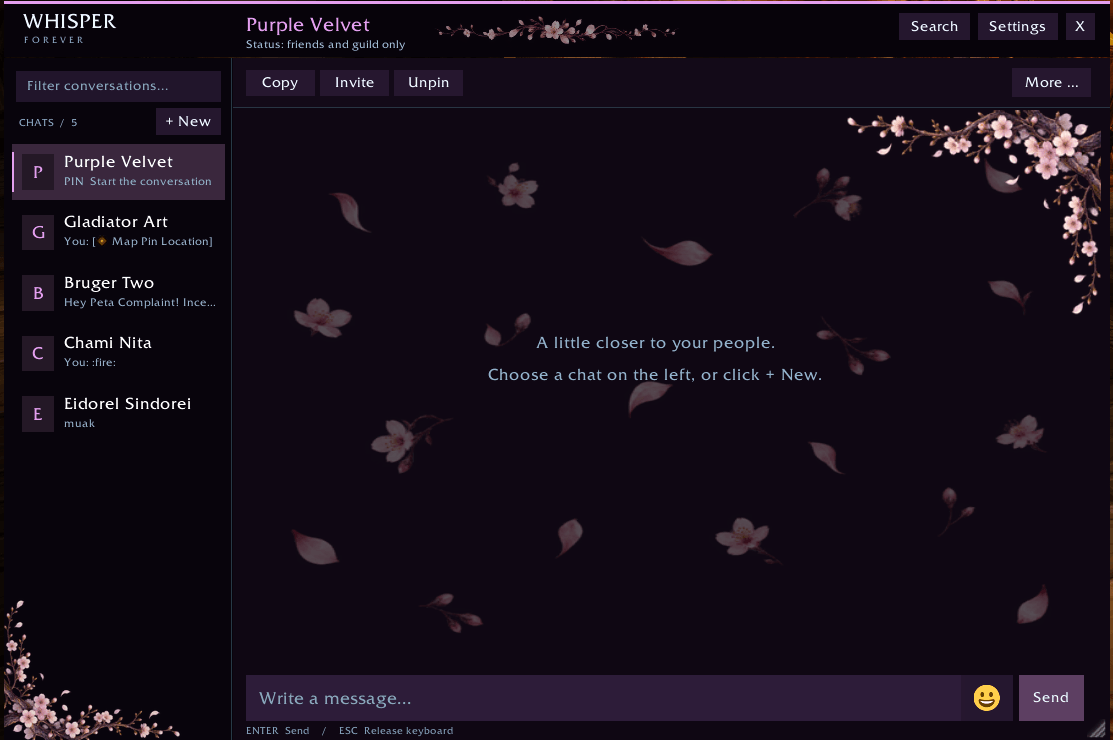
Forever Whisper turns whispers into a dedicated messenger window, with saved conversations, expressive emoji, themed artwork, and useful player actions—all inside WoW.
Designed and tested for World of Warcraft: Forever Beta. Compatibility with other WoW versions has not been verified.
Your conversations, together
- Separate conversations for each character.
- Saved chat history between game sessions.
- Pin your favourite conversations for quick access.
- Contact previews and unread message counts.
- Search saved conversations by character name or message text.
- Keep a separate draft for each person during your current session.
- Incoming whispers won’t switch the recipient while you’re typing.
- Read older messages without new whispers forcing you back to the bottom.
- Clearly distinguished [You] and [Player name] headings, with optional timestamps.
Stays out of combat
When combat starts, the messenger hides and whispers appear in normal WoW chat. Whispers received during combat are saved, and the window reopens afterwards.
You can also choose to keep whispers visible in normal chat outside combat.
Make it yours
Move the window by dragging its header, or resize it from the bottom-right corner.
Customisation includes:
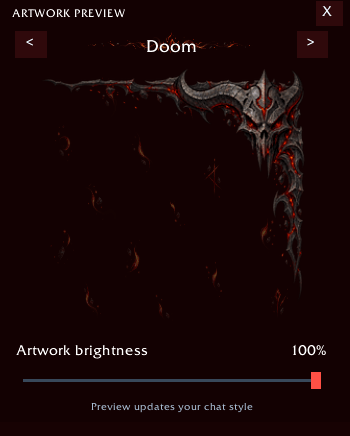
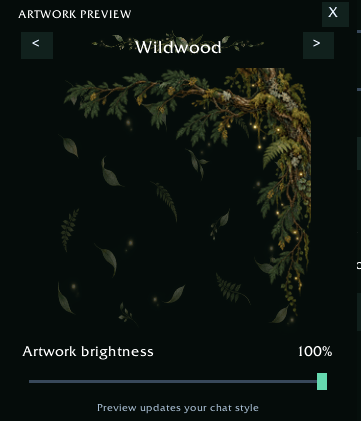
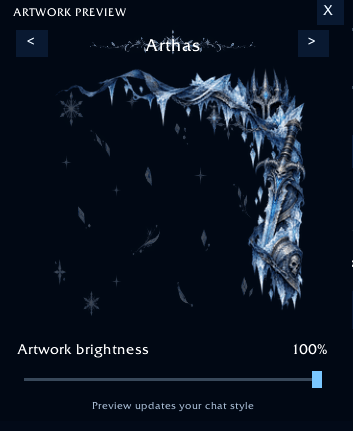
- Nine themes: Sakura, Plum, Wildwood, Arthas, Doom, Moonstone, Starlight, Slate, and Graphite.
- Matching corner artwork, background details, and header ornaments.
- An artwork preview with theme browsing.
- Adjustable artwork brightness, independent of window opacity.
- An option to disable all decorative artwork.
- Six fonts, adjustable text size, window scale, dimensions, and background opacity.
- Optional whisper sounds and timestamps.
Artwork is static—there are no animated background particles.
Emoji and reactions
Choose from 103 bundled emoji images, including faces, hands, hearts, gaming symbols, and meme reactions.
- Search by name or meaning.
- Browse categories or your recently used emoji.
- Insert shortcodes directly into your message.
- Shift-click to select several without closing the picker.
Try :grin:, :heart_hands:, :skull:, :clown:, :moai:, or :popcorn:.
Recipients need a compatible version of Forever Whisper to see the images. Without it, they receive readable shortcodes. Ordinary whispers work regardless of whether the other player has the addon.
Player actions where you need them
Right-click a contact or an incoming sender name to access:
- Whisper and invite to group.
- Add friend or ignore.
- Open the native WoW player menu for reporting.
- Pin or unpin a conversation.
- Copy a character name or conversation.
- Clear saved history.
- Create up to three custom shortcuts.
Custom shortcuts support {name} and {zone}. Message shortcuts prepare a whisper draft; slash-command shortcuts prepare a command in WoW chat for you to confirm with Enter.
Copying opens a selectable text field—use Ctrl+C.
Share a meeting point
Share your current position as a map pin from the player menu. Where supported, you can also share an existing waypoint.
Clients without native waypoint support use readable zone coordinates and a Forever Whisper link. Recipients with the addon can click that link to open the map and see the marker.
Pins are added to your draft so you can review them before sending.
Quick access
The custom minimap icon lets you:
- Left-click: open conversations.
- Right-click: open settings.
- Drag: reposition the icon around the minimap.
You can hide the icon in settings.
Commands
/fw— open the messenger./fw Name— open a conversation./fw settings— open preferences./fw minimap— toggle the minimap icon.
Storage and performance
History and preferences are saved locally using WoW’s SavedVariables system. The history limit is adjustable, search runs when submitted, and the addon uses native WoW frames without external runtime libraries.
There is no idle per-frame update loop; minimap dragging updates only while dragging. Decorative textures do use memory, and actual performance depends on your game client.
Player availability uses information exposed by the friends list and guild roster. It does not run disruptive /who searches, and availability may remain unknown for other characters.
Forever Whisper Team
