


Forever Warrior Hud
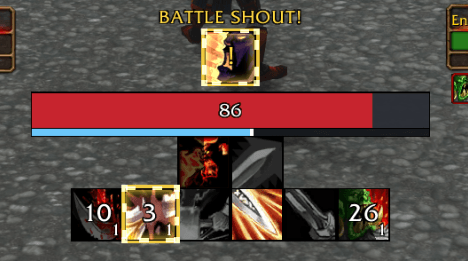
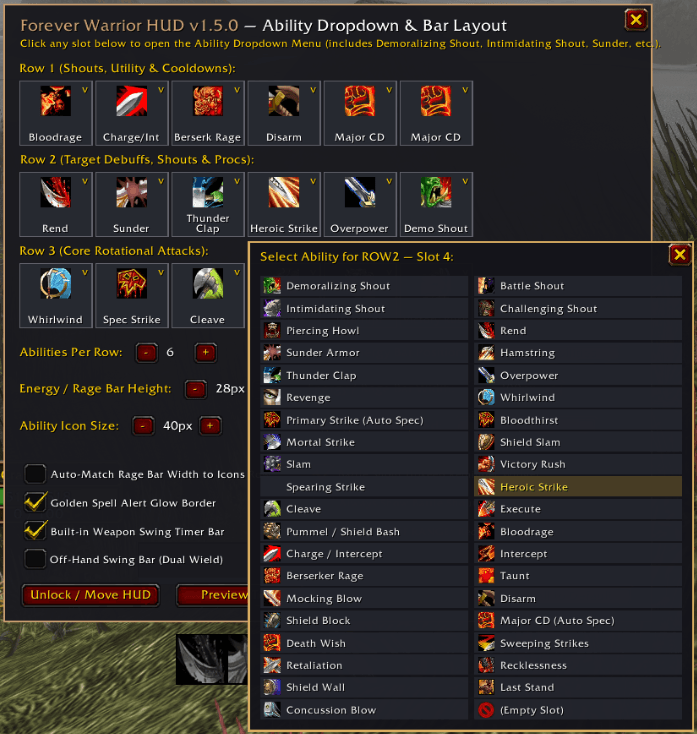
A clean, WeakAuras-style Warrior HUD for WoW: Forever: rage bar, ability cooldowns, debuff timers with stacks, Overpower alerts, Battle Shout reminder and swing timer, all set up from a simple in-game menu.
fwh1.png
fwh2.png
fwh3.png
Description
Forever Warrior HUD
Everything a Warrior needs to watch, in one compact HUD near your character. No WeakAuras strings to import and no setup required: pick your abilities from a dropdown menu and go.
Features
Ability tracking
- Cooldowns for every Warrior ability, including all shouts (Battle, Demoralizing, Intimidating, Challenging, Piercing Howl)
- A smart rotation slot that automatically tracks Bloodthirst, Mortal Strike, Shield Slam or Slam, whichever you've learned
- A major cooldowns slot that tracks your learned big cooldowns (Recklessness, Shield Wall, Death Wish and more)
- A golden spell-alert glow when something is ready or needs your attention
Target debuff timers
- Live timers and stack counts for Sunder Armor, Rend, Hamstring, Demoralizing Shout, Thunder Clap, Piercing Howl and Disarm
- Reads the target's real debuffs, so a missed, dodged or parried Sunder never adds a fake stack
- Warns you in combat when an important debuff is missing from your target
Overpower alerts
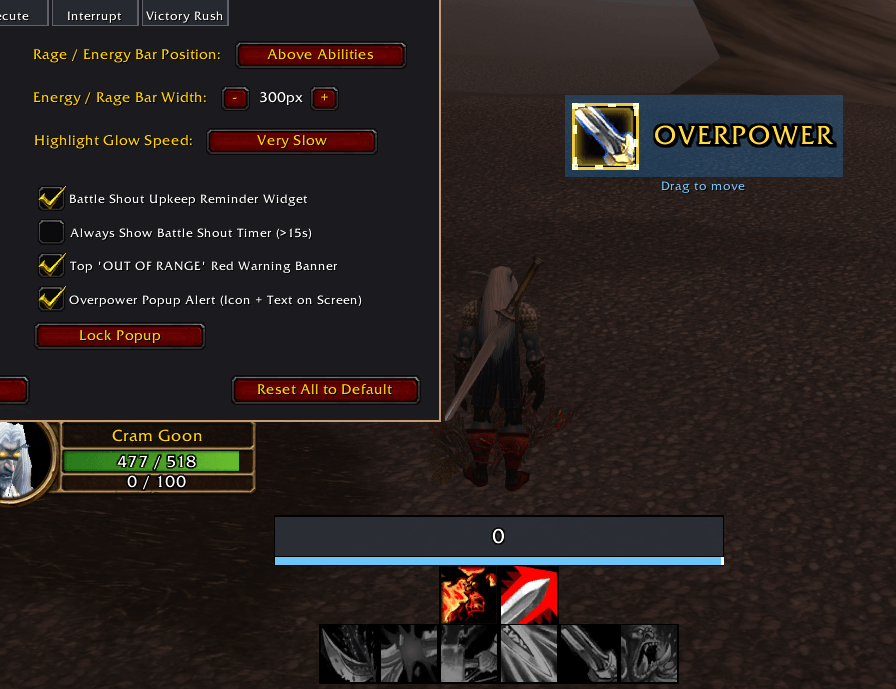
- The Overpower slot glows and counts down while the dodge window is open
- New in 1.6.0: an optional on-screen popup with a glowing Overpower icon, a countdown and "OVERPOWER" text
- Drag the popup anywhere on your screen and set its size from 50% to 200%
Combat helpers
- Battle Shout reminder when it's missing or about to fall off
- Bloodrage active indicator
- Main-hand swing timer bar
- Out of Range banner
Layout
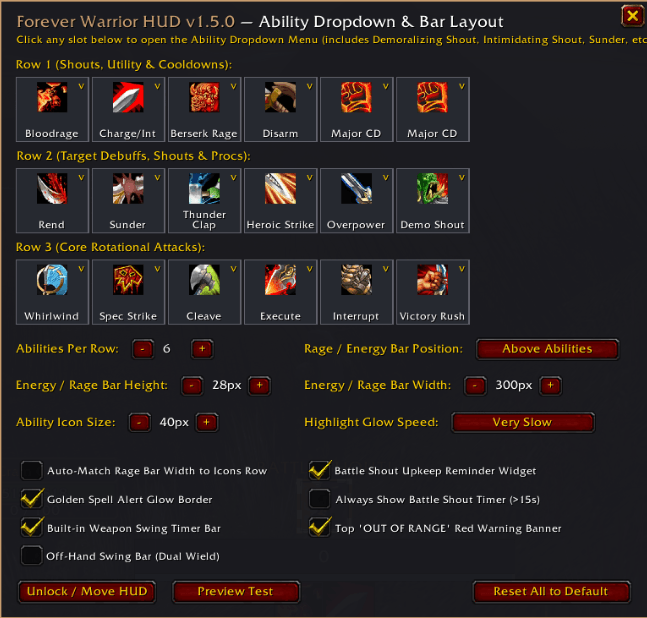
- Rage bar with adjustable size, shown above or below your abilities
- 3 to 8 abilities per row
- Adjustable scale, and you can unlock it and drag it anywhere
- Opens from the Addon Compartment button on the minimap
Commands
| Command | What it does |
|---|---|
/fwh config |
Open the setup menu (abilities, rows, bar size and position, Overpower popup) |
/fwh lock |
Lock or unlock the HUD and the Overpower popup so you can drag them |
/fwh scale <0.5-2.5> |
Set the HUD scale |
/fwh cols <3-8> |
Set abilities per row |
/fwh barpos |
Move the rage bar above or below your abilities |
/fwh swing |
Turn the swing timer on or off |
/fwh glow |
Turn the animated glow border on or off |
/fwh speed <0-1> |
Set the glow animation speed |
/fwh oor |
Turn the Out of Range banner on or off |
/fwh opalert |
Turn the Overpower popup on or off |
/fwh opmove |
Unlock or lock just the Overpower popup to drag it |
/fwh opscale <0.5-2.0> |
Set the Overpower popup size |
/fwh test |
Preview the HUD with sample timers and procs |
/fwh reset |
Reset all settings |
/warriorhud works too.
Notes
- Built for WoW: Forever.
- On non-Warrior characters the addon stays hidden. Use
/fwh alwaysto show it anyway. - The Overpower popup is off by default. Turn it on in
/fwh configor with/fwh opalert. - Found a bug or have an idea? Leave a comment or open an issue!
Forever Warrior Hud Team
