


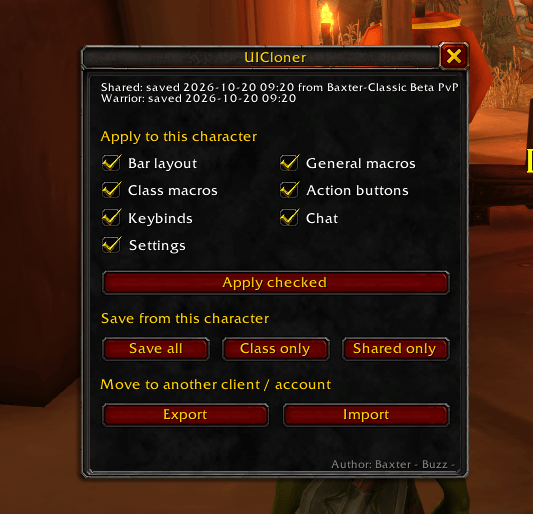
UI cloner Interface .png
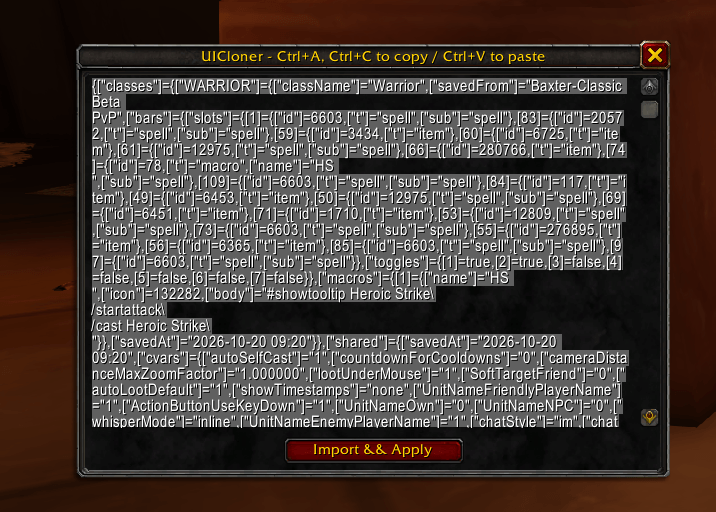
UI Cloner copypaste.png
Description
UICloner
Stop copying your WTF folder.
I got tired of copying my WTF folder and rebuilding my UI every time I started fresh. UICloner fixes that. Save your setup, copy the export text into a Notepad file, and when WoW Forever launches, paste it in with the import button. Your UI is set up in seconds.
What it copies
- Macros: your character macros, saved per class. *Updated now copies your account wide macros also*
- Action bar layout: the number of bars, icon size, spacing and positions, saved from your Edit Mode layout
- Action bar button location: spells, macros, items, toys, mounts, etc
- Keybinds: your keybinds are applied exactly as saved
- Chat: windows, channels, message types and colors
- Settings: a set of common interface options such as Auto loot, Floating Combat Text, Auto self Cast, etc.
How it works
Before launch (on the beta):
- Type
/uicand click Save all on your main. - Log in on each class you play, set up its bars and macros, and click Class only.
- Click Export, press Ctrl+A then Ctrl+C, and paste the text into a Notepad file. That one file is your whole UI.
On the new client:
- Copy the
UIClonerfolder intoInterface/AddOns/. - Type
/uic, click Import, paste your text and click Import & Apply, then/reload. - Every other character you log in on gets a one-click popup to apply the same setup.
Features
- A simple window (
/uic) with buttons, plus slash commands - Tick only the parts you want to apply
- A warning before you overwrite a saved profile
- Export and import as plain text, so nothing needs to be copied between folders and it works across clients and accounts
Commands
/uicopens the window/uic save,/uic save class,/uic save shared/uic load [layout|macros|bars|keys|chat|cvars]/uic export,/uic import,/uic status,/uic help
Good to know
- Buttons for spells your new character hasn’t learned yet can’t be placed. Apply the bars again after you learn them.
- Edit Mode’s built-in presets can’t be saved. Copy one in Edit Mode, select your copy, then save.
- Flyouts and equipment sets are skipped.
- Applying keybinds clears the character’s existing keys first. Untick Keybinds if you want to keep any you set by hand.
Disclaimer: I have only tested this with the Edit Mode UI and have not tested it with any UI add-ons. Please use at your own risk.
Author: Baxter - Buzz -
Forever UI Cloner Team
