Forever One Button
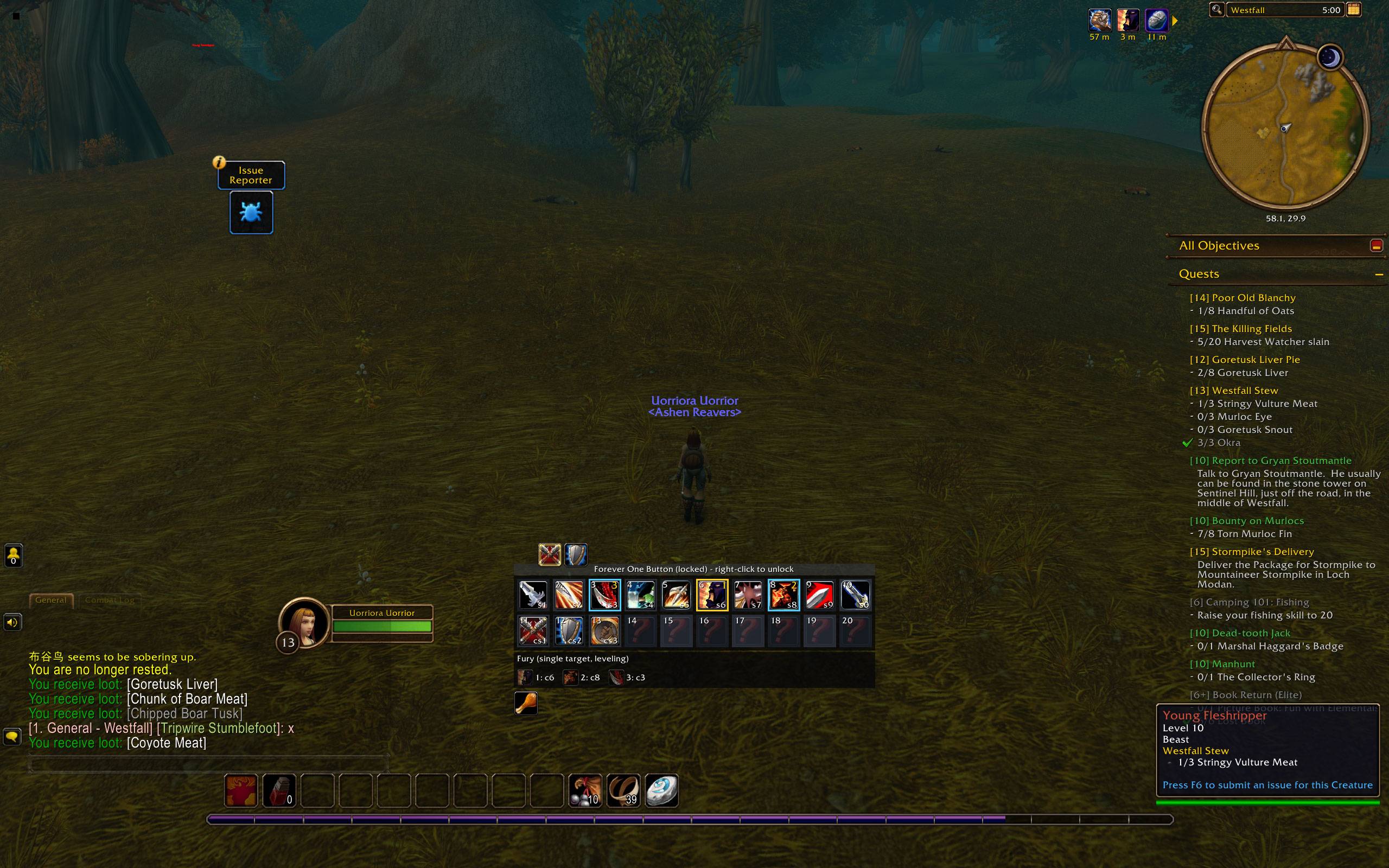
An action panel for WoW Forever with its own rotation engine: priority lists for every class, burst, interrupts, defensives and reminders on buttons you press yourself.
options_1.jpg
options_2.jpg
options_3.jpg
options_4.jpg
ui.jpg
Description
Forever One Button
An action panel for WoW Forever with its own suggestion engine.
Forever One Button puts the right ability on a grid of up to 20 action buttons that you own: you choose the keys, you press every key, and the panel shows which of your buttons to press next. No other addon is needed.
A complete engine for every class
- Priority lists for all nine classes and every talent tree, for single target, cleave and aoe. The list follows the tree you spent the most talent points in.
- Leveling lists from 1 to 59 that grow with every ability you learn, and the level-60 lists once you reach 60.
- Conditions that work on Forever: rage, energy and mana thresholds, buffs and DoTs, cooldowns, stances and forms, combo points, swing timer, execute range, number of engaged enemies. When the game keeps a value hidden in combat, the engine never guesses: an unknown value never blocks a suggestion.
- Only your tree's list is suggested, so the panel never bounces between stances.
- Ranks handled: the rank on your action bars, or the highest you know.
- Charge and other gap closers when you are out of melee; a clear wait when nothing can be pressed yet.
More than a rotation
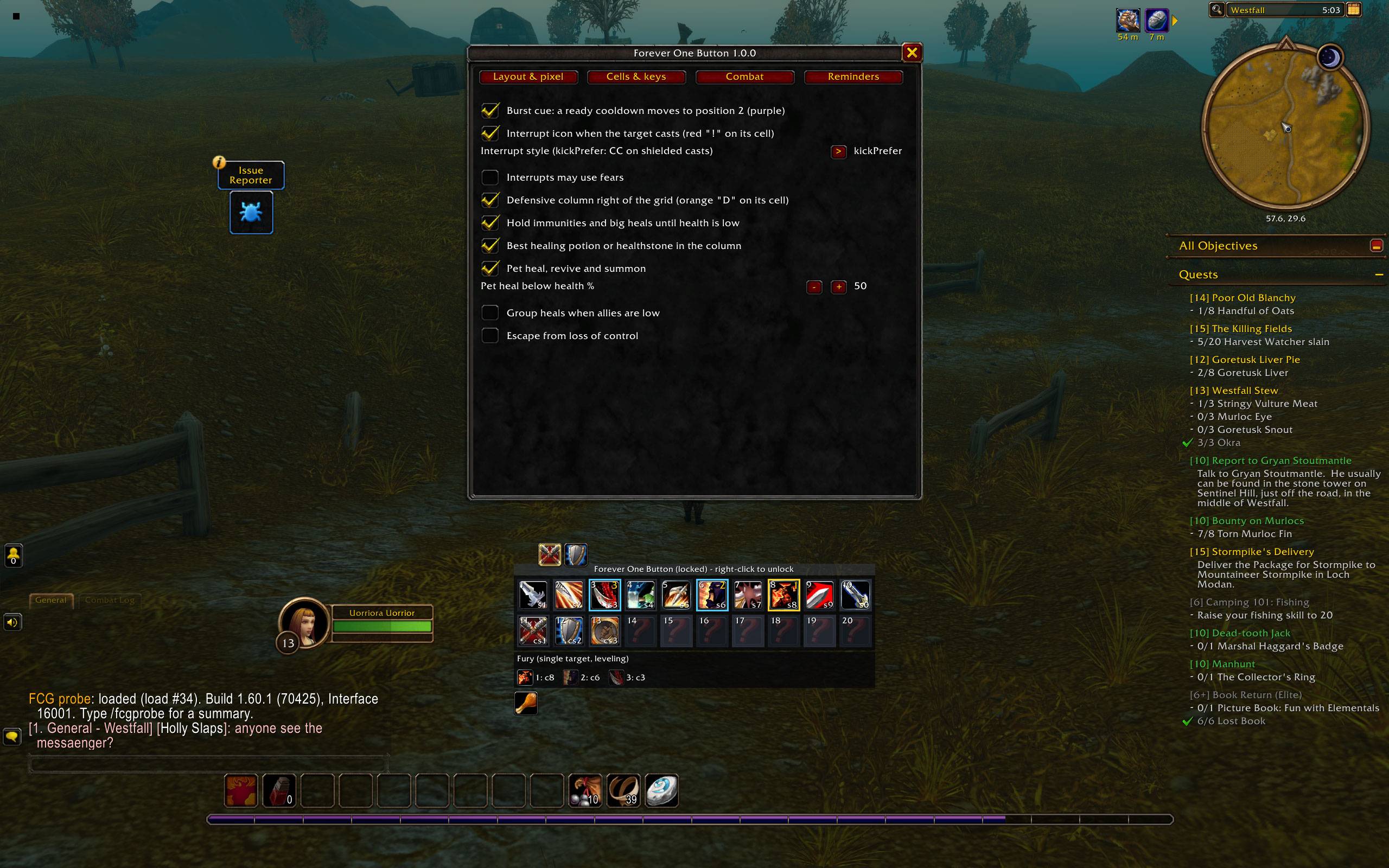
- Burst cue: when a big cooldown is ready, it moves to position 2 with a purple frame.
- Interrupts: when your target casts, an icon shows the right interrupt (Pummel, Shield Bash, Kick, Counterspell...) with the enemy's cast and your key; crowd control is offered on casts that cannot be kicked.
- Defensives: a column orders your defensive cooldowns, healing potions and healthstones by how hurt you are, and holds the big ones until you really need them. Pet heal and revive for hunters and warlocks; optional group heals and escapes from crowd control.
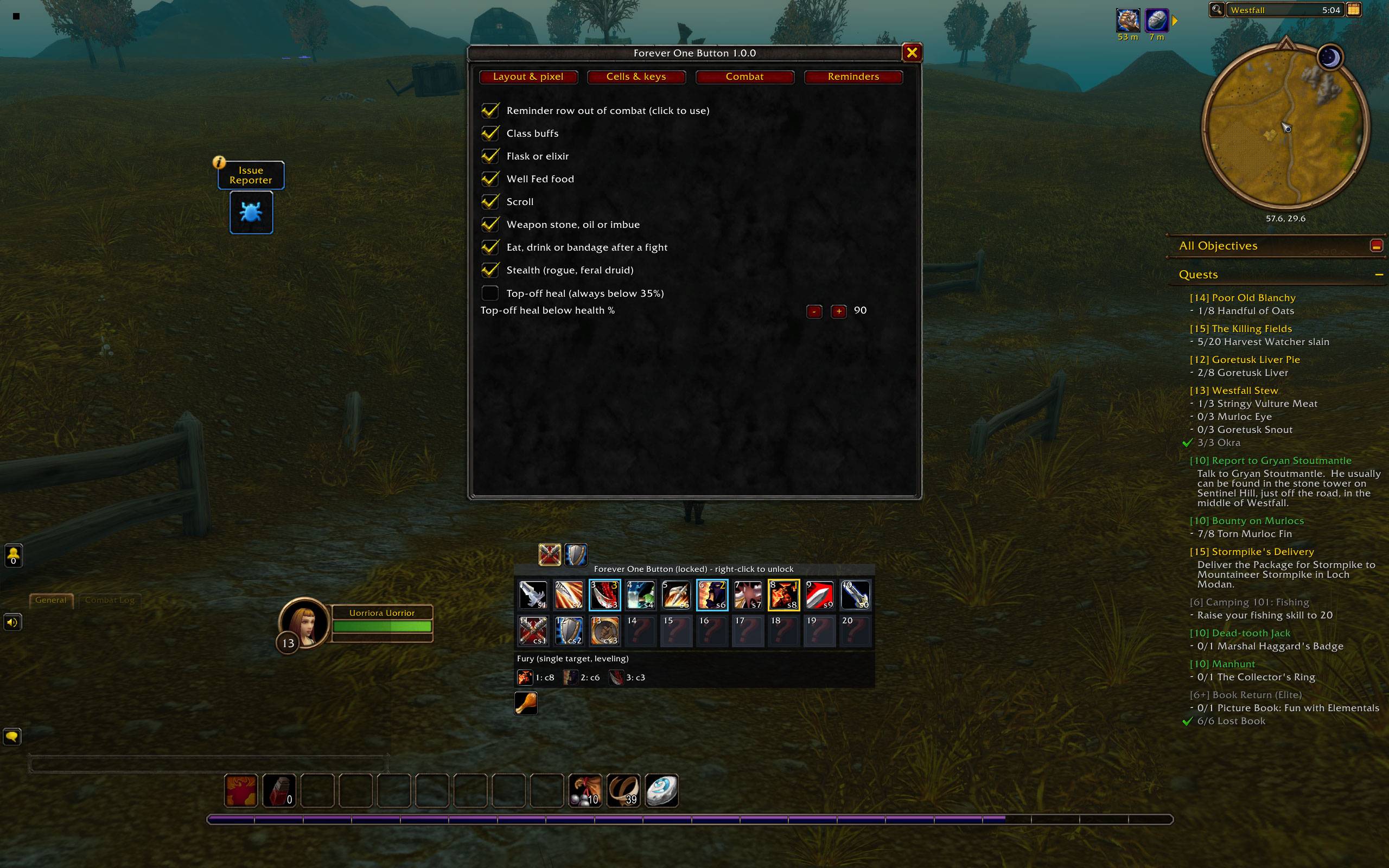
- Reminders out of combat: a clickable row for missing class buffs, flasks and elixirs, Well Fed food, scrolls, weapon stones and oils, shaman imbues, stealth, and food, drink or bandages after a fight.
You press every key
Every cell is a secure action button that runs only when you click it or press its key. There is no one-key spam button, no repeat and no automatic pulling. You start every pull and choose every opener.
The panel
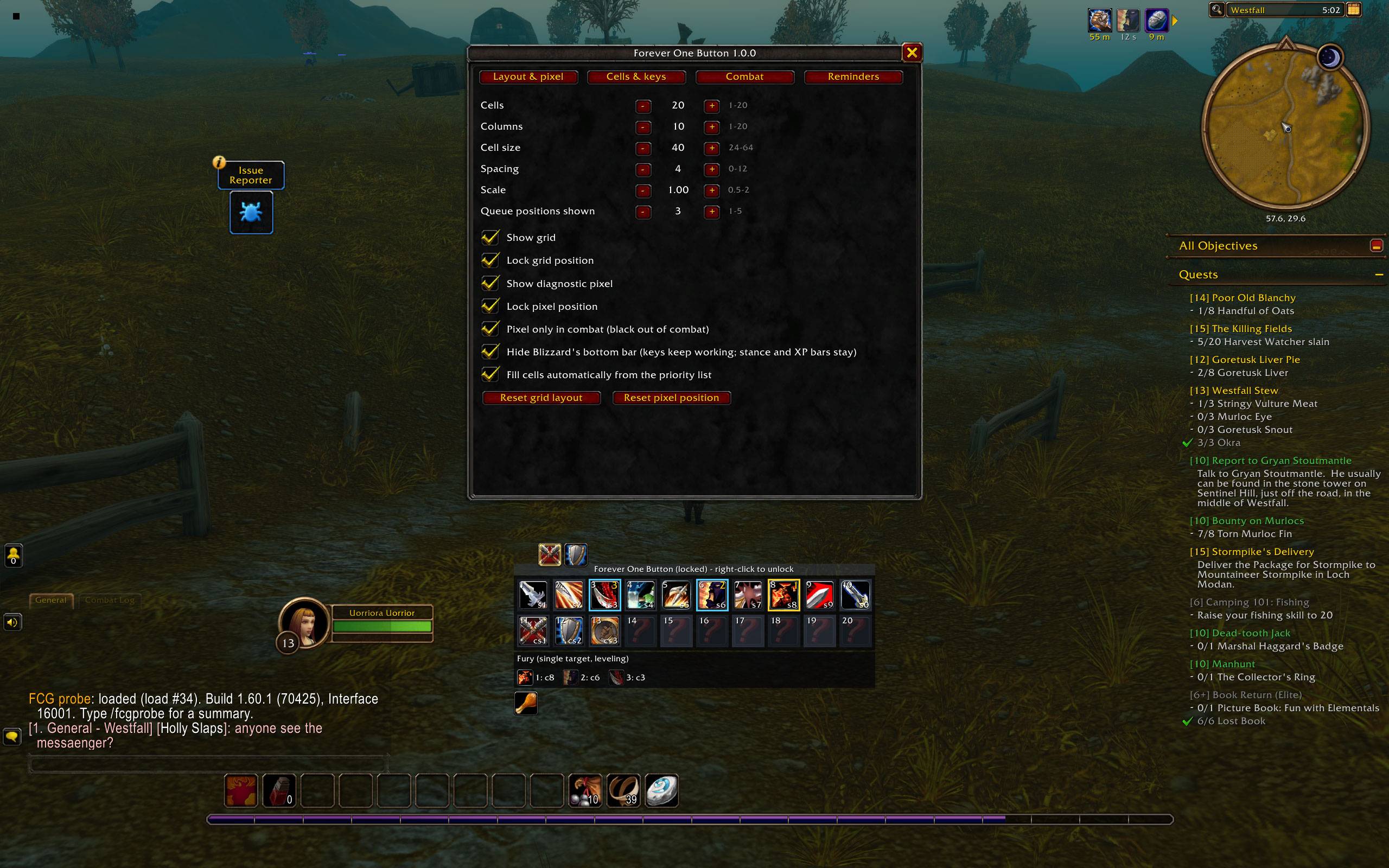
- Up to 20 cells (default 20 in 10 columns); columns, cell size, spacing and scale are adjustable.
- Cells fill themselves from your priority list, gap closers, interrupts, defensives and your best healing item. Nothing is ever moved, so your muscle memory stays valid; new ranks replace old ones in the same cell. Drag any spell or item onto a cell to change it.
- Default keys:
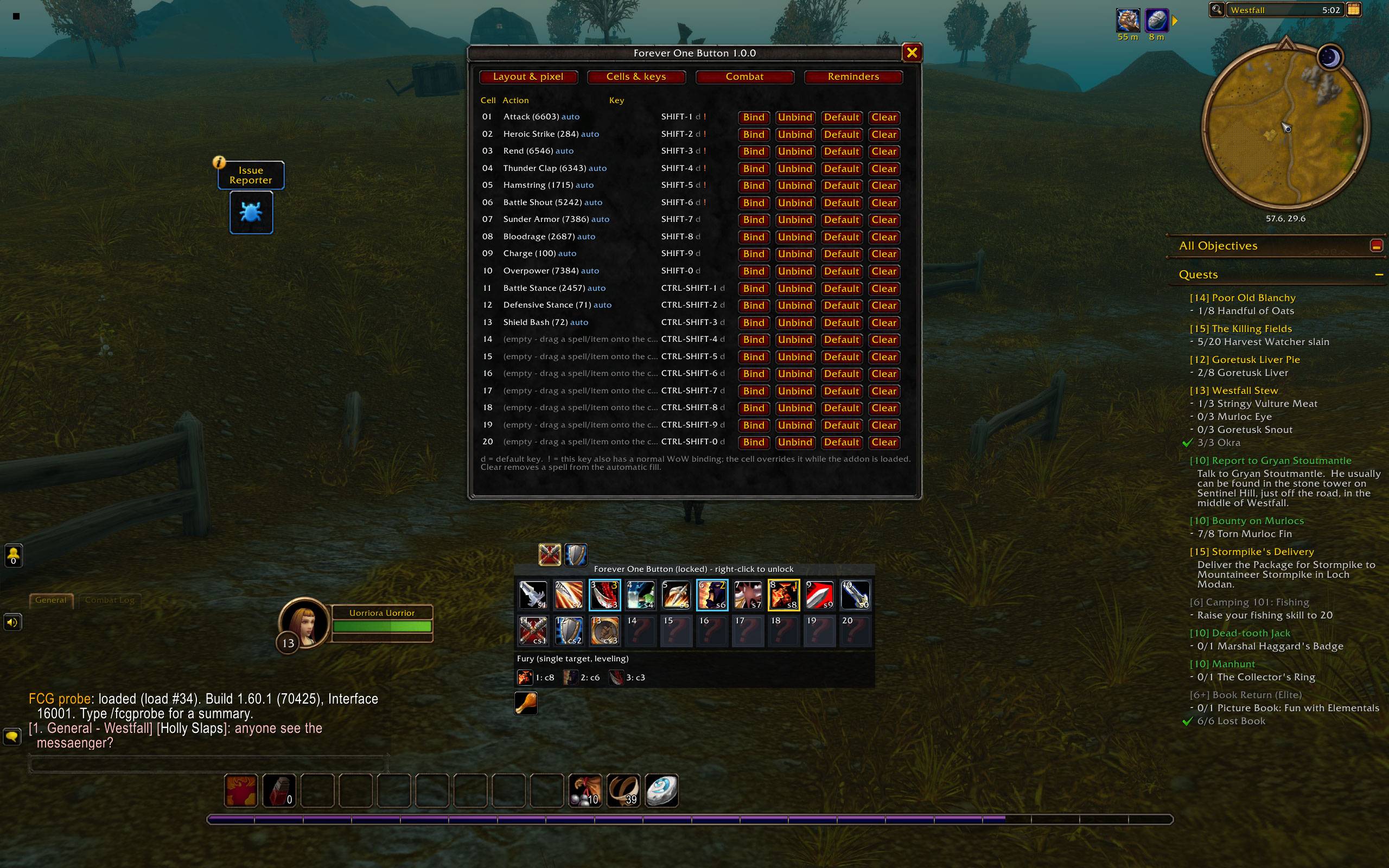
SHIFT-1...SHIFT-0for cells 1-10 andCTRL-SHIFT-1...CTRL-SHIFT-0for cells 11-20. Rebind, unbind or reset any cell. - Gold frame for the next ability, cyan for the ones after it, purple for burst, red "!" for the interrupt, orange "D" for the defensive to use.
- Movable panel: right-click the title bar to unlock, drag it, right-click to lock again. The position is saved.
- Optional: hide Blizzard's bottom bar while the stance and experience bars stay and the action bar keys keep working.
- Every feature can be switched in the options (
/fob, Features page).
Getting started
- Install Forever One Button.
- Log in: the cells fill from your priority list.
- Type
/fobto open the options (cells, keys, layout, features). - Fight: press the key of the cell with the gold frame.
Commands
/fob- options/fob status- talent tree, context and current suggestion/fob bindings- cells and keys/fob features- feature switches;/fob feature <name> on|off/fob lock//fob unlock//fob reset- panel position and layout/fob autofill on|off|now|reset- automatic fill/fob blizzardbar hide|show- Blizzard's bottom bar
Feedback
Bug reports and suggestions are welcome on GitHub Issues.
Credits
The priority lists and class data come from Just Assisted Combat by wealdly (GPL-3.0), whose lists derive from the wowsims rotations (MIT, wowsims team). Forever One Button is free software under the GNU General Public License version 3.
Forever One Button Team