


Forever NPC Abilities
- By
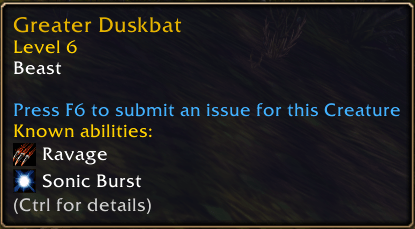
Tooltip
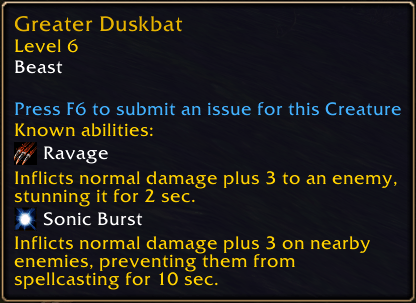
Expanded tooltip description
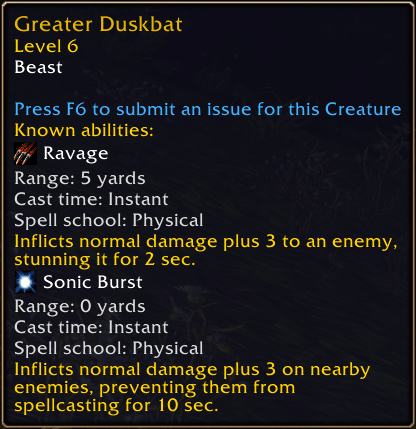
Expanded tooltip with range, cast time, spell school
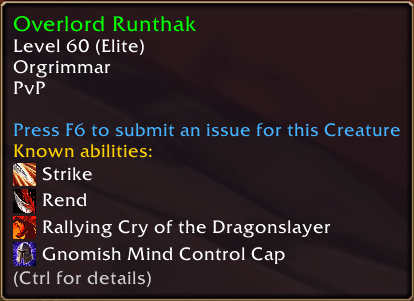
Friendly NPC
Description
Shows known NPC abilities and spell details to the in-game tooltip. It uses a bundled NPC and spell database to show ability names, icons, and available details such as range, cast time, and spell school.
Options
Open the game's Options > AddOns > Forever NPC Abilities page to enable or disable tooltips, always show descriptions, choose a Hold or Toggle hotkey mode, assign the description key, and configure ability details. You can also hide the “Known abilities” heading while keeping the ability entries visible.
Use the Enemy units and Friendly units checkboxes in the options panel to choose which unit types show abilities. Both are enabled by default.
Choose whether range, cast time, and spell school details are always shown, shown only while the description key is active, or never shown; the individual checkboxes select which detail types are included. Range and cast time come from the bundled spell catalog; school data comes from the bundled Wago.Tools export.
In Hold mode, hold the selected key while hovering an NPC to show descriptions or key-gated details; in Toggle mode, press it to switch them on or off. When descriptions or details are key-gated, the tooltip shows a hint such as “(CTRL for details)” below the ability list. The key capture button accepts normal keys, key combinations, and modifier keys by themselves. Right-click the key button to clear its binding.
The tooltip colors for ability names, descriptions, and detail text are also configurable in the options panel, with a reset button to restore the original defaults.
Debug
Use /fna status, /fna debug, /fna on, /fna off, or /fna toggle to check and control tooltip output. /fna status reports whether the core and tooltip hook loaded. /fna debug adds the hovered NPC ID and catalog counts to its tooltip. The setting is saved between sessions.
Forever NPC Abilities Team
