Forever Journal
- By
A journal of your character's journey: levels, places, goals, notes and reminders, in a parchment book.
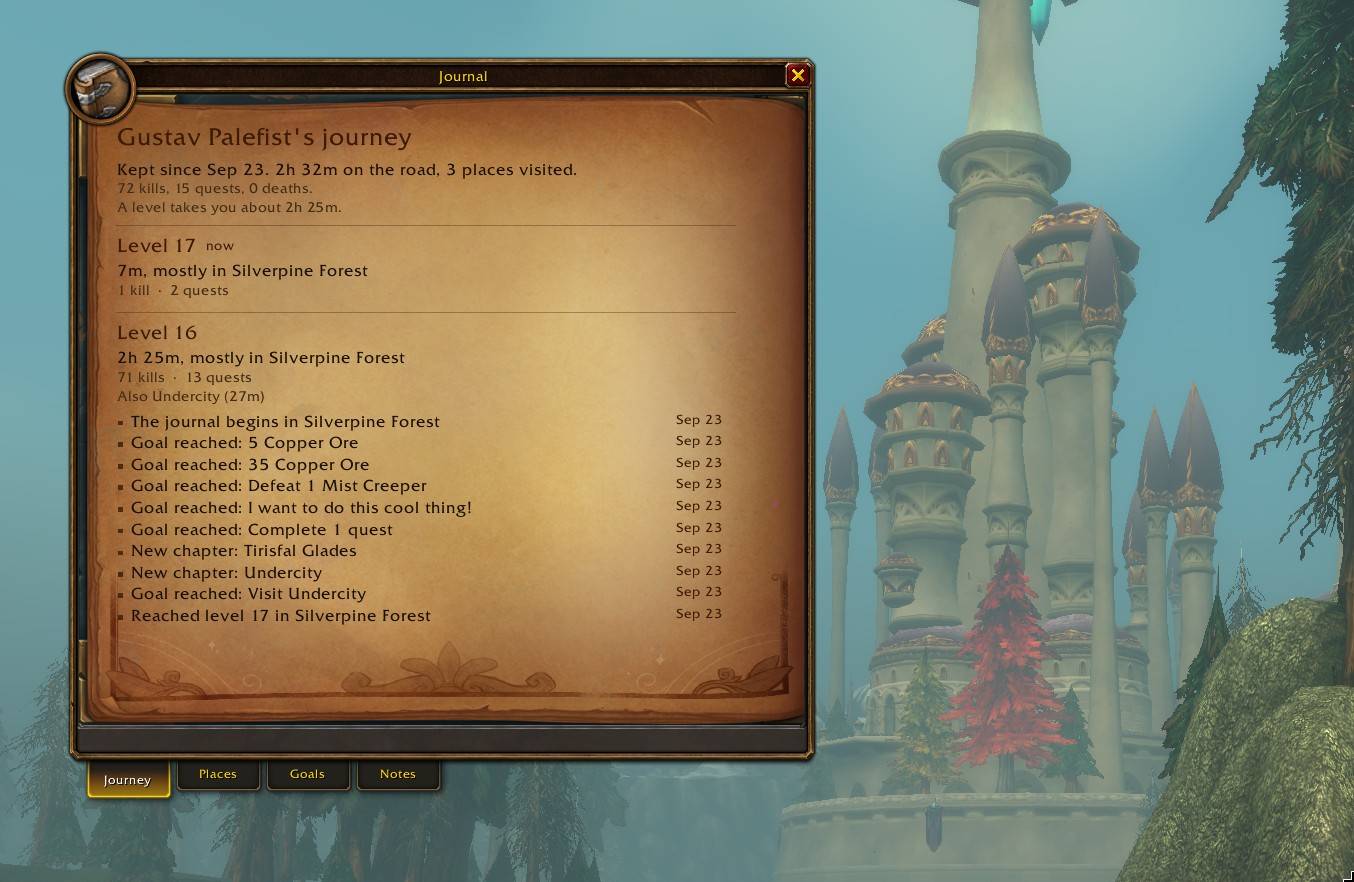
journal-1-journey.jpg
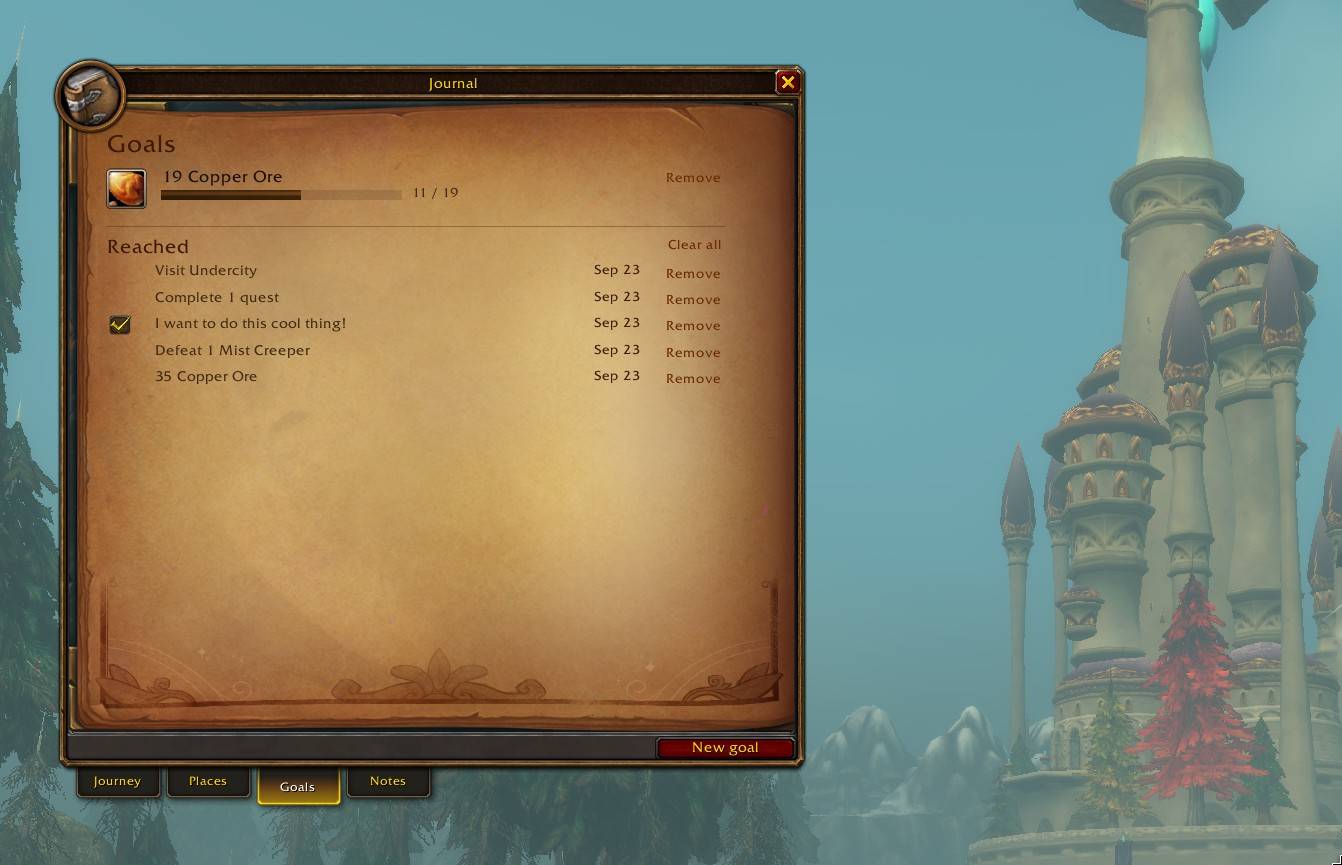
journal-2-goals.jpg
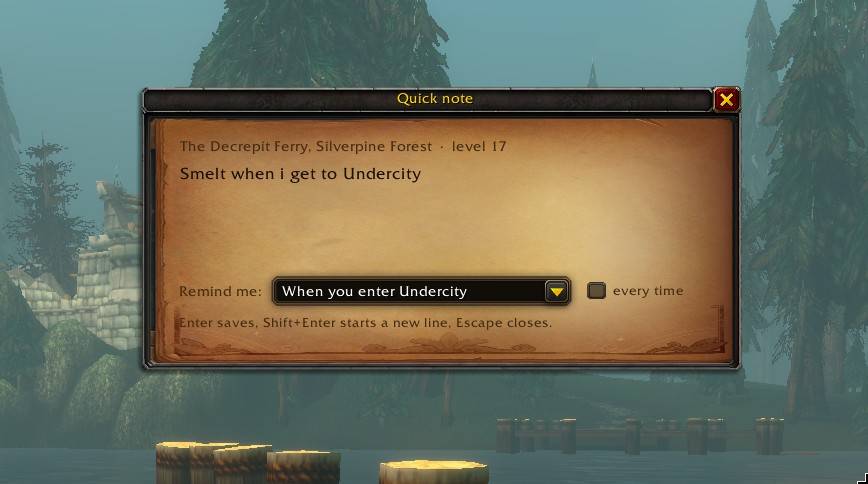
journal-3-quick-note.jpg
Description
Forever Journal keeps a journal of your character's journey. No rates, no countdowns: just where you have been, what you did there, and what you want to do next.
Built for the WoW Forever beta client (retail-based). Listed under both WoW Forever and Retail. It may also work on retail, but is only tested on Forever.
The journal
Open it from the book on the minimap. It is a parchment book with four pages:
- Journey: your story level by level. How long each level took, the zone you spent it in and the others you passed through, kills, quests and deaths, and the moments along the way.
- Places: every zone you have been to, with time spent, kills, quests, deaths and when you first arrived. Dungeons are listed with runs and time inside.
- Goals: press New goal and pick what to work towards: collect an item (drag it in or shift-click it), defeat enemies or one kind of creature, gain experience, earn gold, complete quests, run dungeons or one particular dungeon, reach a level, visit a place, or a to-do you tick off. Progress bars show how far along you are.
- Notes: a diary grouped by day. Each note remembers where and when you wrote it, down to the map coordinates. Shift-click items into a note and hover them later for their tooltip.
Reminders
A note can remind you when something happens. Write "Smelt [Copper Ore] when I get to Undercity" and the journal suggests When you enter Undercity; keep it, pick another trigger, or choose none. Triggers: entering a zone, subzone or dungeon, any capital city, an inn, any rested area, a vendor, mailbox, bank, auction house, flight master or trainer, opening a profession, reaching a level, or your next login. A reminder fires once, or every time if you tick it, and tells you how many of a linked item you carry.
Moments
A short line at the top of the screen for things worth remembering: a new zone, a first dungeon visit, a goal reached, how the last level went, coming back well rested, and your reminders. Each kind can play a Blizzard sound of your choice, or none.
Journal tracker
A small list under the objective tracker with your active goals and pending reminders. Move it (and the moments line) by unlocking positions in the settings, or in Blizzard's Edit Mode, per layout.
Works with the Forever addons
With Forever Immersion installed, the journal tracker shows up on its Elements page so you choose when it shows. Forever Data Protect keeps the journal safe through game restarts while the Forever beta fails to load addon settings.
Settings and keys
Options > AddOns > ForeverJournal. Bind "Open or close the journal" and "Take a quick note" in Options > Keybindings > AddOns. The minimap button does both (left-click and right-click), and /fj and /note work too.
The Forever Journal Team