Forever Gamepad UI: Flightmaster
- By
An immersive flight master overhaul built for controller lovers on WoW Forever.
Description
Forever Gamepad UI: Flightmaster
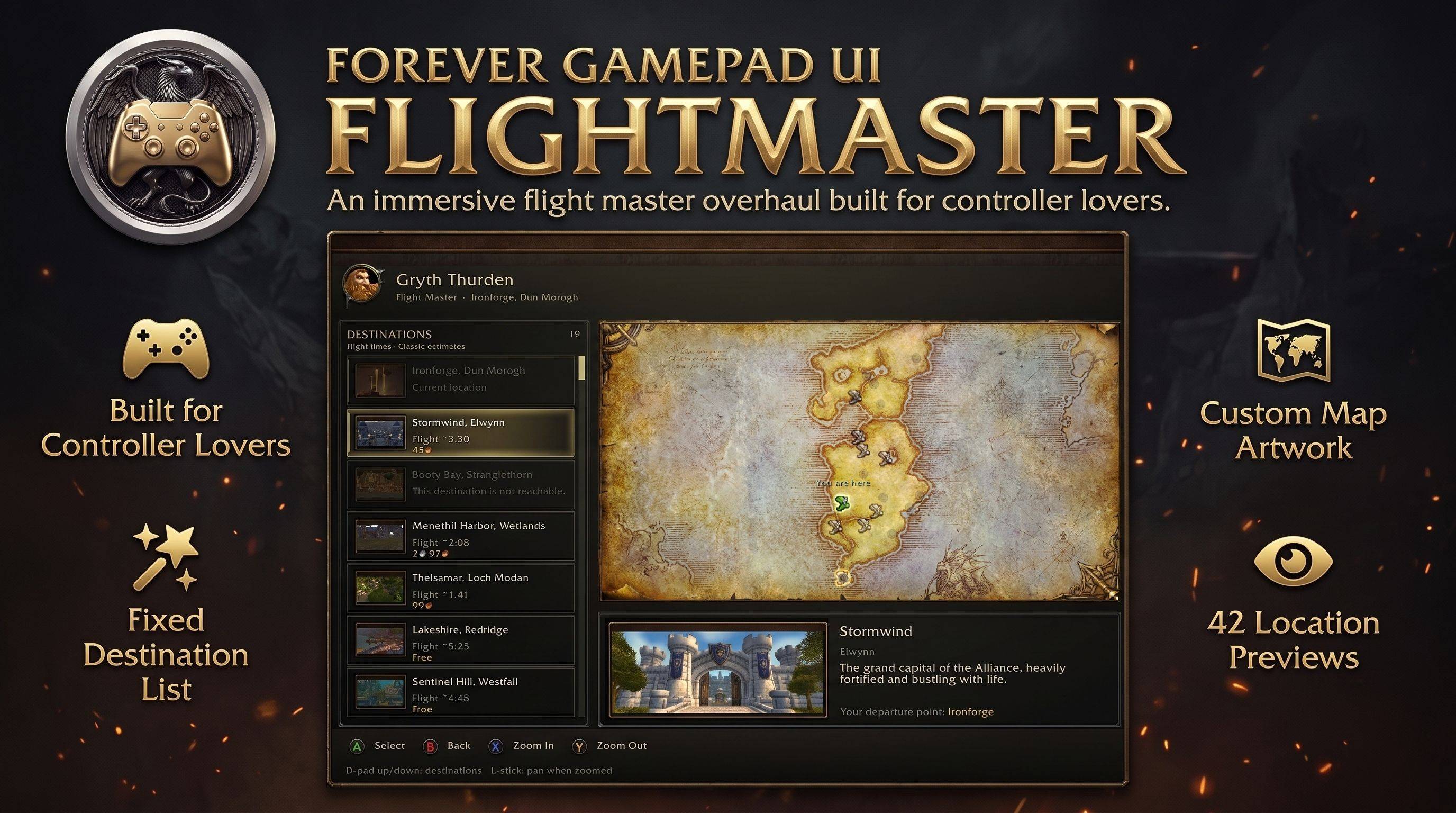
An immersive flight master overhaul built for controller lovers on WoW Forever.
Talk to a flight master and pick your destination from a clean list of real locations, each with its own picture, native flight price and flight time. Watch a 3D gryphon trace your route across a full-screen map, then confirm your departure with a single, deliberate button press. Everything is designed around Blizzard’s native gamepad controls.
The addon runs on top of the native taxi session. Prices, routes and the actual flight are always provided by the game itself.
🎮 Built for Controller Lovers
Move through destinations with the D-pad, open a departure card with the select button, zoom the map with the face buttons and go back with a single press. Prompts follow your controller layout, using native button glyphs where available.
A flight never starts by accident: focus, hover and a held-down button only preview a destination. Departing is always a separate, explicit confirmation.
✨ Features
Fixed Destination List
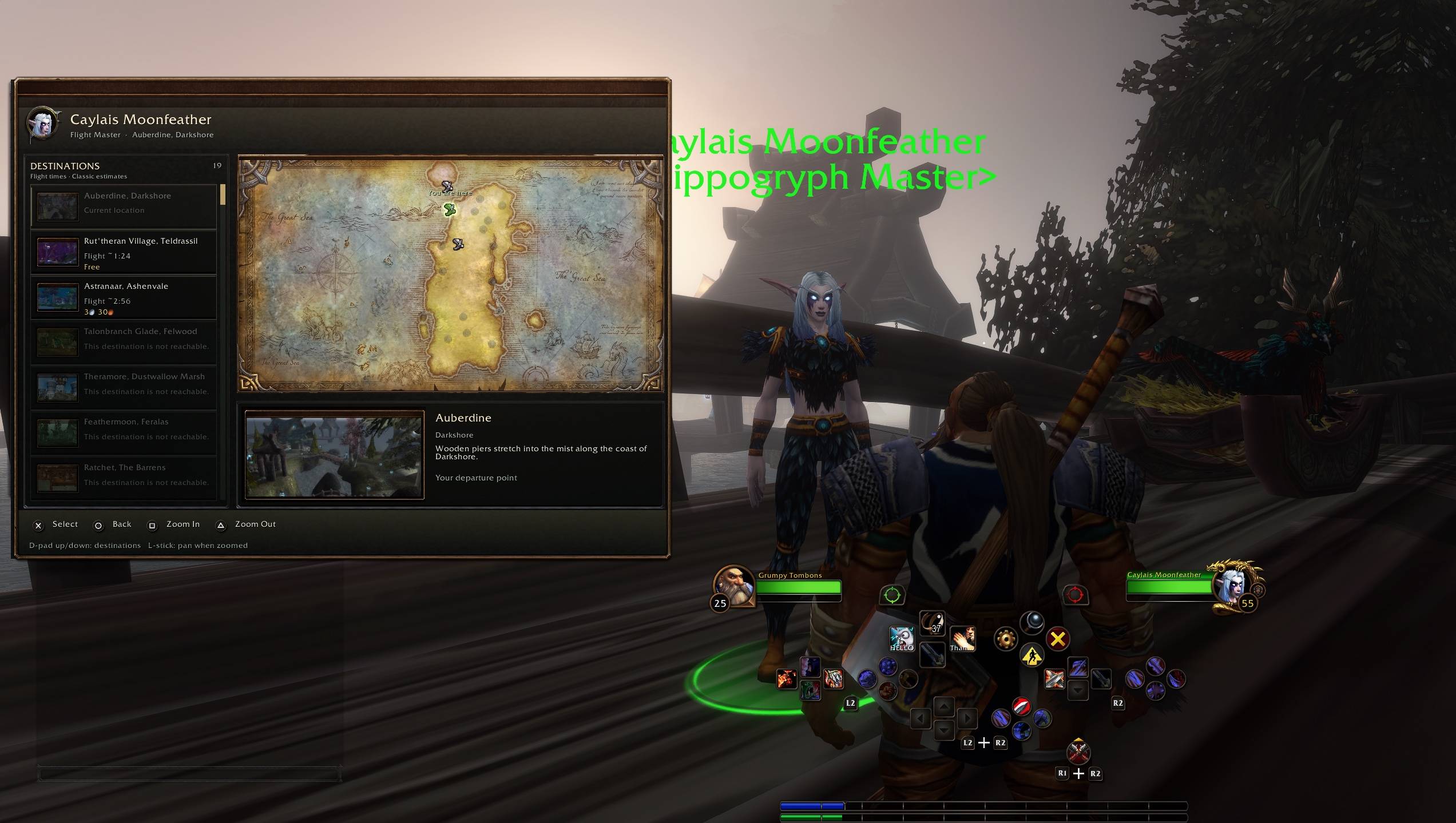
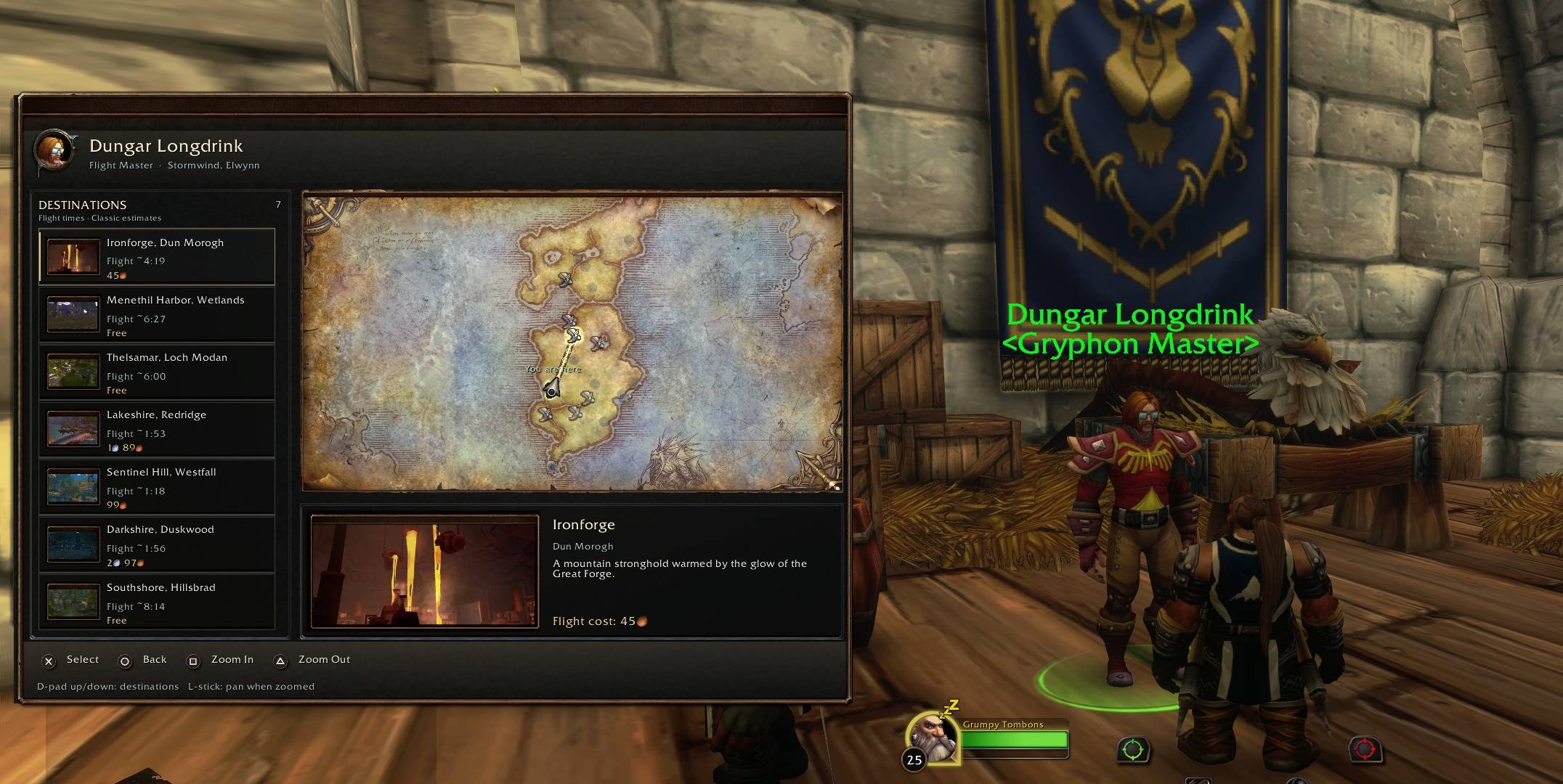
Every native flight point appears in one stable list on the left, including multiple hubs in the same city, each with its full point name. Selecting a pin on the map keeps your list, order and scroll position exactly where you left them.
Prices and Flight Times Before You Commit
Each destination shows its exact native flight price and its own flight time directly in the list. Unaffordable flights still show their rate, with the reason on a separate line. Unavailable destinations are clearly marked instead of showing a misleading free flight.
42 Location Previews
Recognizable location images with matching thumbnails sit inside Blizzard-style metal frames. Selecting a destination updates a larger preview with the place name, region and a short description. Location images can be switched off at any time for a neutral look.
Immersive Flight Master Portrait
The flight master you are talking to is shown by name with a circular NPC portrait, together with your departure point.
Custom Eastern Kingdoms and Kalimdor Maps
Dedicated full-art maps replace the native map for known Eastern Kingdoms and Kalimdor departure points. Flight points, routes and the moving gryphon are calibrated to the artwork, and unknown departure points fall back to the native map automatically.
Animated 3D Route Gryphon
A transparent 3D gryphon flies along your selected route as seen from above, turning to follow every segment and every stopover. Your current location is marked with the native green taxi icon. If the model or camera is not available in your client, a native direction icon takes its place.
Native Routes and Markers
Reachable, current and distant flight points use Blizzard’s native taxi icons. Routes use native line art with a pulsing focus on the selected target. Zoom and pan keep markers, routes and the gryphon perfectly aligned.
Departure Card
A dedicated card shows the destination picture, route, stopovers, total price and departure point before you leave. The price is checked again when the card opens, and the flight is only taken if everything still matches.
Flight Sounds
Three audio clips add atmosphere: an error sound for unavailable destinations, a takeoff sound on a valid confirmed departure, and a landing sound once your flight has actually ended.
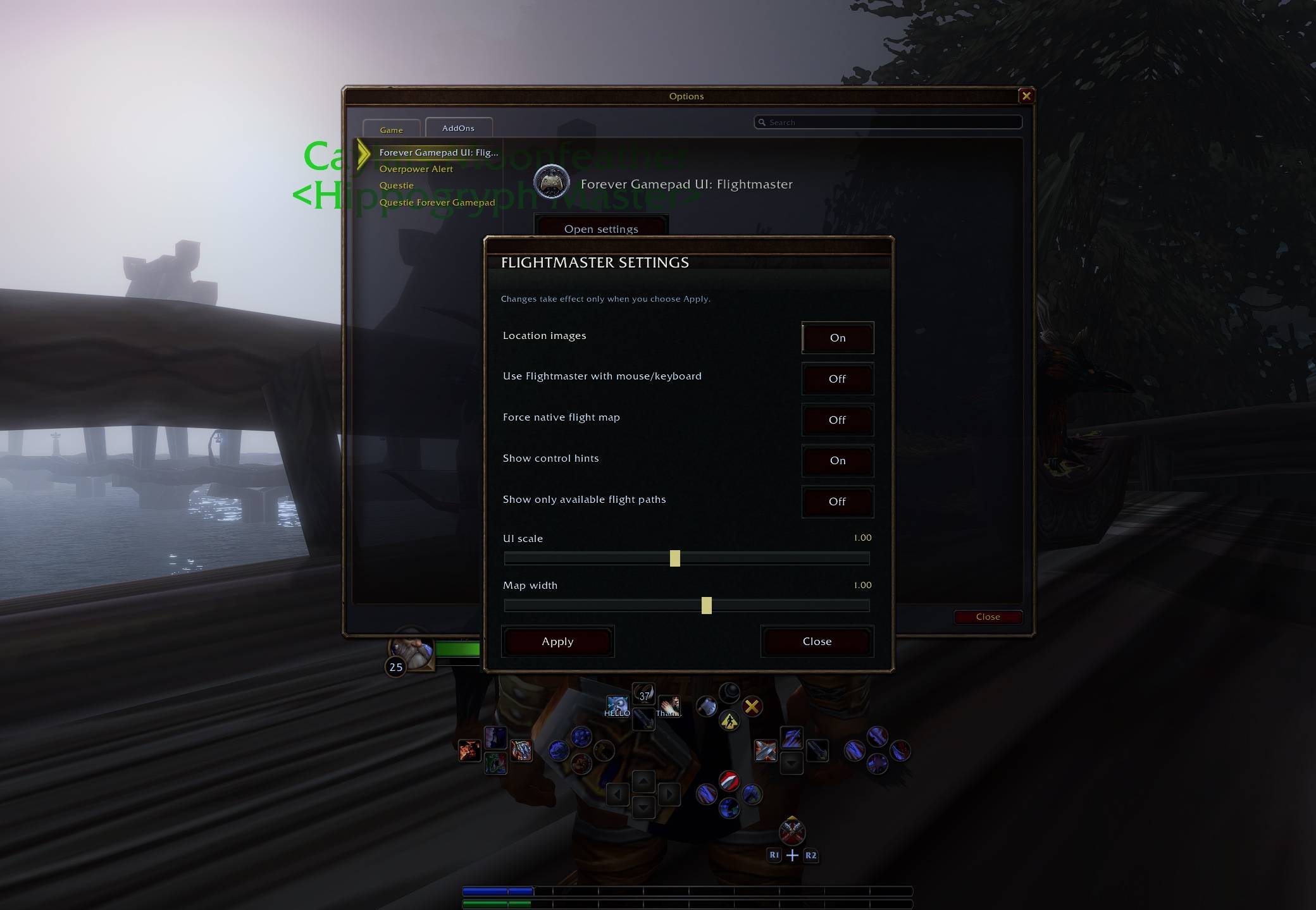
Dedicated Settings
A controller-friendly panel lets you toggle location images, control hints, mouse/keyboard mode and the native fallback, and adjust UI scale and map width. Changes only take effect when you choose Apply.
🛠️ Native Gamepad Compatibility
The native taxi session stays alive behind the addon’s own layer, positioned over the original taxi frame. The addon does not hide, rewrite or re-parent native frames, and it leaves native controller managers and key bindings untouched. Existing user bindings, modifiers and other native popups are respected.
Safety checks protect every flight. The fresh price quote is tied to the destination, departure point and session, and is verified again right before the flight is taken. If the price changes, a destination becomes unreachable, combat starts or the connection drops, the departure is cancelled and nothing is queued for later.
If Blizzard ever blocks an addon action, FlightPad closes its own interface and leaves the native flight map available.
It is a standalone addon. Questie is not required.
📦 Requirements
WoW Forever Beta 1.60.1 — Interface 16001.
Blizzard’s native gamepad support for controller features.
Optional: Questie and Questie: Forever Gamepad UI. Neither is needed, and ConsolePort is not required.
⚙️ Installation & Setup
-
Fully close WoW.
-
Copy the included FlightPad folder into
Interface/AddOns, replacing your previous installation. Make sureFlightPad.tocsits directly insideInterface/AddOns/FlightPad. -
Start WoW and enable the addon.
-
Open a flight master while the native gamepad UI is active.
-
Run
/fpto open the settings and/fp statusto check initialization.
All previews, thumbnails, maps and sound clips are included. No downloads or extra libraries are needed. Your saved preferences are retained when updating.
🕹️ Controls
With the default native controller layout:
D-pad Up / Down: Move through the destination list.
Cross / A: Open the departure card for the selected destination. On the departure card, Cross / A confirms Depart.
Circle / B: Go back or cancel the departure card.
Square / X: Zoom in.
Triangle / Y: Zoom out.
Left stick: Pan the map when zoomed in (where supported and unbound).
Mouse and keyboard: Click a destination or pin, use the mouse wheel to zoom, drag to pan, and press Escape or Back to return.
Prompts follow your controller layout and bindings, including the Switch layout. D-pad Left / Right is intentionally disabled.
On mouse and keyboard the native flight map stays visible by default. Enable “Use FlightPad with mouse/keyboard” in the settings to use FlightPad there too.
🔎 Useful Commands
/fp or /fp settings — Open the settings panel.
/fp status — Version, initialization, input and taxi diagnostics.
/fp reset — Restore the default settings.
/fp debug — Toggle debug messages.
/flightpad — Alternative for /fp.
⚙️ Settings
Location images — Show or hide the destination pictures.
Use FlightPad with mouse/keyboard — Use the custom interface without a controller.
Force native flight map — Always use Blizzard’s own flight map instead.
Show control hints — Show or hide the controller prompts.
UI scale — 0.65 to 1.40.
Map width — 0.75 to 1.20.
⚠️ Compatibility Notes
Designed specifically for WoW Forever and Blizzard’s native gamepad UI. Compatibility with ConsolePort or other addons that modify the flight map or controller interface has not been verified.
Flight times are Classic reference estimates, not measured WoW Forever times. Destinations without reference data show “Time unknown”.
The 3D gryphon depends on the model being available in your client. Custom maps are calibrated against the native taxi map, so very unusual departure points use the native map instead.
Recent visual changes, sound playback, real controller input and the actual flight takeoff and landing transitions still require verification in WoW Forever.
🤝 Credits & License
An independent, unofficial addon. It adapts its charcoal and brass look, controller hints and staged settings approach from Questie: Forever Gamepad UI. Its runtime is separate and does not load Questie code or databases.
Flight time estimates are derived from InFlight, by TotalPackage, Deranjata and LudiusMaximus, under the MIT license. The license is included in the addon package.
World of Warcraft game imagery, maps and sounds remain © Blizzard Entertainment. Location screenshots and their sources are credited in the addon package.
Addon code released under GPLv3. Additional data sources, artwork credits and component licenses are included in the addon package.
☕ Support Development
Enjoying Forever Gamepad UI: Flightmaster? You can support continued development, UI improvements and compatibility work through Ko-fi.
Thank you for your support and for helping make flying around Azeroth with a controller even better!
Forever Gamepad UI: Flightmaster Team