Forever Fishing
- By
forever-fishing-quick-campfire-placement.jpg
Screenshot 2026-10-21 022246.png
Screenshot 2026-10-21 022157.png
Screenshot 2026-10-21 022445.png
Screenshot 2026-10-21 022622.png
Description
Forever Fishing
Forever Fishing is a highly optimized multilingual fishing addon for World of Warcraft: Forever (WoW Forever) with native gamepad support. Enjoy true one button fishing on keyboard, mouse or controller without finding or clicking the bobber. Track detailed session and lifetime statistics, manage your gear and lures, and cook your catch with Master Chef.
Find your next fishing spot, chase rare catches or settle in for a relaxing session. Explore the Catch Journal, follow Forever-specific guides and interactive Journal map pins, and work towards catch goals, achievements and Catch Mastery.
Watch the Forever Fishing 0.9.0 Showcase
Native Gamepad Support
Press your assigned controller button to cast, then press it again when you hear the splash to reel in.
Turn on Gamepad Mode in General settings or from the Settings button flyout. The guided setup helps you get started, and on screen button hints show your controls as you fish. Controller bindings are separate from keyboard and mouse bindings.
Blizzard’s gamepad system still has a few known quirks. If something doesn’t work as expected, please PM me with your controller model and what happened.
Multilingual Support — Play in Your Language
Supported languages: English, German (Deutsch), French (Français), Spanish (Español, for Spain and Latin America), Italian (Italiano), Brazilian Portuguese (Português do Brasil), Russian (Русский), Korean (한국어), Simplified Chinese (简体中文) and Traditional Chinese (繁體中文).
Forever Fishing automatically follows your game’s language, while preserving any manual language choice. Improved character display keeps Russian, Korean and Chinese text readable throughout the interface. Wording awaiting translation falls back to English.
True One Button Fishing & Quick Recast
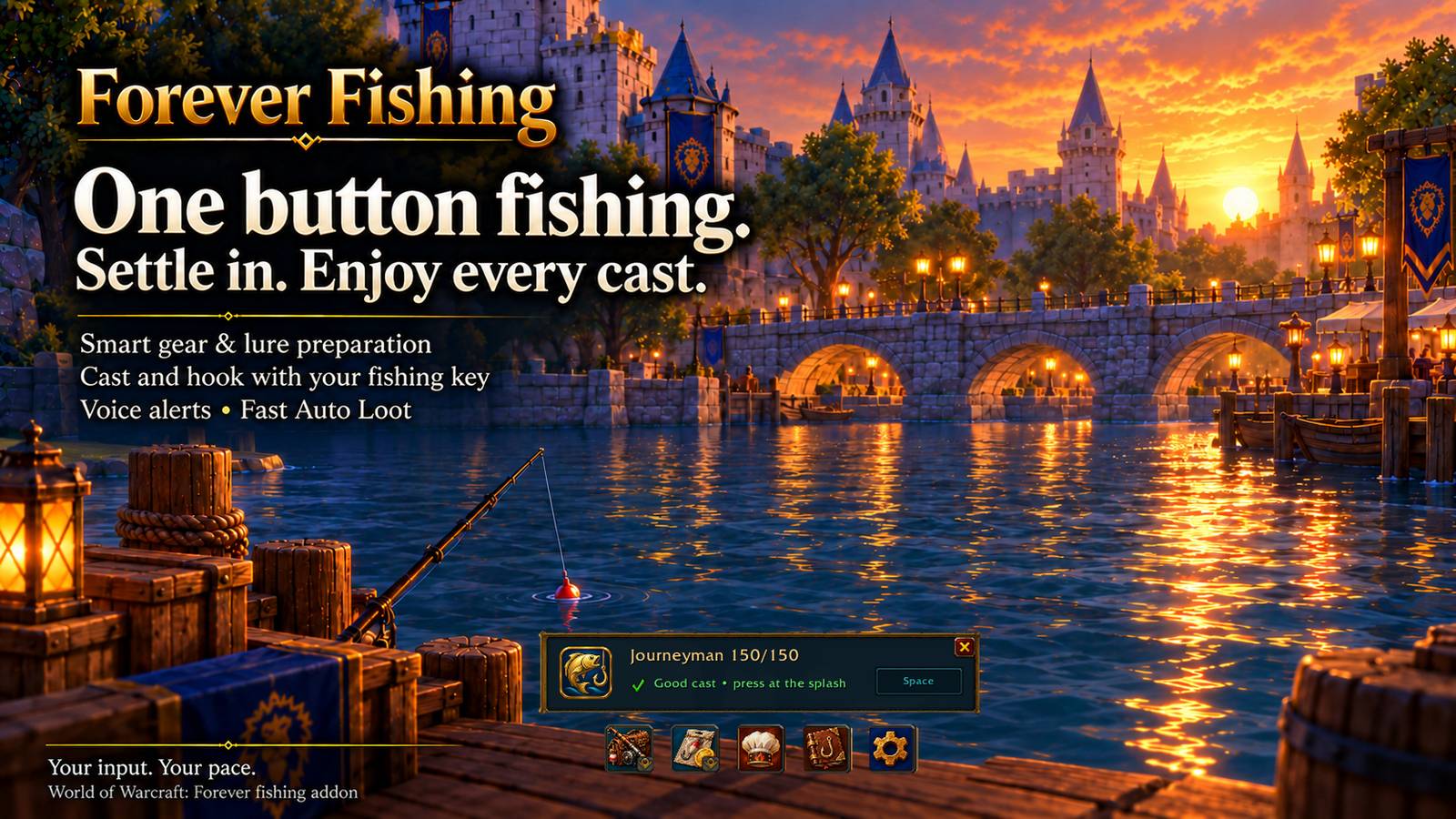
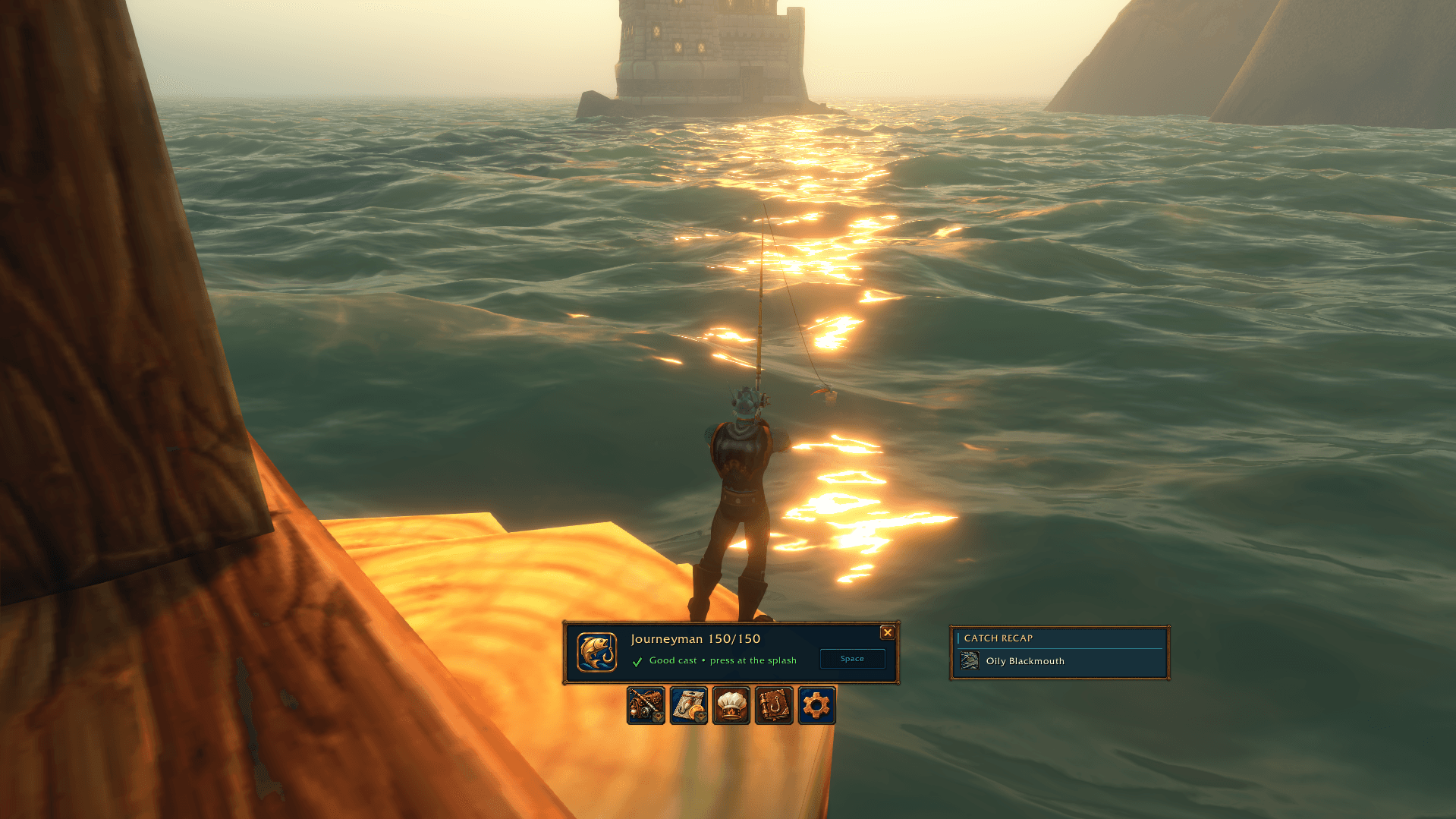
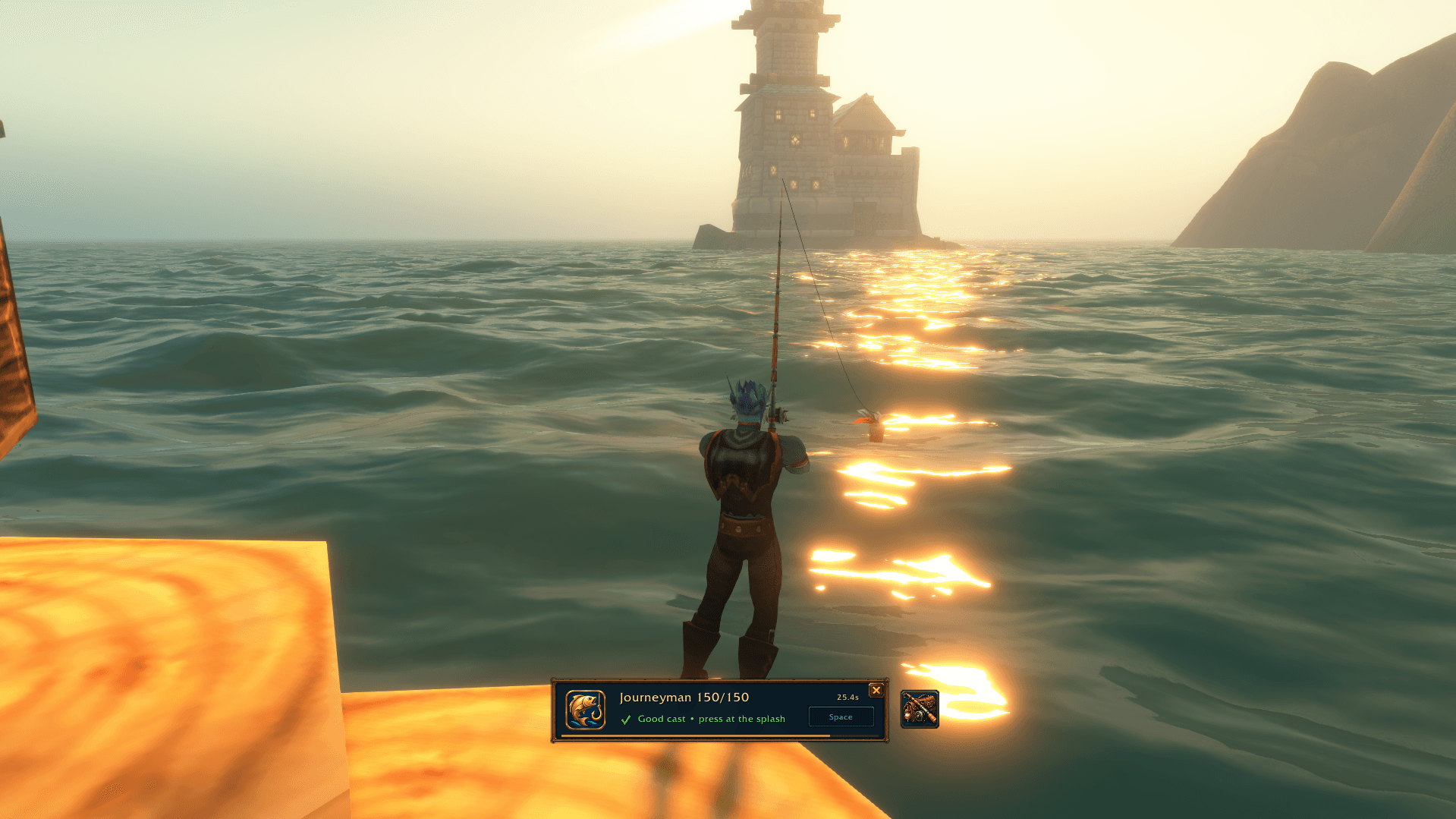
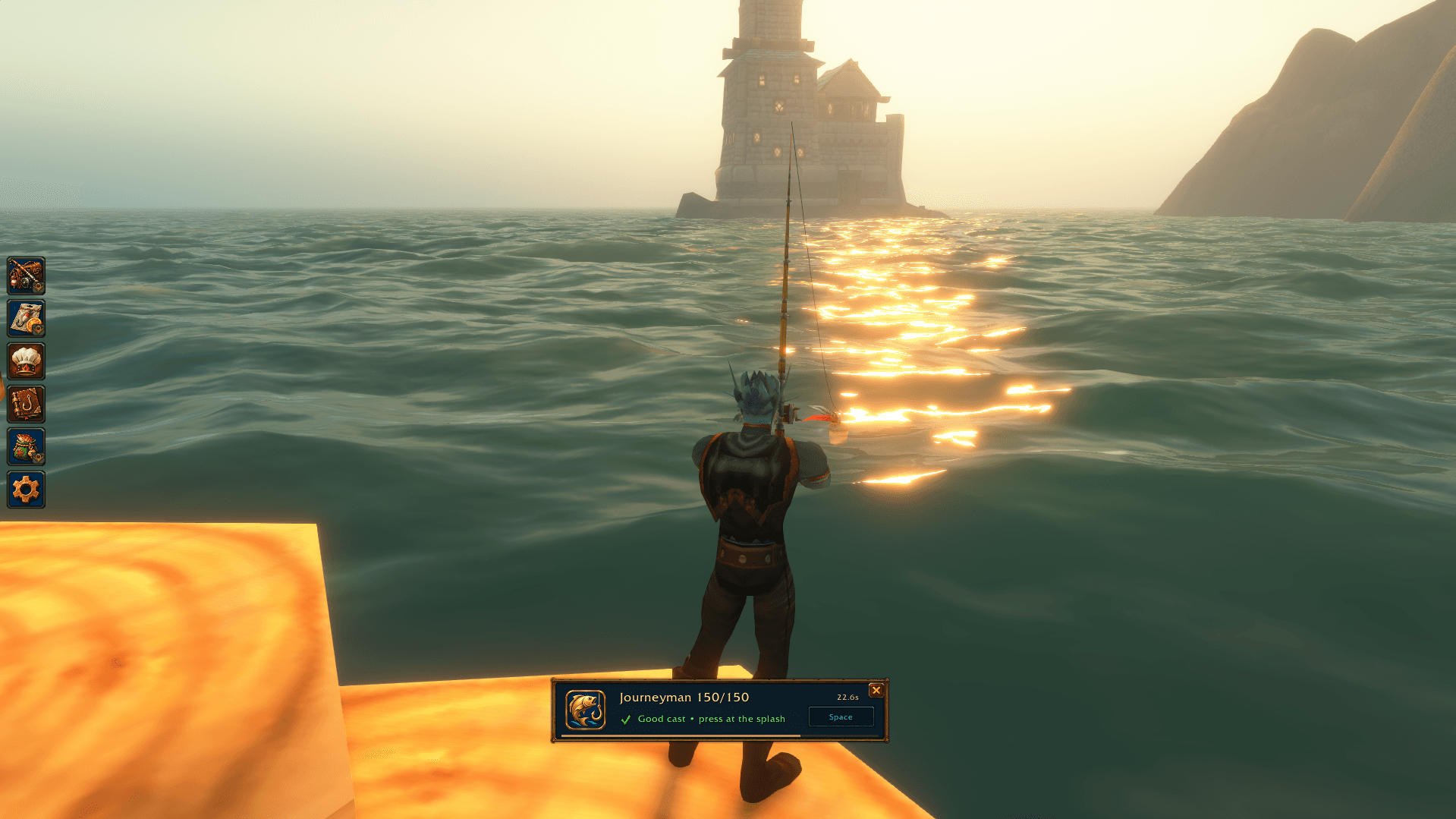
Press your Fishing Key to prepare your gear, apply a lure and cast. When you hear the splash, press it again to reel in. No need to find, target or click the bobber—your Fishing Key handles the interaction.
Space is the default Fishing Key on keyboard. Click to Bind supports keyboard keys, mouse buttons, modifier combinations and double right-click, with clear conflict handling.
Quick Recast, bound to Ctrl+Space by default, abandons the current cast and casts again, skipping normal gear and lure preparation. It is especially handy when trying to land your bobber inside a fishing pool.
Fishing action bindings are temporary while the bar is open, preserving your normal game bindings. Shift+Space is the default alternative Jump when fishing takes over your jump key. Optional shortcuts give you separate control over gear, lures, Master Chef and utility items, plus a global fishing-interface toggle.
Smart Gear & Lure Management
Prepare your preferred fishing setup and restore your normal equipment afterwards. Forever Fishing remembers the gear it replaces, your fishing selections and excluded items.
Choose the best available lure or a preferred option, with item tooltips, availability information and clear reminders when attention is needed.
Automatic gear and lure preparation can each be switched off. Dedicated buttons and optional bindings provide manual control, including restoring your normal gear while keeping the fishing session open. Auto Restore Gear can restore your equipment when fishing closes.
Master Chef — Cooking & Camp Tools
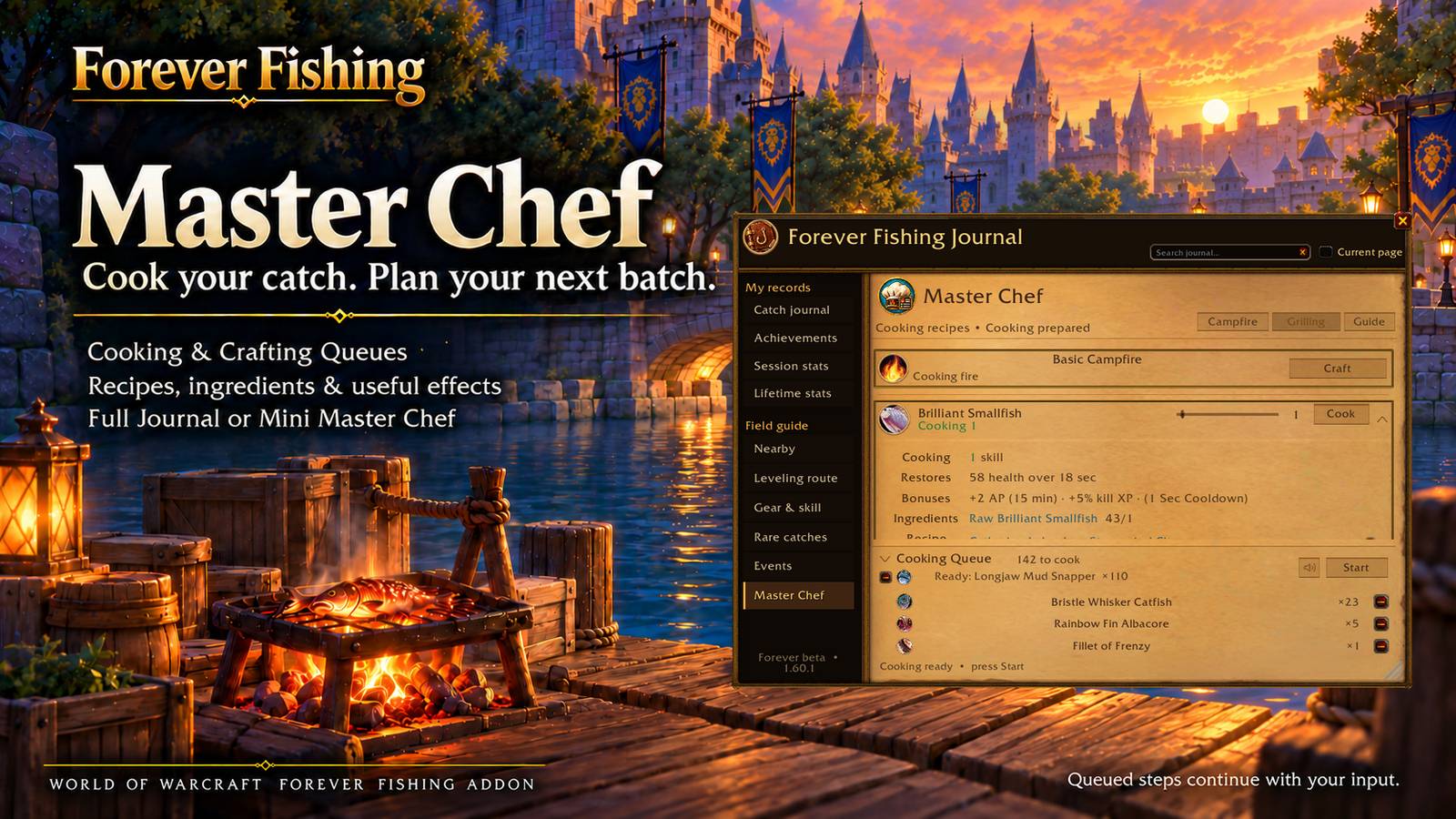
Turn your catch into a meal and keep useful camp items ready. Master Chef brings cooking, camp crafting and item placement directly to the fishing bar, with a full Journal view and a compact Mini Master Chef window.
Grilling and Campfire organise recipes, learned status, skill requirements and available materials. Expand recipes for ingredients, tools, useful effects and verified sources, with map links where supported.
Choose quantities, build cooking and crafting queues, track materials and configure sounds for the next stack awaiting your input. Interrupted batches retain their remaining quantities.
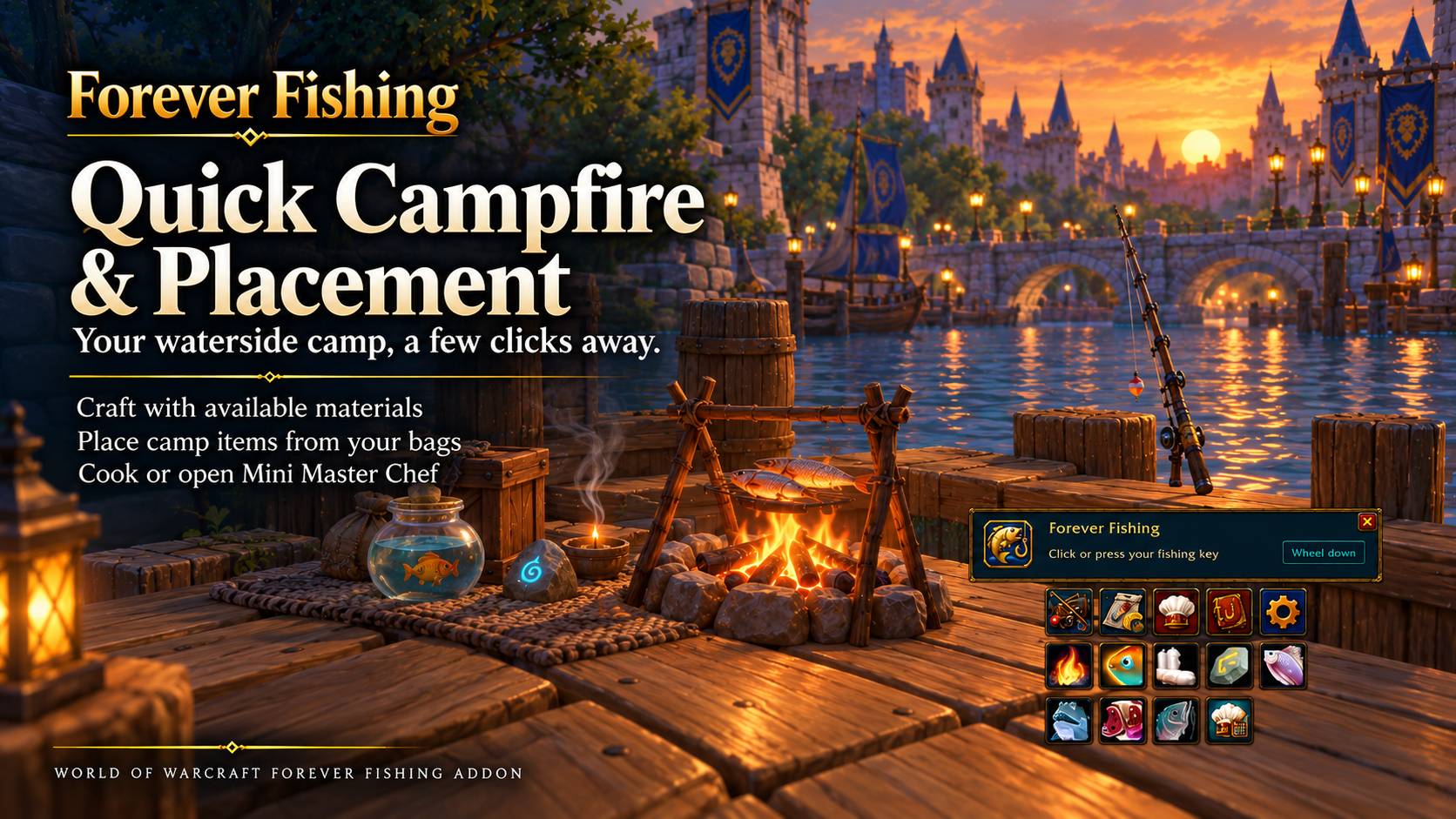
Craft camp items or place those already in your bags. The interface temporarily clears the world view during placement and returns afterwards, keeping the process convenient.
Catch Journal, Collection & Mastery
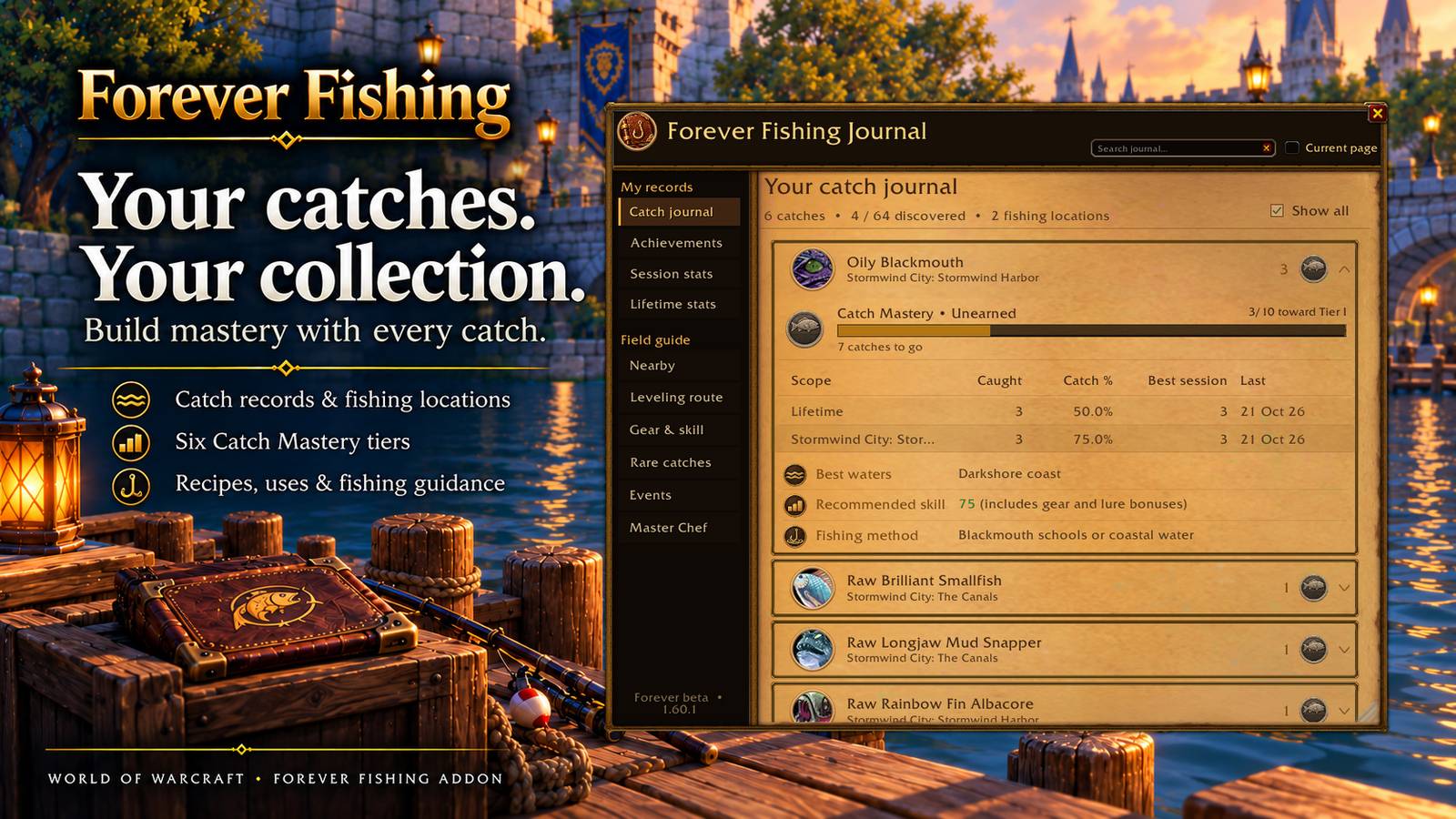
Build a record of your fishing adventures alongside a curated, growing collection of WoW Forever catches. Explore ordinary fish, rare finds and trophies, with recorded quantities and location breakdowns.
Catch details can include best waters, effective Fishing skill, fishing methods, special conditions and Recipes & Uses. Follow related recipes and item sources directly through the Journal.
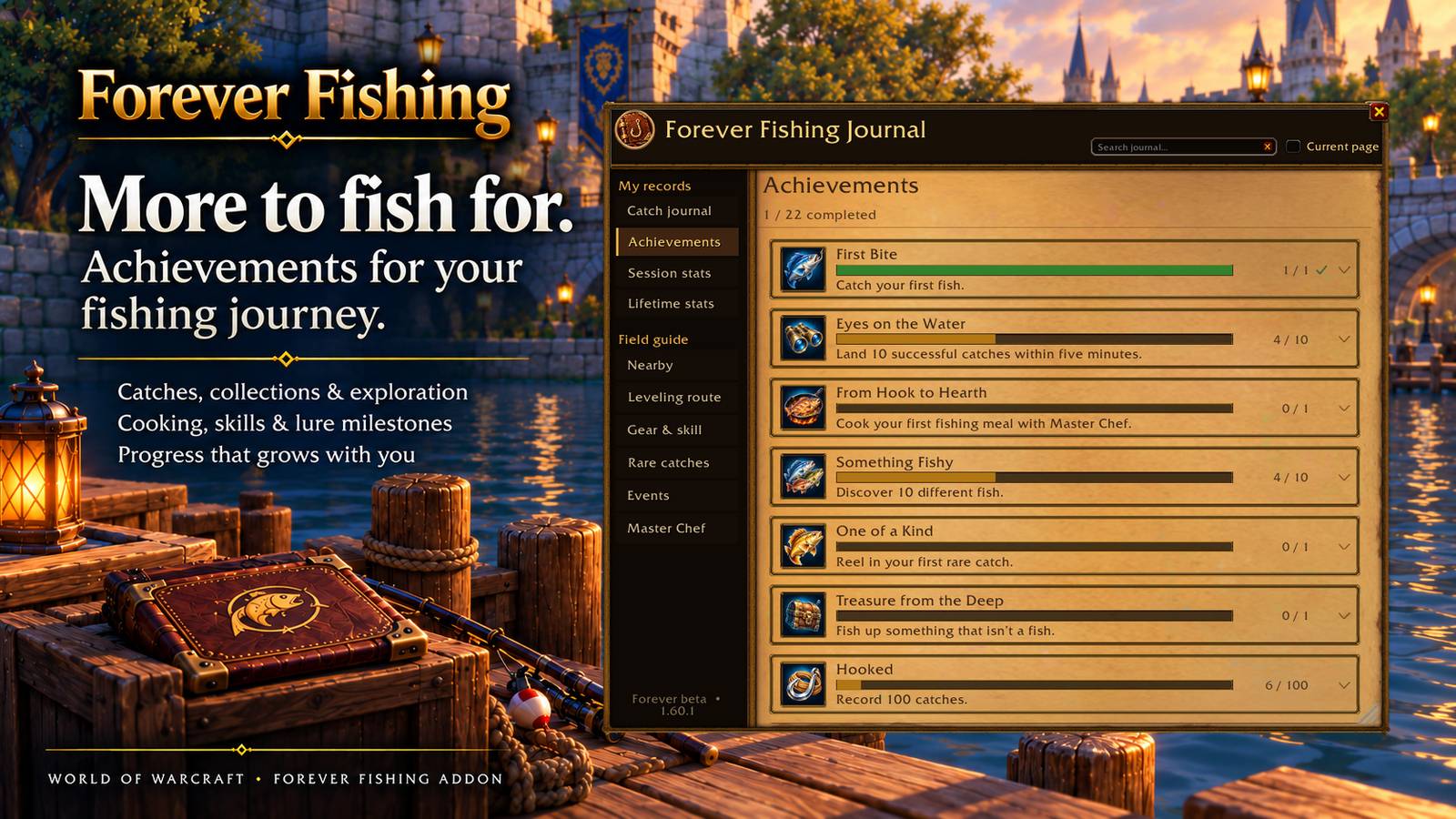
Earn six Catch Mastery tiers for individual catches at 10, 50, 100, 250, 500 and 1,000 recorded catches. Badges and progress bars show your next milestone, with existing recorded catches contributing automatically.
Work towards 22 achievements covering fishing, collections, exploration, mastery, skills, Cooking and lure use. Expand requirements, track progress and open earned achievements from their award notifications.
Statistics, Session History & Goals
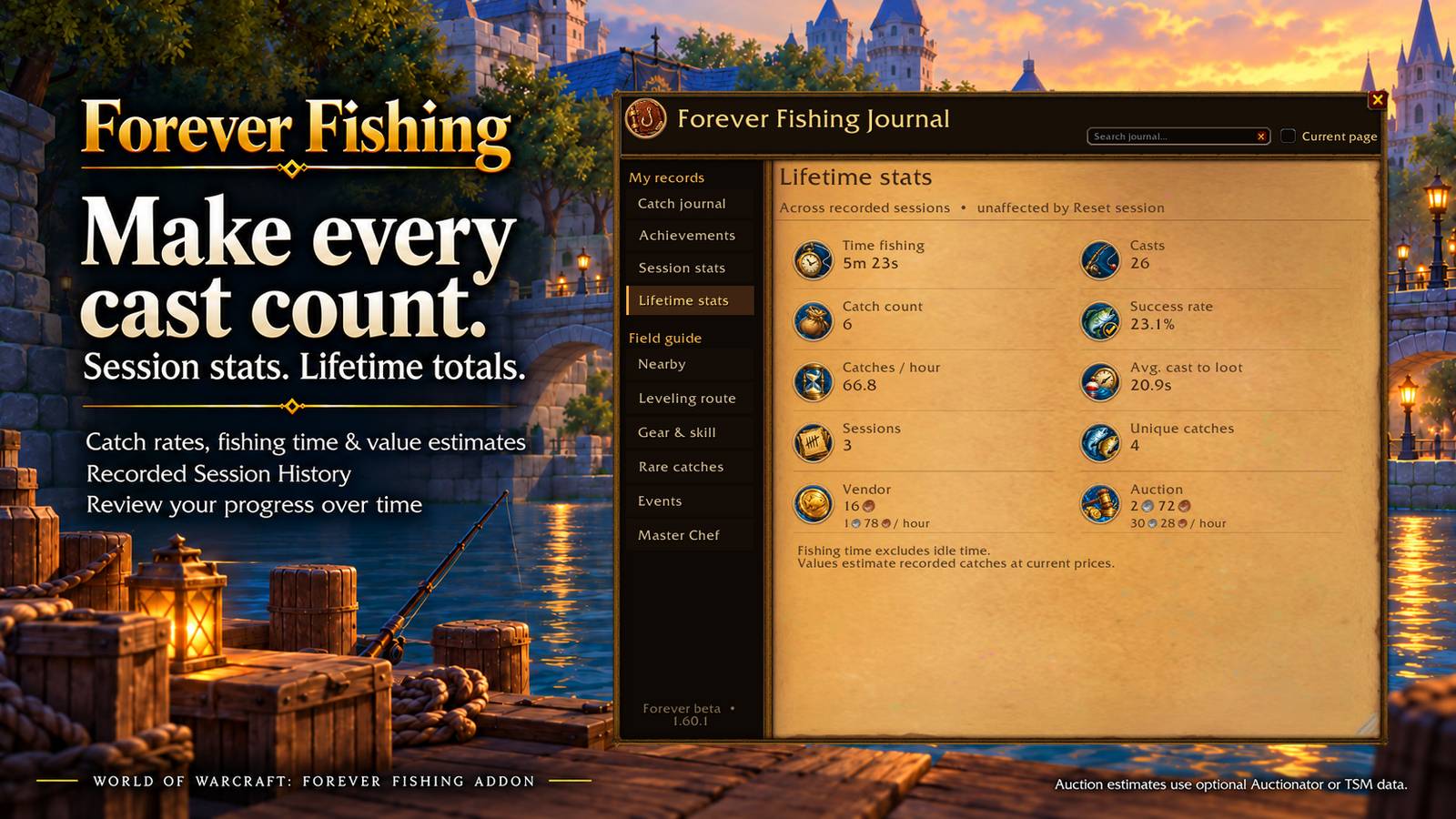
Track casts, catches, success rate, catches per hour, average catch time and fishing time, with session and lifetime records. Session History keeps catch and location breakdowns from your recorded trips.
See vendor values and optional Auctionator or TSM auction estimates, including estimated value per hour. Auction figures use available pricing data and represent estimates for your catches.
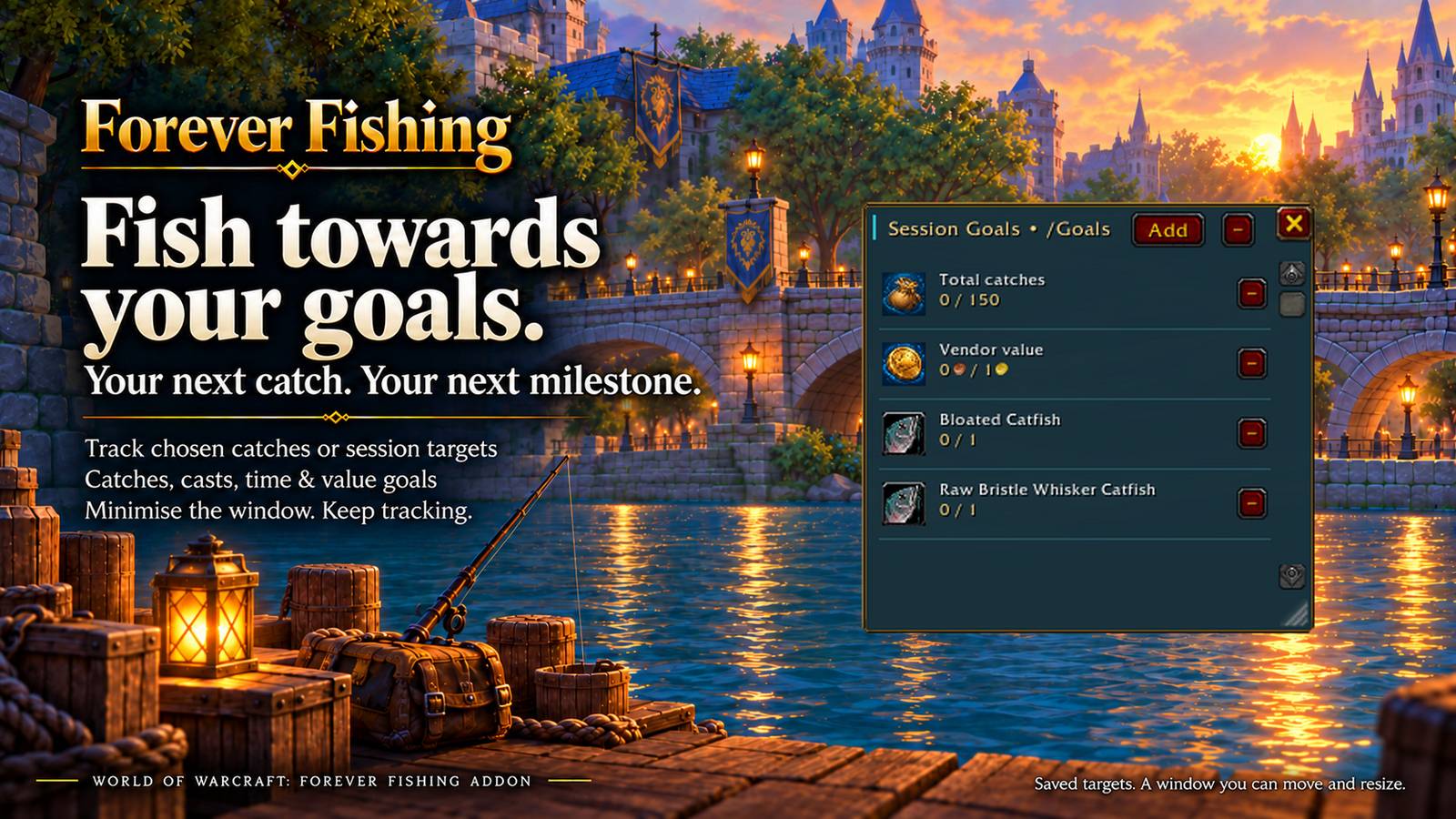
Set Session Goals for a specific fish, such as 6/15, or target total catches, casts, fishing time, vendor value or estimated auction value when pricing is available.
The independent Goals window includes searchable catch selection, inline editing and minimise/restore controls. Goals count progress already made in the current session and keep tracking while hidden. Targets are saved for future sessions.
Open your tracker from Session Stats or with /goals.
Forever Fishing Field Guide
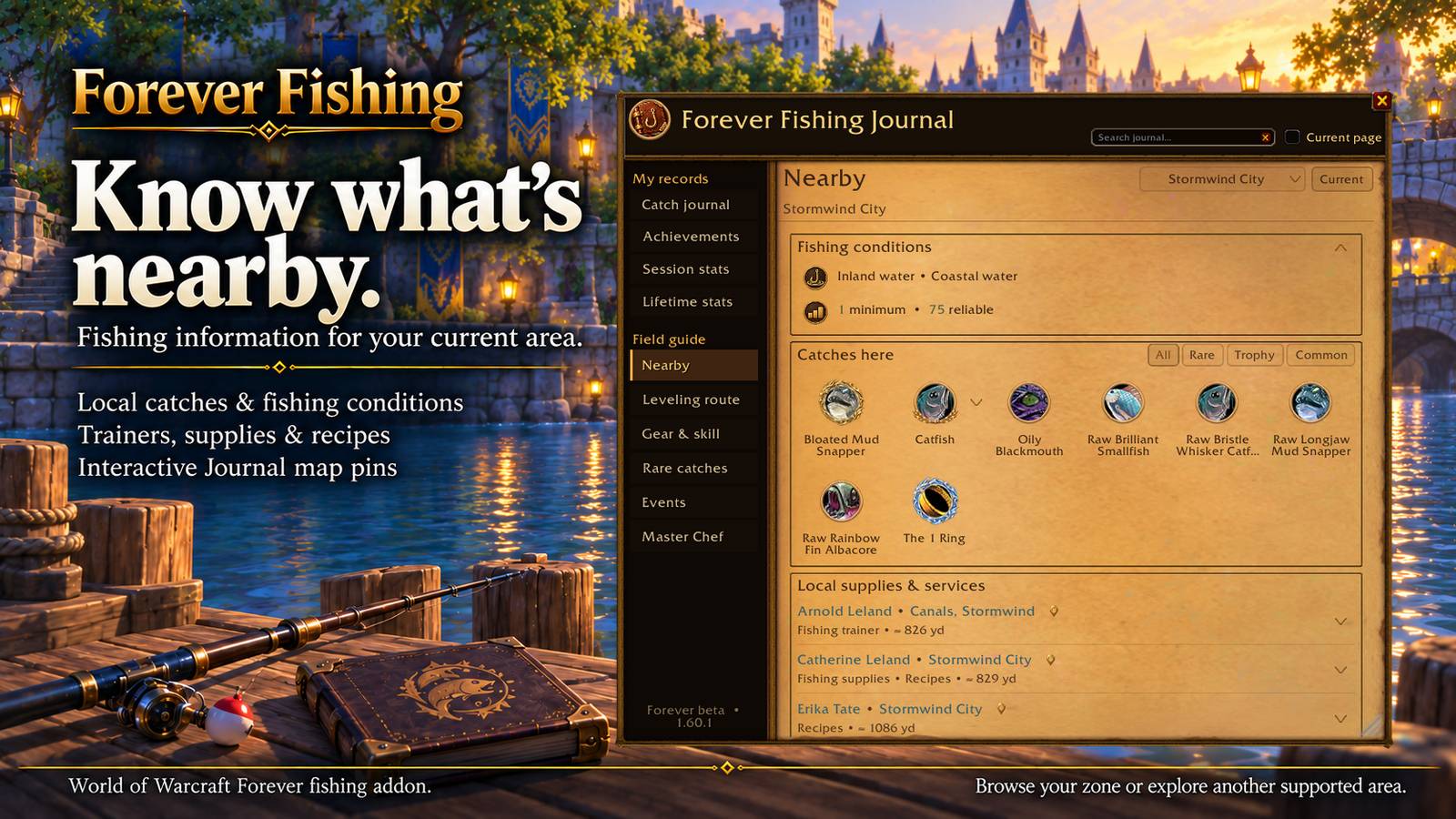
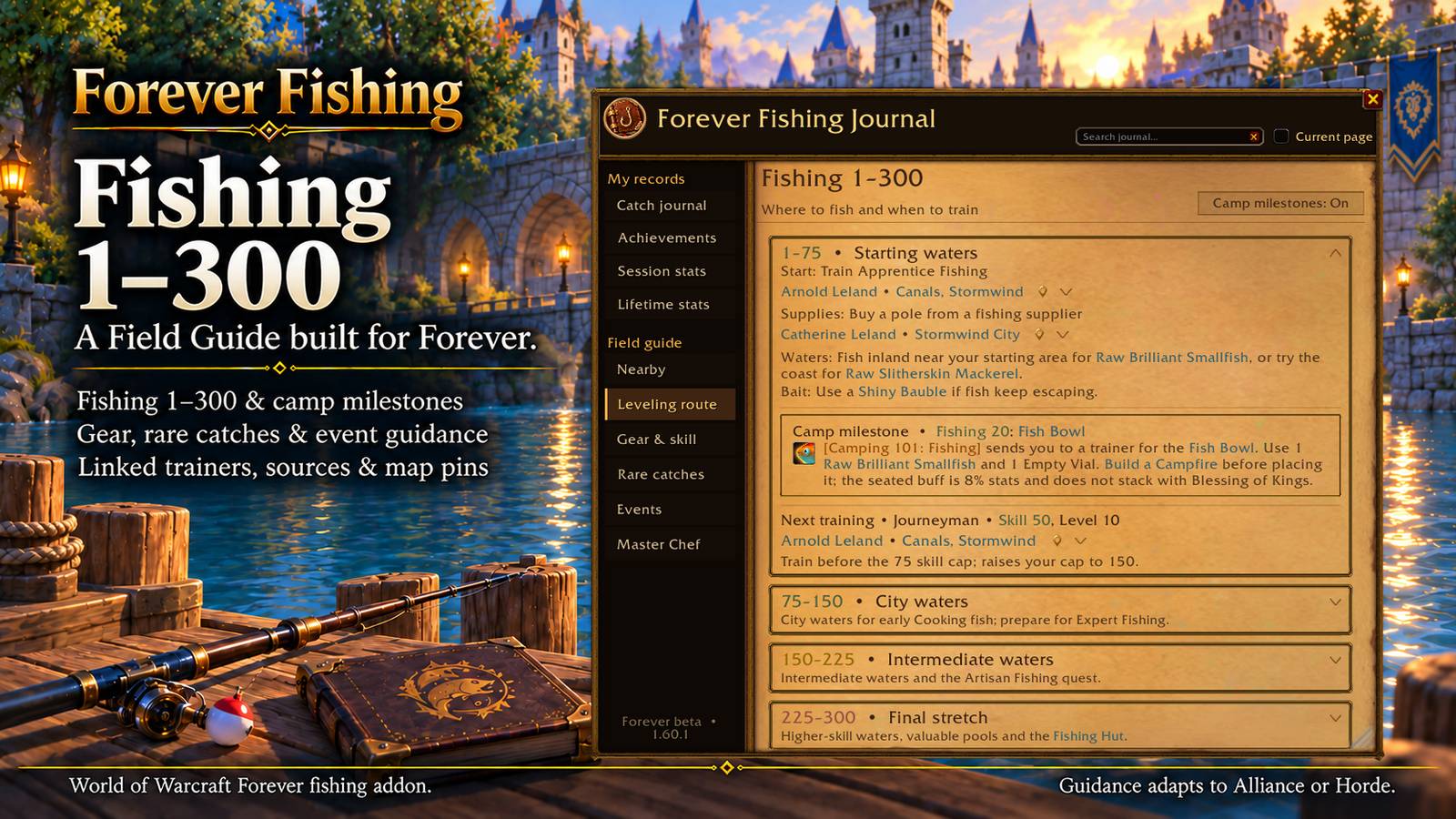
Plan your next step with Forever-specific Fishing 1–300 guidance, trainers, supplies, Cooking recipes, camp milestones, gear, quests and rare-catch information.
Gear & Skill gives each item its own icon, clear Fishing bonus and expandable acquisition instructions. Supported purchases, drops, quests, exchanges and crafting steps are brought together, with source choices and map links where verified.
Nearby follows your current zone or lets you browse another supported area. Explore local waters, skill guidance, fishing methods, pools, catches and individual NPC services. Filter catches by All, Rare, Trophy or Common, and review your own catches from that zone.
Journal Search finds catches, guides, recipes, achievements, suppliers, events and session records, including collapsed entries. Search useful food effects or narrow results to the current page.
Interactive Journal map pins connect supported waters, trainers, vendors and quest locations to the correct world map. Related links and Back navigation make it easy to explore and return to where you were.
Fishing Events shows upcoming Stranglethorn Fishing Extravaganza dates in realm and local time, with participation guidance, requirements, turn-ins and rewards.
Reference coverage grows as information is verified. Limited-stock labels describe vendor stock rules rather than live availability.
A Fishing View That Fits Your UI
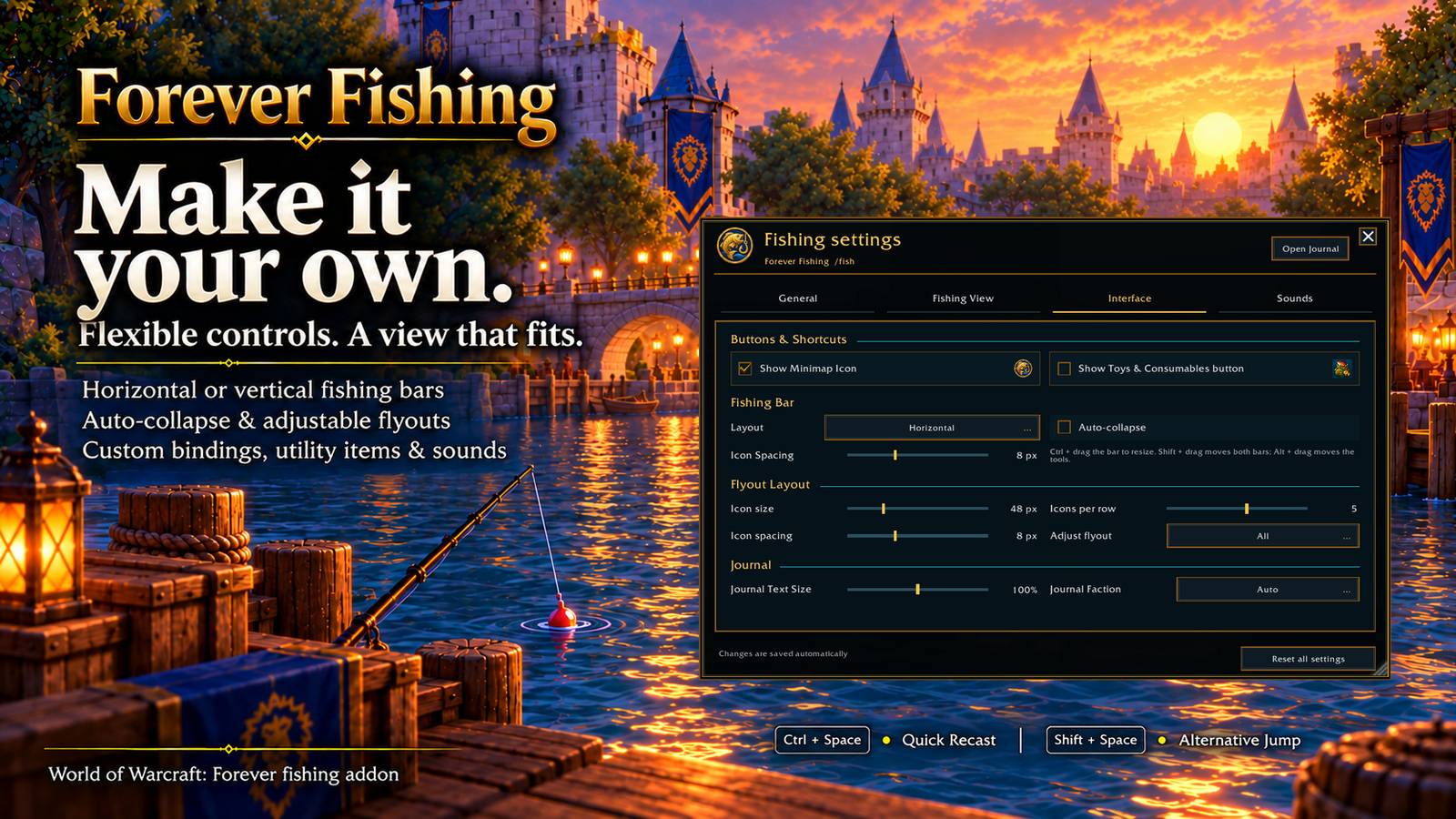
Arrange the fishing bar horizontally or vertically, move and scale it, or use Auto-collapse to keep it compact between actions.
Adjust icon size, spacing and icons per row for each flyout independently or together. Flyouts adapt to screen edges and stay open when your pointer leaves, making it easier to reach bags and other controls.
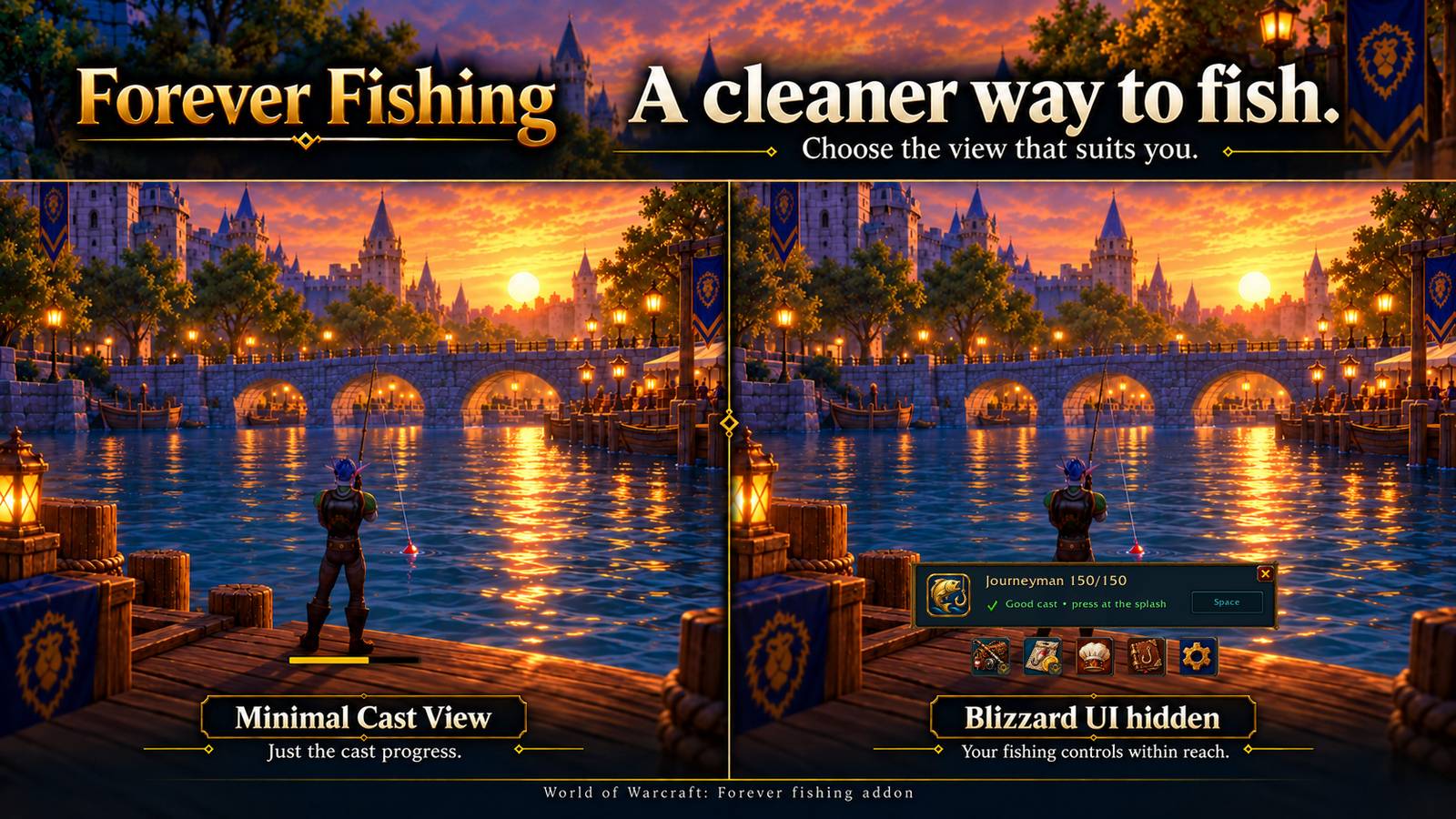
Hide Blizzard UI while casting or throughout fishing, with separate options to retain the native minimap and chat. Keep whispers or guild messages visible without bringing back the full interface.
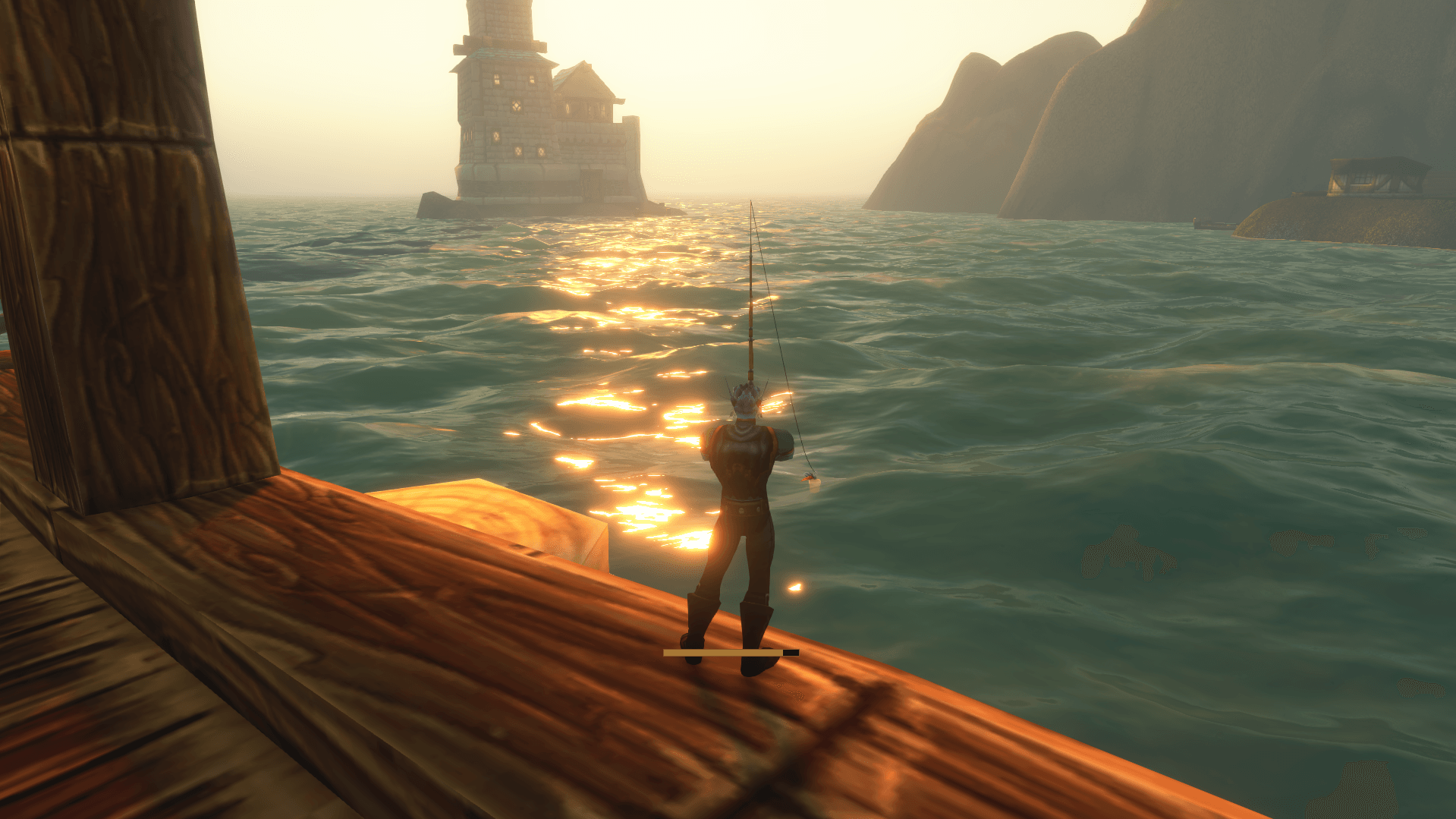
Choose an independent Minimal Cast View for a thin bronze-and-gold channel bar. Configure cast progress, remaining channel time, Fishing skill, training indicators and Catch Recap to suit your setup.
Resize the Journal, adjust its text size, and position Mini Master Chef and Goals independently. Supported window sizes and positions are remembered.
Toys & Consumables
Save useful items from your bags in a dedicated flyout and choose one for the main utility button. Access favourites such as Shiny Silver Coin, Hook of the Master Angler and Surfer Shoes, with item counts, cooldowns and normal tooltips.
The optional button keeps your saved entries and selection even when hidden.
Fishing Audio, Voice Alerts & Loot
Create your preferred fishing sound mix with Focus Splash Sound, separate fishing volume settings and background audio so you can still hear the splash while WoW is in the background. Your normal mix returns when fishing closes.
Choose male or female voice alerts, sounds or softer cues for confirmed catches, escaped fish and idle/recast reminders. Preview choices and adjust voice volume, reminder timing and repeat intervals.
Catch Recap briefly displays confirmed fishing loot with icons and quantities. Fast Auto Loot helps collect recognised fishing loot promptly, with compatibility handling for SpeedyAutoLoot.
Getting Started
Open: Equip a fishing rod with Auto Open enabled, or open the fishing interface using /fish or the minimap icon.
Gamepad: Enable Gamepad Mode in General settings or the Settings button flyout and follow the setup prompts.
Keyboard and mouse: Use Space, or click the Fishing Key control to choose your preferred input.
Fish: Press your assigned key or button to prepare and cast, then press it again when you hear the splash to reel in.
Casting, hooking and starting each queued cooking or crafting batch require your input.
Video Showcase & Guide
See true one button fishing, smart gear restoration, Master Chef, detailed statistics and the redesigned Journal in the Forever Fishing 0.9.0 showcase. This video predates the gamepad update.
Coming Soon
Further interface, guide and quality of life refinements are planned.
Thank you for helping shape Forever Fishing with your feedback and suggestions!
Forever Addon Family
Forever Fishing is part of the Forever Addon family by Hamish336: focused, highly optimized addons with polished interfaces and visual style.
More Forever Addons in Development
Forever Roll Check: Loot roll tracking and management.
Forever Dual Gather: Automatically alternates herb and mineral tracking for dual gatherers.
Forever Compass: Travel routes, portals, boats, zone connections, dungeon locations and built-in dungeon guides.
Forever Campfires: Campfire crafting and camp item placement tools.
Forever Minimap Hub: A separate, optional addon that brings addon minimap buttons together in one compact menu with a single launcher button.
Made in Australia, enjoyed across Azeroth
Created and maintained by Hamish336, an independent Aussie developer focused on thoughtful tools and a familiar Warcraft feel.
If you’d like to support ongoing development and maintenance, optional contributions are welcome through the Donate button on this page or via Support Development.
Thanks for using the addon, sharing feedback and helping Forever Fishing improve.
Forever Fishing Team