
Forever Favor - Merchant's Favor, Waylaid Crates and Writs
- By
02-compare-crates.png
03-profession-window.png
04-money-advisor.png
06-bag-tooltip.png

07-bag-coin-marks.png
Description
Forever Favor helps you earn Merchant's Favor in WoW Forever for as little gold as possible, and turns your profession window into a money tool.
Open it with the gold coin on the minimap (left-click: favor window, right-click: everything else), or type /favor.
Merchant's Favor and crates
- Every favor recipe for all 7 professions (314 recipes), with skill, favor price and the reputation it needs.
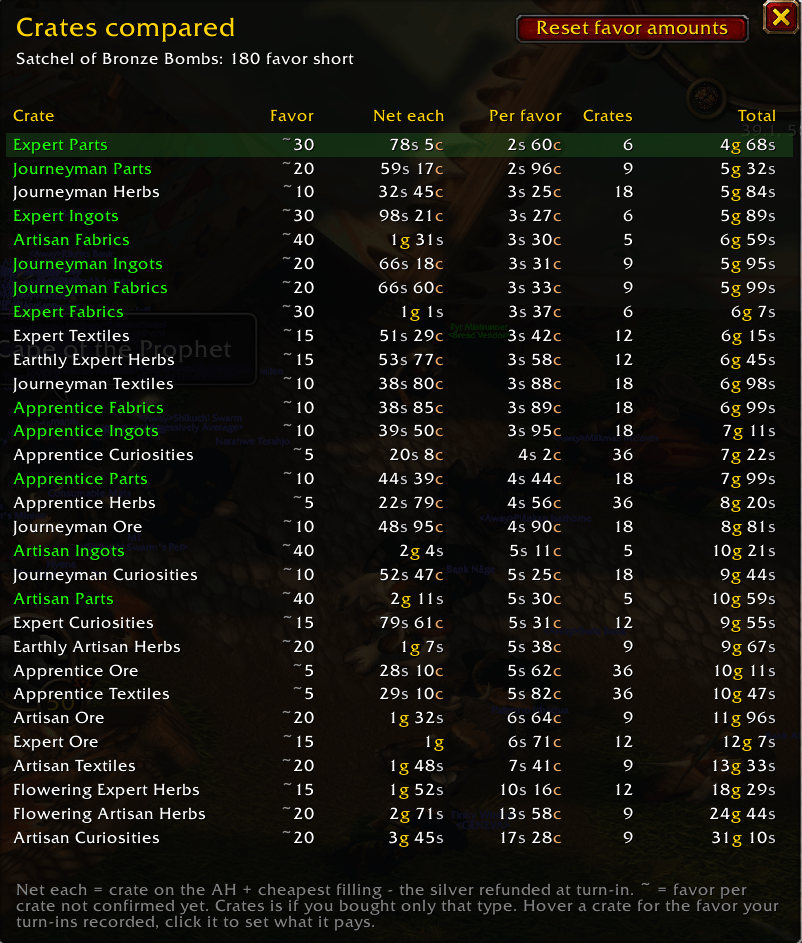
- Compare crates: every Waylaid crate's gold per favor, cheapest first. It records the favor a crate really paid when you turn it in, and you can set the amount yourself with one click.
- Shopping list for the crates you want to fill, priced from the auction house.
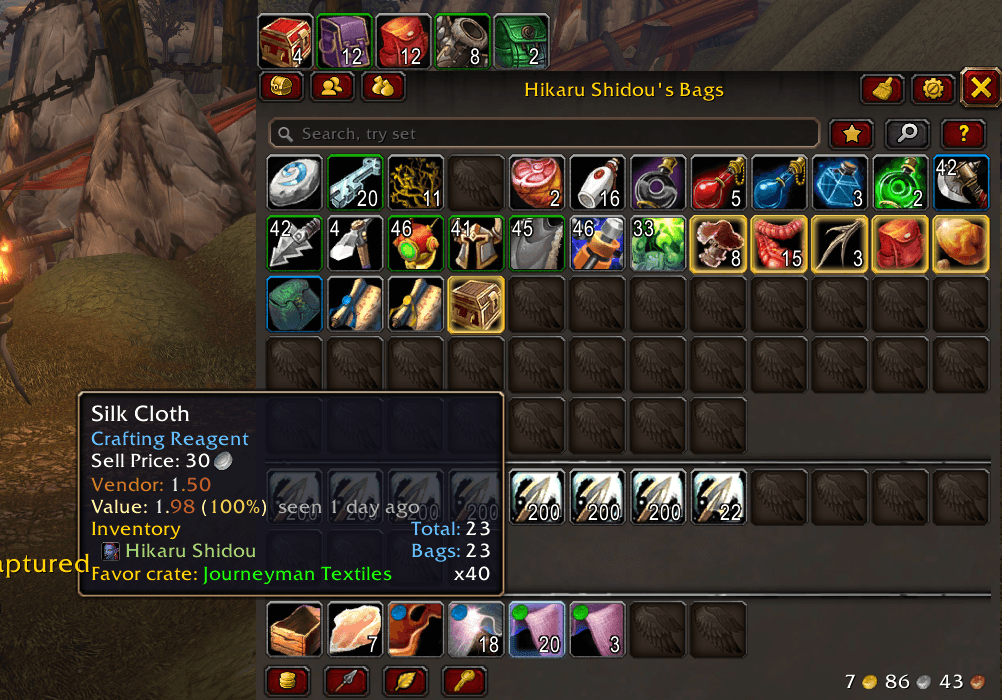
- Crate ingredients get a tooltip line and a coin mark in your bags (Baganator supported, Blizzard bags otherwise), so you don't vendor them by mistake.
Craftsman's Writs
- All 150 writs: what each one wants, what it costs to buy or craft, and which ones you can do with your skill.
- Writ turn-in pins on the world map with prices on the pins, plus a "turn in at" line on the writ tooltip.
- A Craftsman's Writs window: writs in your bags, cheapest writs, nearest turn-ins, or every writ for one profession.
- Turn-in spots that aren't known yet are recorded the first time you hand one in.
Crafting helpers (profession window)
- Profit filter: show only recipes that make money at current prices.
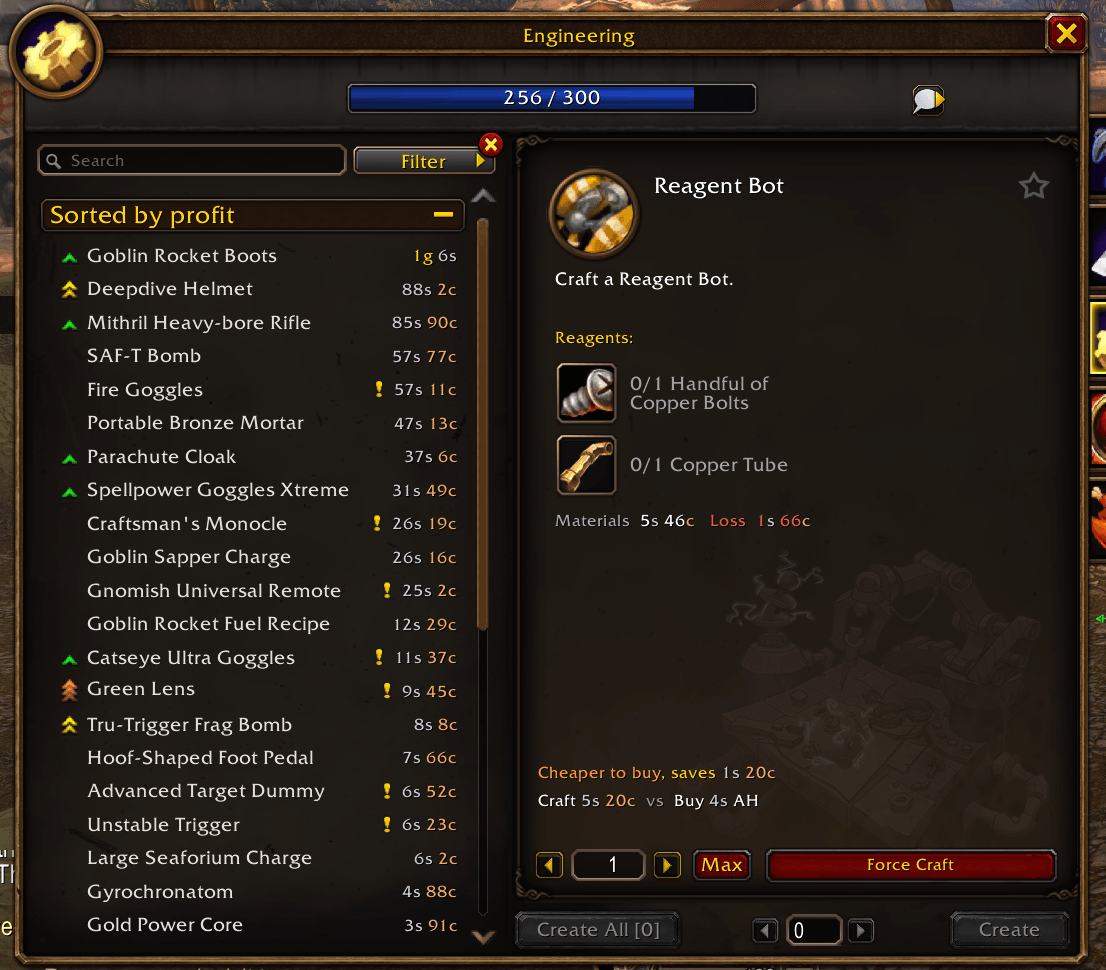
- Craft or buy: craft cost vs auction price, with a verdict and a hover breakdown.
- Force Craft: crafts a whole chain from raw materials (ore to bars to the item), one press per step.
- Click a reagent to jump to its recipe, with a Back button.
- Craft times on the casting bar, and a clearer skill bar.
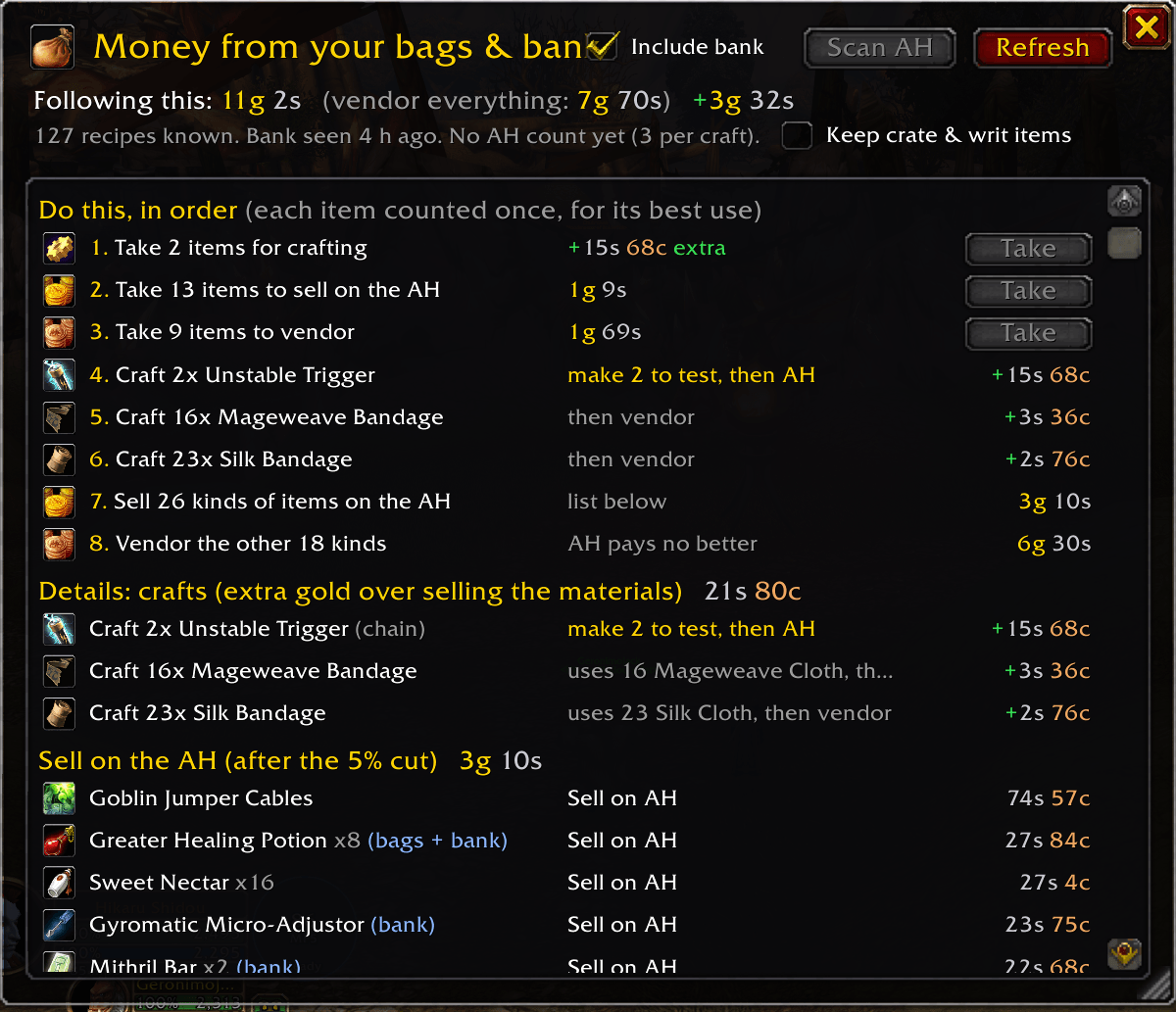
- Money advisor for your bags and bank: craft it, sell it on the AH, vendor it or keep it. It never suggests selling what your crates and writs still need, and sizes crafts to what the market can take.
Prices
- Uses auxForever prices when it's installed.
- No other addon needed: press Scan prices at the auction house and Forever Favor keeps its own prices. Whichever price is newer wins.
- Only scans from the capital auction houses are used, so neutral and supply-camp prices don't mix in.
Settings
Esc > Options > AddOns > Forever Favor, or right-click the minimap coin > Options. Every part can be switched off.
How to open everything
You never need to type a command. Left-click the minimap coin and every other window is one button away at the top. Slash commands are only a shortcut.
| Window | Click | Shortcut |
|---|---|---|
| Merchant's Favor recipes | Left-click the minimap coin | /favor |
| Craftsman's Writs | Writs button at the top of the favor window, or right-click the coin | /favor writs |
| Compare crates (gold per favor) | Crates button at the top of the favor window, or right-click the coin | /favor crates |
| Money advisor (your bags and bank) | Money advisor button at the top of the favor window, or right-click the coin | /fmoney |
| Options | Options button at the top of the favor window, right-click the coin, or Esc > Options > AddOns > Forever Favor | /favor options |
| Price scan | Scan prices box at the auction house, or Scan AH in the money advisor | /favor scan |
| Writ pins on the map | Writs checkbox on the world map | /favor map |
| Profit filter and sort | Filter menu in the profession window | /fcraft profit |
| Force Craft, Craft or buy | Inside the profession window, on every recipe | none |
/favor help lists every command in chat.
This is a first public release
It was tested in game, but a few things are still lightly tested (for example buying through the shopping list). Please report bugs in the comments with what you clicked and what happened.
Credits
- Recipe data (skills, favor prices, reputation, reagents) read from Wowhead's WoW Forever database.
- Writ quest IDs and some turn-in spots from AllTheThings (MIT license), cross-checked with QuestieDB and Wowhead.
- Prices can come from auxForever through its public in-game API. Forever Favor contains no aux code. Thanks to its author.
- License texts are in LICENSE.txt and THIRD_PARTY_NOTICES.txt inside the addon folder.
Forever Favor - Merchant's Favor, Waylaid Crates and Writs Team
