Forever Core
- By
Screenshot 2026-10-16 200916.png
Screenshot 2026-10-16 200709.png
Screenshot 2026-10-14 200056.png
Screenshot 2026-10-14 200019.png
Screenshot 2026-10-14 200023.png
Screenshot 2026-10-14 200028.png
Screenshot 2026-10-14 195922.png
Screenshot 2026-10-14 200110.png
Screenshot 2026-10-14 200244.png

Description
Forever Core
Less clutter. More control. Just the essentials.
Forever Core is a collection of lightweight, modular WoW addons built around one simple idea: give players the tools they actually need, the customization they want, and none of the bloat they don't.
From raid frames and unit frames to XP tracking, loot information, and cast bars, every addon is designed to deliver the right information at a glance while staying out of your way, use them one by one or all at once, your choice.
Built for players who know what they want.
Lightweight by design — Minimal overhead, no unnecessary gimmicks, no feature bloat.
Simple, meaningful customization — Enough options to make things your own, without turning setup into a second job.
Information that matters — The details experienced players need, right where they need them.
Modular and focused — Use what you need. Skip what you don't.
Clean, functional design — Built to complement your UI, not compete with it.
Forever Core isn't about reinventing everything. It's about getting the fundamentals right, inspired by the best out there and giving you the freedom to build a UI that feels like yours.
No bloat. No needless complexity. No 47-step setup guide. Just the core, done right.
Your UI. Your rules. Forever Core.
## The addons
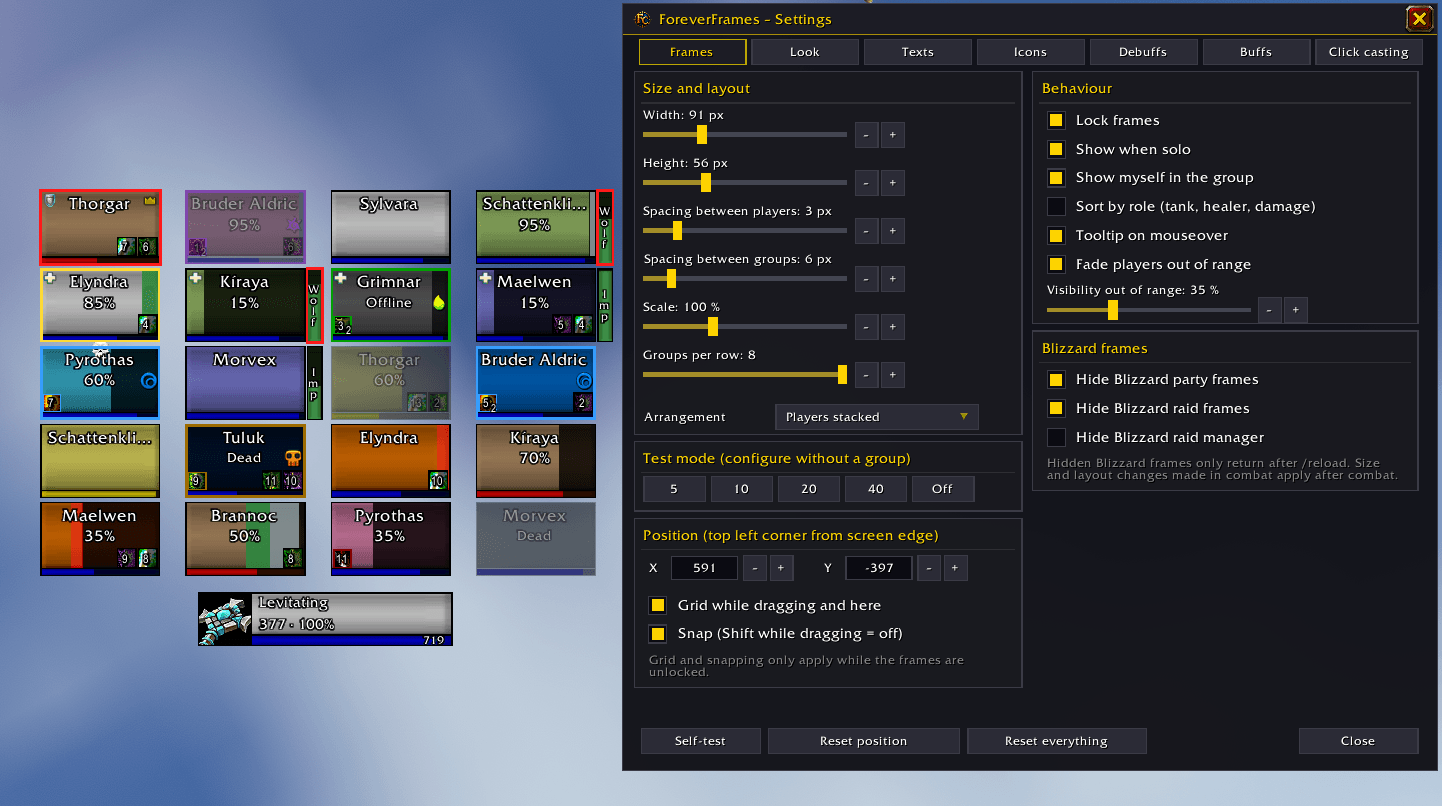
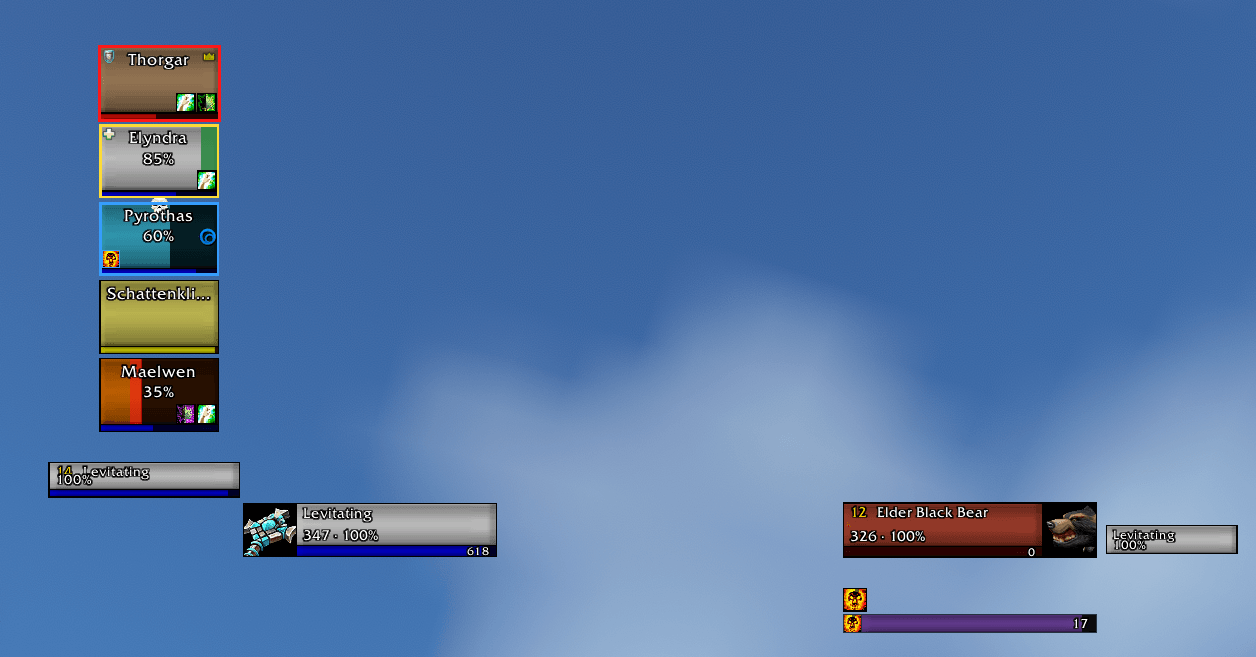
**ForeverFrames – party and raid frames**
- Clean, compact frames with click casting
- Incoming heals and shields at a glance
- Debuffs with their dispel type, so you know what you can remove
- Your HoTs and those of other players
- Pet frames with an aggro border
- Icons for incoming resurrections and summons
- Optional: sort your group by role
- Settings: /ff
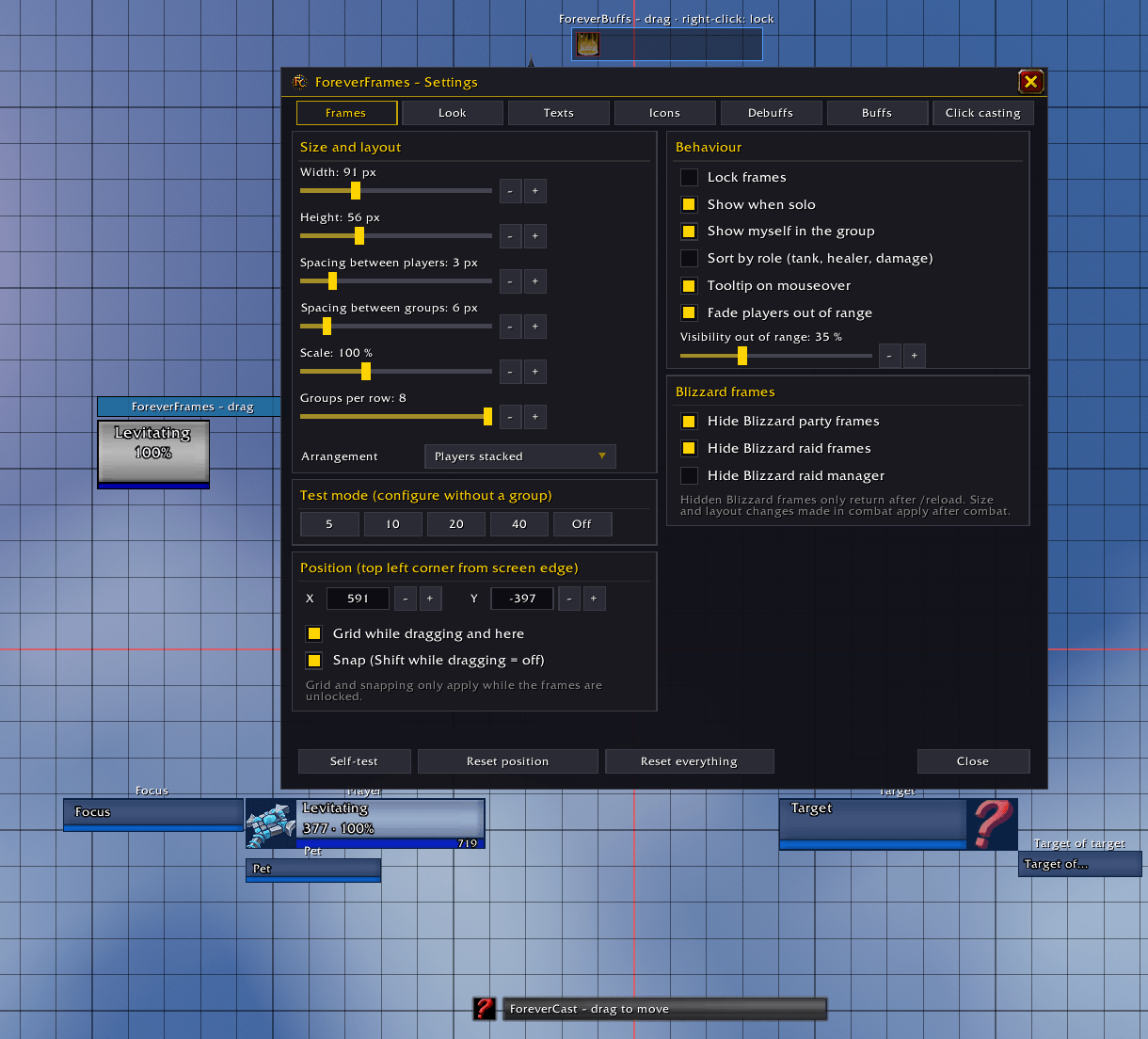
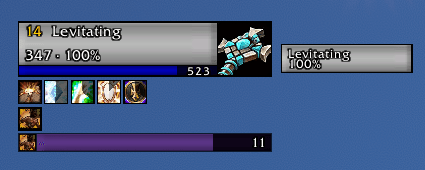
**ForeverUnits – player, target, target of target, focus and pet**
- Class icon or portrait, level and elite/rare marker
- PvP and resting icons
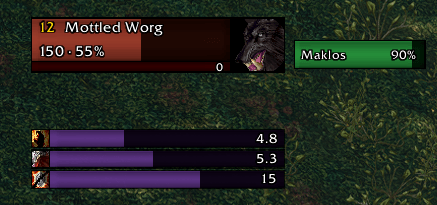
- Optional DoT bars for your target and focus, great for Warlocks and Shadow Priests. You can detach them and place them anywhere.
- Takes over the ForeverFrames look with a single click
- Settings: /fu
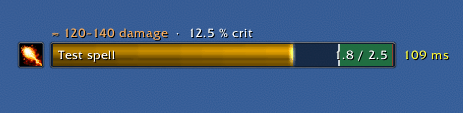
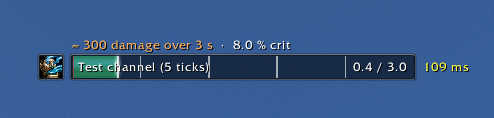
**ForeverCast – cast bar**
- A clean cast bar with your latency, lag zone and spell queue window
- Shows the global cooldown
- Settings: /fcast
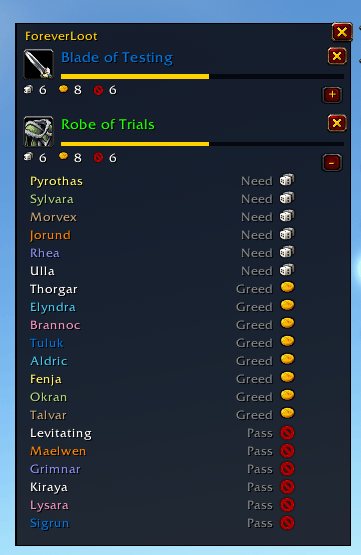
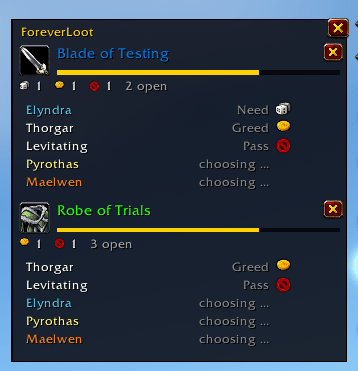
**ForeverLoot – loot rolls**
- See who picked Need, Greed or Pass, what everyone rolled and who won
- Disappears on its own a few seconds after the result
- Settings: /floot
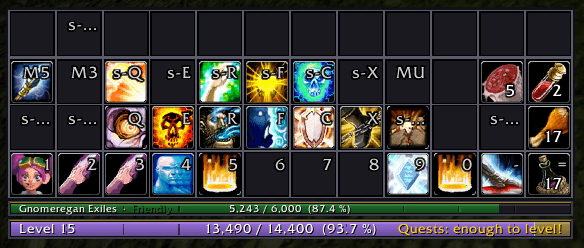
**ForeverBars – action bars, experience and reputation** *(new)*
- Clean, flat action bars, plus pet, stance and totem bars, each with its own size, layout, fading and key bindings
- A slim **experience bar** right below action bar 1: XP per hour, time to level-up, rested XP and the XP your completed quests will give you. Hover over it for more.
- A slimmer **reputation bar** for your watched faction: standing, progress, reputation per hour and the time to the next rank
- A **marker bar** with target and world markers, ready check, role poll and countdown
- Profession bar, bag bar and a micro menu that docks right below the minimap
- Copy the settings of one bar to another with one click
- Settings: /fb
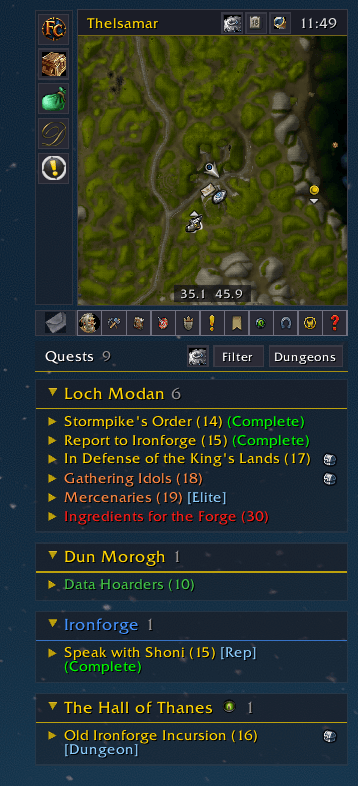
**ForeverQuests – quest tracker** *(new)*
- Your quests grouped by zone, with tags for class, reputation and profession quests
- A small chest marks quests with good item rewards
- Filters for zone, dungeon, raid, group, class, profession, reputation and more. Inside dungeons it can show only the quests for that dungeon.
- Pin important quests to the top, and share, untrack or abandon them with a right-click
- A searchable dungeon window with all dungeon quests
- Settings: /fq
**ForeverMinimap – a simple minimap** *(new)*
- Round or square, with a slim bar for zone, clock and coordinates
- Minimap buttons only show up when you need them
- A clear tile for new mail and the dungeon finder eye right in the map
- Settings: /fmm
**ForeverBags – all bags in one window** *(new)*
- Search, sort, free slots and your gold at a glance
- Its own bank and guild bank windows
- Look into the bags, bank and gold of all your characters. Item tooltips show how many of an item all your characters own.
- Currencies in the footer, quest items marked in yellow
- Settings: /fbags
**ForeverBuffs – buffs and consumables**
- Shows a small icon only when something is missing
- Your own buffs, and whether the highest rank is active. Click an icon to cast it.
- Group buffs: who is missing your buffs, and which buffs your group could give you
- Food and drink in your bags, and whether there is something better for your level
- Your own list, e.g. "Healing Potion:3", plus ammo, soul shards, poisons/oils and weapon imbues
- Settings: /fbuffs
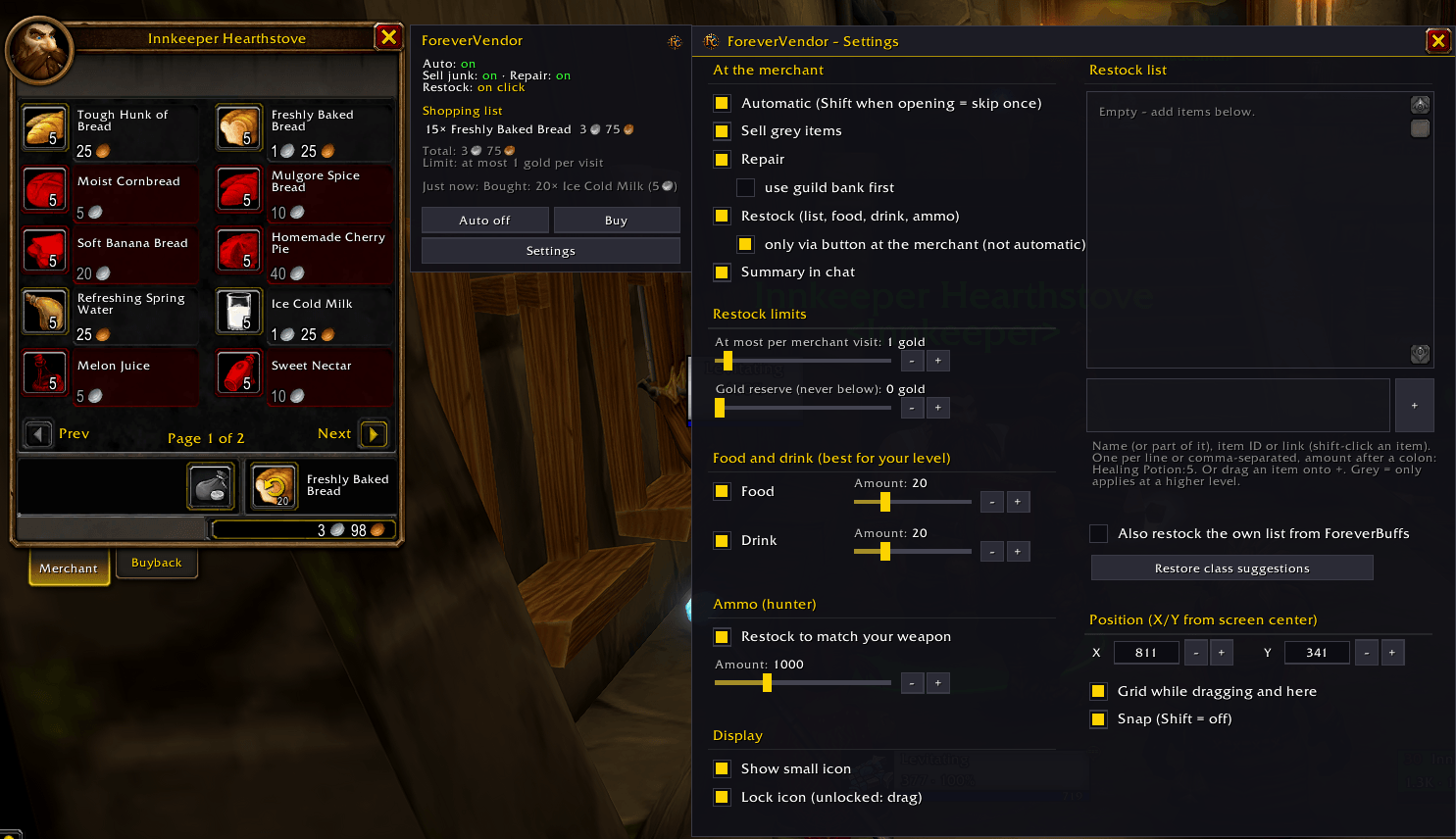
**ForeverVendor – merchant helper**
- Sells your grey items and repairs if you want (guild bank first, if you like)
- Restocks class reagents, the best food and drink for your level, fitting ammo and your own list
- A small window at the merchant shows your shopping list with prices. One click on "Buy" and you're done.
- A spending limit per visit and a gold reserve keep your wallet safe
- Settings: /fvendor
**ForeverChat – your chat, just cleaner**
- Keeps Blizzard's chat (whispers, channels, links and communities work as usual), with a transparent window and flat tabs
- A small button bar right in the tab row
- Player names in class colors with their level
- Short channel names, clickable web links and highlighted mentions of your name
- Instant messaging: an "IM" tab with one sub-tab per person, which blinks gold when you have unread messages
- The input line only shows up while you're typing
- Custom channels get their own tab, and a "+" button lets you switch or leave them
- Copy the whole chat with one click
- Settings: /fchat
**ForeverSpellbook – compact spellbook**
- All your spells in tabs, with a search
- Tells you when your bars still have a lower rank of a spell, and fixes it with one click
- Shows what your trainer has next and what it costs
- Can replace the spellbook key (P)
- Settings: /fsb
---
## Good to know
- This is a **beta**. Thanks for helping us test it!
- Built for World of Warcraft: Forever, and it respects its combat restrictions. There's no rotation help or automation in combat.
## Found a bug or have an idea?
We'd love to hear from you! The addon **BugSack** shows the exact error, so please include it in your report.
Forever Core Team