


Craft.png
Level.png
Main.png
Settings.png
Spell_1.png
Description
A quality-of-life addon for World of Warcraft: Forever. Everything in it is a switch. Nothing runs unless you leave it on.

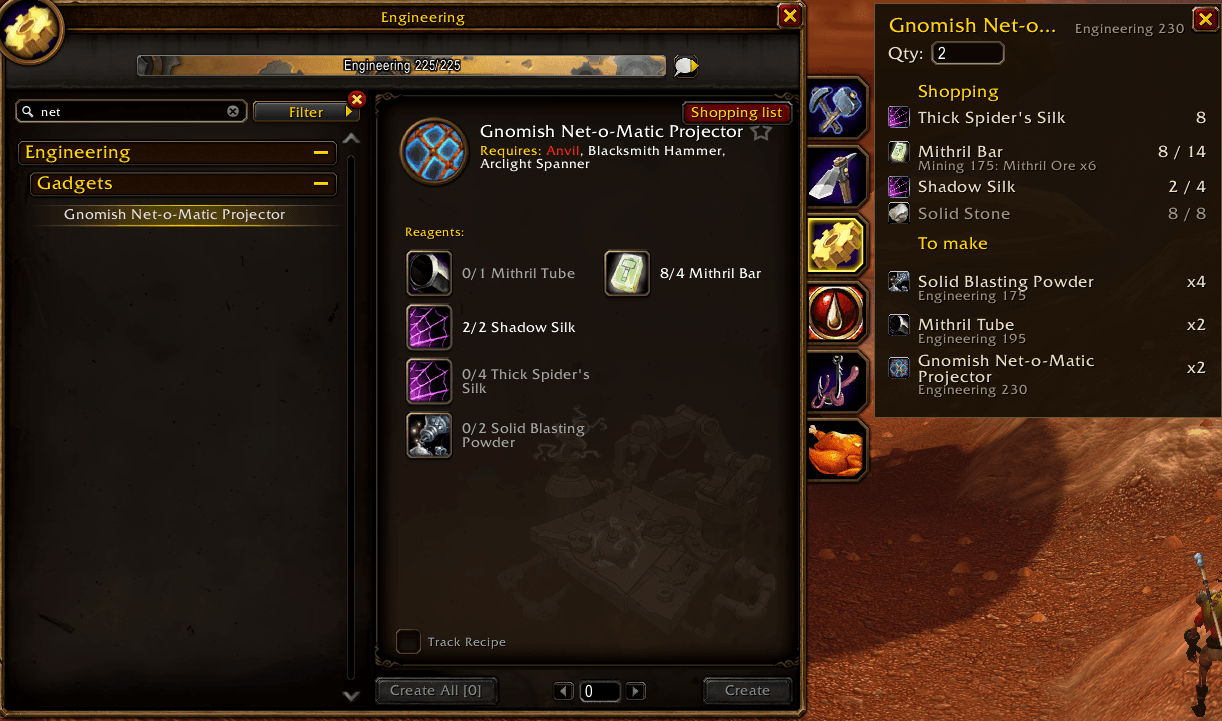
Pick a recipe, say how many, and get the whole bill — including what is already in your bags and bank.
What it does
Shopping lists, for every profession. Open any profession, pick what you want to make and press Shopping list. It breaks the recipe down to the things nobody can craft, counts what is already in your bags and bank, and tells you what to go and get. The quantity is presses of Create, the same as Blizzard's own box. 2,329 recipes across all 13 professions.
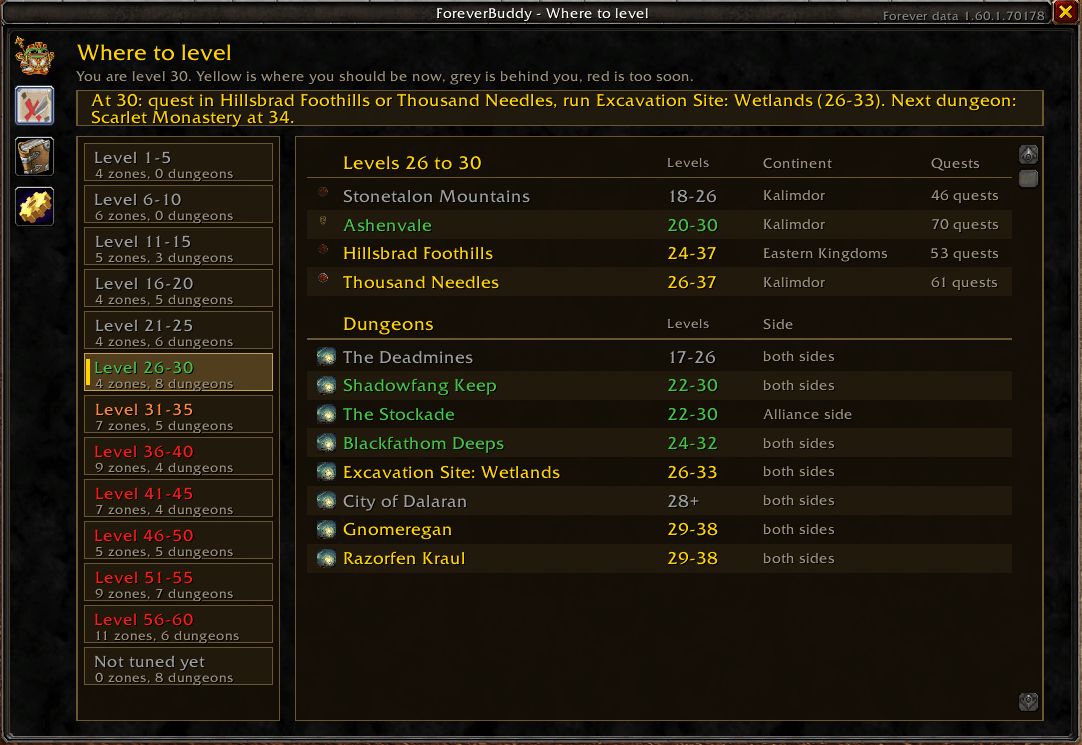
Where to level. Pick a level band, see where to quest and which dungeon to run, coloured the way the game colours quest difficulty: yellow is the one to do now, grey is long behind you. Zones that belong to one side wear that side's emblem. Level ranges are written over the continent map as well. 42 zones.
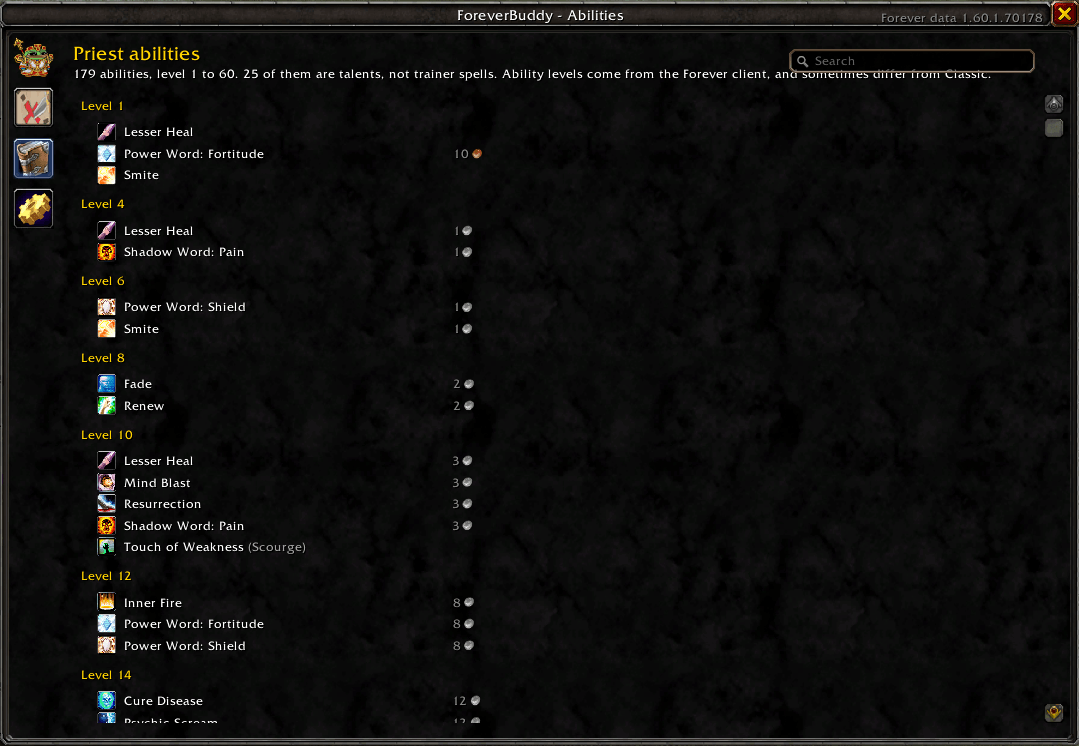
Abilities. Every ability your class learns, level 1 to 60, searchable by name — type "kidney shot" and it tells you the level. Talents are marked as talents, so you do not go hunting for Trueshot Aura at a trainer. Where somebody has recorded a trainer's list, it knows the price. 1,424 abilities across 9 classes, from the Forever client itself, which differs from Classic: a paladin gets Hammer of Justice at 8 here, not 20.
City maps. Class trainers, profession trainers, weapon masters, the bank, the auction house
and the flight master, each its own switch, each class and profession its own tick. The pins stay
under Blizzard's ! and ? rather than over them.
Tooltips, and the vendor. Which quests and recipes need an item, coloured by how far through those quests you are, and whether it is safe to vendor. At a vendor it repairs your gear and sells your greys; Ctrl + right click anything in your bags to add it to the sell list, or to protect a grey you want to keep.
What it looks like

Where to level: a band on the left, the zones and the dungeons to run on the right.


Search the ladder by name, and see what the trainer charges for each rank.

Level ranges over every zone of a continent, coloured by how they sit against your level.

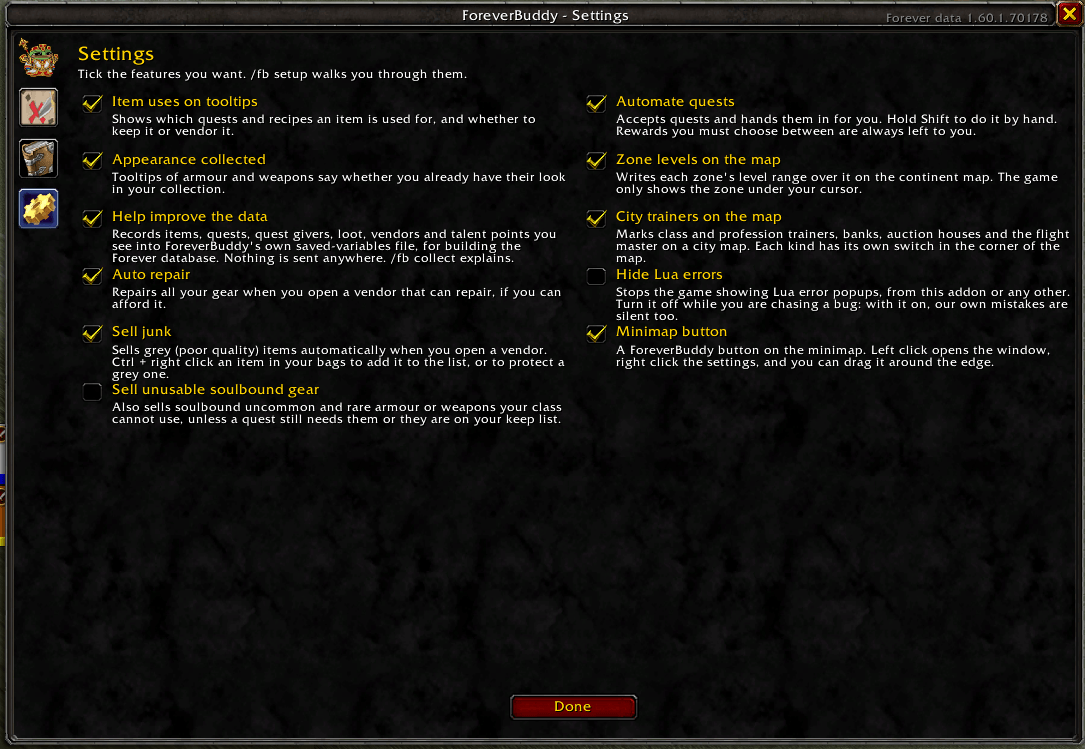
Every kind of trainer its own switch, and each class and profession its own tick.

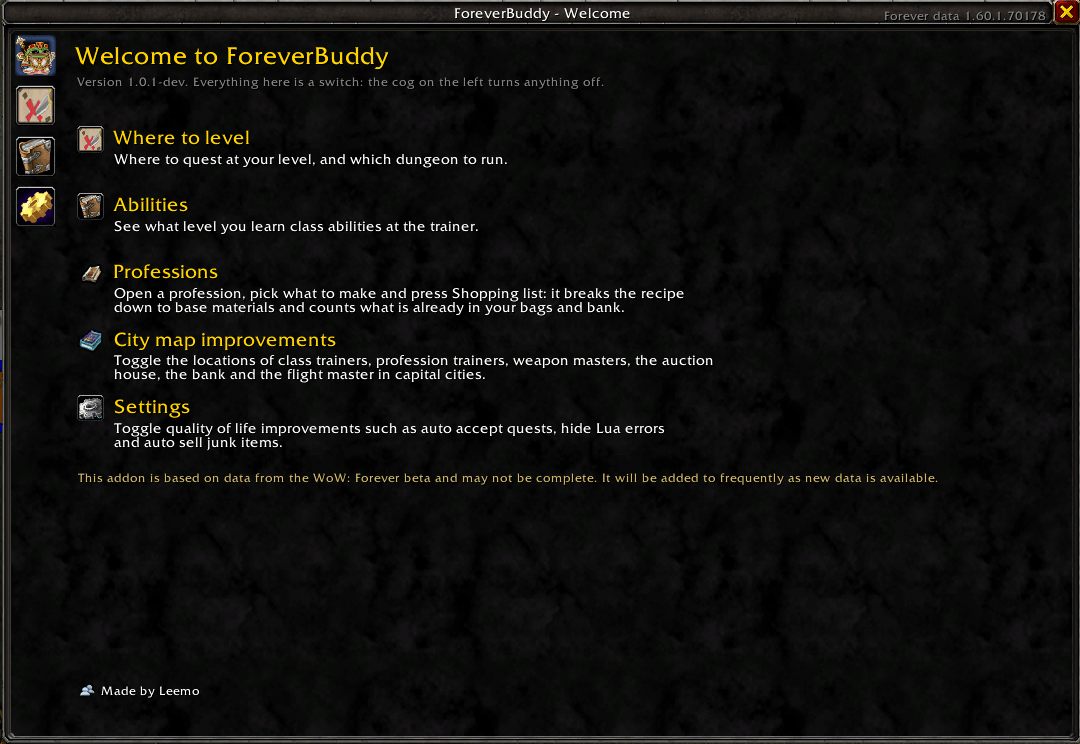
/fb opens this, and so does the minimap button.
Commands
/fb |
Open the window |
/fb zones |
Where to level |
/fb abilities |
Your class ladder, 1 to 60 |
/fb craft <item> [n] |
A shopping list straight into chat |
/fb settings |
Every switch |
Helping the data along
Forever is new, and a lot of it is published nowhere. With Help improve the data left on, the addon writes what the game shows you into its own saved-variables file: quests and who gave them, what trainers teach, what drops from what.
It never records chat, keystrokes, other players, or anything from combat, and it never sends
anything anywhere. The file stays on your computer until you choose to share it. /fb collect
explains it in game, and /fb collect off stops it.
Where the data comes from
| What | Source |
|---|---|
| Quests, NPC positions | Questie's Classic database (GPL-3.0) |
| Item stats and stat weights | WoWSims Classic (MIT) |
| Recipes, items, maps | The Forever client's own data files, via wago.tools |
| Class ability levels | The Forever client, corrected against trainer lists players record |
GPL-3.0, because the quest data is derived from Questie. Thanks to the Questie team, to WoWSims, and to wago.tools. Not affiliated with Blizzard Entertainment.
The Forever Buddy Team
