Forever Anvil - Auction Prices, AH Scan & Gold Tools
- By
Auction house prices on every tooltip, AH scanning, flips, crafting profit, upgrades for your spec and bag value, for WoW: Forever.
Screenshot 2026-11-24 195029.png
Screenshot 2026-11-24 195134.png
Screenshot 2026-11-24 195406.png
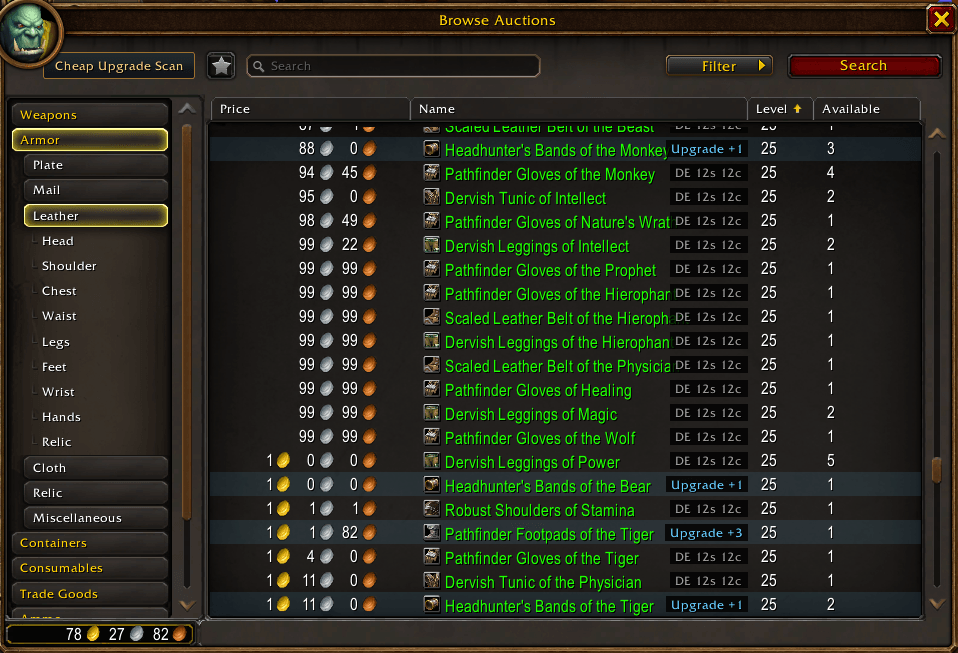
Screenshot 2026-11-22 175557.png
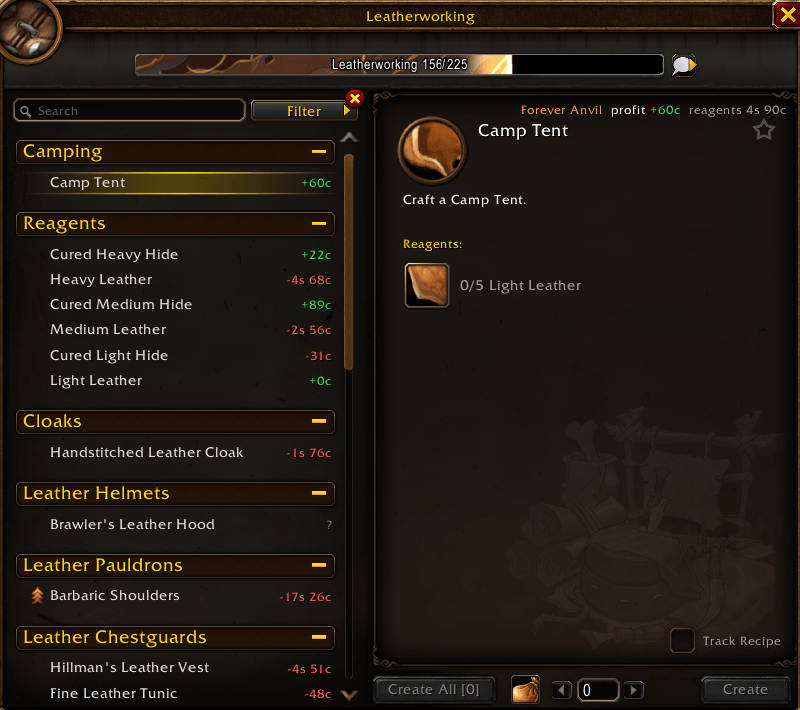
Screenshot 2026-11-22 174412.png
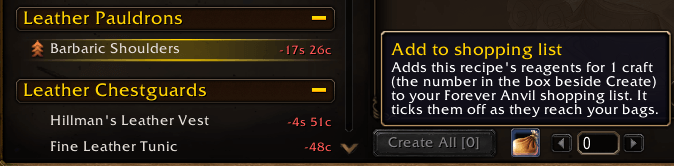
Screenshot 2026-11-22 174625.png
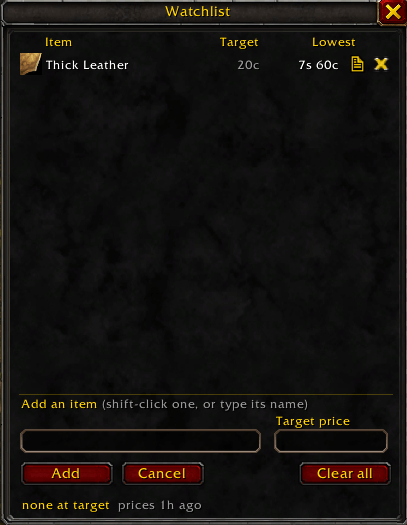
Screenshot 2026-11-22 172040.png
Screenshot 2026-11-22 172049.png
Description
Forever Anvil
Auction prices from foreveranvil.com right where you need them: on every item tooltip, in the auction house and in your profession window. Made for WoW: Forever, for Europe and the Americas.
Item tooltips
For the auction house you're on (your ruleset and faction, or the neutral Blackwater house when you're at one):
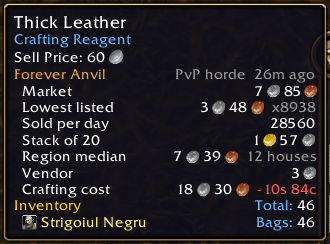
- Market price and lowest listed price, with how many are listed, and (new in 2.8) what a whole stack in your bags is worth
- Sold per day, estimated from how listings change hour to hour
- Crafting cost (new in 2.8): what any crafted item's reagents cost by its cheapest recipe, and the profit selling it after the cut. No need to know the recipe
- Region median: the typical price across the region's auction houses
- Disenchant value after the auction cut, and the Enchanting skill it needs
- Upgrades: gear with a higher item level than what you wear in that slot, that your class can use at your level
- Waylaid crates: the Merchant's Favor a crate pays and the cheapest bundle to fill it
Auction house
- Scan (new in 2.5): press Scan under the auction house window (or type
/fa scanthere) to read every auction and use those prices right away, so your prices are current between addon updates. The game allows one scan every 15 minutes; the minimap menu and the settings show when you last scanned. - Disenchant flips: gear listed for less than its enchanting materials sell for, tagged
DE +X - Vendor flips: items listed for less than a vendor pays, tagged
Vendor +X - Your watchlist: items at or below your target price, tagged
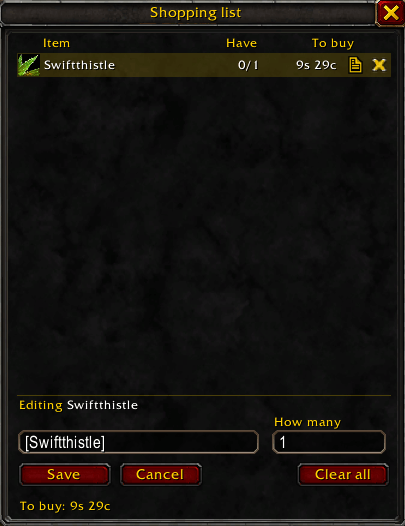
Target - Your shopping list: materials you still need, tagged
Need X, with a small list beside the auction house that ticks off what's in your bags and bank - Upgrades for your character, tagged
Upgrade +X
Profession window
- Profit per craft on every recipe, after the 5% auction cut and the reagents
- Leveling helper: the recipe you know that gives skill points for the least gold is marked
skill-up, with its chance and cost per point
Windows
- Prices (
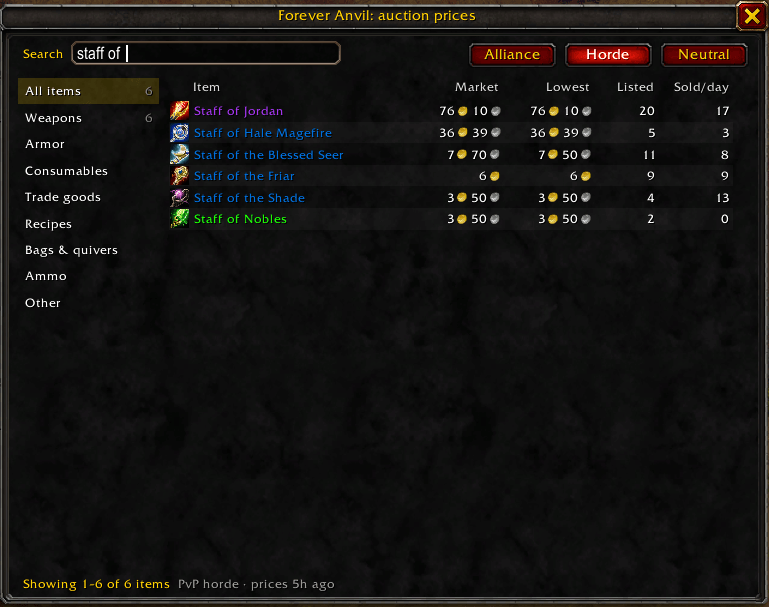
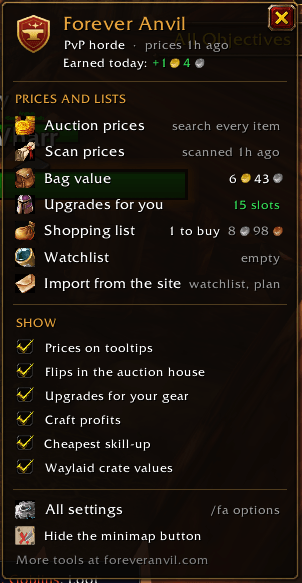
/fa prices): every item on your auction house. Search, pick a category, sort by any column, switch to the other faction's or the neutral house, and click an item for its details. - Upgrades for you (
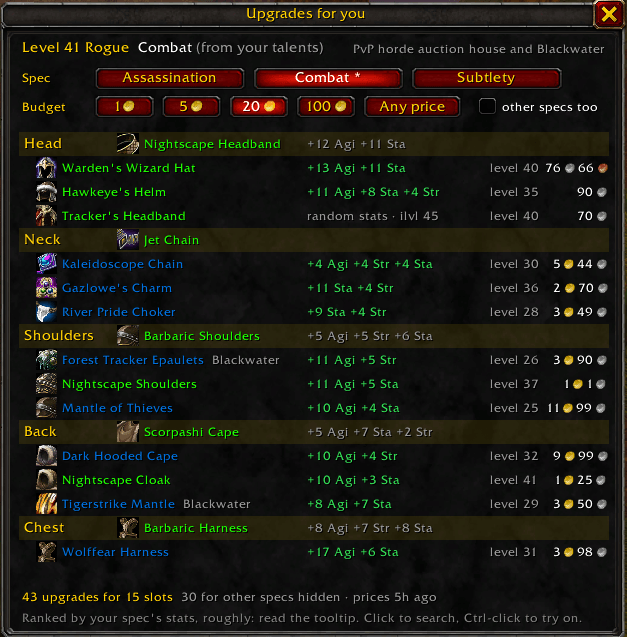
/fa upgrades): gear on sale that's better for your talent spec than what you wear, slot by slot, within your budget. Gear made for other specs is left out. - Bag value (
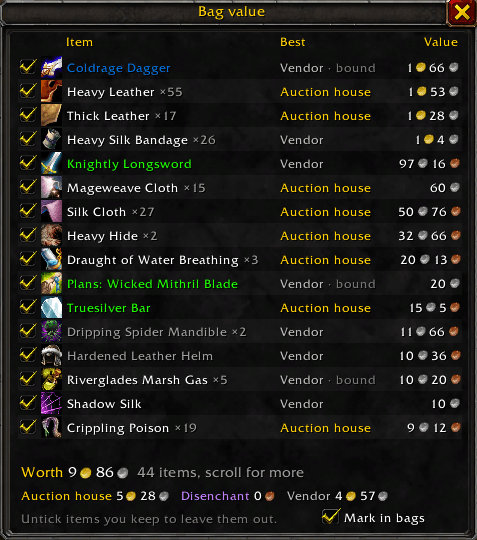
/fa bags): what everything in your bags is worth, and the best way to sell each item: the auction house, disenchanting or a vendor. Untick what you're keeping to leave it out of the total. The reagent bag counts too. New in 2.6: sell marks, the auction house symbol on the items in your bags that sell best on the auction house ("Mark in bags" in the bag value window, or the settings). Works with the game's bags and Bagnon. - Watchlist and shopping list (
/fa watch,/fa list): Alt-click any item to watch it and set a target price. In a profession window, the bag button beside Create All adds a recipe's reagents. Or bring both lists from the site with "Copy for the addon" and/fa import.
Getting started
- Install it and log in. The first time, a small window asks which ruleset you play on (PvP, Normal, Roleplay or RP-PvP): one click. Change it later from the minimap menu or with
/fa ruleset. - Click the crest on your minimap for the menu: prices, your lists, bag value, upgrades, scanning, quick on/off switches and the settings (also
/fa options). New in 2.7: it also shows the gold you earned today on that character (hover it for what you spent, or type/fa gold).
Fresh prices
A new version with the latest prices comes out once a day: turn on auto-update in your CurseForge or Wago app to always have it. For current prices in between, press Scan at the auction house. The addon tells you in chat when your prices are over two days old, or when someone in your guild or group has newer ones.
Good to know
- It never buys, sells or crafts for you. It only shows numbers; every action is still your own click.
- Prices are an estimate from the last update or your last scan, and the auction house moves. Check before a big purchase.
- English, German, French and Spanish: the addon follows your game client's language.
- Price history, a crafting planner, leveling routes and talents are on foreveranvil.com, free.
Help and ideas
Questions, a bug, or a feature you'd like? Join the Forever Anvil Addons Discord: support, feature requests and release announcements for Forever Anvil, Loot Comets and Landfall.
Data provided by Blizzard Entertainment. Forever Anvil is a fan project, not made or endorsed by Blizzard.
Forever Anvil - Auction Prices, AH Scan & Gold Tools Team