
FoldedEXPBars (v0.4.2)
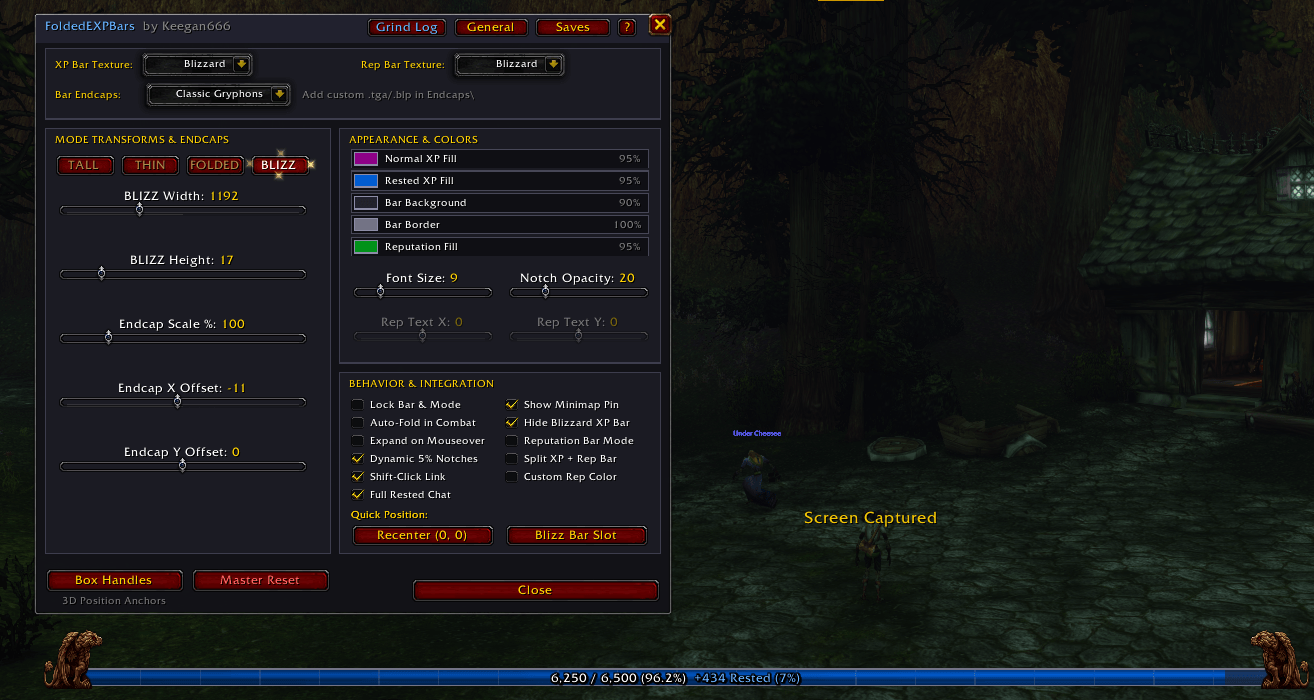
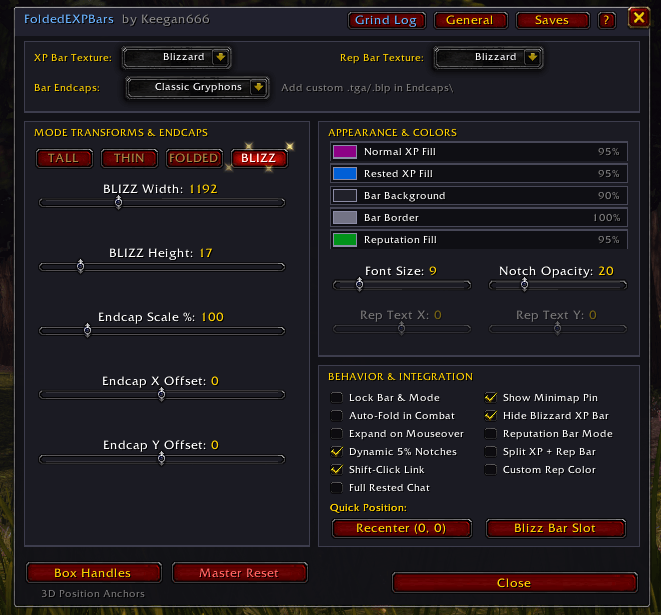
Switch effortlessly between full, thin, compact folded pill, and Blizzard slot bar transforms—or stack both Experience and Reputation together inside a single pixel-snapped frame.
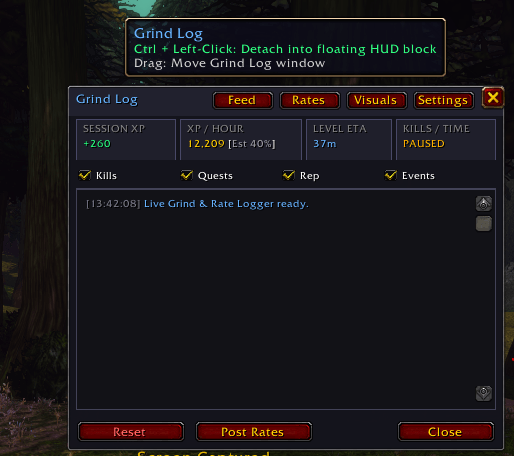
Built-in combat and quest XP logging lets you track real-time XP/hour, per-mob averages, and Kills-to-Level without needing a separate tracking addon.
</header>Key Features
- Four Instant Bar Modes (TALL, THIN, FOLDED, BLIZZ): Independent width and height transforms with automatic slim-bar font scaling and smooth animations.
- Split XP + Reputation Mode: Stack Experience + Rested XP on the top half and Watched Reputation on the bottom half inside one frame, complete with custom X/Y text offsets.
- Classic & Custom Endcaps (
Custom1–Custom10): Includes Classic Gryphons and Classic Wyverns with independent scale and X/Y offset controls, plus 10 pre-registered custom slots (Custom1throughCustom10) and live Mirror Left / Mirror Right flip checkboxes. - Smart Combat & Mouseover Folding: Automatically collapses into a compact pill when entering combat and expands smoothly on mouseover.
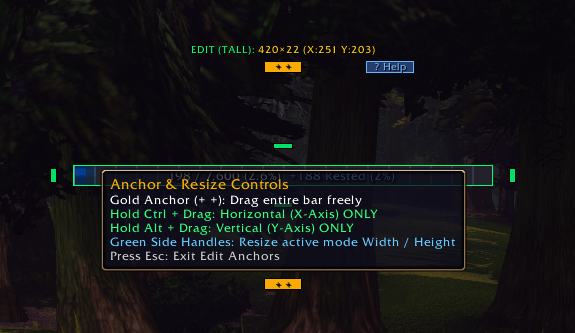
- 3D Position Anchors (Box Handles) & Account-Wide Profiles: Fine-tune placement with
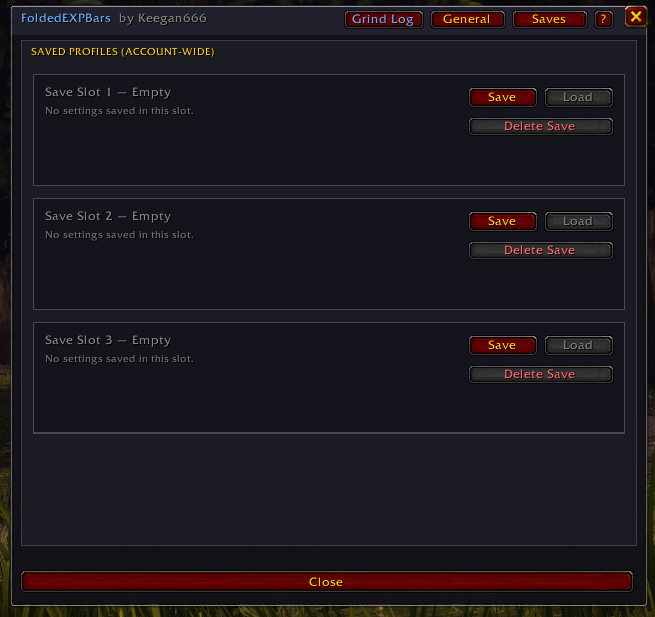
Ctrl + Drag(X-axis lock) andAlt + Drag(Y-axis lock), and save/load up to 3 account-wide presets.
Custom Endcaps Setup (No Lua Editing Required)
- Drop up to 10 custom
.tgatextures intoInterface\AddOns\FoldedEXPBars\Endcaps\namedCustom1.tgathroughCustom10.tga. - Restart WoW (required for the game client to index newly added image files).
- Open
/feand selectCustom1–Custom10from the Bar Endcaps dropdown. - Use the Mirror Left and Mirror Right checkboxes (which appear automatically whenever a custom endcap is active) to flip either side horizontally in real time.
(Advanced users can still customize display names or add extra entries inside CustomEndcaps.lua.)
Live Grind & Combat XP Log (/fe grind)
- Real-Time Combat XP & Quest Feed: Automatically parses combat XP gains, quest turn-ins, level-ups, and watched faction reputation gains with filterable Kills, Quests, Rep, and Events toggles.
- Smart Blended XP/Hour & Level ETA: Displays
0until your first kill, then smoothly blends a 5-kill flat NPC baseline into pure live session rates alongside your estimated time to level. - Per-NPC Kill Rates & Kills-to-Level (KTL): Tracks total kills, total XP earned, average XP per kill, and exact Kills-to-Level for every enemy type you farm.
- Floating Minimized HUD Card:
Ctrl + Left-Clickthe Grind Log to detach it into a compact single-card floating HUD block that smoothly cross-fades between Session XP, XP/Hour, Level ETA, and Kills/Time (or click to cycle manually). - Full Session Persistence & Context Tooltips: Remembers its exact screen position, minimized/expanded state, and open visibility across reloads and logouts. Includes dynamic hover hints (toggleable in Grind Log → Settings) and customizable border, opacity, and scale themes.
Secret Experimental Menu (Shift + Click ?)
Unlock the hidden Secret Settings Menu by holding Shift and clicking the ? button in the top-right corner of the /fe options window:
- Flipped: Reverses bar fill direction horizontally (Right-to-Left) for both XP and Reputation.
- Stalactite: Rotates the bar vertically and fills downward from the top edge.
- Stalagmite: Rotates the bar vertically and fills upward from the bottom edge.
- Party Mode: Applies a live, hue-shifting rainbow gradient across active XP and Reputation bars.
Commands & Controls
Bar Controls
/fe— Open the main settings window/fe edit— Toggle 3D Position Anchors (Box Handles)/fe lock— Lock or unlock bar position and mode cycling- Left-Click Bar: Cycle modes (
TALL/THIN/FOLDED/BLIZZ) - Right-Click Bar: Open
/fesettings - Shift + Left-Click Bar: Link XP or Reputation progress (including hours until fully rested) in chat
- Shift + Ctrl + Left-Click Bar: Toggle the Live Grind & Combat XP Log
Grind Log & Floating Card Controls
/fe grind— Toggle the Grind Log window- Ctrl + Left-Click Window / Card: Detach into the minimized floating HUD block or restore the full log
- Left-Click Minimized Card: Manually cycle to the next stat card
- Drag Window / Card: Move freely anywhere on screen (position saved automatically)
Support & Credits
Created by Keegan B (Keegan666 / Keegan Voidtouched).
If you enjoy FoldedEXPBars and want to support future updates, consider supporting development on Ko-Fi.
</footer>This is only my second WoW addon, so please go easy on me!
I'm still learning and actively improving things as I go.
All feedback, bug reports, and feature requests are more than welcome—if you run into any quirks or have ideas you'd love to see added, drop a comment below.Thank you for trying out FoldedEXPBars, and please stay kind!
– Keegan.