FlyCam - Camera Switching Helper
- By
Automatically adjusts camera zoom when mounting/dismounting flying mounts.
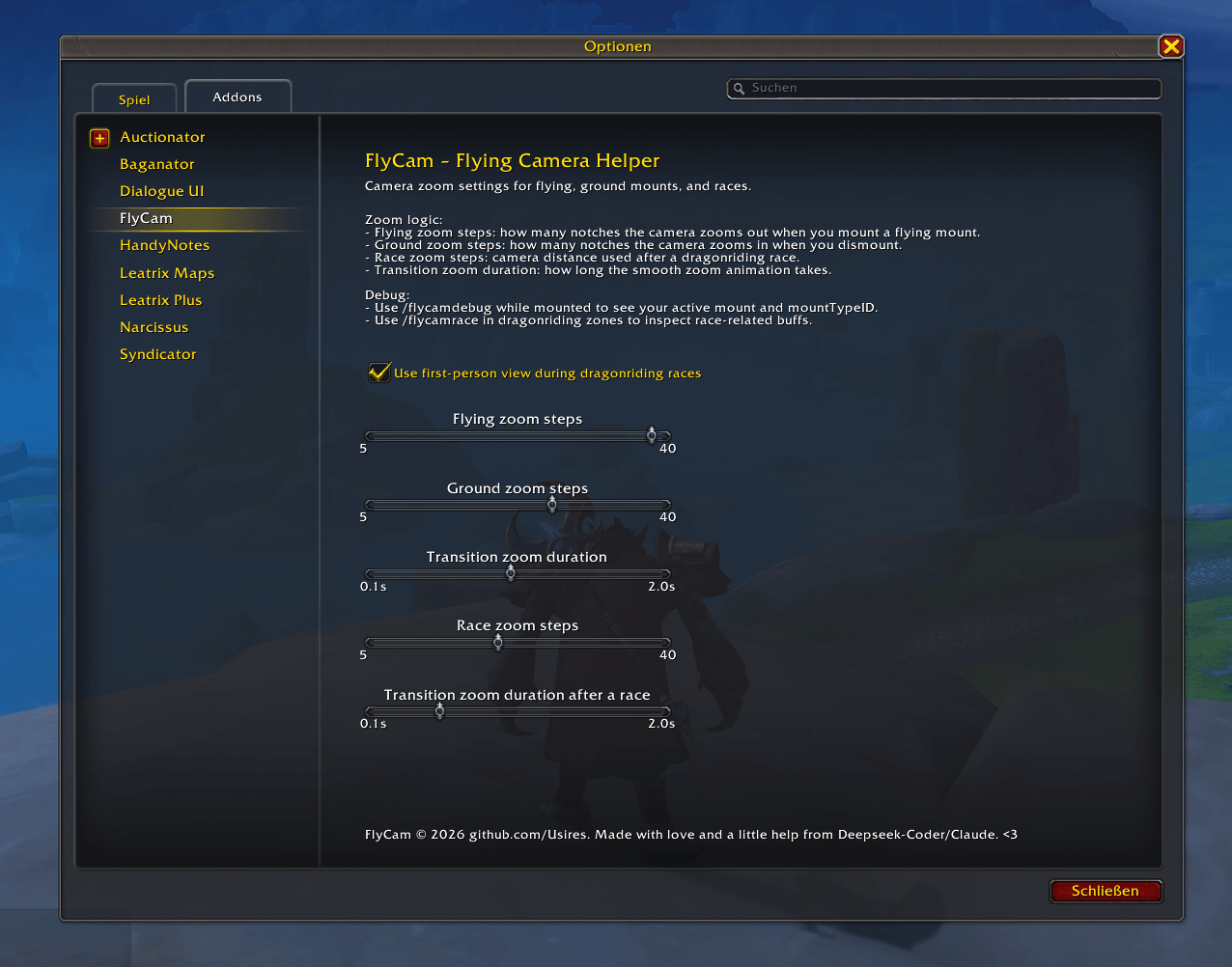
wow_flycam_options_0.2.png
Description
FlyCam – World of Warcraft Addon (v1.1)
Automatically adjusts the camera distance when you mount or dismount flying mounts in World of Warcraft (Retail).
Features
- Smooth camera zoom animation when mounting/dismounting.
- Separate zoom step settings for flying and ground states.
- Dragonriding race detection with optional first-person view.
- Detection of flying mounts via
C_MountJournalmountTypeID. - Debug command
/flycamdebugto inspect active mount and type. - Configurable via Blizzard Options panel.
Files
| File | Description |
|---|---|
FlyCam.lua |
Single-file addon (all modules merged) |
FlyCam.toc |
Addon metadata |
Configuration
- Flying zoom steps: How many notches to zoom out when mounting a flying mount.
- Ground zoom steps: How many notches to zoom in when dismounting.
- Race zoom steps: Camera distance after a dragonriding race.
- Transition duration: How long the smooth zoom animation takes.
- First-person in races: Optional first-person view during dragonriding races.
Usage
- Configure under
Esc → Options → AddOns → FlyCam. - Use
/flycamdebugwhile mounted to see mountTypeID and add new flying mounts. - Edit
FlyCam.luato add new mountTypeIDs to theFlyCam.Mounts.FLYING_TYPEStable.
Architecture
FlyCam
├── defaults      - Default settings
├── Mounts       - Mount detection & type checking
├── Camera       - Smooth zoom & race handling
└── Config       - Options panel
Installation
Copy the FlyCam folder into your World of Warcraft/_retail_/Interface/AddOns/ directory and enable the addon in the character selection AddOns menu.
Credits
Original: Usires Refactored: Nix 🐧
FlyCam - Camera Switching Helper Team