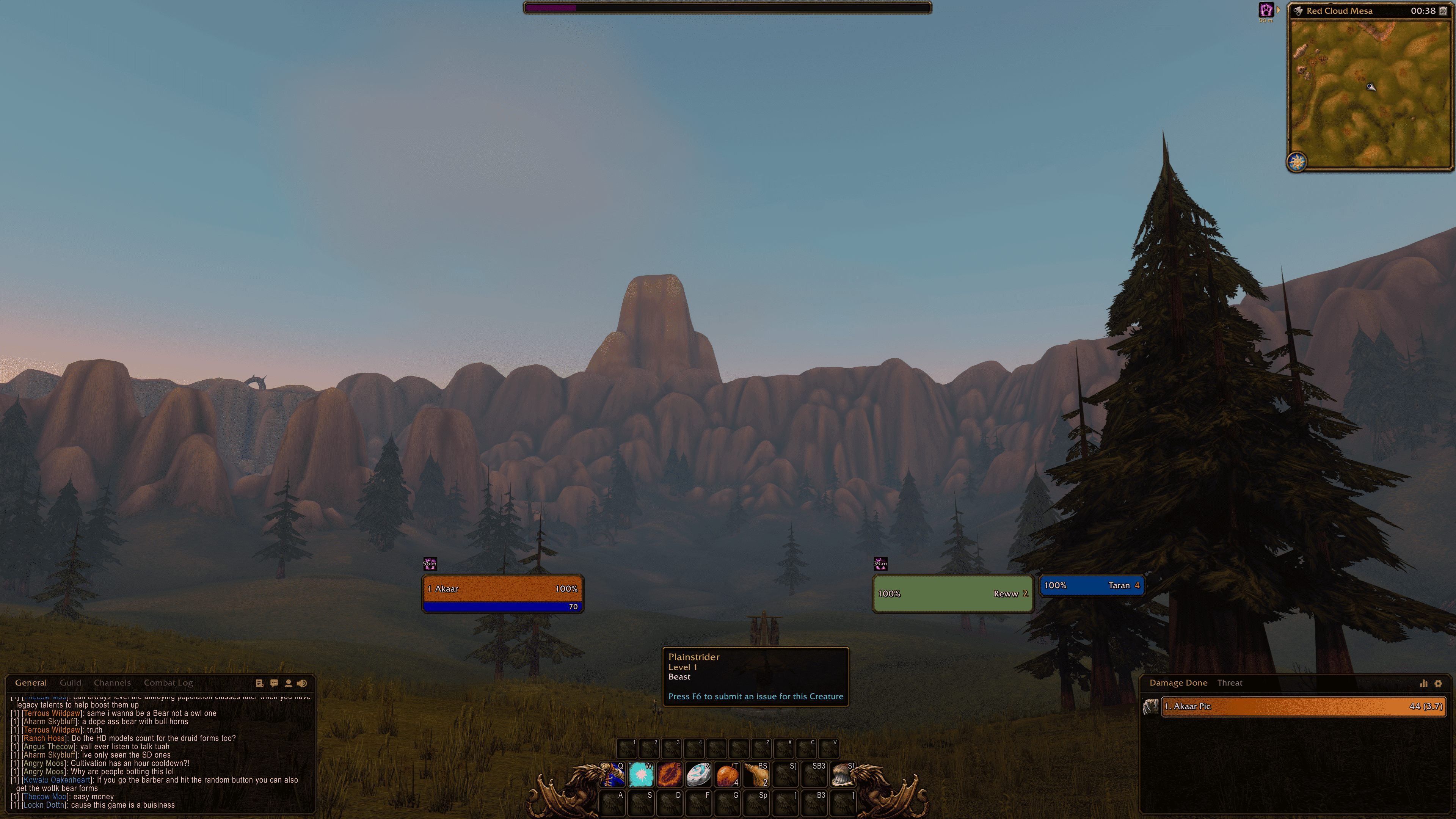
Full screen preview of FlareUI
Description

FlareUI
Your friendly UI overhowl
FlareUI is a lightweight modular interface addon for WoW: Forever that improves and extends Blizzard's UI without replacing its original look. The goal is to keep the feel of playing with that beautiful default bronze interface while making everything a bit better and more functional.
Everything functionality is split into modules you switch on as needed, so you only load what you actually use.
Want to use another addon for Unit Frames? Leave the module off. Only want the Chat? Turn it on and nothing else.
Getting started: Install the addon and log in. A welcome window will point you to the settings, so you can turn on the modules you want. Type /fui to open settings anytime.
!! [NEW IN 1.3] FULL GAMEPAD SUPPORT WITH RADIAL MENU ON RIGHT STICK !!
Features
💬 Chat: Clean, skinned chat window with custom header
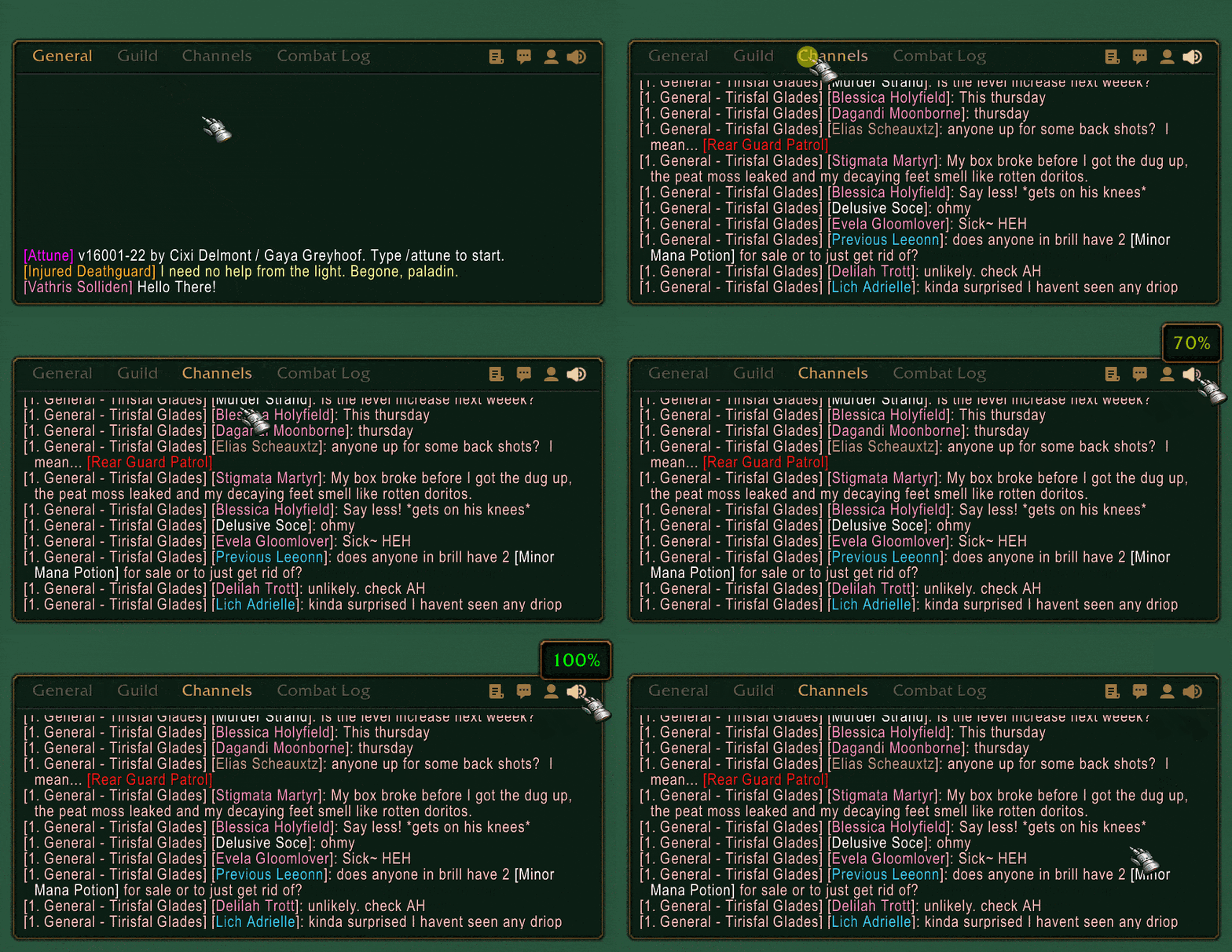
✔️ Draggable tabs and a scrollable header with chat function buttons.
✔️ Game volume control. Click to mute, scroll to raise/lower volume.
✔️ Several chat usability and formatting improvements.
✔️ Auto-hide with fade conditions.
📊 Damage Meter: Restyled to match the chat reskin
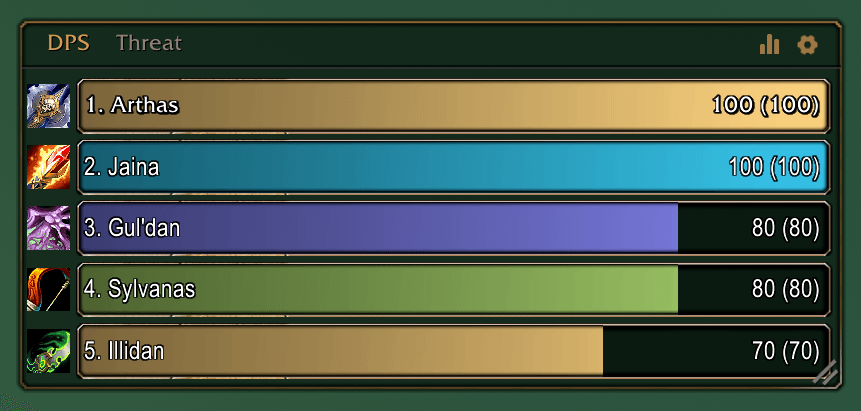
✔️ Edit the frame opacity, borders and the bar textures.
✔️ Built in threat meter you switch to like chat tabs.
✔️ Gamepad compatible!
🎯 Radial Menu: Combat-ready radial quick menu
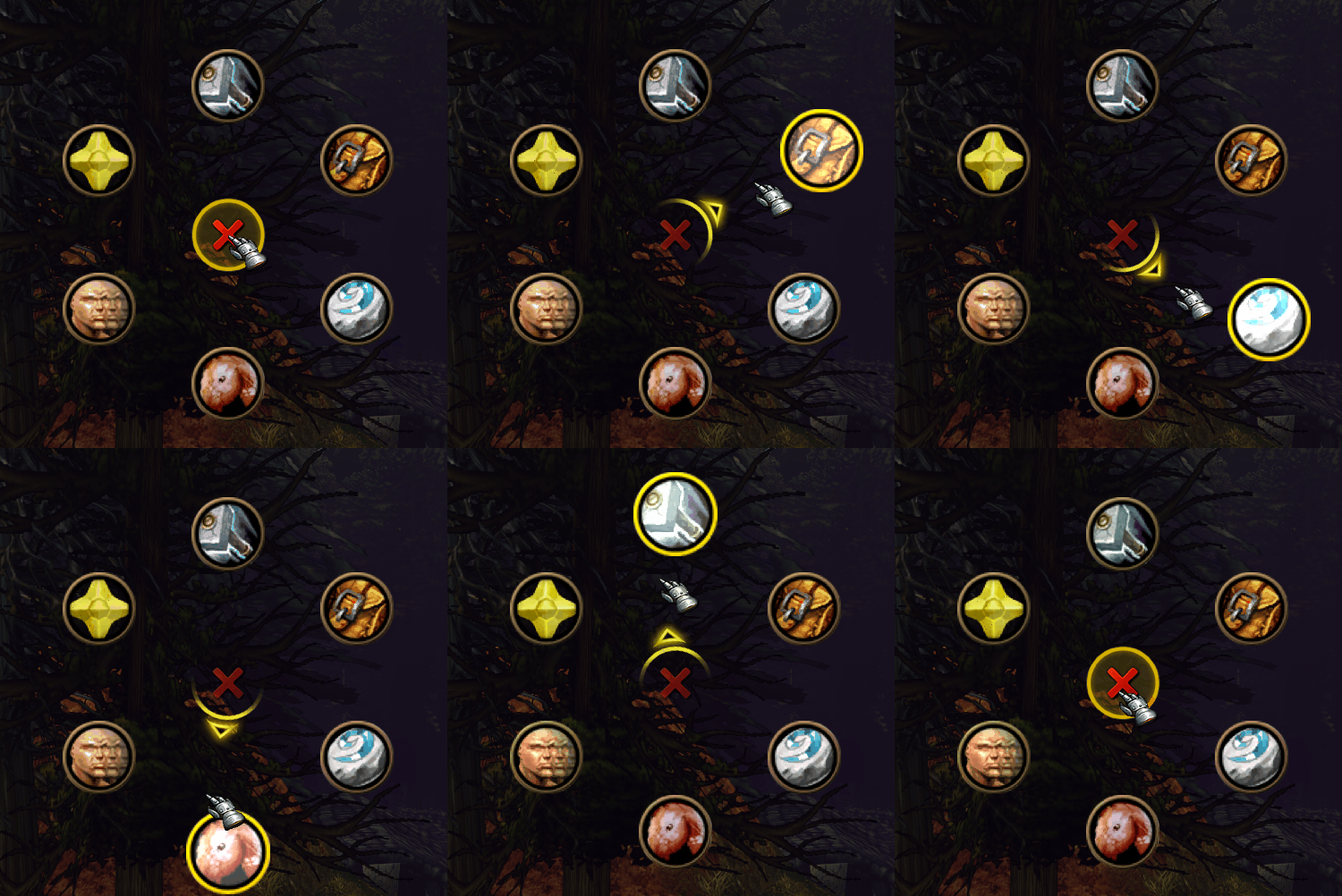
✔️ Create radials in a drag-and-drop Radial Editor with a live preview.
✔️ Add spells, items, markers, UI panels, macros and mounts.
✔️ Select a different radial menu for each of your characters.
✔️ Supports sub-radials (a radial inside another one).
✔️ Gamepad compatible!
🗺️ Minimap: Square with built-in header
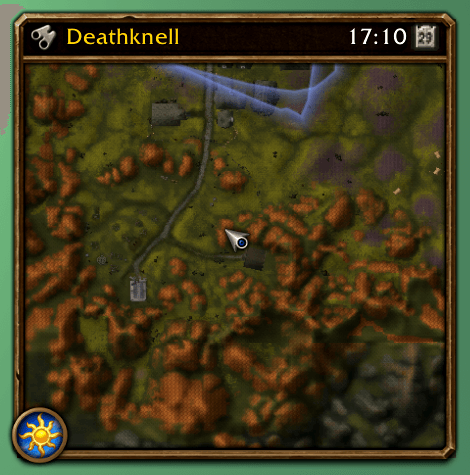
✔️ Toggle Forever's day/night badge, auto zoom out and resize objective tracker to match.
✔️ Instance difficulty banner tinted by group size (dungeon, 10, 25, 40).
✔️ Show FPS and Latency on your clock tooltip.
🛡️ Unit Frames: Custom Player, Target, Focus and Pet frames

✔️ Everything can be customized per frame in Edit Mode.
✔️ Built for hidden combat values. No Lua errors (I pray).
✔️ Fade conditions Player, Target and Focus frames.
✔️ Toggles for every Unit Frame icon.
⚔️ Action Bars: Various Action Bars tweaks using Blizzard's own bars
✔️ Scale every action bar separately to get buttons closer than the 2px padding limit.
✔️ Fade bars (action, bags, micro menu, XP) with fade conditions and linked groups.
✔️ Clean keybind text, hidden macro names, and range and resource colouring.
✔️ Fake Cooldown Manager: turn spare action bars into cooldown trackers.
✔️ A reskinned XP / Honor / Reputation bar in FlareUI's look.
💡 Tooltips: Various tooltip improvements
✔️ Scale, background colour and class/reaction-coloured names and borders.
✔️ Anchor to Blizzard's default spot or to your cursor.
✔️ Choose what tooltips to show and when.
✔️ Optional Spell and Item ID toggles.
🔧 Tweaks: Several quality of life improvements
✔️ Hide stuff you don't want to see: error spam, tips, and the world refresh popup.
✔️ Combo points and a quest tag on enemy nameplates.
✔️ Train all button, auto-type delete and faster auto loot.
✔️ Move Blizzard frames anywhere and keep it there.
✔️ Share your UI settings across all your characters.
✔️ Hide your objective tracker during boss fights.
✔️ Max camera distance, faster camera zoom .
✔️ Sell your junk and repair automatically.
✔️ Saves the last UI layout used in each mode so you don't have to switch manually every time.
✔️ You can use all FlareUI's modules in Gamepad mode (with some limitations).
✔️ Radial Menu works by replacing the ping wheel in R3 (pings goes to L3).
✔️ Toggle between Damage and Threat meters using a radial button
✔️ Max camera distance, faster camera zoom .
✔️ Sell your junk and repair automatically.
FAQ
Will FlareUI come to Retail or Classic WoW?
No plans. I'm only playing Forever and have very little free time. But if anyone wants to do the work to adapt FlareUI to other game versions, let me know!
How do I make the UI look even cooler?
LS: Borders. It is an awesome collection of border textures by Lightspark and I use them on all my unitframes. You'll just have to add Forever's version (16001) to the first line in ls_Borders.toc, otherwise the borders won't load. The .toc first line should look like this after the edit: "## Interface: 120000, 120001, 16001"
Something broke or I have an idea. How do I reach you?
Leave a comment here or open an issue at project's github. You can also send me a message through Discord, but I'm not really active there.
Can I edit FlareUI, or use its code in my own addon?
Yes. FlareUI's code is under the MIT License. The only thing I ask is credit to FlareUI if you publish something built on it.
Why "FlareUI"? And why a dog?
Flare is the name of a personal game project and the name of the doggie protagonist. The project is in hiatus for lack of time and resources (if you are a game dev/designer/artist and want to collaborate, give me a holler!)
How do I support this addon?
Play the game, have fun, maybe carry my sorry butt through some dungeons. If you want to toss a coin my way, I guess you can. But you should instead support one of the addon creators on the inspirations list below.
Credits
- Doggie art by Clari Turela
- Licences are listed in the addon
LICENSESfolder.
FlareUI was inspired by:
- Account Wide Interface Settings by ConineSpiritwolf
- BlizzMove by Kiatra and Numy
- EnhanceQoL by R41Z0R
- Leatrix Plus by Leatrix
- LS: Minimap by Lightspark
- OPie by Foxlit
- TipTac Reborn by Frozn45 and Aezay
Project Github
The FlareUI Team