FixChatWinPos
- By
Save and restore **detached (floating) Blizzard chat windows** after logout or `/reload`
# FixChatWinPos
> Save and restore **detached (floating) Blizzard chat windows** after logout or `/reload`.
**Version**: see `## Version` in `FixChatWinPos.toc`.
**Client**: WoW Anniversary / Classic / Retail — Interface tags in the TOC.
---
## English
### Install
1. Copy the `FixChatWinPos` folder into `Interface\AddOns\`.
2. Enable **FixChatWinPos** on the character-select AddOns list.
3. Log in — a minimap icon appears.
### Minimap
| Action | Result |
|---|---|
| **Left-click** | Open settings |
| **Shift + drag** | Move around the minimap |
Compatible with **MinimapButtonButton** (whitelist registered). Standalone button (not LibDBIcon).
### Settings
Esc → Interface → AddOns → **FixChatWinPos**, or minimap left-click / `/fixchatwinpos` / `/fcwp`.
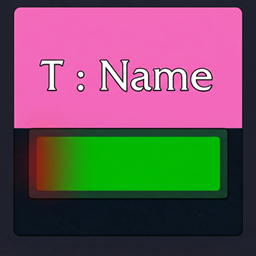
Undock a chat tab, place it, then press **Save positions**. Checked windows are restored after logout or `/reload`.
### Slash
`/fixchatwinpos` · `/fcwp`
### CurseForge icon
Upload **`Art/FixChatWinPos-CurseForge-400.png`** (exactly **400×400**) as the project logo.
In-game icon: `Textures/MinimapIcon.png` (`## IconTexture`).
---
## 한국어
### 소개
분리(띄운) 블리자드 채팅창의 위치·크기를 저장하고, 로그아웃·`/reload` 후에 복원합니다.
### 설치
1. `FixChatWinPos` 폴더를 `Interface\AddOns\`에 넣습니다.
2. 캐릭터 선택 화면 AddOns에서 **FixChatWinPos**를 켭니다.
3. 접속하면 미니맵 아이콘이 나타납니다.
### 미니맵
| 조작 | 동작 |
|---|---|
| **좌클릭** | 설정 열기 |
| **Shift+드래그** | 미니맵 가장자리 이동 |
### 설정
Esc → 인터페이스 → 애드온 → **FixChatWinPos**
또는 미니맵 좌클릭 · `/fixchatwinpos` · `/fcwp`
채팅 탭을 띄워 자리를 잡은 뒤 **위치 저장**을 누르세요. 체크된 창만 복원됩니다.
### CurseForge
프로젝트 로고: `Art/FixChatWinPos-CurseForge-400.png` (**400×400**).
FixChatWinPos Team