FiresideChat
- By
Screenshot 2026-10-15 211041.png
Screenshot 2026-10-15 211143.png
Screenshot 2026-10-15 2120123.png
Screenshot 2026-10-15 2121434.png
Screenshot 2026-10-15 212058.png
Screenshot 2026-10-15 210849.png
Description
🔥 Fireside Chat
Pull up a log, sit by the fire, and actually talk to people.
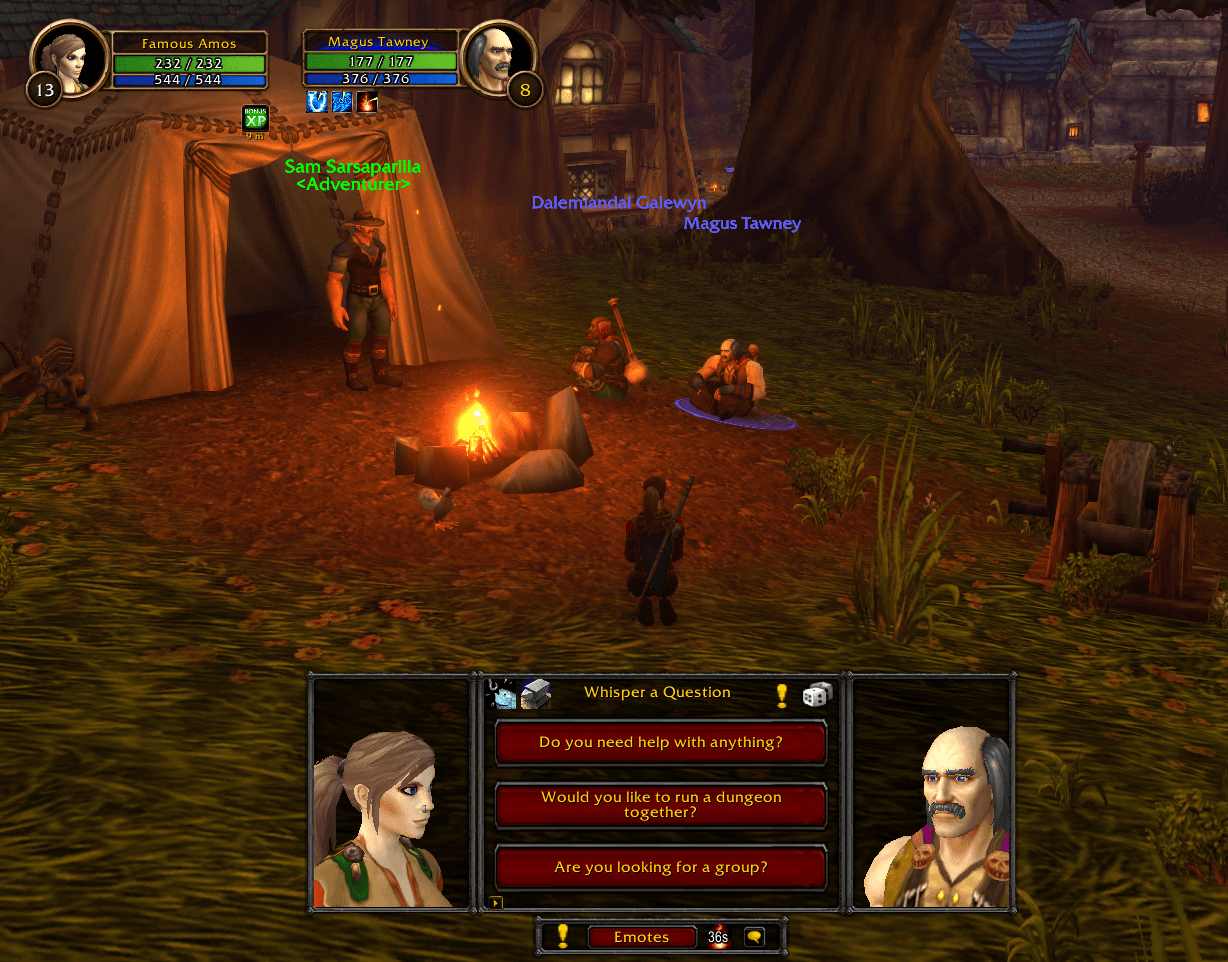
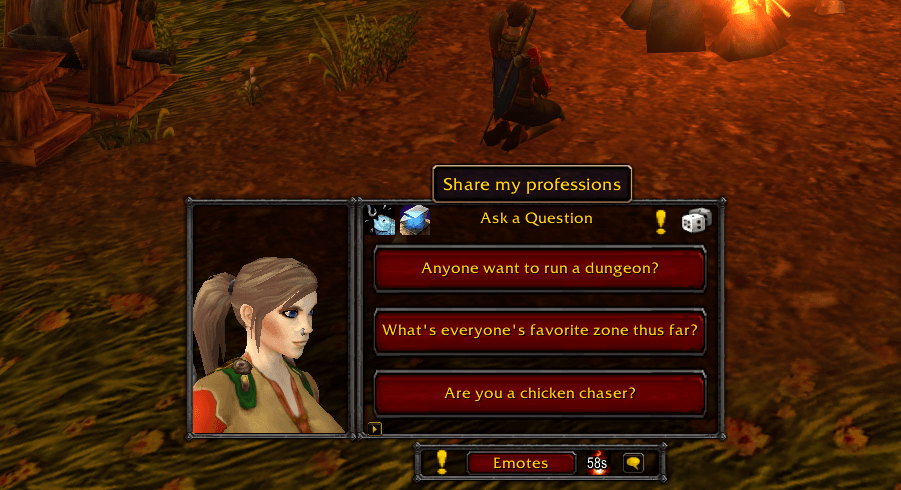
Fireside Chat puts three conversation starters next to a 3D portrait of your character. Click one and you've asked it in chat. No more awkward silence at the campfire or while you wait for the boat.
**Safe to try:** questions only go to your own chat window until you pick a channel. Nobody sees anything until you're ready.
---
✨ Features
💬 Three questions, one click
- **Left-click** a question to ask it. That button gets a fresh question.
- **Right-click** to pin a question you like (up to two). Pinned questions show a gold star.
- **Roll the dice** for a whole new set.
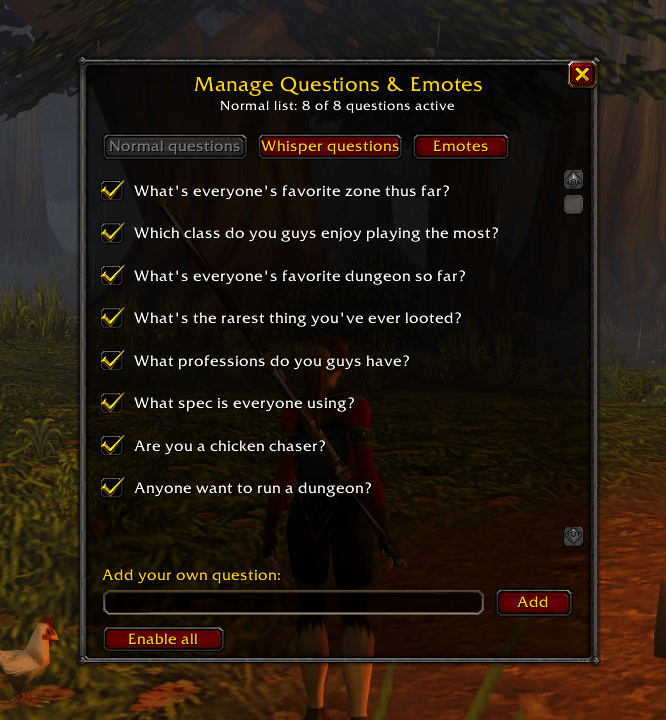
- **Write your own.** Add, switch off or delete questions in the built-in editor.
🧍3D portraits
- Your character sits on the left. Drag to rotate or pan, scroll to zoom, middle-click to reset.
- Your portrait **talks** when you ask a question, and plays emotes like `/wave` and `/dance`.
- **Target another player** and their portrait appears on the right, facing yours.
📣 Ask anywhere
Say, Yell, Party, Raid, Instance, Guild, or whatever channel your chat box is on.
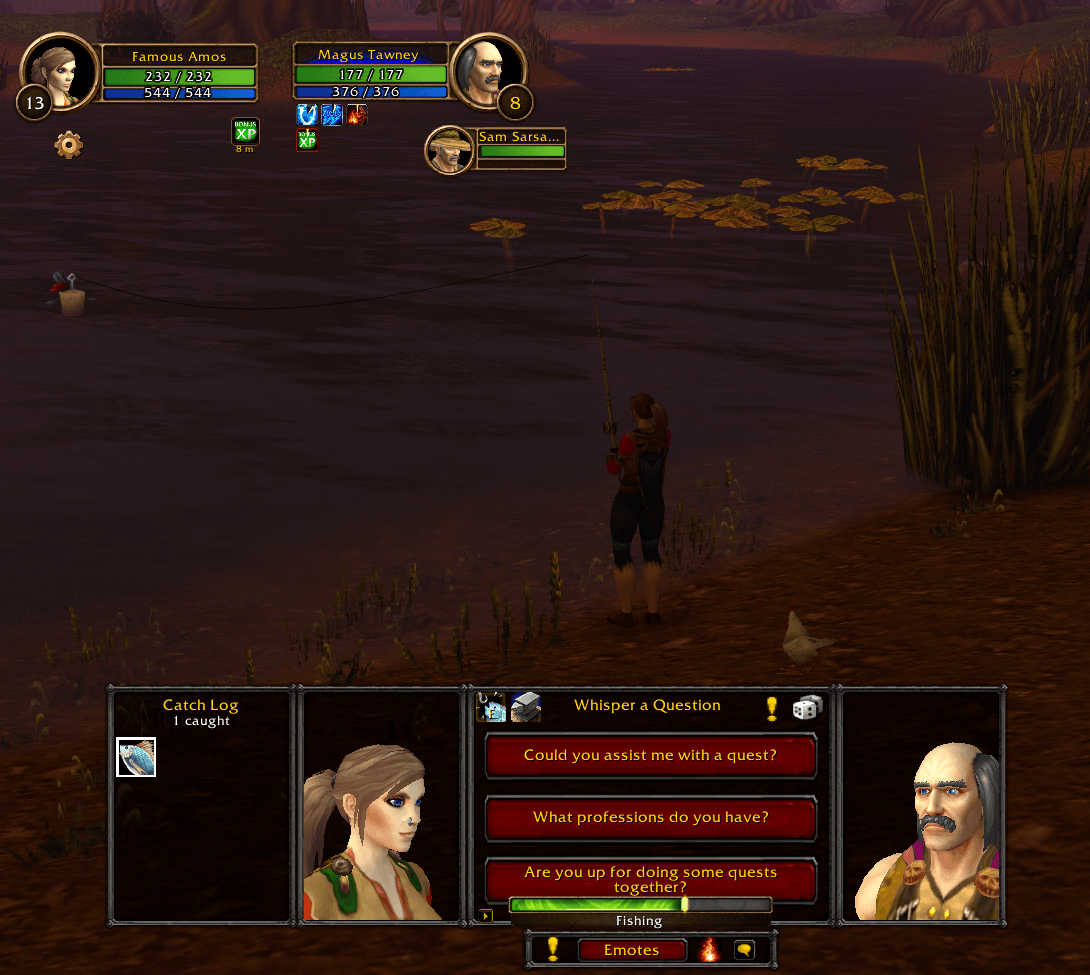
**Whisper mode:** target a player and your question is whispered to them instead, drawn from a separate, more personal list.
🗺️ Quest help and professions
- **Quest button:** asks for help with the quest you've selected, with a clickable quest link.
- **Professions button:** shares your professions with clickable recipe links.
🏕️ Campfire mode
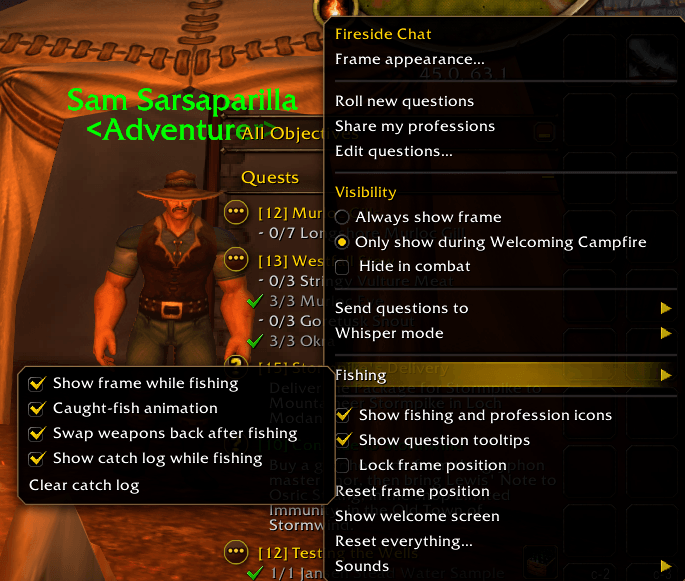
- Show the frame **only while you have the Welcoming Campfire buff**, or only while fishing.
- **Left-click** the campfire button to sit down. **Right-click** to place a Basic Campfire Kit.
- It glows when a campfire is nearby and shows how long your buff has left.
🎣 Fishing
- One button equips a fishing pole from your bags, then casts. Your weapons go back on afterwards.
- A **Catch Log** counts everything you reel in.
- Every catch pops up with an animation, and better fish earn a **"Nice Catch!"**
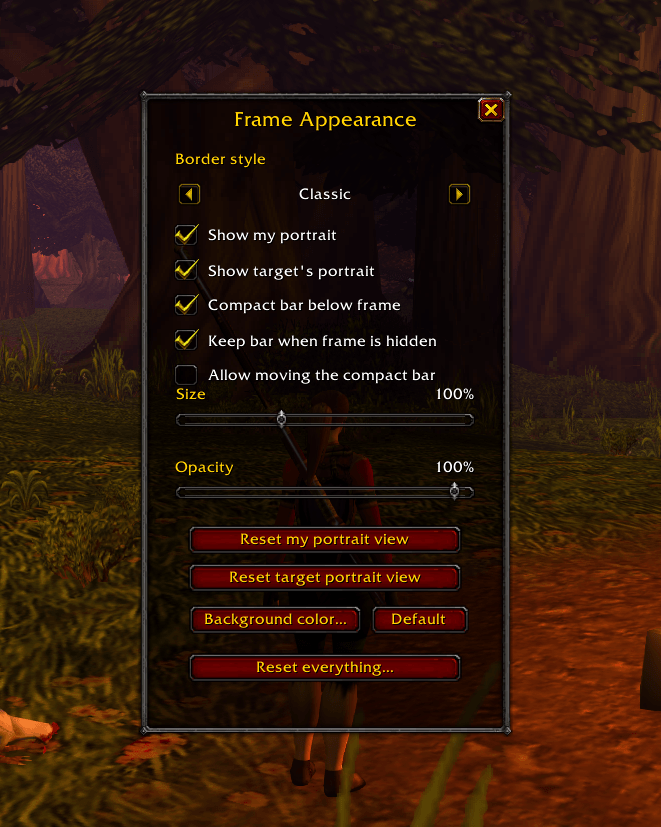
🎨 Make it yours
- Lots of border styles and a custom background color
- Size and opacity sliders, plus a fade-and-slide animation
- Optional compact bar with quest, emotes, campfire and channel buttons
- Hide in combat, lock the frame in place, optional sounds
- Key bindings for toggling, rolling, asking each question and quest help
---
🎮 Designed for WoW Forever
---
🚀 Getting started
1. Install, then log in. A short welcome screen explains the basics.
2. Click the **campfire button on your minimap** for all the options.
3. Under **Send questions to**, choose a channel when you're ready to go live.
4. Type **`/fsc`** any time to show or hide the frame.
### Slash commands
| Command | What it does |
| `/fsc` | Show or hide the frame |
| `/fsc roll` | Roll new questions |
| `/fsc border` | Switch to the next border style |
| `/fsc emote <name>` | Play an emote on your portrait |
| `/fsc fish` | Show your Catch Log |
| `/fsc welcome` | Show the welcome screen again |
**Playing in another language?** If campfire mode doesn't spot the Welcoming Campfire buff, stand at a campfire, type `/fsc auras` to find its spell ID, then type `/fsc campfire <id>`.
---
## 💛 Feedback
Found a bug or have a question you'd love to see added? Leave a comment. I read them all.
*Made with care by **Mistform**. See you by the fire.*
FiresideChat Team