


Fieldbook
- By
The notebook on your desk, inside the game: per-character tasks and notes organised by tags, smart tasks that tick themselves, and a login briefing so you never forget what you were doing.
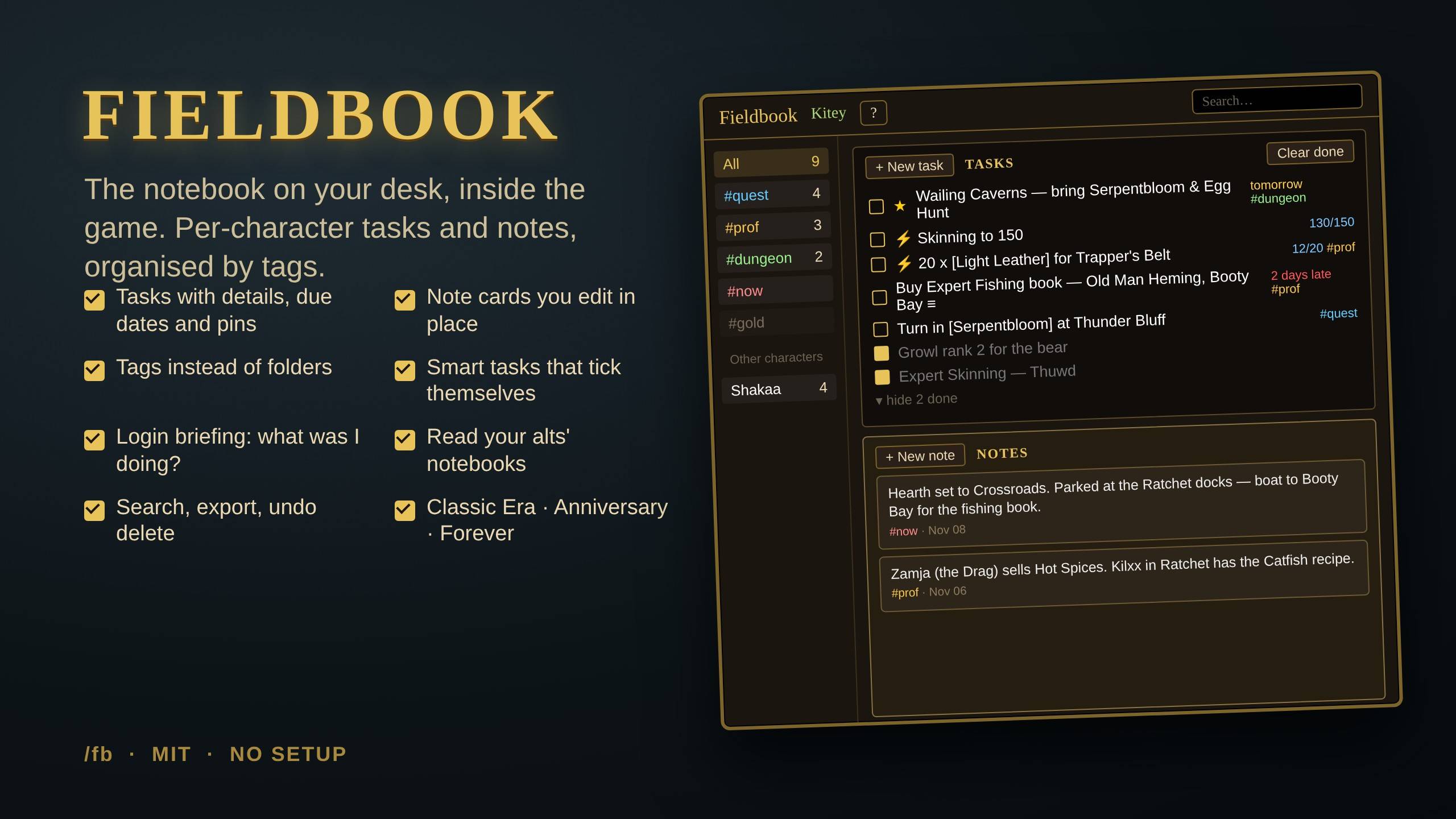
Fieldbook: the notebook on your desk, inside the game. Per-character tasks and notes, organised by tags.
Description
Fieldbook
The notebook on your desk, inside the game. One small window: a tickable task list on top, sticky notes underneath, and tags instead of folders. Everything is saved per character, so your priest's quest plans never mix with your hunter's. Works on Classic Era / Anniversary and WoW Forever.
What it does
- Tasks have a name, tags, an optional due date and a bigger details box for the where / who / what-you-need. Tick them off, pin the important ones to the top, hide the finished ones with one click.
- Notes are cards: hearth location, who to talk to, tonight's plan. Click a card to edit it in place.
- Tags are whatever you type. Give a task the tags
prof goldand it shows up under both; click a tag in the sidebar to see just that part of your plans. Right-click a tag to rename or merge it. - Smart tasks tick themselves. Link a quest in the task and it completes when you turn the quest in. "Reach level 20", "Skinning to 150", "Honored with Orgrimmar" and "20 x [Light Leather]" (shows your bag count) all work too.
- Login briefing. A small card when you log in: how many tasks are open or late, your
#nownotes, pinned and due tasks. So you never forget what you were doing last session. - Your alts. Every character appears under Other characters in the sidebar. Click one to read its open tasks and notes.
- All characters. Tick it on a task or note to make it account-wide.
- Search box in the title bar filters everything as you type. Export everything as plain text (and import it back).
- Undo delete, due dates that turn amber then red, shift-click to paste quest and item links, Tab / Ctrl+Enter keyboard flow, a ? button with the full guide in game.
Getting around
- Click the book on your minimap (right-click = new task), press your keybind, or type
/fb. /fb questopens filtered to a tag,/fb allshows everything,/fb newopens the task form./fb add buy 20 linen #profand/fb note parked at Ratchet #nowadd things from chat./fb scale 1.2,/fb font 14,/fb skin flat(automatic with ElvUI / Tukui),/fb minimap,/fb lock,/fb reset./fb helpor the ? button opens the in-game guide.
Notes
- Ships with LibDBIcon, so the minimap button works with minimap collectors and Broker bars. No setup, no configuration screens.
- Per-character data lives in your WTF SavedVariables; account-wide items in the account SavedVariables.
/fb exportgives you a plain-text copy any time. - Issues and ideas welcome on the Issues tab. MIT licensed.
Fieldbook Team
