


FellowshipRP
- By
WoWScrnShot_101026_093412.jpg
WoWScrnShot_101026_093415.jpg
WoWScrnShot_101026_093418.jpg
WoWScrnShot_101026_093421.jpg
WoWScrnShot_101026_093426.jpg
Description
FellowshipRP
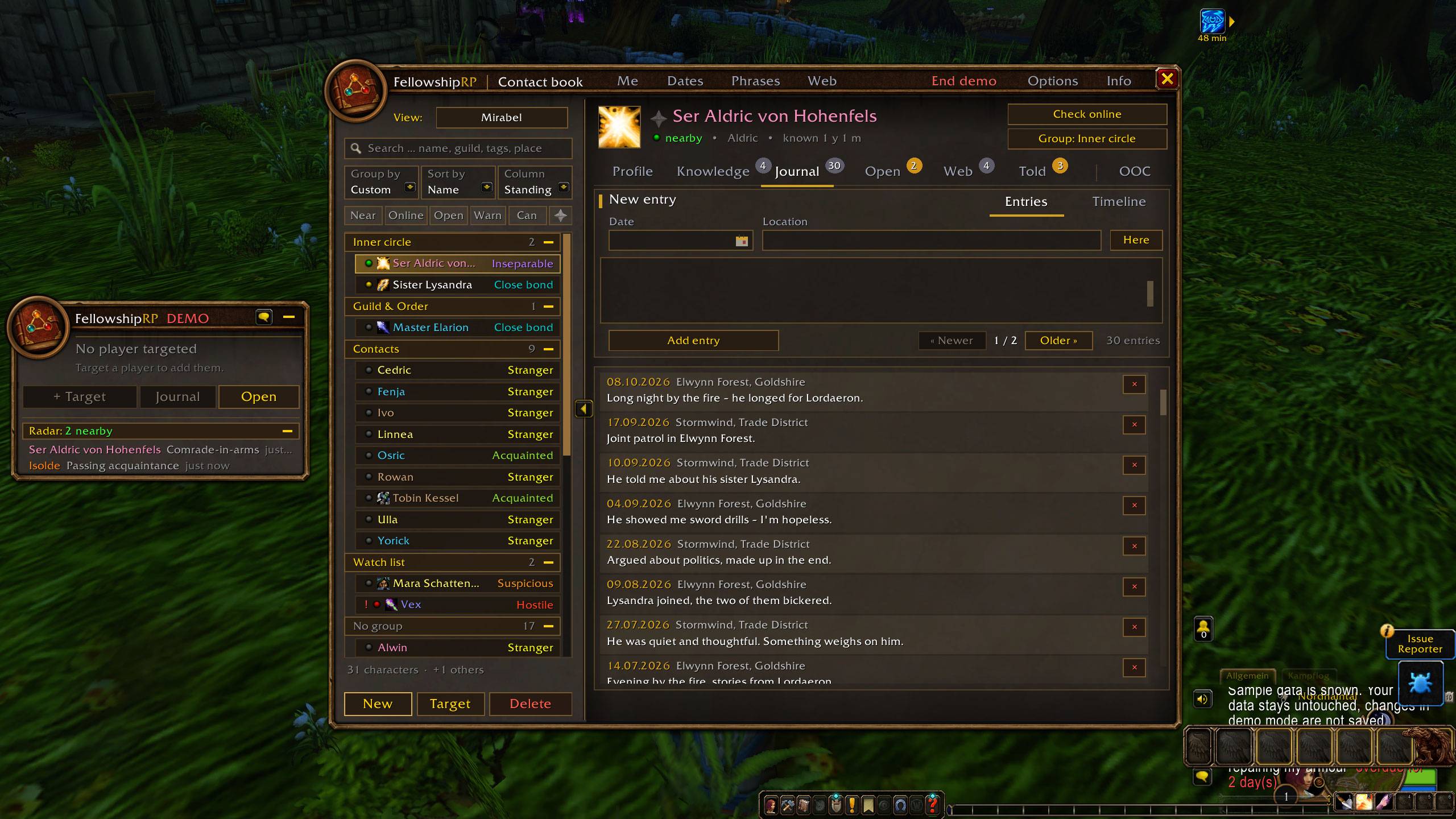
Your character's private roleplay memory for WoW Forever. Keep track of everyone your character meets: who they are, how you stand with them, what you owe each other, which secrets they know, and how they are connected to the rest of your story. Everything is written from your character's point of view.
Most profile addons answer "who am I?". FellowshipRP answers a different question: "what does my character actually know?" Nothing is shared with other players. It is your character's own notebook, not a public profile.
Features
Contacts & standing
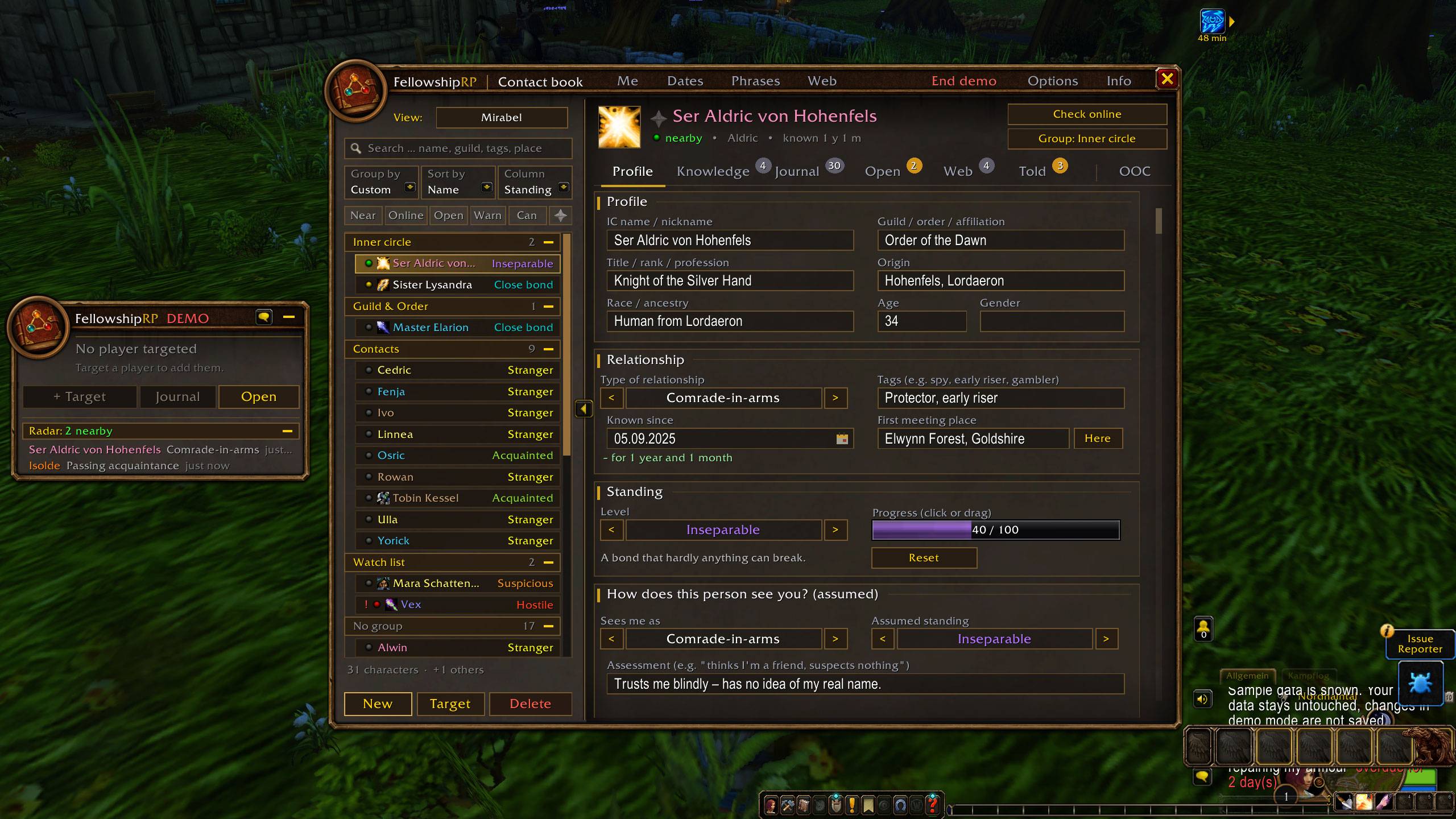
- One entry per person with IC name (including WoW Forever surnames), title, race, gender, age, origin and guild. Name, race and gender are filled in for you when you add someone from your target.
- Relationship type and standing on an 8-level scale, from Mortal enemy to Inseparable. You set it by clicking or dragging the bar, and every change is recorded.
- Two sides to every relationship: how you see them, and how you think they see you.
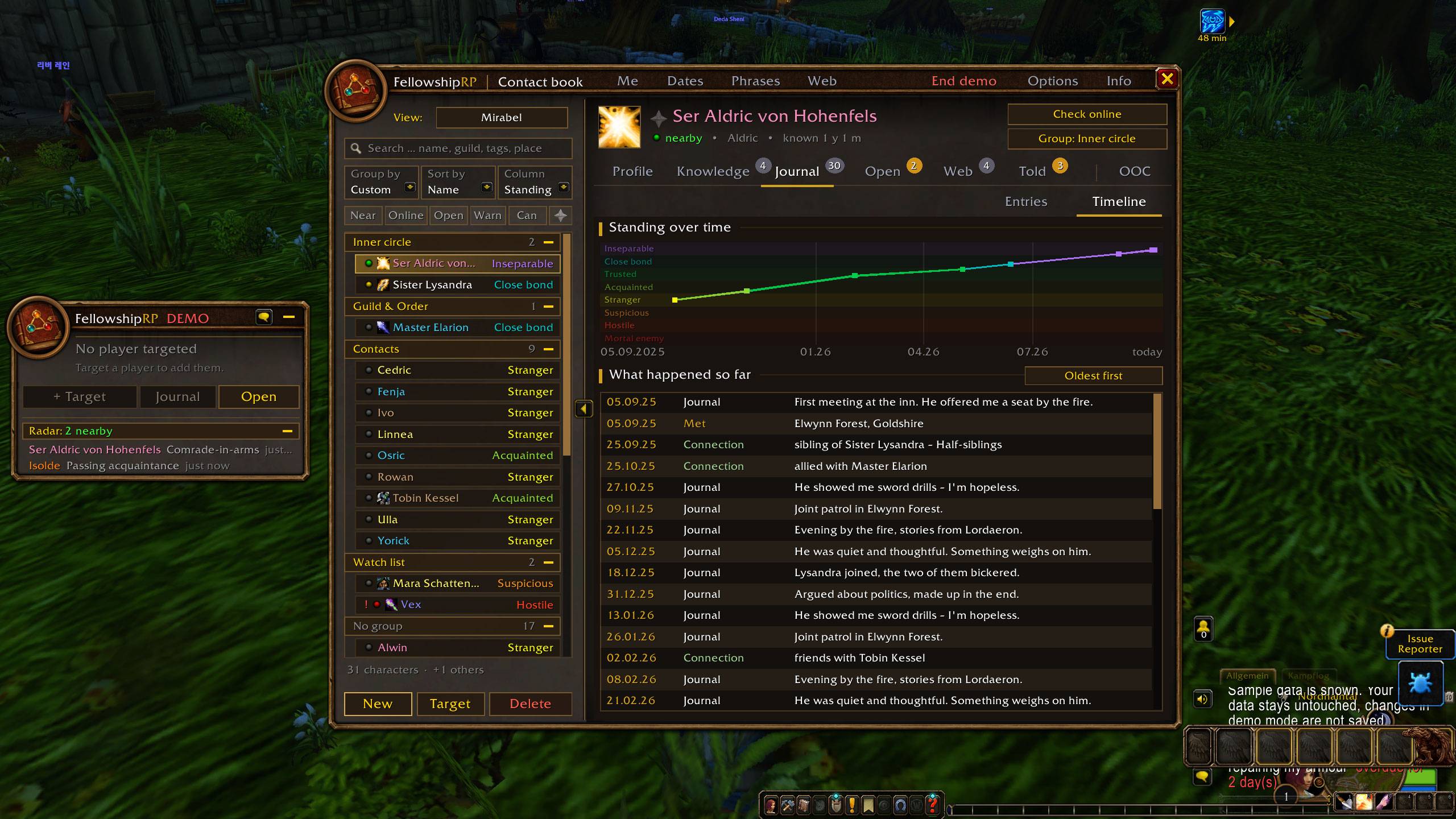
- Journal with date and location, a timeline with a standing chart, and a reunion notice when you meet someone again after a long time.
- Group, sort and filter your contact list (nearby, online, open debts, watch list, "can …" by skill).
Knowledge
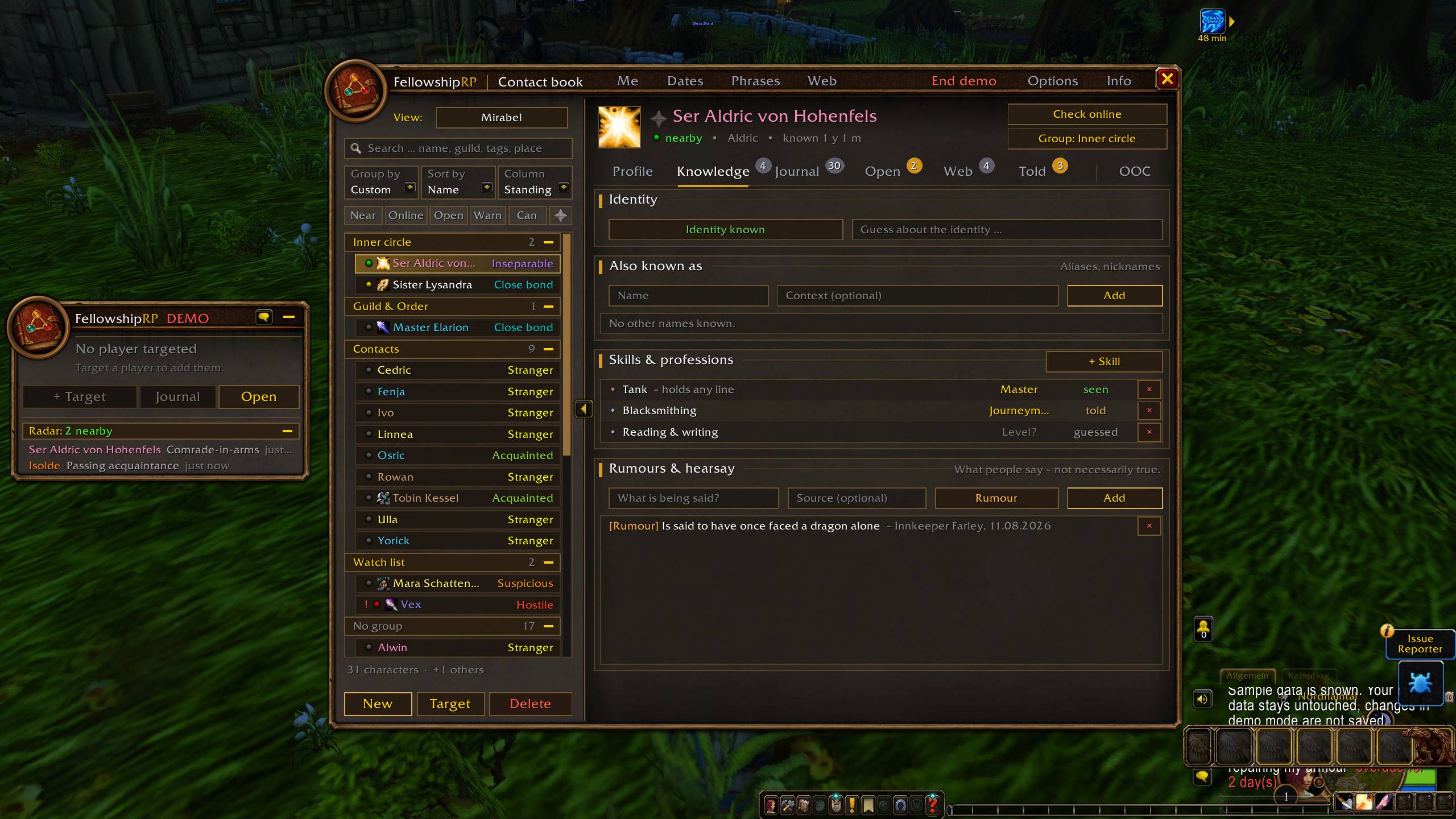
- Identity and aliases: track nicknames, cover names and your guesses about who someone really is.
- Skills & professions: tank, healer, cooking, blacksmithing, reading & writing and more, each with a level and how you know it (seen, told, guessed).
- Rumours and hearsay with source and credibility.
Debts, promises & appointments
- Track who owes whom what, with due dates and reminders.
- Schedule in-character meetings with several participants, RSVPs, a month calendar, reminders and a whisper invitation. A notice tells you when a participant comes online around meeting time.
- Recurring appointments – weekly, every two weeks or monthly (e.g. "every 2nd Friday"). Mark the guild evening as done and the next one is created with the same participants; replies start fresh. Future dates show faintly in the month calendar, and the next date can be skipped without ending the series.
- After a meeting, write one follow-up note that goes into every participant's journal.
Secrets & who knows what
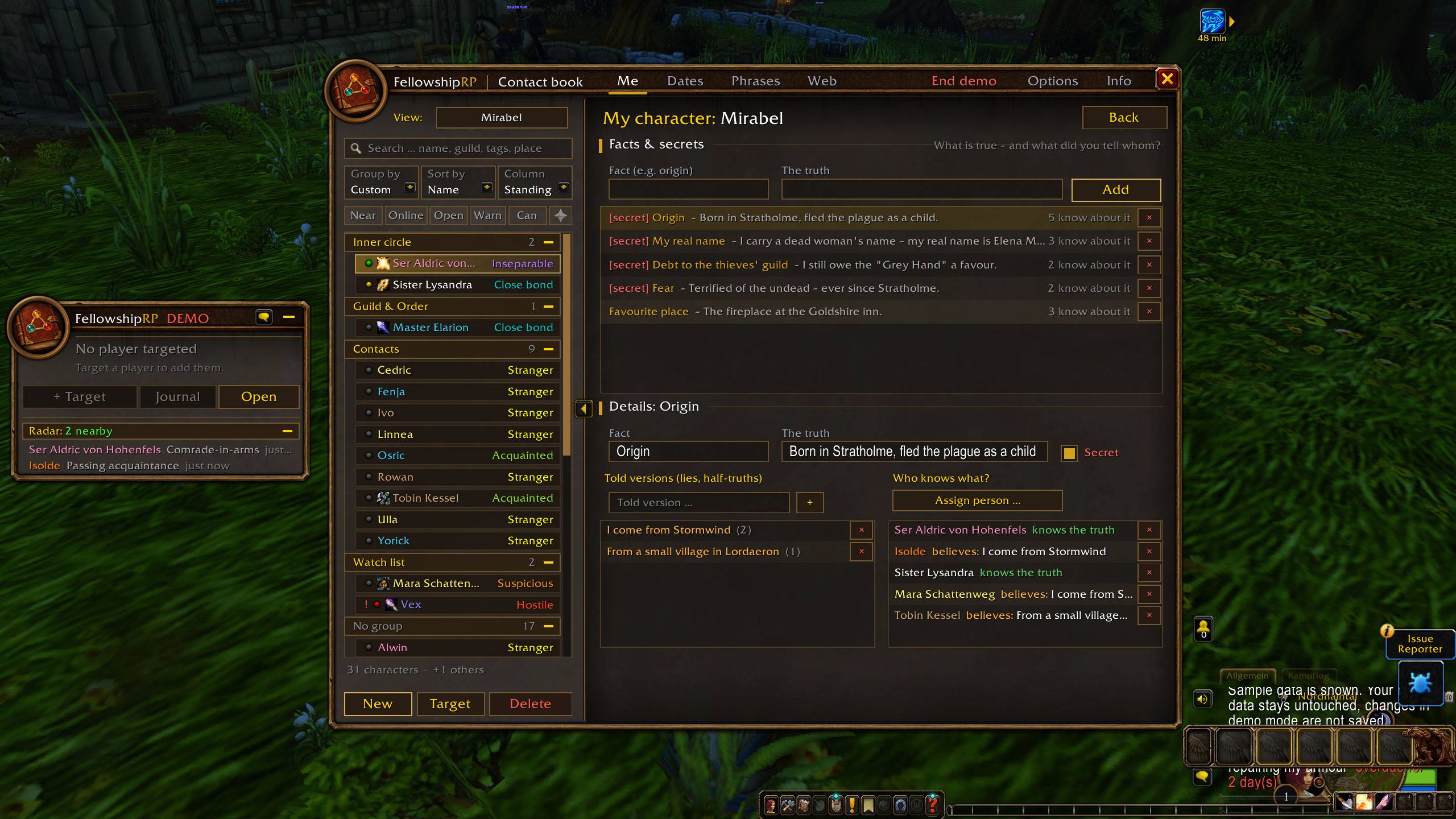
- Define facts about your character, the truth and the versions you told, and track who believes what.
- See at a glance who could expose you, and what each person knows about you.
Relationship web
- A graph of everyone your character knows. An island overview groups people who are connected, and a focus mode shows the rings around one person.
- Side panel for people and connections, filters by relationship type, a tension view and a time slider that shows how the web looked in the past.
Phrase book
- Ready-made roleplay lines sorted by situation, with search and a channel picker (Say, Emote, Yell, Party, Raid, Guild, Whisper).
- Placeholders for your target, your IC name, the zone and a greeting that fits the time of day. Lines can have variants (a different one on each click) or chains (several parts in a row).
- Long emotes are no longer cut off: anything longer than one chat message is split at sentence ends, and each click sends the next part. The input line shows the length before you save.
- Your own situations and lines, favourites in your own order, recently and frequently used lines, and lines saved for a specific person. Click a line to edit it right in the input line; built-in sections you don't need can be deleted and restored later.
- German and English: the built-in phrase book is translated. Hold Ctrl to see and send the other language for as long as you hold it;
/frp phrases de|ensets your base language. - Smart suggestions that follow the scene: thanks or farewell after you have greeted someone, rest after combat or on low mana, a greeting when someone joins your group, lines for the inn, for setting out in a dungeon, and a reunion greeting when you meet someone you haven't seen in a long while. The header tells you why.
- Emote buttons in the quick menu: one button per section, hover for situations and lines, click to send. A Favourites button always comes first, only lines you can send right now are shown (no party lines without a party, no target lines without a target), and Alt pages through longer lists.
Radar, quick menu & tooltip
- See which of your contacts are nearby or online (say/emote/yell, nameplates, target, group, friends, guild and /who).
- A compact, movable quick menu: target info, standing bar, quick note, emote buttons and radar.
- Choose which windows stay visible in combat (quick menu, contact book, phrase book, relationship web); unticked ones hide when combat starts and come back afterwards.
- Your notes in the player tooltip, chat highlighting and map pins.
Easy to get into
- A welcome window on first start with a short tour, a way to add your first contact and the demo mode.
- Simple view for a calm start: contacts, profile, journal, appointments and phrases only. "All features" in the title bar brings everything else back.
- "?" in the title bar lists every click, drag and shortcut; short tips appear the first few times you open a window.
Everything else
- Several characters, each with their own private point of view. Your main and your alt do not share knowledge unless you copy it over.
- OOC tab for player information, a watch list and the player's other characters.
- Demo mode to explore every feature with sample data before adding your own.
- Export/import, automatic backups, a recycle bin and factory reset.
- A gentle reminder after an hour of unsaved changes: WoW only writes addon data to disk when you log out or
/reload. - Self-test and error log for easy bug reports.
- English and German. The language follows your game client; switch any time with
/frp lang en//frp lang deor under Options.
Getting started
/frpopens the contact book,/frp phrasesthe phrase book,/frp tourthe short tour and/frp demothe demo mode.- Target a player and click + Target in the quick menu to add them.
/frp controls(or "?" in the title bar) shows all clicks and shortcuts;/frp simpleswitches the simple view on or off.- Key bindings are under Key Bindings » AddOns » FellowshipRP.
Privacy
FellowshipRP stores everything locally in your WTF folder. It sends nothing to other players or external servers.
Compatibility
Built for WoW Forever (Interface 16001). Other clients are not supported.
Known limitations
- WoW Forever does not let addons read the combat log, so the radar relies on chat, nameplates, target, mouseover, group, friends, guild and /who.
- Online status of people outside your friends, guild and group is checked with a /who query when you click Check online.
- Like every addon, FellowshipRP's data is only written to disk when you log out,
/reloador quit normally. If the game crashes, changes since your last login are lost – the backups cannot prevent that. - Long lines are split only for lines from the phrase book, not for text you type directly into the chat.
Status
Beta (0.9.2). Builds on the first public beta 0.9.0. 0.9.1 added recurring appointments, split long emotes, inn/reunion suggestions, a short tour, a simple view and a controls page; 0.9.2 adds emote buttons in the quick menu, German/English lines with Ctrl and editing right in the phrase book. Now it needs more players and more data. Automatic backups are made when you log out, but an occasional Export of your own is a good idea during the beta.
Found a bug or have an idea? Open the Info page and click Error report (or type /frp report). It creates a text with version, self-test and logged errors that you can copy and send. You can reach me on Discord; the name is on the Info page. Ideas are very welcome!
FellowshipRP Team
