


FastMoveTooltip
- By
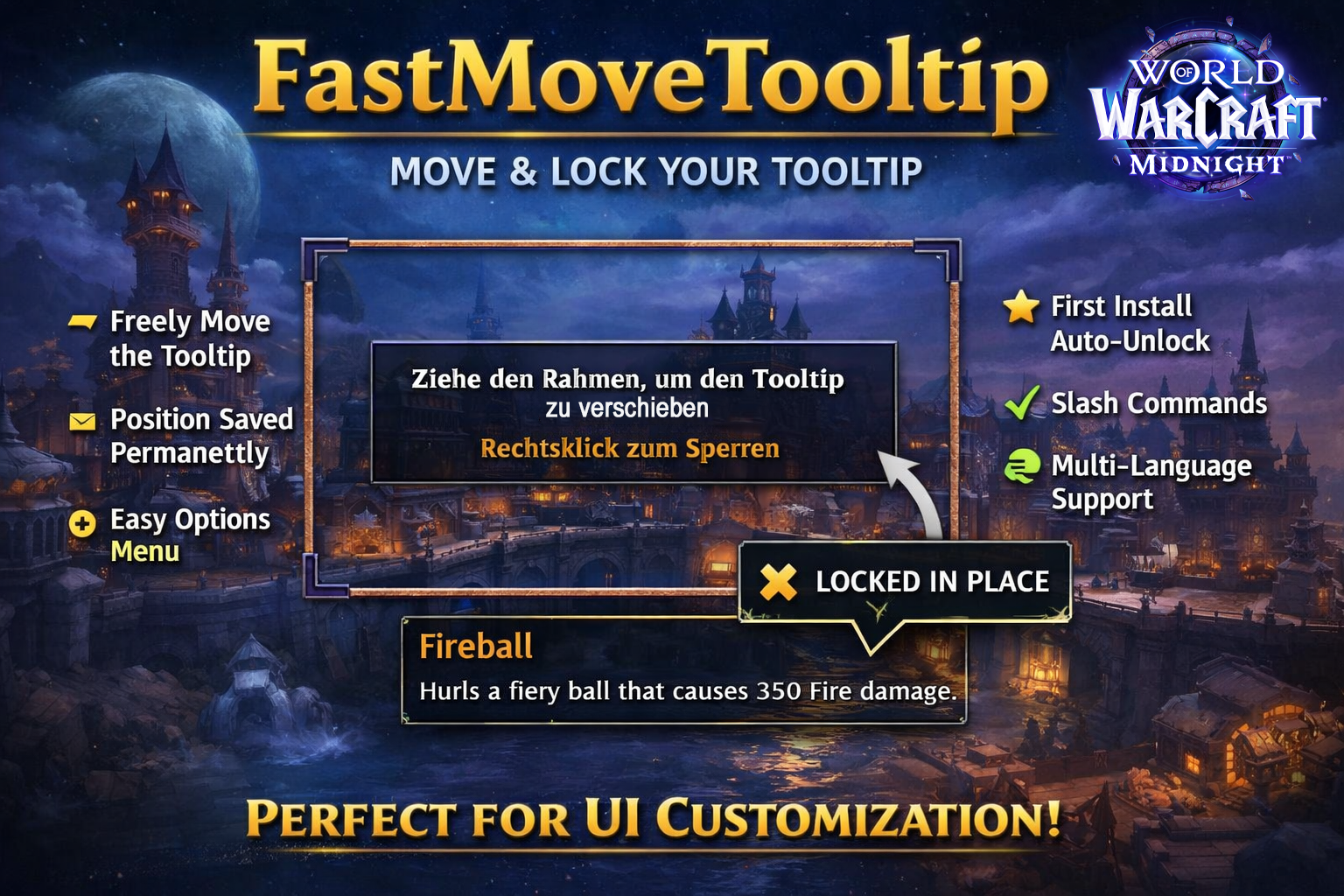
FastMoveTooltip allows you to freely move and permanently save the default World of Warcraft tooltip position.
English
FastMoveTooltip
FastMoveTooltip gives you full control over the default GameTooltip position in World of Warcraft Retail (Midnight / 11.x).
🔧 Features
- Freely move the default GameTooltip
- Position is permanently saved (reload & relog safe)
- Automatic mover frame on first install
- Right-click to lock the position
- Slash commands:
- /fmt unlock
- /fmt reset
- Settings page under: ESC → Options → AddOns → FastMoveTooltip
- Multi-language support (deDE, enUS, frFR, esES, esMX, itIT, ptBR, ruRU, koKR, zhCN, zhTW)
🚀 How to Use
- Install the addon
- On first login the mover frame appears automatically
- Drag it to your preferred position
- Right-click to save
You can later adjust the position anytime using /fmt unlock.
🎯 Philosophy
This addon is intentionally lightweight: No unnecessary features – just a clean, reliable tooltip mover built specifically for WoW Retail.
Perfect for UI customization, stream setups, multi-monitor users, or minimalist interface layouts.
Deutsch
FastMoveTooltip
FastMoveTooltip gibt dir volle Kontrolle über die Position des Standard-Tooltips in World of Warcraft Retail (Midnight / 11.x).
🔧 Funktionen
- Freies Verschieben des GameTooltips
- Position wird dauerhaft gespeichert (Reload & Relog sicher)
- Automatischer Mover beim ersten Start
- Rechtsklick zum Sperren
- Slash-Befehle:
- /fmt unlock
- /fmt reset
- Options-Seite unter: ESC → Einstellungen → AddOns → FastMoveTooltip
- Mehrsprachige Unterstützung (deDE, enUS, frFR, esES, esMX, itIT, ptBR, ruRU, koKR, zhCN, zhTW)
🚀 Verwendung
- Addon installieren
- Beim ersten Start erscheint der Verschieberahmen automatisch
- Rahmen an gewünschte Position ziehen
- Rechtsklick zum Speichern
Später kannst du die Position jederzeit mit /fmt unlock erneut anpassen.
🎯 Ziel
Dieses Addon ist bewusst schlank gehalten: Keine unnötigen Features – nur ein sauber funktionierender, speicherbarer Tooltip-Mover für Retail.
Perfekt für UI-Anpassungen, Streamer, Multi-Monitor-Setups oder minimalistisches Interface-Design.
The FastMoveTooltip Team


Owner



![Titan Panel [TokenChecker] project image](https://media.forgecdn.net/avatars/thumbnails/1921/895/256/256/639197352338614280.jpg)