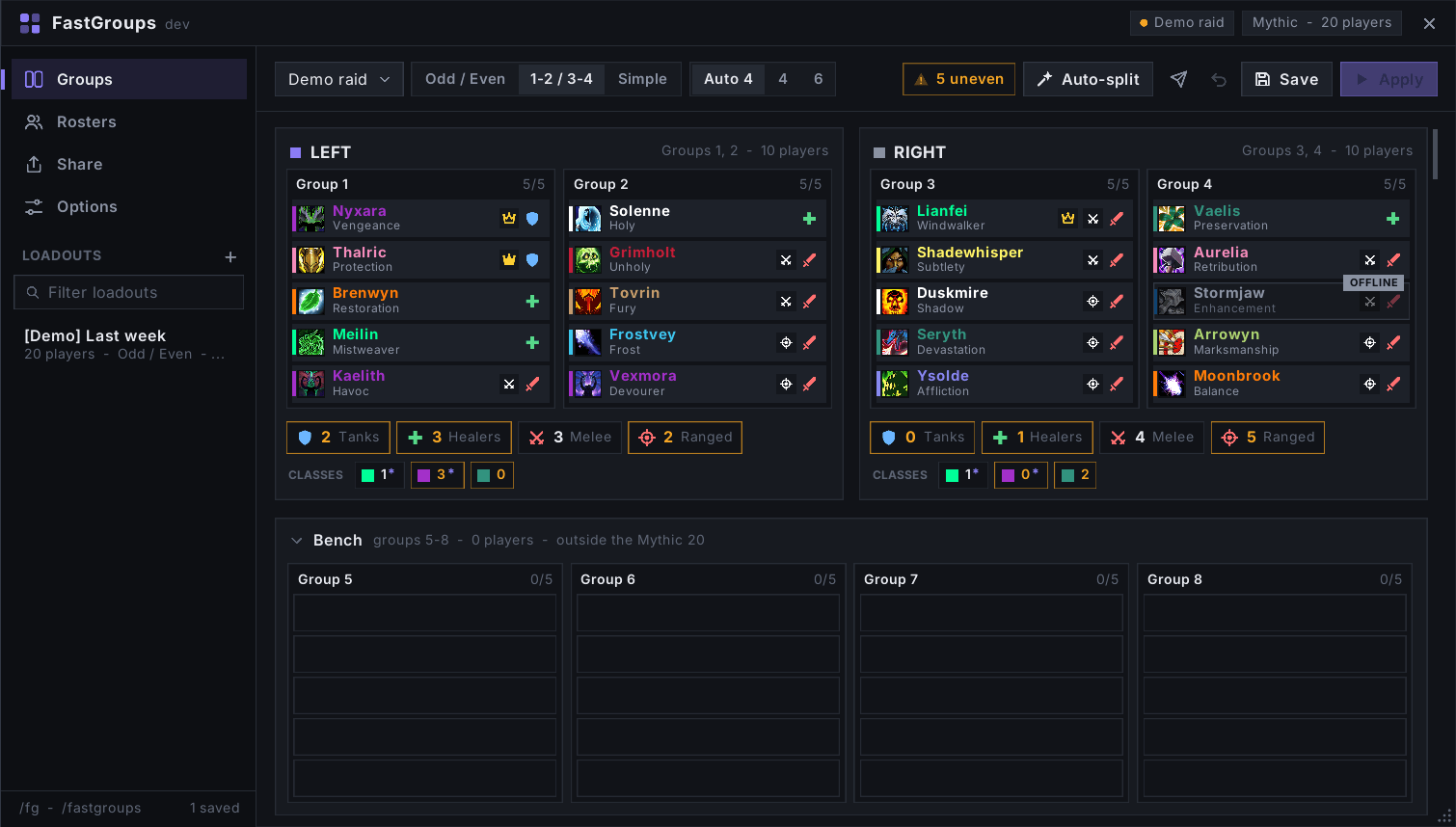
Demo view of the main raid managing screen
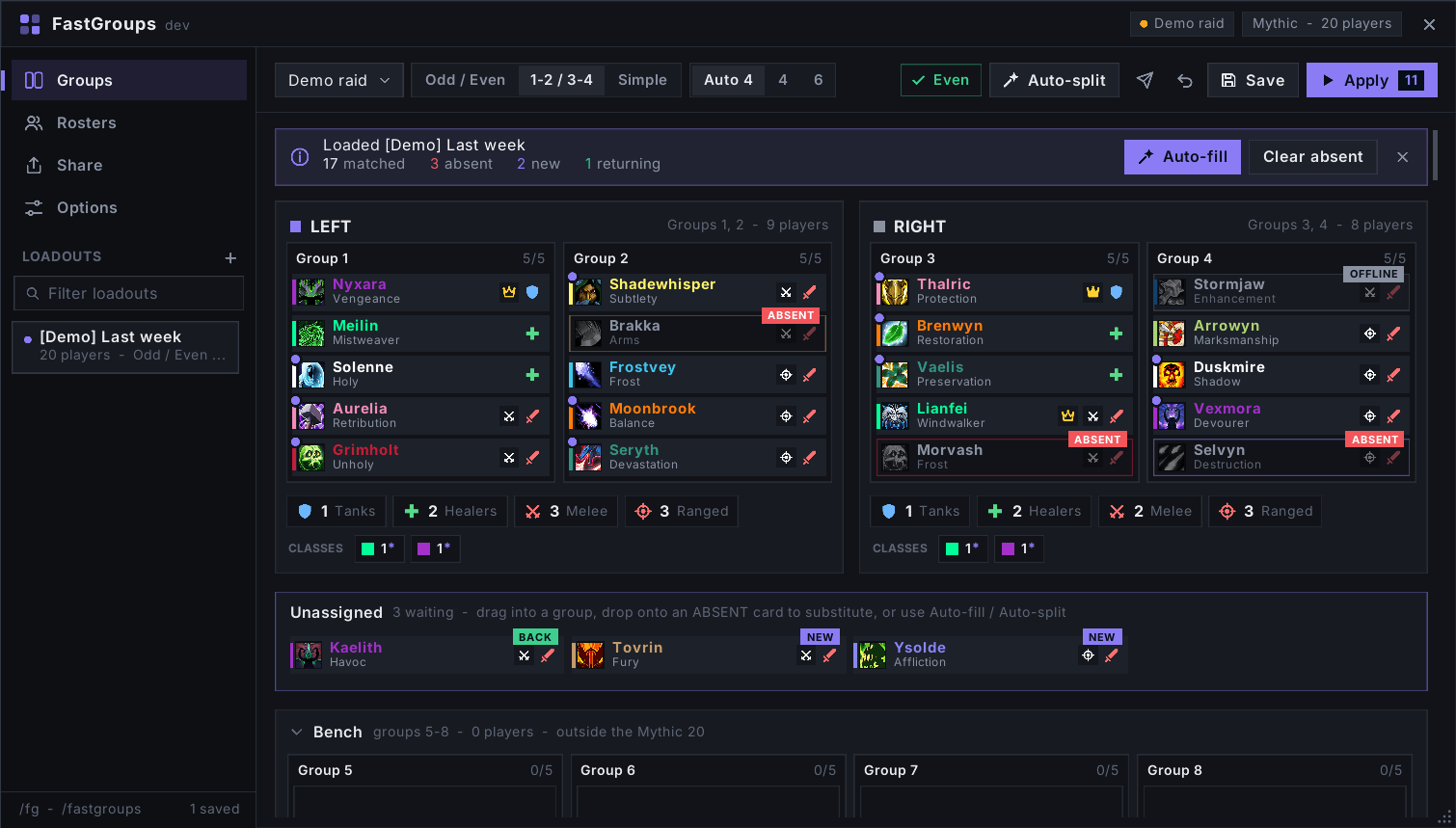
Demo view of loading a previously saved loadout
Description
FastGroups
Raid group sorting for raid leaders. See your raid as raid-frame cards, drag players between groups, split the raid into balanced halves with one click, and save the setup for next time.
Only the raid leader (or the assistant who arranges groups) needs FastGroups. Nobody else in the raid has to install anything.
Why
Players land in raid groups in join order. Many bosses need an equal split, players learn their side from their group number, and healers see raid frames sorted by group. FastGroups makes that setup fast and repeatable.
This is also very useful for PUGs, as you can quickly set up the groups even when the squad is constantly changing from boss to boss.
Features
- Group board: class-colored cards with spec, role and a melee/ranged badge. Drag onto an empty slot to move, onto a player to swap.
- Balanced halves: odd/even (1/3/5 vs 2/4/6) or low/high groups, with tank, healer, melee and ranged counters per half. Or plain groups without halves.
- Auto-split: balances roles and classes between the halves while moving as few players as possible.
- Draft, then Apply: nothing changes in the raid until you press Apply.
- Mythic aware: only groups 1-4 count; groups 5-8 are the bench.
- Loadouts: save setups per boss. Loading one shows who is missing, new or returning, and Auto-fill puts substitutes into the empty slots.
- Rosters: plan groups from your guild before the raid forms.
- Sharing: export strings, or send a loadout in game to another FastGroups user.
- Specs from BigWigs / LibSpecialization broadcasts and quiet, paced inspects.
Usage
/fgopens the window./fg demoshows a fake raid to try everything solo.- Minimap button and addon compartment entry.
Typical raid night: open FastGroups, click the loadout for the boss, press Auto-fill if anyone is missing, then Apply.
Links
- Discord: https://discord.gg/GuRw8M4Arg
- Source, issues and changelog: https://github.com/uNBEx/fastgroups
- License: All Rights Reserved
The FastGroups Team