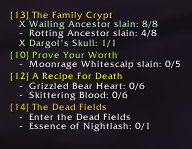
QuestWatch
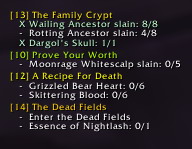
QuestWatch
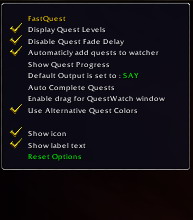
New Options
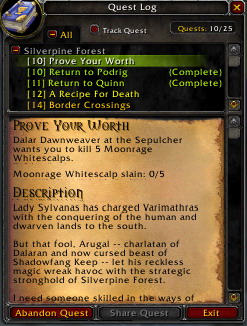
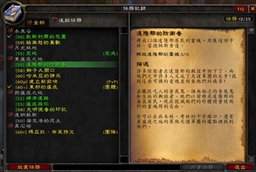
QuestLog
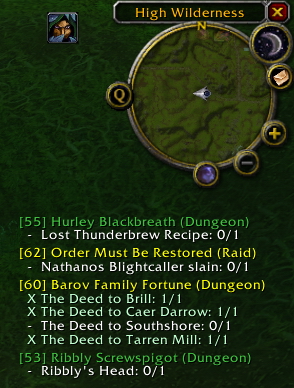
QuestTracker
New Options
QuestWatch
QuestWatch
Description
After a year away from WoW I decided to play again in the expansion. And now that I have couple weeks until it comes out I intend to finish what I have started two years ago. FastQuest is back!
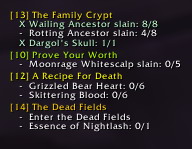
What is FastQuest: It is a small, stand-alone addon that displays quest levels, removes quest fade delay, adds and removes quests to and from quest tracker window, allows you to move the tracker window anywhere, complete quests automatically (this us useful for turn-in quests). It can also notify party/raid members or those near you of your quest progress.
Extra functions in quest log: Right Click Add/remove quests to/from quest watch Ctrl+Left Click - Will display quest information (e.g mobs killed) to your party, raid, etc Shift + Left Click- will paste quest objectives into the chat message you are typing.
Options:
(Titan panel is fully supported and you can toggle all options there, Fubar support may be added in a future.)
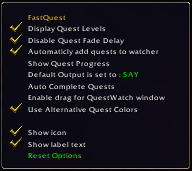
/fq displays list of options.
/fq levels toggles display of quest levels
/fq delay toggles quest fade-in delay
/fq colors toggles between default blizzard color mode (gray, green, yellow, red) and extended color mode that uses hundreds of different shades of these colors to represent the level difference of these quests. It will also highlight the green quests that would turn gray next level.
/fq autoadd toggle automatic quest watch
/fq progress toggles display of your quest progress to your party, raid, guild, or those around you
/fq output toggles between default chat to report the progress to
/fq autocomplete when on will automatically hit continue and compete quest buttons when you are turning in a quest. This is very useful for massive turn-in quests. This option is off by default and not saved.
/fq drag allows you to drag the quest watch window around the screen. The location is not saved so reloging will reset it.
/fq reset resets all options to defaults.
P.S. I localized it for EN, if you can translate it to other languages let me know and I will add them to release.
The FastQuest (-3.xx-) Team