FarmTracker TBC Classic Anniversary
- By
The all-in-one farming & raid companion for TBC. Live Gold/hr, items/hr, group loot feed with ninja detection, mail log, and full farm history in one overlay. Auctionator + TSM price integration. Solo and group support. No configuration needed.
Screenshot 2026-04-23 184424.png
Screenshot 2026-04-23 184407.png
Screenshot 2026-04-23 184433.png
Screenshot 2026-04-23 184441.png
Screenshot 2026-04-23 184446.png
Screenshot 2026-04-23 184453.png
Screenshot 2026-04-23 184504.png
Description
FarmTracker — TBC Classic Anniversary Session Tracker
The all-in-one farming & raid companion for TBC Classic Anniversary. Track gold, loot, items, group drops, mail, and profession output across every session — with auction-house-aware valuations, raid-safe group loot history, and a clean UI that stays out of your way.
⚡ What FarmTracker Does
FarmTracker runs silently in the background while you farm, collecting every piece of data worth knowing: what you looted, what your group members looted, what you earned, how fast you earned it, which zones paid off best, and what your mail is worth. Then it presents all of it in a compact, draggable window — or an even smaller minimal overlay for live monitoring during combat.
Whether you're grinding instanced runs, pulling mobs in open-world farm spots, running raids, or just doing daily quests, FarmTracker quietly measures your performance and remembers everything across sessions.
Core Features
Solo Tab — Items You've Looted
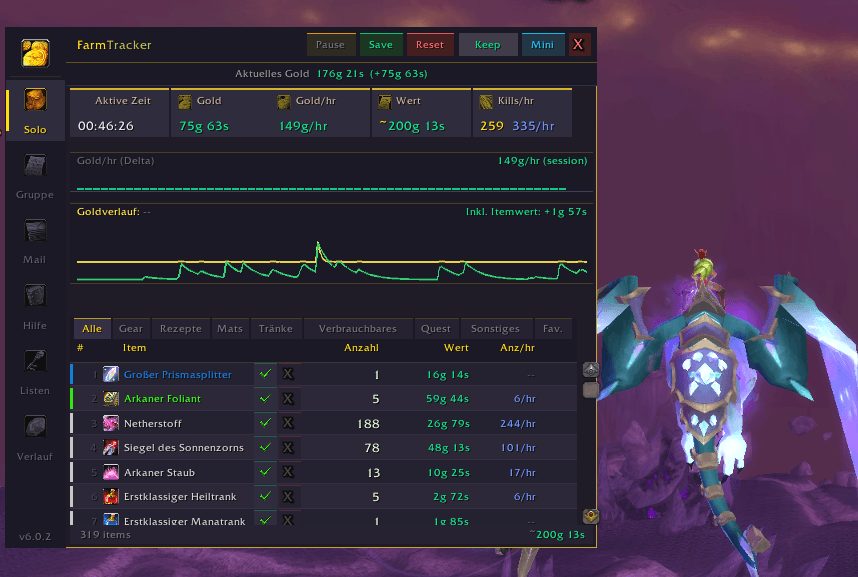
Every item your bags have seen this session, sorted by favorites → quality → count. Shows count, Auction House value, and count-per-hour. Filter by category (Gear / Recipes / Mats / Potions / Consumables / Quest Items / Misc / Favorites). Favorite items you care about, blacklist items you don't. Click any row to see the tooltip.
The list holds everything the session found — no fixed row limit, no drops falling off the bottom.
Group Tab — Persistent Group Loot Log
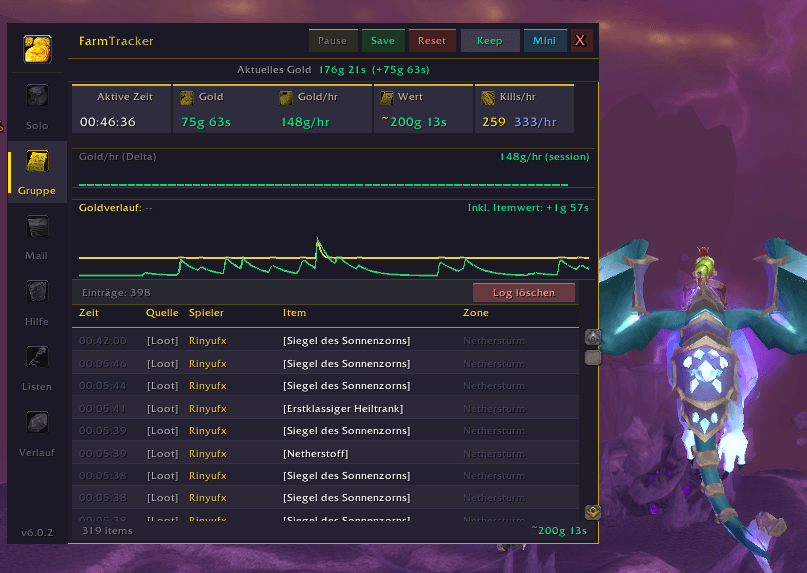
Every loot event in your group or raid, with the name of the player who took it. Live, as it happens, with ninja-detection colour coding: epics taken by others flash red, rares flash orange. Each drop carries the in-game clock, and hovering it gives you the item tooltip.
"Who got the Tier token?" — you already know.
Survives session resets, and auto-saves across /reload and logout. Come back to town after the raid, make coffee, and still check who got what hours later. A sound plays when someone else takes an epic, in case you were watching the boss and not the chat.
Clears only on an explicit button press (shift-click, with confirmation).
Mail Tab — Money In/Out
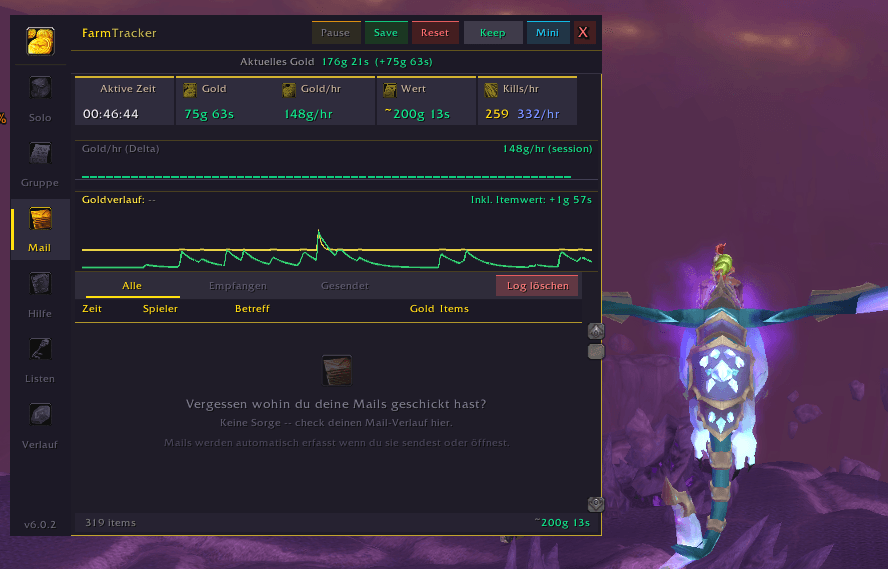
Sent mails, received mails, attachments, gold transferred. Drill into any mail to see exactly what was attached. Filter by sent-only, received-only, or all.
History Tab — Session Archive + Analysis
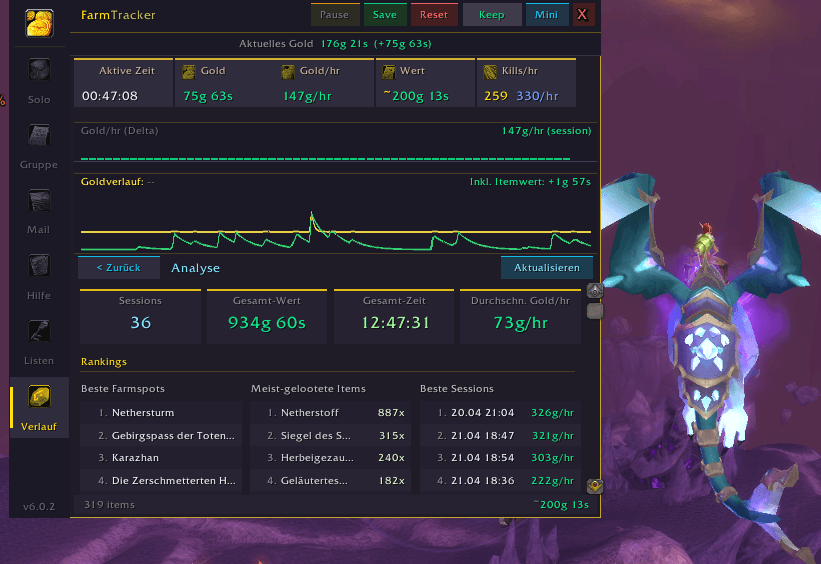
Automatically saves every session when you reset, return to a resting zone, or go inactive for 15 minutes. Each saved session keeps a full item breakdown, zone time distribution, gold delta, active time, and dungeon run count — and one session gets exactly one entry, however many times you reload.
The Analysis view aggregates across all sessions: best-paying zones, most-looted items, top sessions by gold/hr, and trend charts.
Lists Tab — Favorites & Blacklist Management
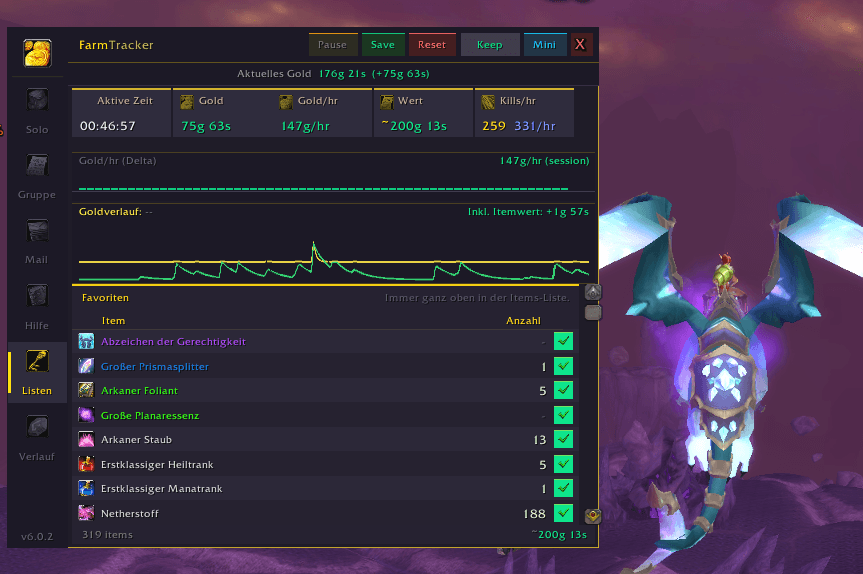
Fast-access UI to manage your favorited items (always pinned to top) and blacklisted items (hidden from all tracking).
Help Tab — Settings & Tools
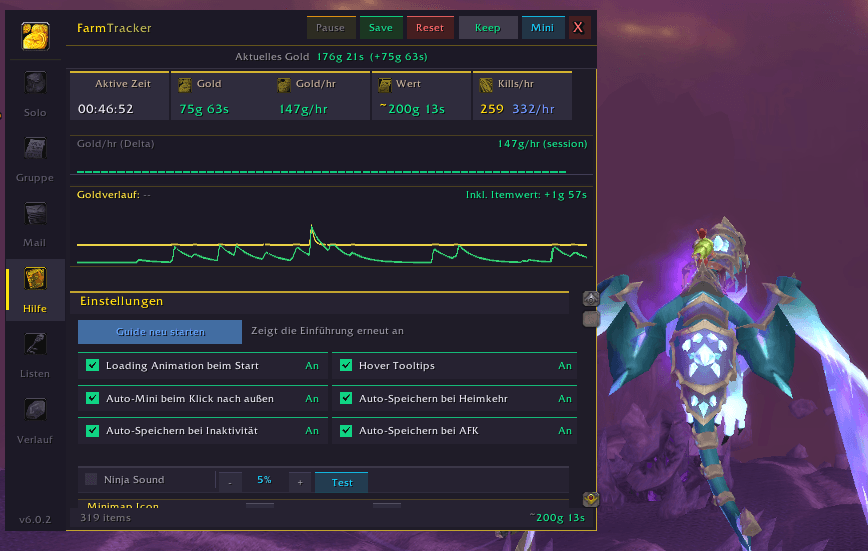
All toggles in one place: auto-save-on-resting, inactivity timer threshold, tooltips, ninja sound volume, minimap button size, UI scale for both main and mini windows. Plus diagnostic tools, session name management, and the guide walkthrough.
More Tab — My Other Addons
What else I build for TBC Anniversary, with a copyable link and a live check of whether you already have it.
Auction House Price Integration
FarmTracker values every item using a 5-source price cascade that checks your addons in priority order:
- TradeSkillMaster (TSM)
- Auctionator — full support for the modern Auctionators, and legacy SavedVariables layouts
- Auctioneer (Auc-Advanced)
- Oribos Exchange
- RECrystallize
If you have any of these installed, FarmTracker reads their price data automatically. Vendor price is used only as a grey-quality fallback (never misleading values for greens/blues/epics). Full diagnostic output via /farm auctcheck shows which sources are detected and exactly which API path delivered each price.
Prices refresh when you leave the auction house, so the value on the card is the value your data actually supports.
Profession-Aware Session Value
When you disenchant, prospect, or mill a tracked item, FarmTracker automatically removes that item's price from your Session Value and Gold/hr. The output materials (dust, essence, shards, pigments, gems) are tracked separately with their own prices.
No more double-counting "I looted a 50g green AND 16g of dust from disenchanting it" as 66g — you get the accurate 16g of actual profit.
Matched by spell ID, not by name, so it works identically on a German and an English client. Cloth-into-bolt tailoring is covered too.
Earning vs. Trading
Anyone can subtract the gold you started with from the gold you ended with. That number is a lie the moment you sell to a vendor, repair, buy reagents or open the mail.
FarmTracker knows the difference. It recognises when a vendor, mailbox, auction house, trade, bank or guild bank window is open — and everything that moves through one of them is a transaction, not a farm. It never lands in your gold/hr, and items that arrive that way are never counted as loot you farmed.
Sell a looted green and it is counted once, as the item. Not twice.
Smart Metrics (Chart-Accurate)
Gold/hr — EMA-smoothed for stable readings, not jumpy. Shows a cold-start estimate immediately on new sessions. Kills/hr — Live counter of mobs your group killed (PARTY_KILL based, not UNIT_DIED spam). Per-item count/hr — How fast is each item dropping? Identify farm-rate outliers. Gold delta chart — 30-sample rolling bar chart showing income trend over the session; transactions are filtered out, so a single 2000g vendor trip doesn't flatten the chart scale or show as a huge negative bar. Zone time distribution — Percentage of active time spent per zone, saved per session for route optimization.
Smart Automation
FarmTracker saves you from forgetting to save sessions:
- Auto-Save on Resting — Entering a city, inn, or sanctuary saves the current session to history and resets. Configurable toggle.
- Auto-Save on Inactivity — No loot or gold change for 15 minutes? Session gets saved and reset. Threshold adjustable.
- Auto-Collapse Outside — Clicking outside the UI collapses it to mini mode. Less clutter while you play.
- Blank sessions never save — If you haven't looted anything, no empty history rows get created.
- Every Reset saves first — Main window, mini window, Lists tab or
/farm reset: a non-blank session always goes to history before it is cleared. - Reset has to be HELD, not clicked — it sits between Pause and Save. A short hold fills the button; let go early and nothing happens. One slip should not cost you an afternoon.
Your Session Survives a Reload
Loot, gold, the clock, kills, dungeon runs and zones — all of it comes back after a /reload or a relog. Reload mid-farm and pick up exactly where you left off. On by default, switchable in the Help tab.
Two UI Modes
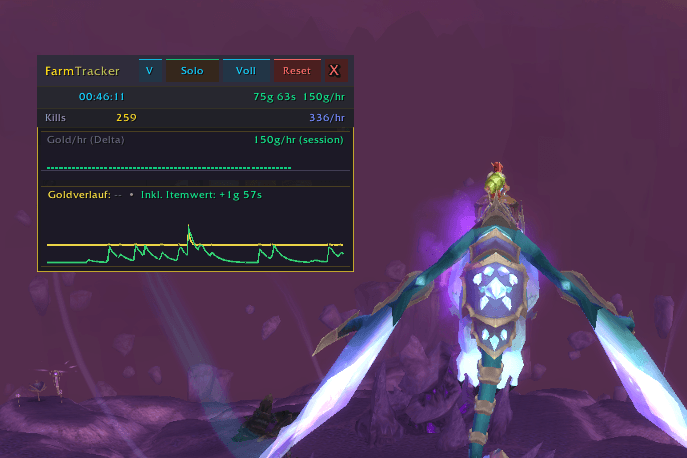
Full View (580×510 draggable window) — Complete tab interface for deep dives and management.
Mini View (compact overlay) — Minimal live display showing session timer, gold delta, gold/hr, kills/hr, item counts, and a live loot feed. Two sub-modes:
- Solo Mode — your farmed items, sorted by favorites + quality + count
- Gruppe Mode — live loot feed of all group members with ninja highlights
Scale both windows independently (0.60× – 1.50×). Drag freely; positions are remembered.
Integration with Other Addons
LibDataBroker-1.1 + LibDBIcon-1.0 support — If you drop these libraries into FarmTracker/Libs/, FarmTracker registers as a standard data broker. Your minimap button, Titan Panel, Bazooka, ChocolateBar, and ElvUI DataBars will all show live gold/hr text from FarmTracker. Zero configuration.
No libraries required — If you don't install the libs, FarmTracker uses its own built-in minimap button. Either way works. Nothing is embedded, and nothing is mandatory.
Slash Commands
/farm -- Toggle main window
/farm help -- Full command list
Localization
Full German (deDE) and English (enUS/enGB) translations — every UI string, every tooltip, every chat message. Locale is auto-detected from your WoW client — no configuration needed. Other locales fall back to English.
Loot parsing works across 11 locales for multilingual groups (deDE, enUS, frFR, esES, itIT, ruRU, ptBR, koKR, zhCN, zhTW, zhTWClient). Play in mixed-language groups without losing loot log entries.
Privacy & Data
- All data stays local in your SavedVariables file. Nothing is transmitted anywhere.
- Account-wide storage — every session in the history is stamped with the character and realm that farmed it, so you can tell them apart at a glance. Favorites and the blacklist are shared across your account.
- Up to 50 saved sessions + 600 group loot entries. Old entries roll off automatically.
- Settings persist across /reload, logout, and WoW restarts.
Client: TBC Classic Anniversary (Interface 20506 / game version 2.5.6) — tested on EU Thunderstrike Anniversary and compatible clients.
Feedback & Support
Found a bug? Have a feature request? Open an issue on the CurseForge comments page or reach out directly. FarmTracker is actively maintained and updated based on player feedback.
Creator: Rinyufx License: All Rights Reserved — Copyright (c) 2026 Rinyufx
FarmTracker is built by a dedicated TBC Classic Anniversary player, for TBC Classic Anniversary players. Every feature exists because I wanted it for my own daily farming. If you find it useful, a thumbs-up on CurseForge goes a long way.
The FarmTracker TBC Classic Anniversary Team