FarmsForever
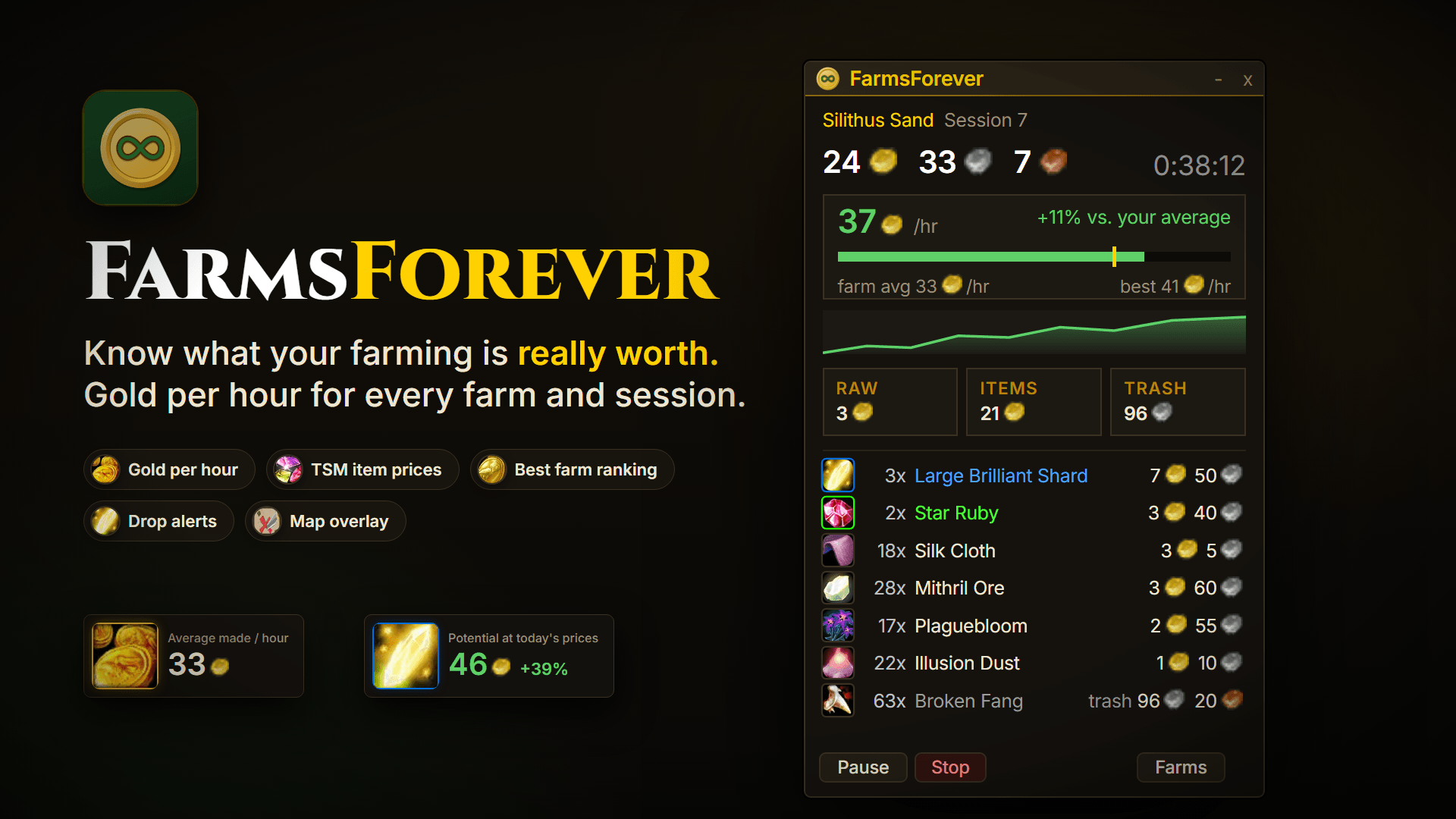
Know what your farming is really worth. Track gold per hour for every farm, value loot with TradeSkillMaster prices, and see which farm pays best right now. Includes live session window, drop alerts and a farm-area map overlay.
1-hero.png
2-farm-overview.png
3-farm-sessions.png
4-session-window.png
5-settings.png
Description
Stop guessing. Know what your farm is worth.
FarmsForever measures how much gold per hour you make from the things you farm, and tells you which farm pays best right now.
Start a session and farm. The addon counts your looted gold, your trash at vendor price, and everything else at the price you choose (TradeSkillMaster price sources such as DBMarket). When you stop, you get a recap. Over time you build a list of farms and sessions to compare.
The idea in 30 seconds
- Farm: something you repeat, like "Silithus Sand" or "Ogre camp". It has a name, a zone and a price source.
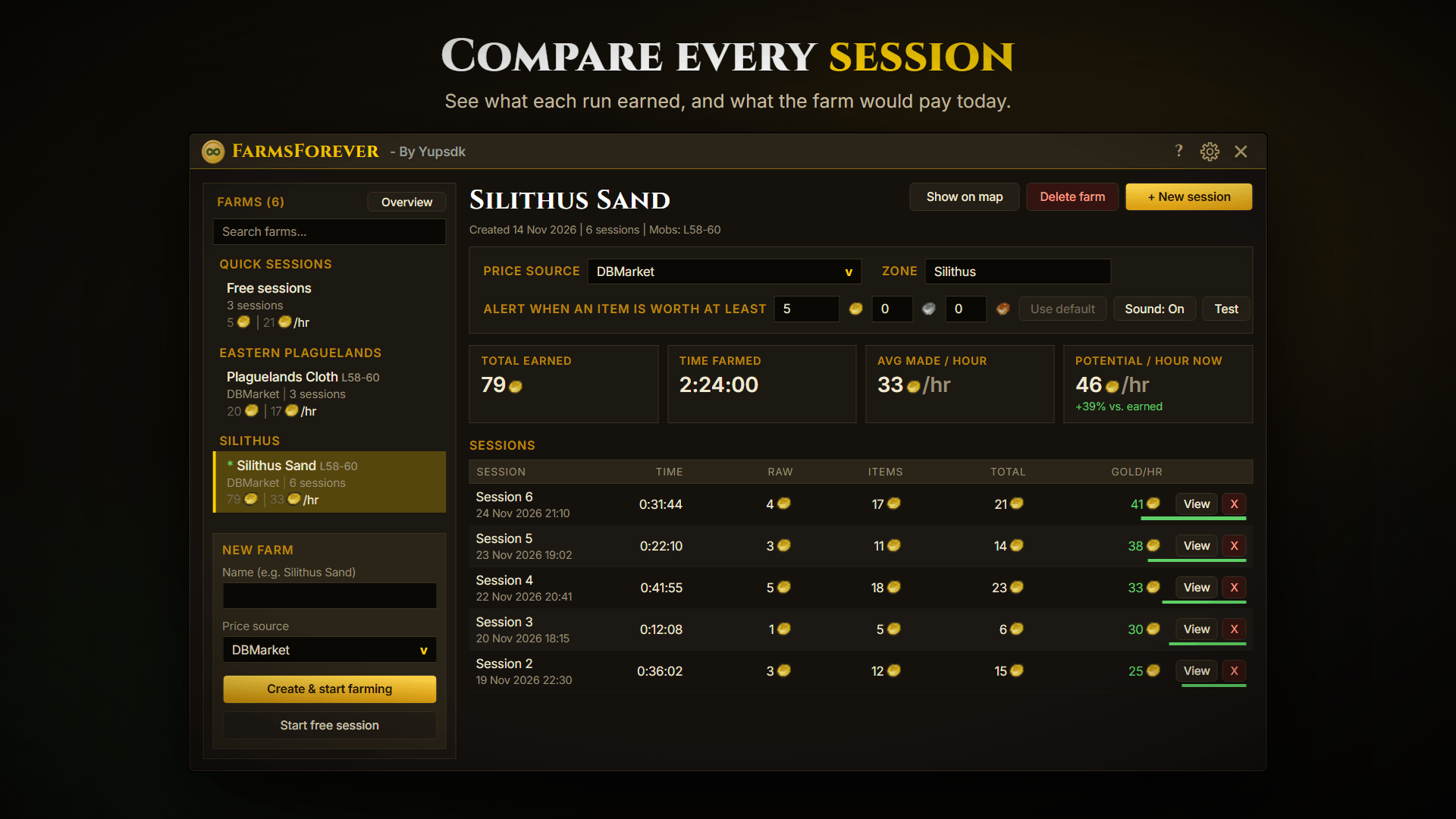
- Session: one timed run of a farm. Start it when you begin, stop it when you are done.
- Gold per hour: what you earned divided by the time the session was running.
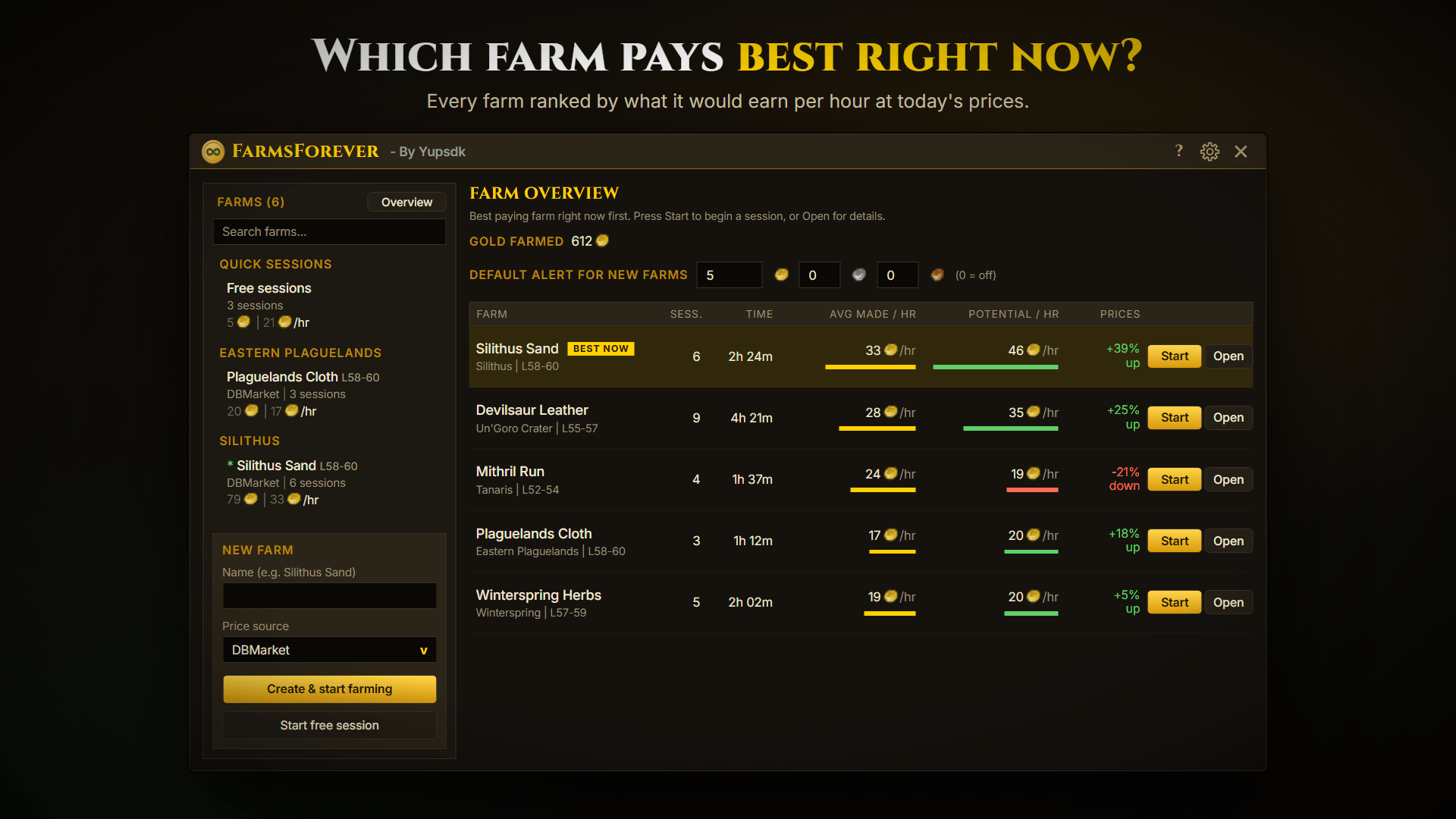
- Overview: every farm ranked by what it pays right now. Prices are saved when a session ends, so you can see whether they have gone up or down since you farmed.
Features
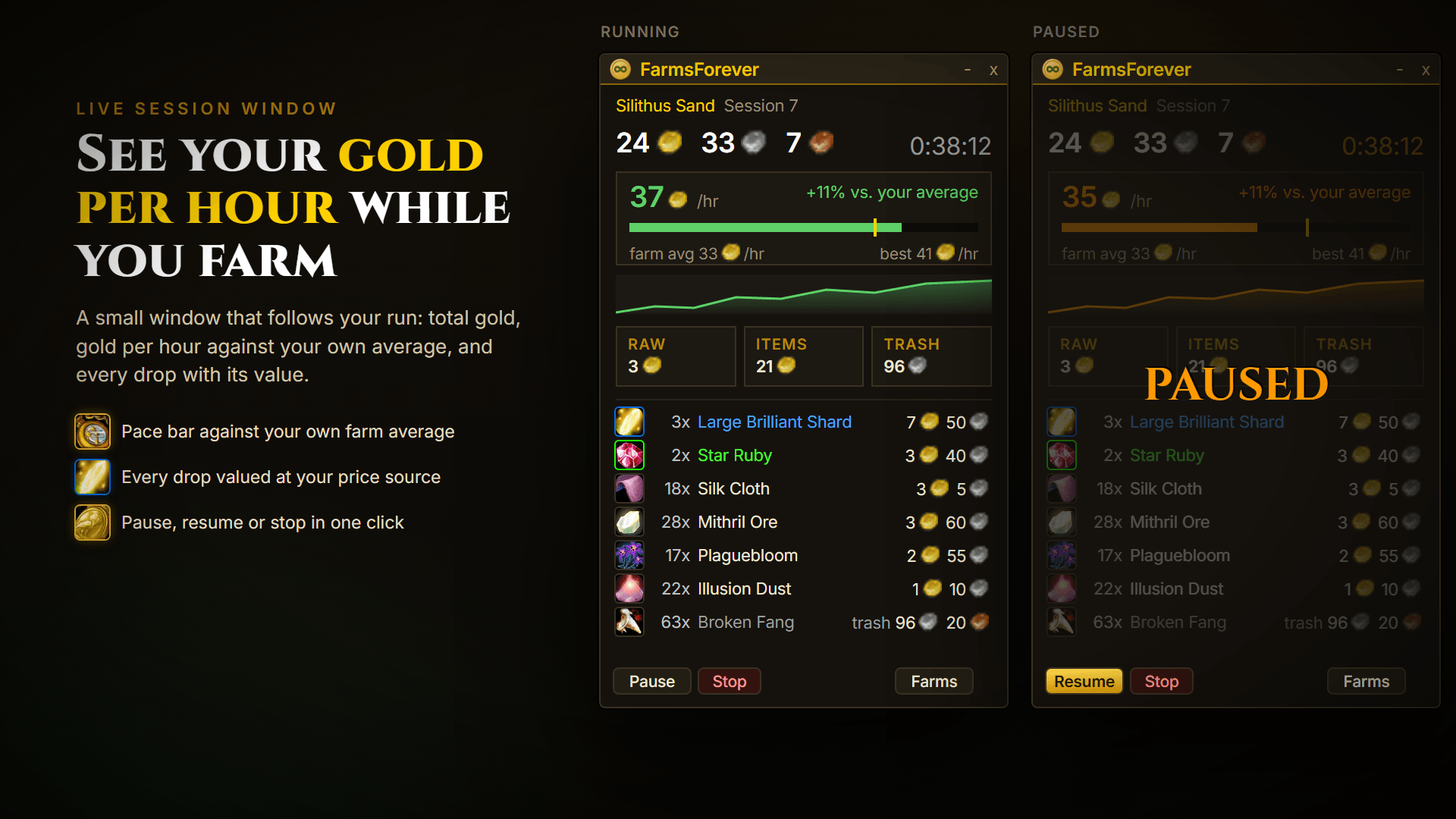
- Live session window: small, clean and resizable. Shows your total, gold per hour, raw gold, items and what just dropped. Pause, resume or stop from it.
- Recap when you stop: time, total, gold per hour, looted gold, items, trash and your best drop.
- Farm overview: all farms side by side with earned gold per hour, gold per hour at today's prices, and whether prices went up or down.
- Item values with TradeSkillMaster: pick any TSM price source or a custom price string per farm.
- Ignore items per farm: right-click an item to leave it out. Quest items are skipped automatically.
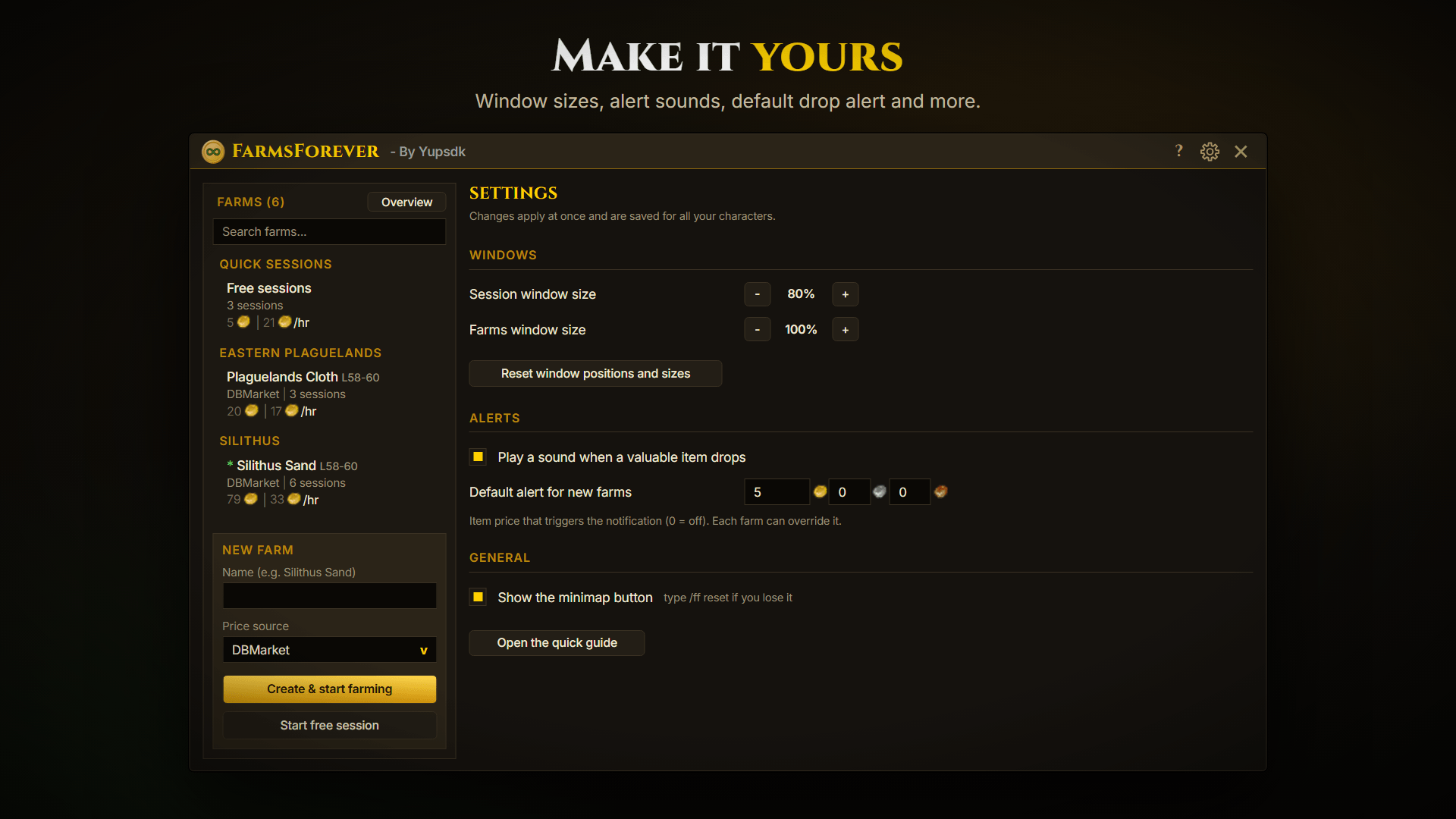
- Valuable drop alert: an auction house sound and a pop-up when something worth more than your threshold drops. Set a default for new farms and override it per farm.
- Show on map: draws your farming area on the world map. Hover it to see the farm name and its gold per hour right now.
- Mob levels: see the minimum and maximum mob level for each farm.
- Automatic zone: a farm's zone is set from your first kill.
- Search your farms, resizable windows and a minimap button.
- A quick guide opens the first time you use it (
/ff guideshows it again).
How to use it
- Click the minimap button or type
/ff. - Create a farm (name and price source) and press Create & start farming.
- Farm, and watch the session window. Press Stop for your recap.
- Open the Overview any time to see which farm pays best.
A session keeps running when you close the windows. It pauses when you log out or reload.
Slash commands
| Command | What it does |
|---|---|
/ff |
Open the Farms window |
/ff hud |
Toggle the session window |
/ff guide |
Show the quick guide |
/ff reset |
Bring back a hidden minimap button |
/ff debug |
Print diagnostic messages (for bug reports) |
/farmsforever and /yf work too.
Requirements
TradeSkillMaster is optional but recommended. Without it you still get raw gold and trash value, but item values need TSM prices.
Good to know
- Mob levels are read when you target a mob, mouse over it, or see its nameplate. Turning on enemy nameplates gives the most complete data.
- Kill locations, mob levels and zone detection don't work inside instances. They are for the open world.
- Prices come from your price source when you loot and when a session ends, so your numbers are only as current as your TSM data.
Found a bug?
If something goes wrong, a small window opens with the error text so you can copy it. Please paste that text, and what you were doing, in a comment or issue. /ff debug prints extra information that helps.
FarmsForever Team