Familiar Faces
- By
Remember your dungeon and questing companions with searchable party history, player notes and favourites.
familiar-faces-adventures.png
familiar-faces-companions.png
familiar-faces-drafts.png
familiar-faces-forgetting.png
familiar-faces-party.png
Description

Remember the people you adventure with.
Ever finish a great dungeon run and forget the name of the healer who saved it, the tank who explained the bosses, or the companion who made questing fun? Familiar Faces keeps a personal adventure journal so good company is easier to find again.
Every party has a story
Automatically remember dungeon and outdoor parties, including player names, realms, classes, dates and locations.
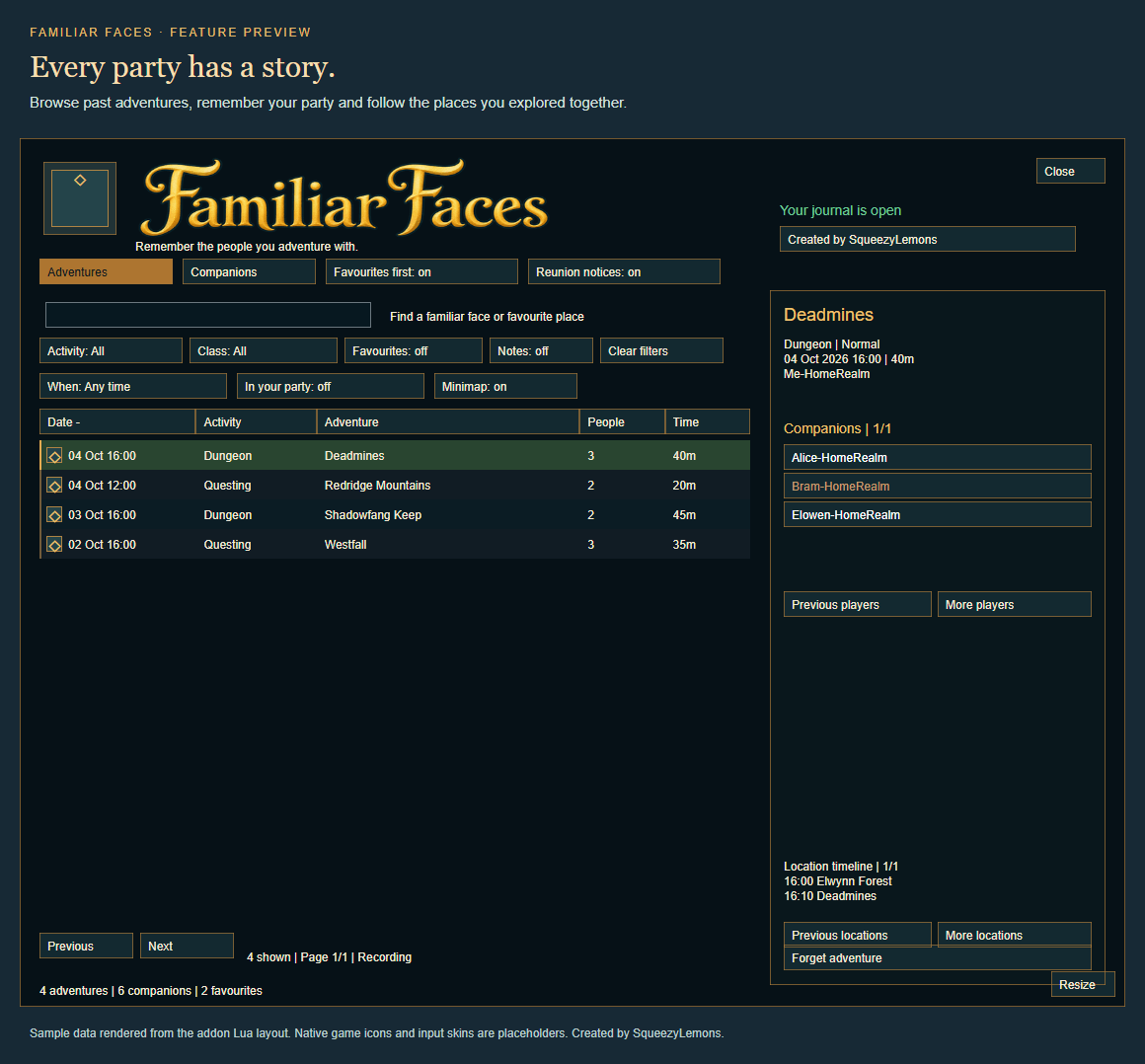
Browse the Adventures tab to see previous parties, activities, locations, party sizes and recorded durations. Select an adventure to explore its companions and location timeline.
A continuous party stays together in one entry. Member changes, entering a dungeon and leaving together update that adventure instead of creating separate entries.
Add an adventure note to remember the whole experience, or pin a memorable run to keep it above other entries. Search your adventure notes or use the Pins filter to find favourite memories.
Find your familiar faces
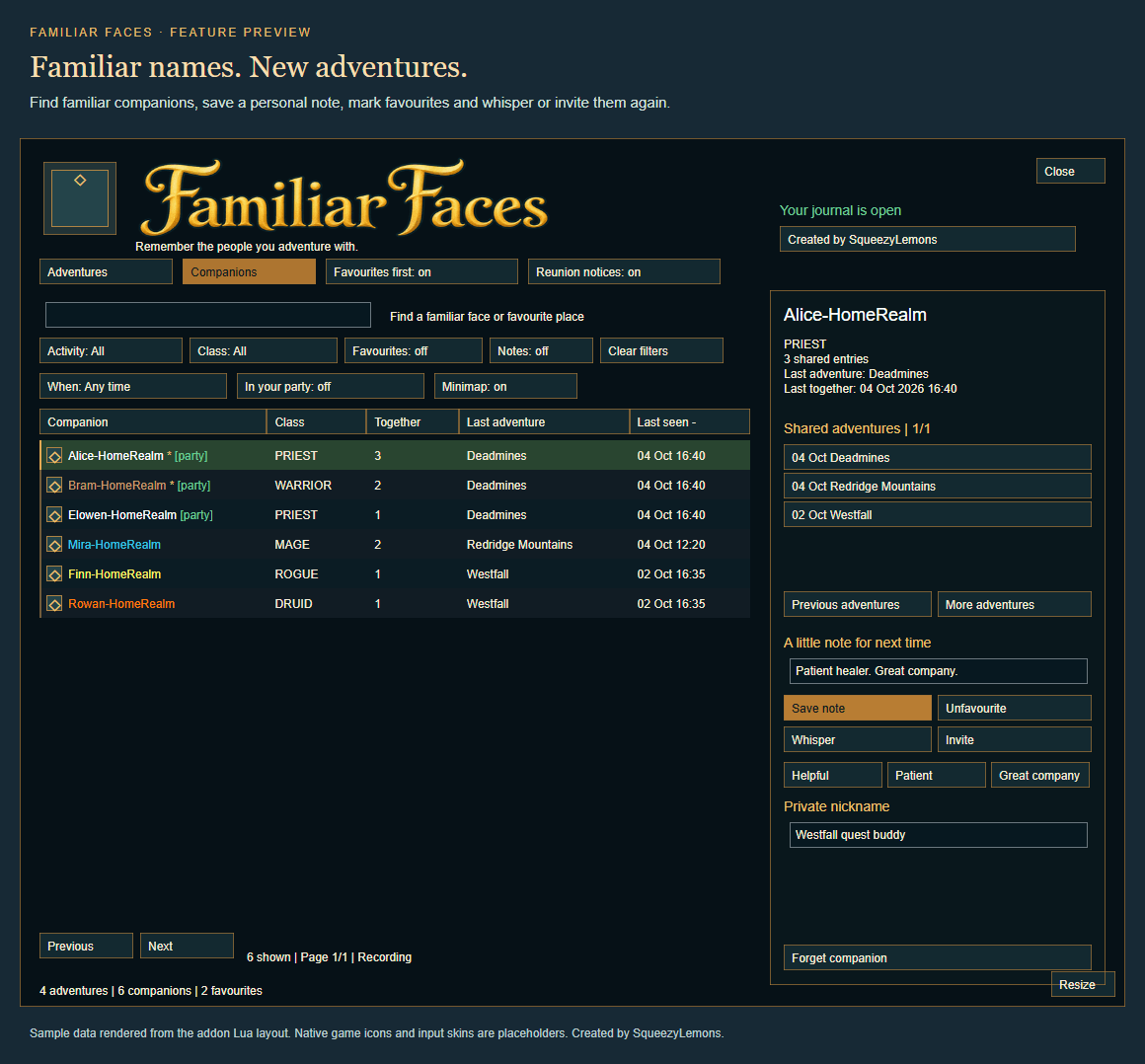
The Companions tab brings together everyone you have recorded, with class-coloured names, shared-party counts, last adventures and last-seen dates.
- Search names, realms, places, your characters, notes, nicknames and tags.
- Filter by activity, class, favourites, companions with notes or private tags.
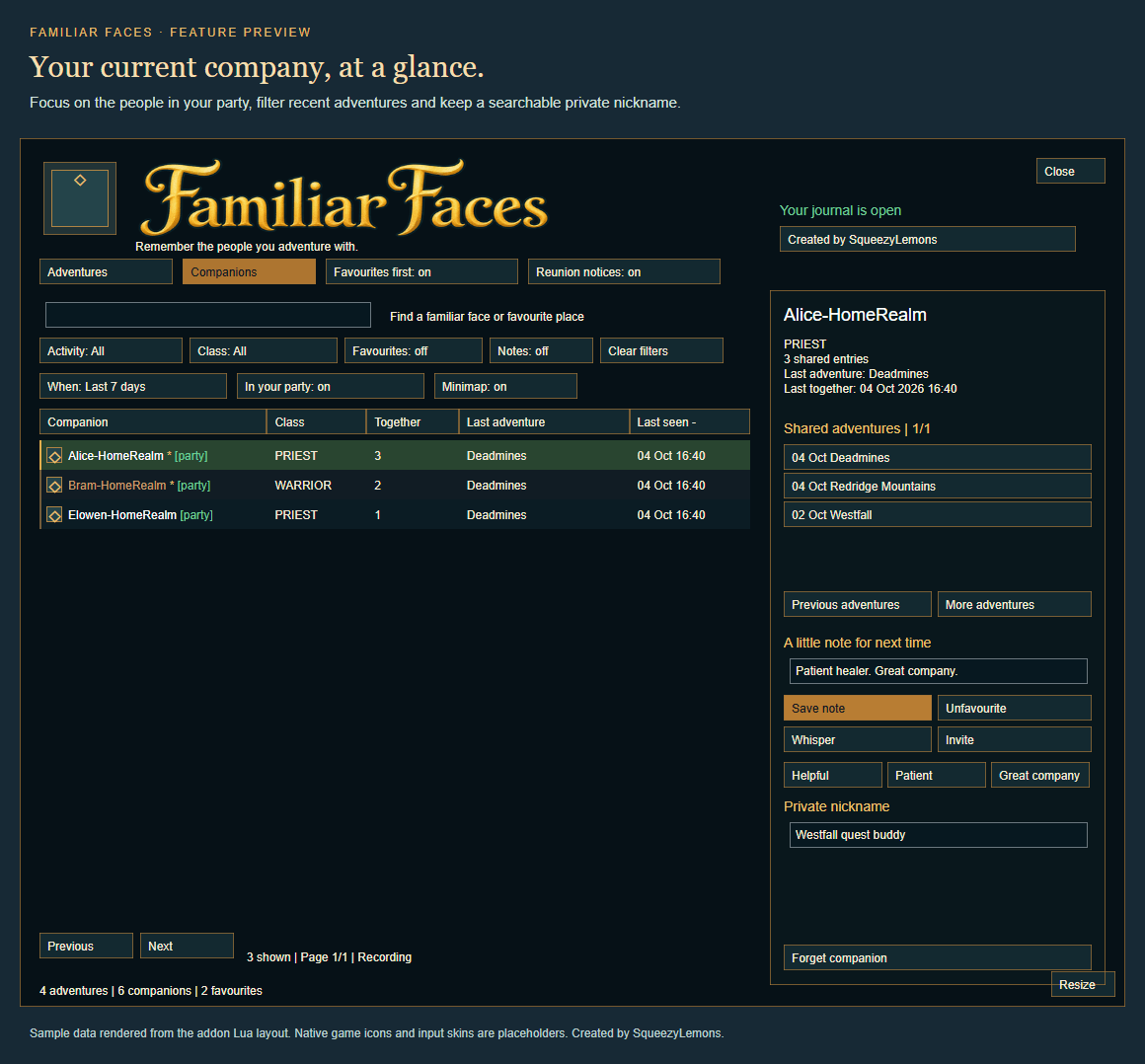
- Narrow your history to the last 7 days or 30 days.
- Identify current companions with green party markers and the In your party filter.
- Open Recent companions to find everyone from your latest recorded party, even after it ends.
- Sort the tables and optionally keep favourite companions at the top.
- Browse a companion’s shared adventures and see your first saved adventure, latest adventure and total recorded parties together.
- Open a whisper or send an invitation through the game’s normal social functions.
Make each memory personal
Write a note, save a private nickname such as “Westfall quest buddy”, or mark someone as a favourite.
Use Helpful, Patient and Great company prompts to quickly add to your note. Organise companions with private Helpful guide, Quest buddy and Run again tags.
Click Save note to save the note and nickname. Tags save when toggled.
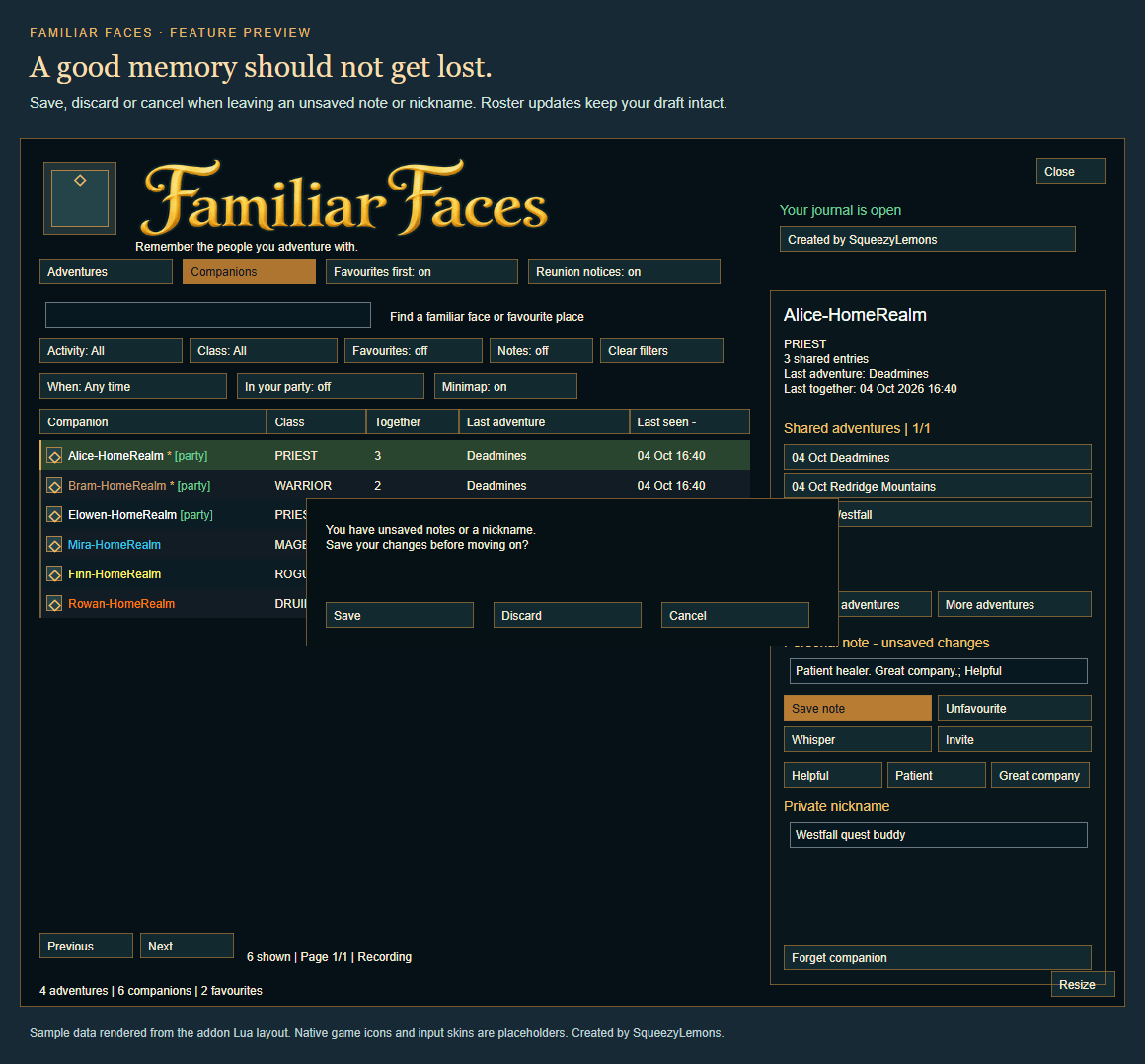
Unsaved notes are protected: when moving to another companion or adventure, or closing the journal, choose Save, Discard or Cancel. Incoming roster and location updates keep your draft intact.
Recognise a reunion
Optional reunion chat notices remind you when someone from your saved history joins your party. See your previous adventure and personal note without opening the journal.
Notices appear at most once per companion per party during the current addon session. Repeated roster updates and dungeon transitions do not repeat them. Your notice and sorting preferences are saved.
Keep the memories you want
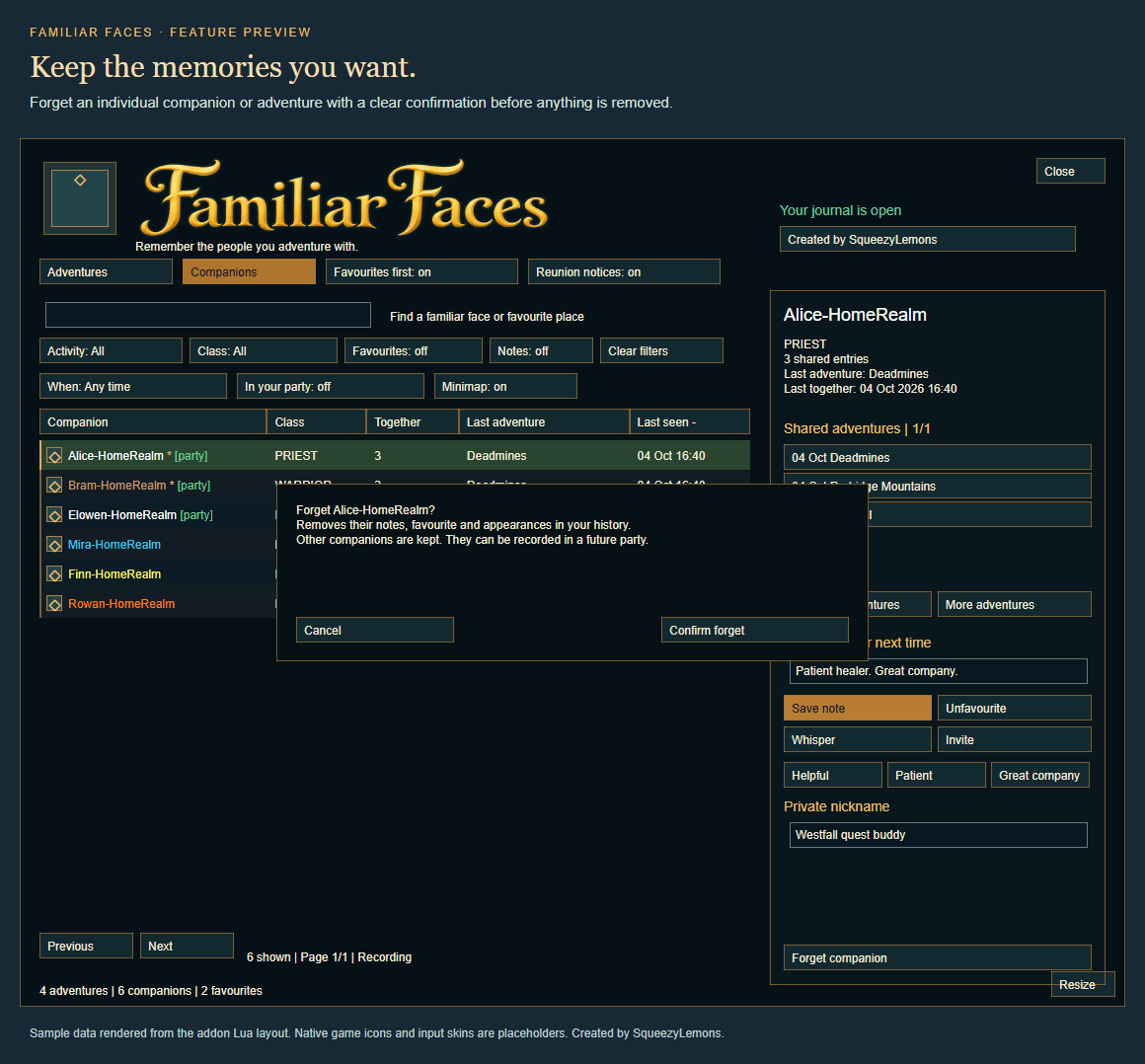
Forget individual adventures or companions with a confirmation before anything is removed.
Forget adventure removes one entry and updates encounter counts while retaining companion profiles. Forget companion removes that person’s profile and appearances from history while retaining other players.
Forgotten companions can be recorded in a future party. Removing an active adventure prevents its entry from immediately returning.
Pause recording whenever you like, or clear the entire journal with an explicit confirmation command.
Keep a backup
Choose Export backup to copy a text snapshot of your complete saved journal and settings, including notes, nicknames, tags and pinned adventures.
Large backups use numbered parts. Copy them into one text file in order without adding separators. The export contains private names and notes, so keep it somewhere private. It provides a text archive for safekeeping; there is no automatic import button.
A welcoming journal
Enjoy a stylised gold title, teal panels, native game icons and a movable, resizable window that remembers its placement and scales down for smaller screens.
Open it through the optional draggable minimap button, or hide that button using the journal toggle. Hover for full names and details.
Use Tab to move between search and detail fields. Enter opens the first search result or saves detail edits. Escape cancels the unsaved-change prompt.
Commands
| Command | Action |
|---|---|
/ff or /familiarfaces |
Open or close the journal. |
/ff pause |
Pause recording. |
/ff resume |
Resume recording. |
/ff notices |
Toggle reunion notices. |
/ff minimap |
Show or hide the minimap button. |
/ff reset window |
Reset window size and position. |
/ff export |
Open the journal backup. |
/ff clear |
Show clearing instructions. |
/ff clear confirm |
Erase all saved history and companion details. |
Compatibility and privacy
Designed for WoW Forever 1.60.1, interface 16001.
History begins when installed; earlier parties cannot be recovered. Outdoor parties are labelled Questing. Raid, battleground and arena groups are excluded. Recorded parties and durations do not verify dungeon completion. First/latest summaries reflect the history you have kept.
Your journal stays local to your WoW account. No chat logging, telemetry or automatic sharing of personal notes, nicknames or tags. No addon dependencies.
Created by SqueezyLemons
Familiar Faces Team