


Faghul
Screenshot 2026-11-04 001044.png
Screenshot 2026-11-04 001218.png
Screenshot 2026-11-04 001146.png
Screenshot 2026-11-04 001130.png
Screenshot 2026-11-04 001108.png
Description
Faghul – Guild Loot Distribution
Faghul is a World of Warcraft Retail addon for guilds that distribute raid loot through prioritized rolls and a shared weekly loot counter. It helps loot officers track who has already received items, manage main/alt relationships and select recipients without maintaining a separate spreadsheet.
The current interface language is German.
How a loot round works
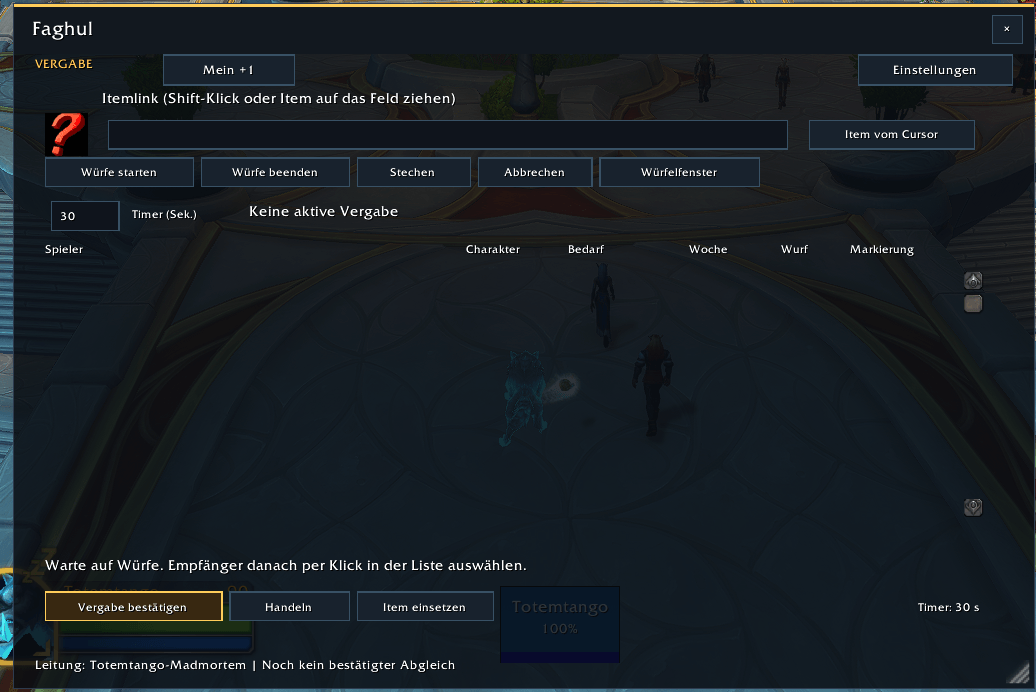
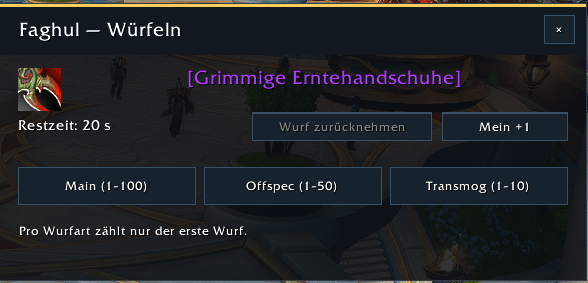
The loot officer adds an item link and starts a timed roll. Players running Faghul receive a window showing the item, its icon, the remaining time and the available roll categories. Players can also roll manually in chat using the configured roll limits.
The default categories are:
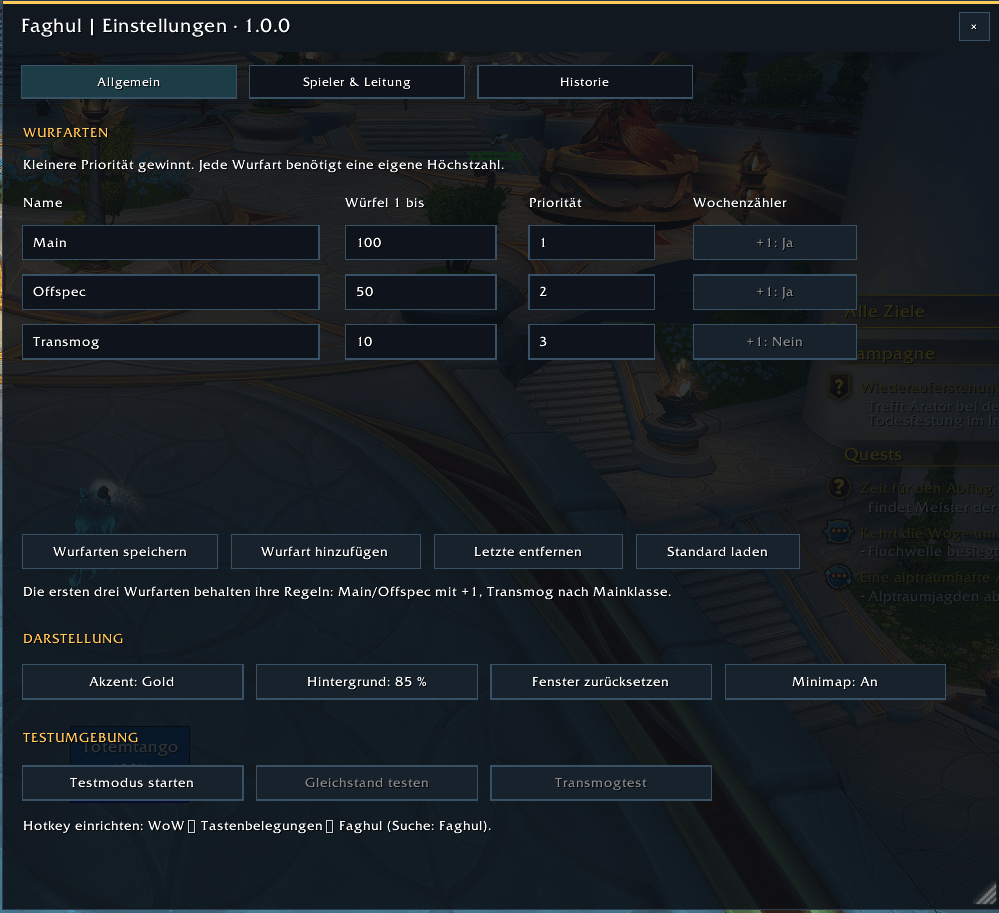
Main: roll 1–100.
Offspec: roll 1–50.
Transmog: roll 1–10.
Main takes priority over Offspec, followed by Transmog. Within Main and Offspec, a played main character takes priority over an alt. Among otherwise equally eligible players, the lower weekly counter is preferred, followed by the higher roll.
For example, if two main characters roll for Main need, a player with a weekly counter of +0 is preferred over a player with +1, even if the latter rolls higher.
Faghul highlights the suggested recipients. The loot officer always selects and confirms the actual winner. The addon does not automatically award an item or override World of Warcraft’s loot ownership rules.
Shared weekly main/alt counters
Main and Offspec awards increase the same weekly counter. Linked alts share their main’s counter, so changing characters does not give a player a fresh counter.
Counters carry across raid nights and raids until the weekly reset. Loot officers can apply manual +1/−1 corrections, for example when players pass an awarded item to someone else.
A confirmation button resets all current-week counters to zero without deleting item assignments or main/alt relationships. Corrections and counter resets can be reversed through the history.
Transmog priority
Transmog eligibility is based on the linked main’s class, rather than the class of the character currently attending the raid.
For normal armor, the item must match the main class’s primary armor type: cloth, leather, mail or plate. Weapons are checked against the weapon types permitted for that main class. Weapon attributes and specializations are not used for this Transmog check.
For example, a Druid alt linked to a Shaman main is preferred for mail armor over a Shaman alt linked to a Druid main—even if the second player rolls higher.
Within the same eligibility group, the higher Transmog roll wins. Weekly counters and main/alt status do not break Transmog ties, and Transmog awards do not increase the counter. Missing class or item information is shown as undetermined.
Timers, announcements and tie-breaks
The loot officer can set a roll timer between 10 and 600 seconds. Faghul announces the round in group or raid chat and sends a raid warning when the officer has the required raid permissions. A countdown appears in raid chat during the final five seconds.
If the leading players remain tied after all priority rules are applied, a new timed tie-break round starts automatically. Only those players receive an enabled roll window for their previous category. Repeated ties start another tie-break.
The first valid roll per player in each round counts.
Player and officer management
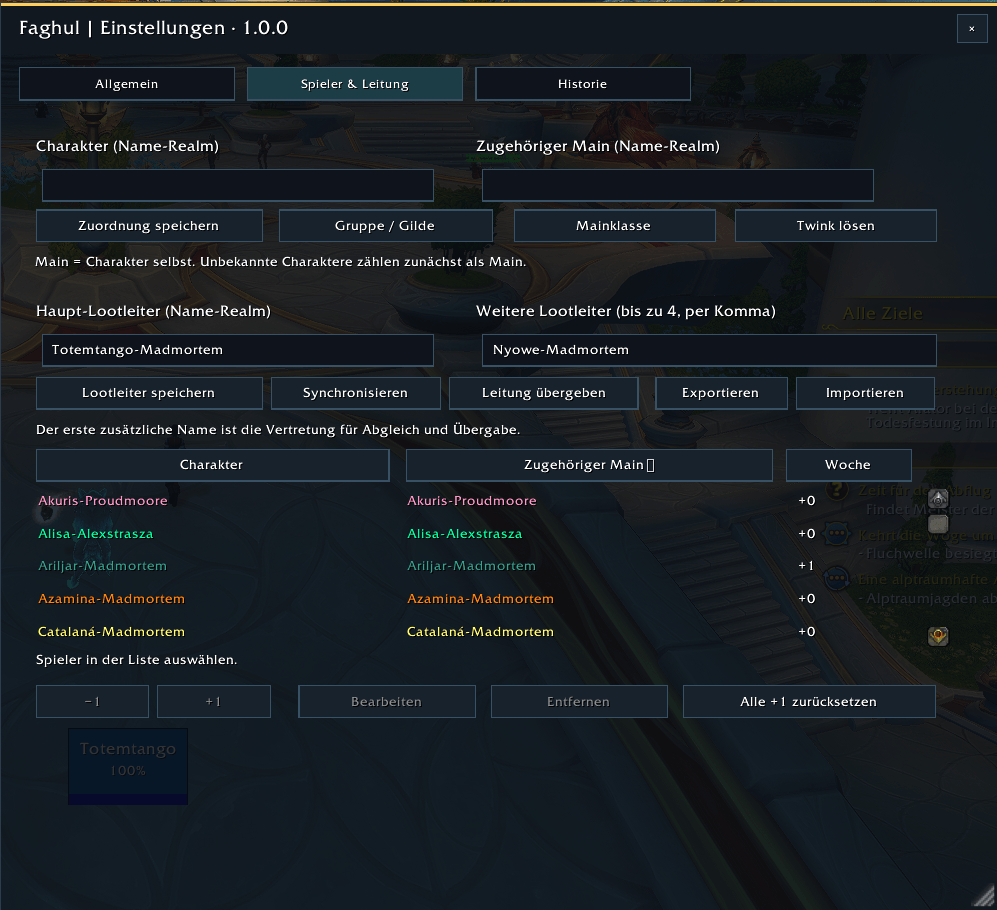
Players can be selected from the current group, raid or guild roster, including offline guild members supplied by the game. Search and class-colored names help officers find characters and assign them to mains.
Saved assignments can be edited, detached or removed. The player list can be sorted by character, main or weekly counter.
Faghul supports a primary loot officer and a deputy. Their stored loot data can be synchronized, and active leadership can be handed over. Existing player assignments and award records are retained when the configured officers are changed.
Members can check their own counter
Members can use /fplus, /faghul +1 or the My +1 button to request their shared weekly counter.
The result includes the linked main, the responding officer and the query time. It appears in the requesting player’s window and local chat.
The active configured loot officer must be online. Requests work through a shared group or guild, including guild requests outside a raid. If no officer responds, Faghul reports that the value is unavailable instead of displaying a guessed zero.
Award history and trade assistance
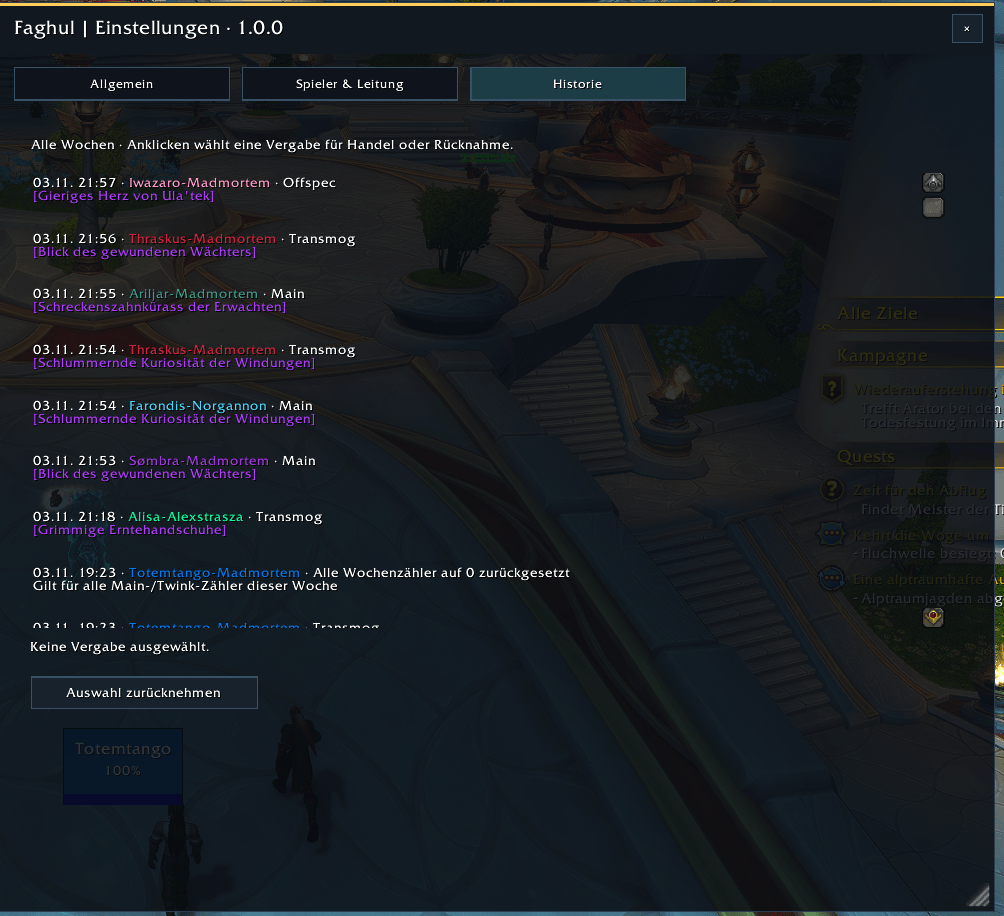
The history records item awards and manual counter changes. Officers can reverse entries when correcting a mistake.
Item tooltips show recorded recipients. When a trade opens with the matching recipient, Faghul attempts to place the assigned item into the trade window, regardless of who initiated the trade.
Players still confirm the trade themselves. Game restrictions, locked items or ambiguous identical copies may require manual placement.
Interface and shortcuts
Resizable loot and settings windows with a dark appearance.
Separate settings for players, history and roll categories.
Adjustable accent color and background opacity.
A draggable minimap button: left-click for loot, right-click for settings.
A configurable key binding that opens the loot view with the item currently under the mouse.
Editable category names, roll limits and priorities, with up to six categories in total.
The item shortcut prepares the loot window; it does not start a roll automatically.
Getting started
-
Install Faghul and open
/faghulor use the minimap button. -
Configure the primary officer and deputy with the same full Character-Realm names on both clients.
-
Synchronize their data and assign participating alts to their mains.
-
Add an item, choose a timer and start a roll.
Officers and participants should use the same current addon version. Automatic participant windows and member counter requests require Faghul on the relevant players’ clients. Manual chat rolls can also be recorded by the officer.
Use /faghul test to explore temporary local scenarios without a raid, including normal rolls, ties and Transmog main/alt eligibility.
Faghul is designed for WoW Retail. Classic is not supported. No Gargul installation or other external addon dependency is required.
The installation folder remains AEIOULoot to preserve saved data from earlier development versions. Do not rename it or install a second copy alongside it.
Author: Crackers 96
License: All Rights Reserved
Faghul Team
