

FadeAnything
- By
Capture d'écran 2026-09-21 171505.png
Capture d'écran 2026-09-21 171411.jpg
Capture d'écran 2026-09-21 171357.jpg
Description
Keep the Blizzard interface. Enjoy a clearer view of Azeroth.
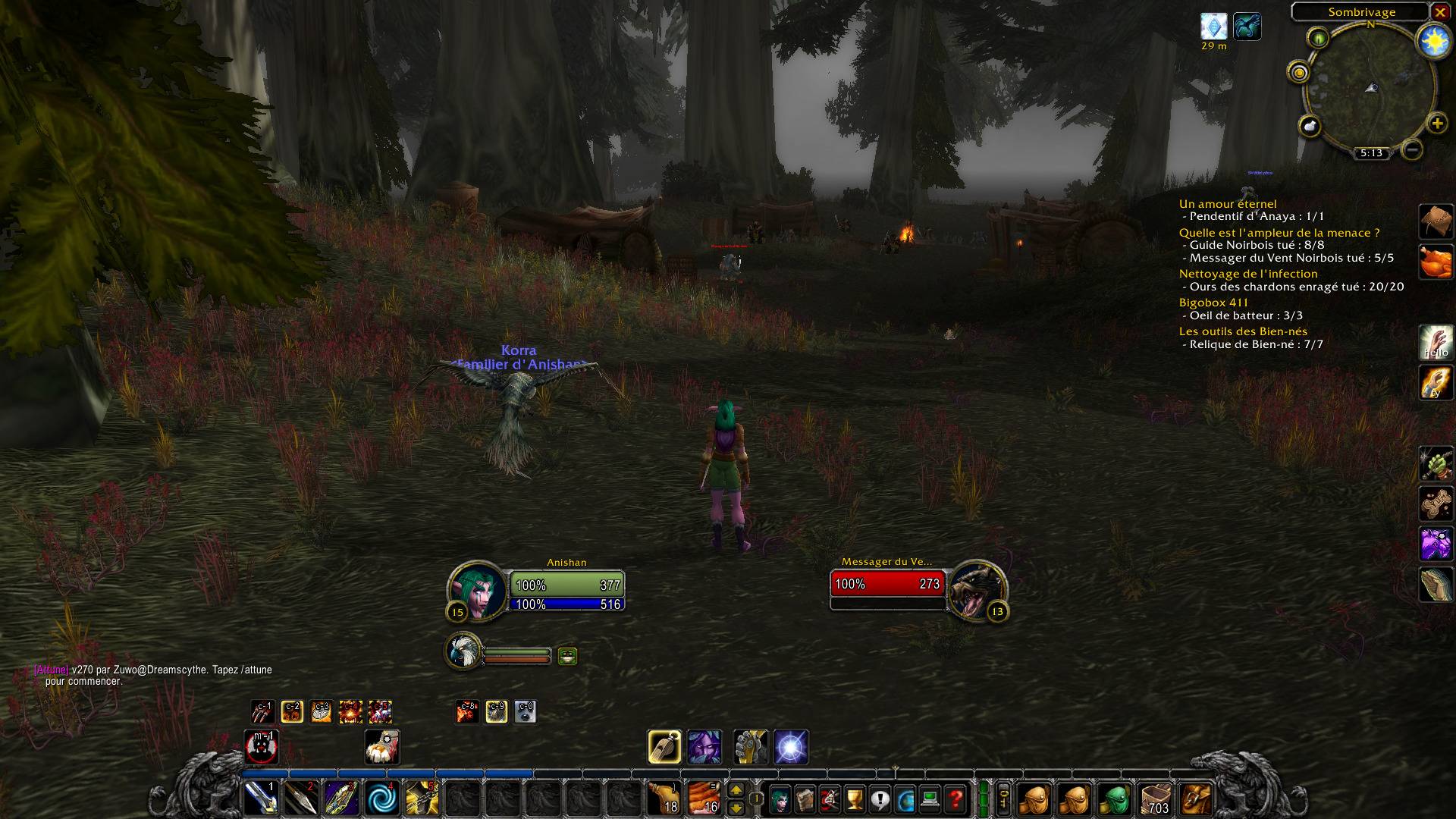
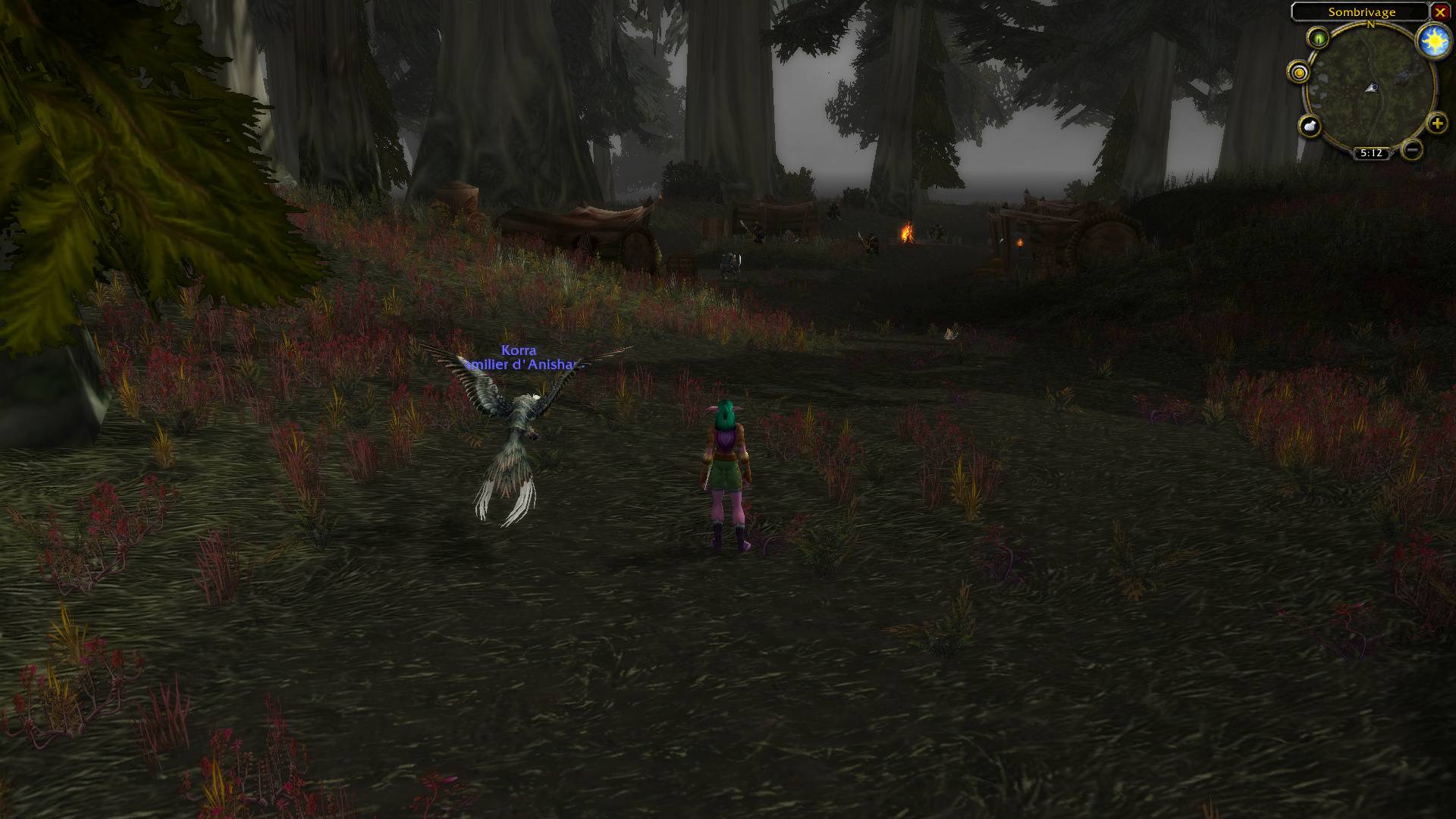
FadeAnything fades selected parts of the default Blizzard HUD when you don't need them, while preserving their original appearance, position and controls.
Features
- Choose which HUD elements fade.
- Reveal them on mouseover, in combat, while casting or channeling, or when you have a target.
- Keep elements visible for 3 seconds after combat by default, with an adjustable delay.
- Customize faded opacity and fade durations.
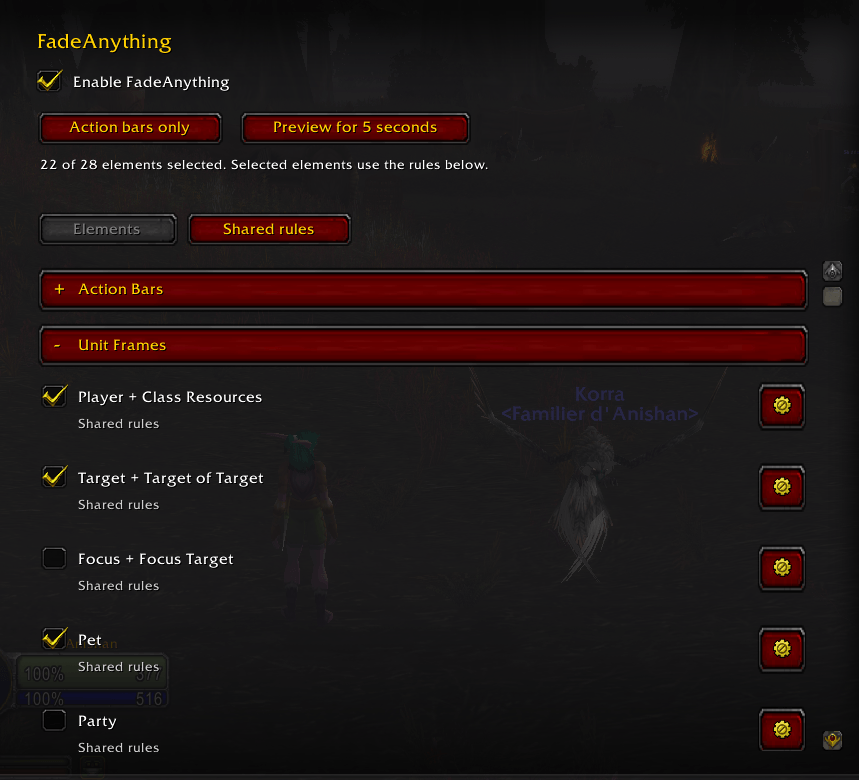
- Use shared rules or configure individual elements.
- Choose where fading applies: open world, dungeons, raids, arenas, battlegrounds and scenarios/delves.
- Quickly select action bars with the “Action bars only” shortcut.
Supported elements
Blizzard action bars 1–8, pet and stance bars, player and other unit frames, the player cast bar, buffs and debuffs, chat windows, the quest tracker, micro menu, bag buttons, and experience/reputation bars.
Getting started
Nothing is selected on first launch, so your HUD stays unchanged until you configure it.
Open Settings → AddOns → FadeAnything, or type /fadeanything. Select your elements, then adjust Shared rules or click an element's gear for individual settings.
Use /fadeanything toggle to pause or resume fading.
Designed for the default Blizzard HUD
Fading pauses while Settings, Edit Mode or keybinding configuration is open. Normal clicks and keybindings remain available when elements are faded.
FadeAnything is standalone and requires no other addon.
Compatibility and limitations
For World of Warcraft Retail. Third-party replacement frames, nameplates and opened game windows are not supported. Minimap fading is currently unavailable.
Avoid using multiple addons to control fading on the same element.
Feedback
Found a problem? Leave a comment with your WoW version, the affected element, your fading settings and any Lua error message.
The FadeAnything Team
