Faction Crest
Replaces the Horde/Alliance PvP icon on your player, target and focus frames with a custom crest. Pick a logo, choose when it shows, limit it to Undead. Works with EllesmereUI. For WoW: Forever.
Screenshot 2026-11-15 at 14.05.09.png
Screenshot 2026-11-15 at 14.32.32.png
Screenshot 2026-11-15 at 14.32.46.png
Screenshot 2026-11-15 at 14.32.58.png
Description
Faction Crest
Your own crest instead of the Horde/Alliance PvP icon. Faction Crest puts a logo of your choice on your player frame, and if you like, on your target and focus frames too. Pick the logo, choose when it shows, and keep it to your Undead characters if that's your style.
Made for World of Warcraft: Forever.
Features
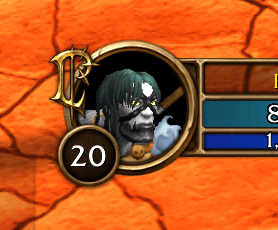
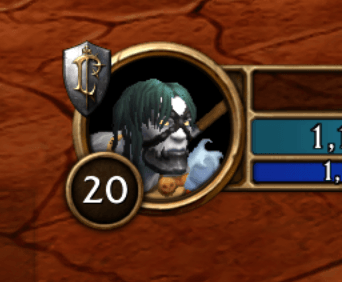
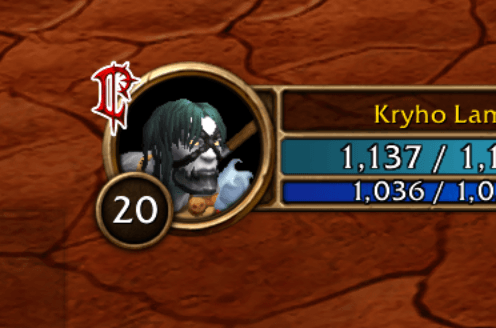
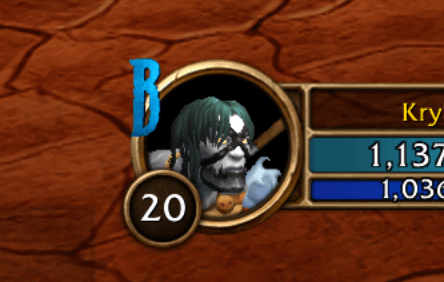
- Four logos. A steel shield, a golden emblem (default), a red Scarlet emblem and the Blizzard "B".
- Your frame. The crest hangs from the top-left corner of your portrait, clear of your level and the resting "zzZ".
- When it shows. Always, only out of PvP, or only in PvP in place of the faction icon.
- Undead only. Show it only on your Undead characters. Your other characters keep the default faction icon. Works with the first three logos.
- Other players. Put it on target and focus frames too: on all Undead players, on players of your faction while they are in PvP, or on players of your faction always. NPCs never get it.
- Size. 50% to 200%.
- EllesmereUI support. On EllesmereUI's player, target and focus frames the crest sits on EllesmereUI's faction badge, so you move it with EllesmereUI's own Faction Indicator position settings.
- Light. Nothing runs in the background. The crest only updates when your PvP state, target or focus changes.
Settings
Open Options → AddOns → Faction Crest, or type /crest.
- Show the logo: Always (default), Only out of PvP, or Only in PvP
- Logo: Logo 1 to Logo 4 (default: Logo 2, the golden emblem)
- Only on Undead characters: off by default
- Size: 50–200% (default 100%)
- Show on target and focus frames: Off (default), All Undead players, My faction while in PvP, or My faction always
Commands
/crestor/factioncrestopens the settings
Good to know
- Only you see it. It changes how frames look on your screen. Other players see nothing, unless they have Faction Crest too.
- In Always mode the crest also covers the faction icon while you are in PvP. The PvP timer next to it still shows.
- Hidden details. In some places the game hides other players' details from addons. Their frames then keep the default icon.
- Other unit frame addons. Faction Crest works with Blizzard's frames and EllesmereUI's frames. Addons that draw their own frames (ElvUI, Shadowed Unit Frames and the like) aren't supported yet. Party frames on Forever have no PvP icon, so they are left alone.
- Early version. Please report bugs and send ideas in the comments.
By Demyd Hanenko, www.hanenko.com
Faction Crest Team