ExternalCaller
- By
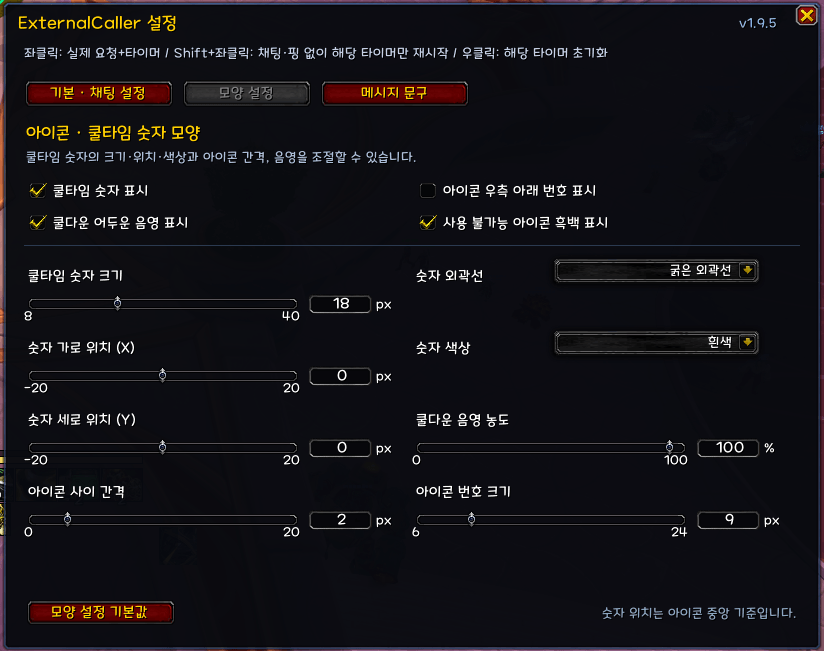
A lightweight addon for one-click group defensive cooldown requests with assist pings, customizable chat messages, and local cooldown tracking.
ì¤í¬ë¦°ì· 2026-07-15 194007.png
ì¤í¬ë¦°ì· 2026-07-15 194016.png
ì¤í¬ë¦°ì· 2026-07-15 193958.png
ì¤í¬ë¦°ì· 2026-07-15 195020.png
Description
⚠ CURRENTLY SUPPORTS ONLY THE KOREAN CLIENT.
ExternalCaller
ExternalCaller is a lightweight World of Warcraft addon designed to make requesting group defensive cooldowns quick and clear.
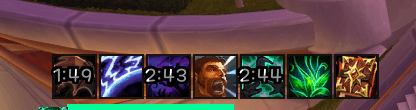
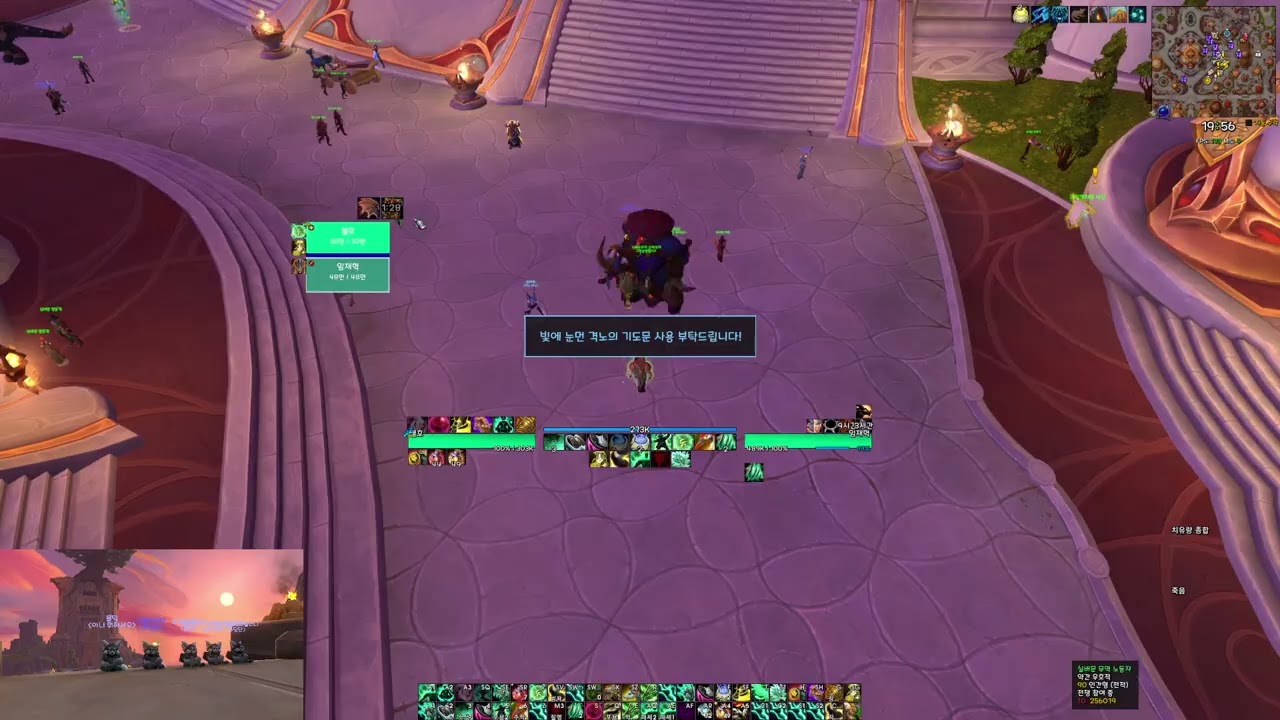
The addon checks your current party composition and displays supported group defensive abilities. Clicking an icon can send an assist ping to the matching party member, post a customizable request message with a clickable spell link, and start a local cooldown timer.
Features
- One-click group defensive cooldown requests
- Targeted assist ping when one matching provider is available
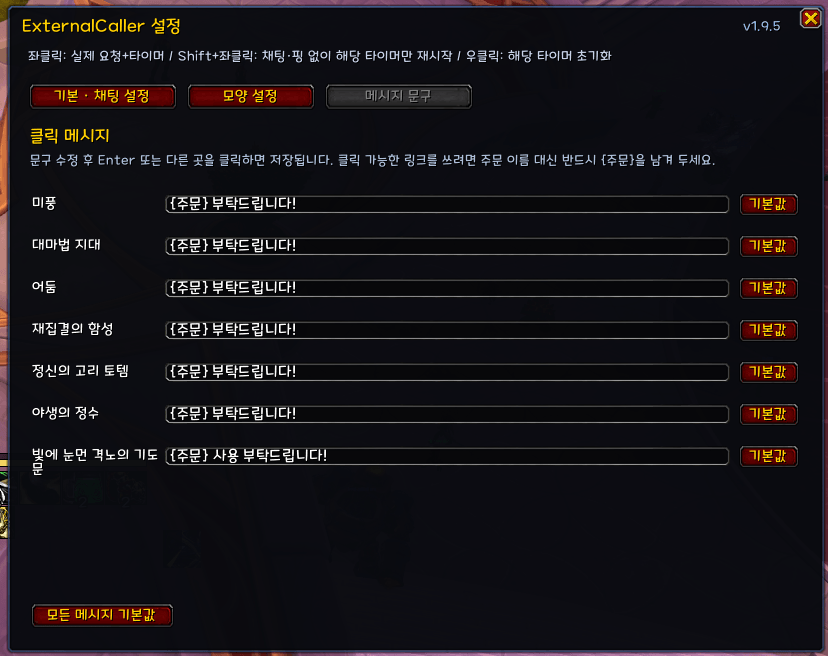
- Customizable request messages with clickable spell or item links
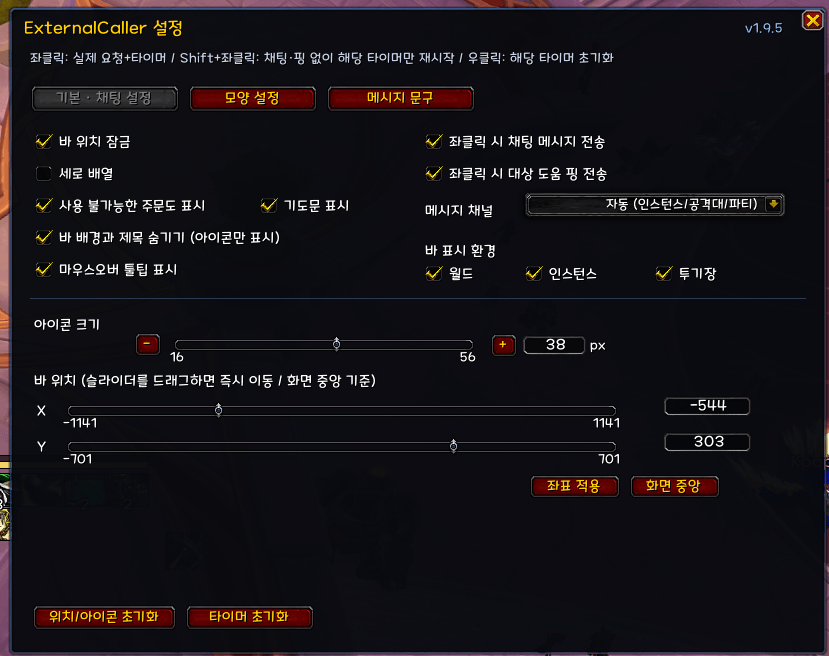
- Automatic, Party, Instance, Raid, Say, and Yell chat channel options
- Local cooldown tracking for each supported ability
Mouse Controls
- Left Click: Send the request message, place an assist ping, and start the local cooldown timer
- Shift + Left Click: Start or restart only the local timer without sending a message or ping
- Right Click: Reset the selected timer
- Middle Click: Open the settings window
Important Notes
The displayed cooldowns are local estimates. ExternalCaller does not synchronize with another player's actual spell usage, talents, cooldown reduction effects, or equipment.
The addon creates only the request macros required for your current group composition. To use chat messages and assist pings, you need enough available character-specific and account-wide macro slots for the number of buttons currently displayed.
Inspiration and Credit
The communication-bar concept used by ExternalCaller was inspired by EiikoCooldownPlanner, created by Remi.
---------------------------------------------------------------------------------------
ExternalCaller
ExternalCaller는 파티의 공생기를 빠르고 명확하게 요청할 수 있도록 제작된 가벼운 월드 오브 워크래프트 애드온입니다.
현재 파티 구성을 확인하여 사용 가능한 공생기 아이콘을 표시합니다. 아이콘을 클릭하면 해당 파티원에게 지원 핑을 보내고, 클릭 가능한 주문 링크가 포함된 요청 메시지를 채팅으로 전송하며, 동시에 로컬 재사용 대기시간 타이머를 시작합니다.
주요 기능
- 원클릭 공생기 요청
- 해당 공생기를 사용할 수 있는 파티원이 한 명일 경우 대상에게 지원 핑 전송
- 클릭 가능한 주문 또는 아이템 링크가 포함된 요청 메시지
- 자동, 파티, 인스턴스, 공격대, 일반, 외침 채널 선택
- 각 공생기의 로컬 재사용 대기시간 추적
마우스 조작
- 좌클릭: 요청 메시지 전송, 대상 지원 핑 표시 및 로컬 쿨타임 타이머 시작
- Shift + 좌클릭: 메시지와 핑 없이 로컬 타이머만 시작하거나 다시 시작
- 우클릭: 선택한 타이머 초기화
- 가운데 클릭: 설정창 열기
참고 사항
표시되는 재사용 대기시간은 로컬 추정값입니다. ExternalCaller는 다른 파티원의 실제 주문 사용 여부, 특성, 재사용 대기시간 감소 효과 또는 장비와 동기화되지 않습니다.
애드온은 현재 파티 구성에 필요한 요청 매크로만 생성합니다. 채팅 메시지와 지원 핑 기능을 사용하려면 캐릭터 전용 및 계정 공용 매크로의 남은 슬롯이 현재 표시되는 버튼 수만큼 필요합니다.
영감 및 크레딧
ExternalCaller의 커뮤니케이션 바 기능은 Remi가 제작한 EiikoCooldownPlanner에서 영감을 받았습니다.
ExternalCaller Team