Extended Macro UI
- By
Extended Macro UI
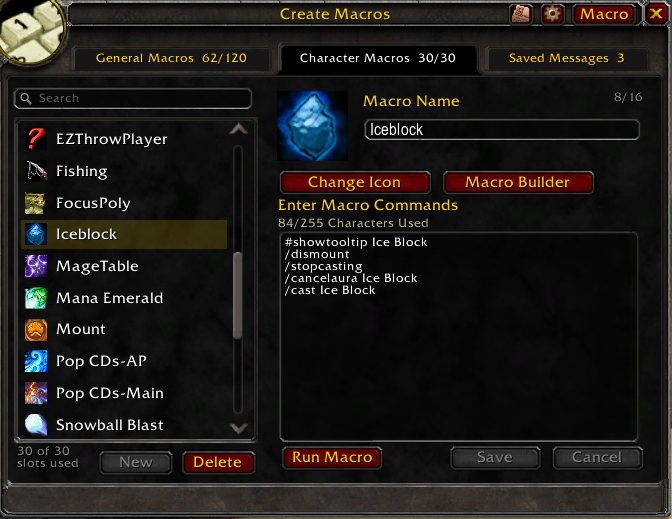
A replacement macro window for World of Warcraft Classic (Classic Era / Anniversary) with a tabbed, two-pane layout: a searchable A–Z list of macros on the left and a rich editor on the right.
Open it with /emu.
Features
General & Character macros
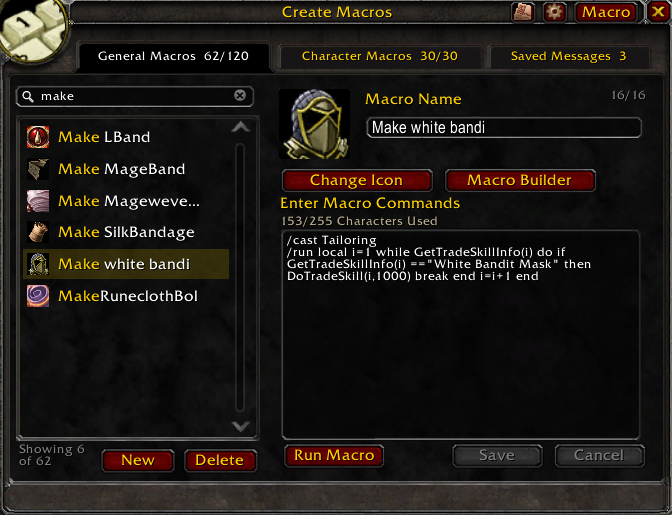
A searchable A–Z list with a rich editor, an icon picker, drag-to-action-bar, and per-row duplicate. The search box fuzzy-matches by name, so typing a few letters narrows the list instantly.
Macro Builder
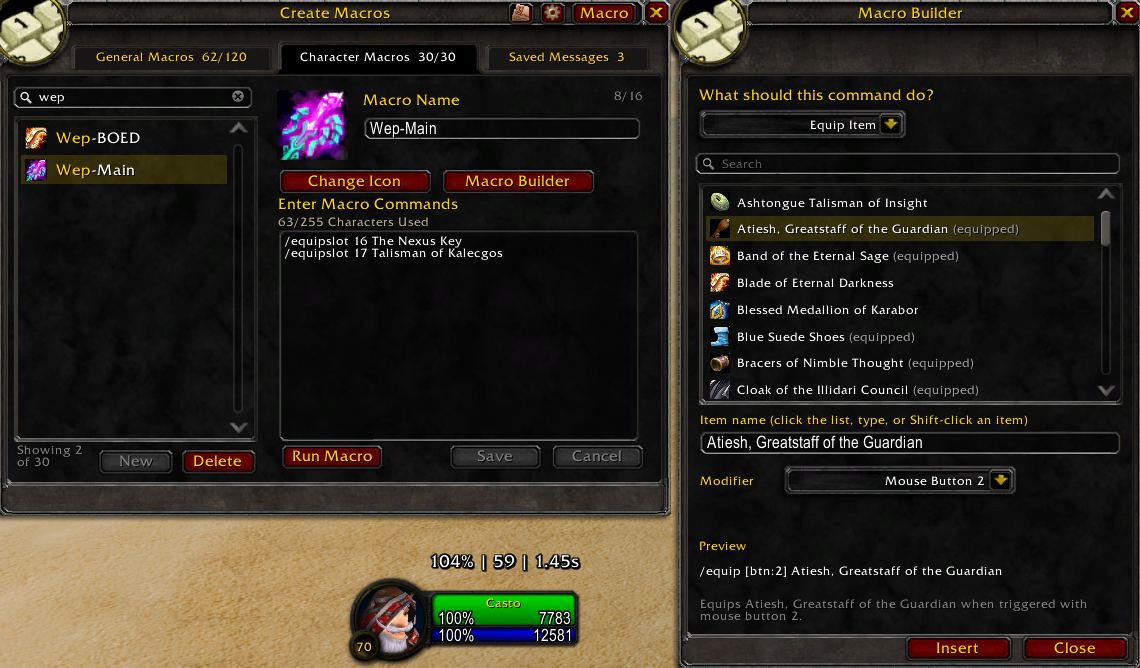
A guided side panel that composes /cast, /use, /equip or /emu send commands — with targeting and modifier conditionals — and inserts them into the macro being edited, with a live preview of the generated line.
Change Name / Icon
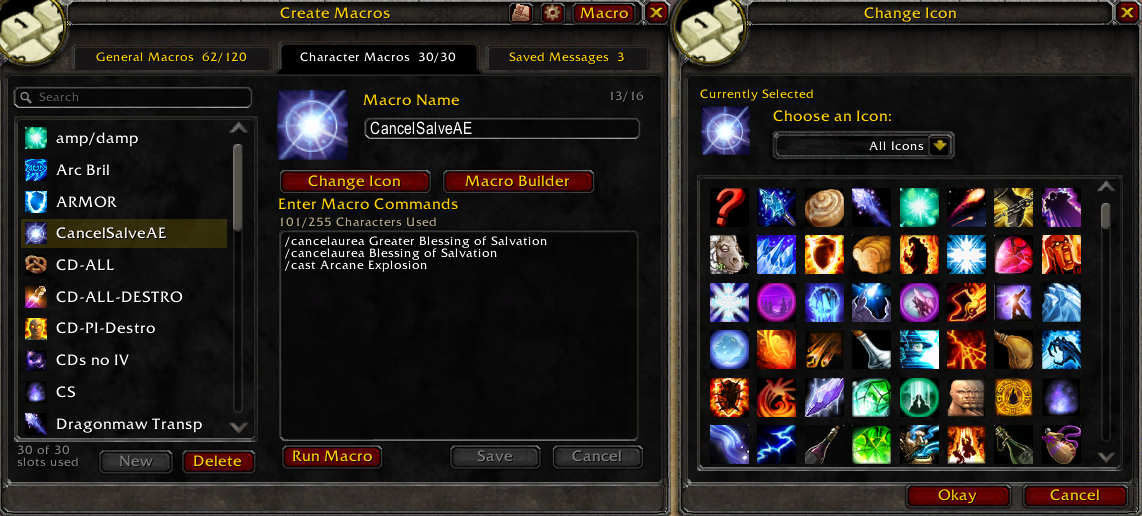
A docked picker for renaming a macro and choosing its icon, filterable by All / Spell / Item icons, with the name synced live to the editor.
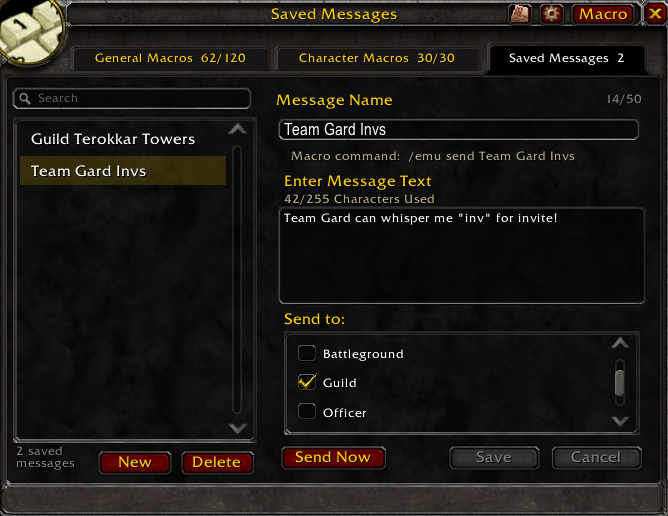
Saved Messages
Reusable chat messages that broadcast to multiple channels at once — outside the macro system, so they don't consume macro slots. Call one from /emu send <name>, with a global anti-spam interval.
Import / Export
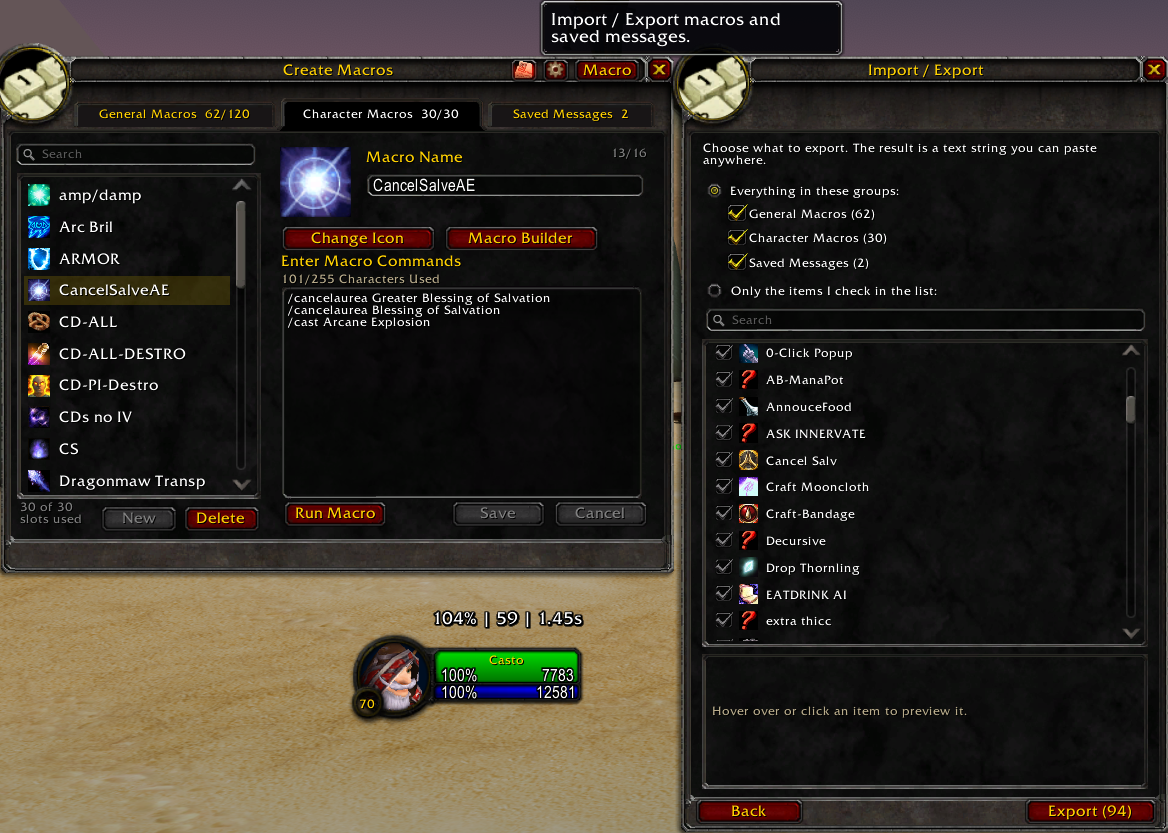
A wizard that exports all or selected General macros, Character macros and Saved Messages to a shareable text string, and imports such a string with per-item selection, a preview, and an overwrite-or-copy policy for name conflicts.
Minimap button / data broker
A LibDataBroker launcher (shown by Titan Panel and other broker displays) plus an optional LibDBIcon minimap button. Left-click opens the window; right-click opens a menu that sends a Saved Message.
Extended Macro UI Team