
ExplorersMap - (WoW Forever)
- By
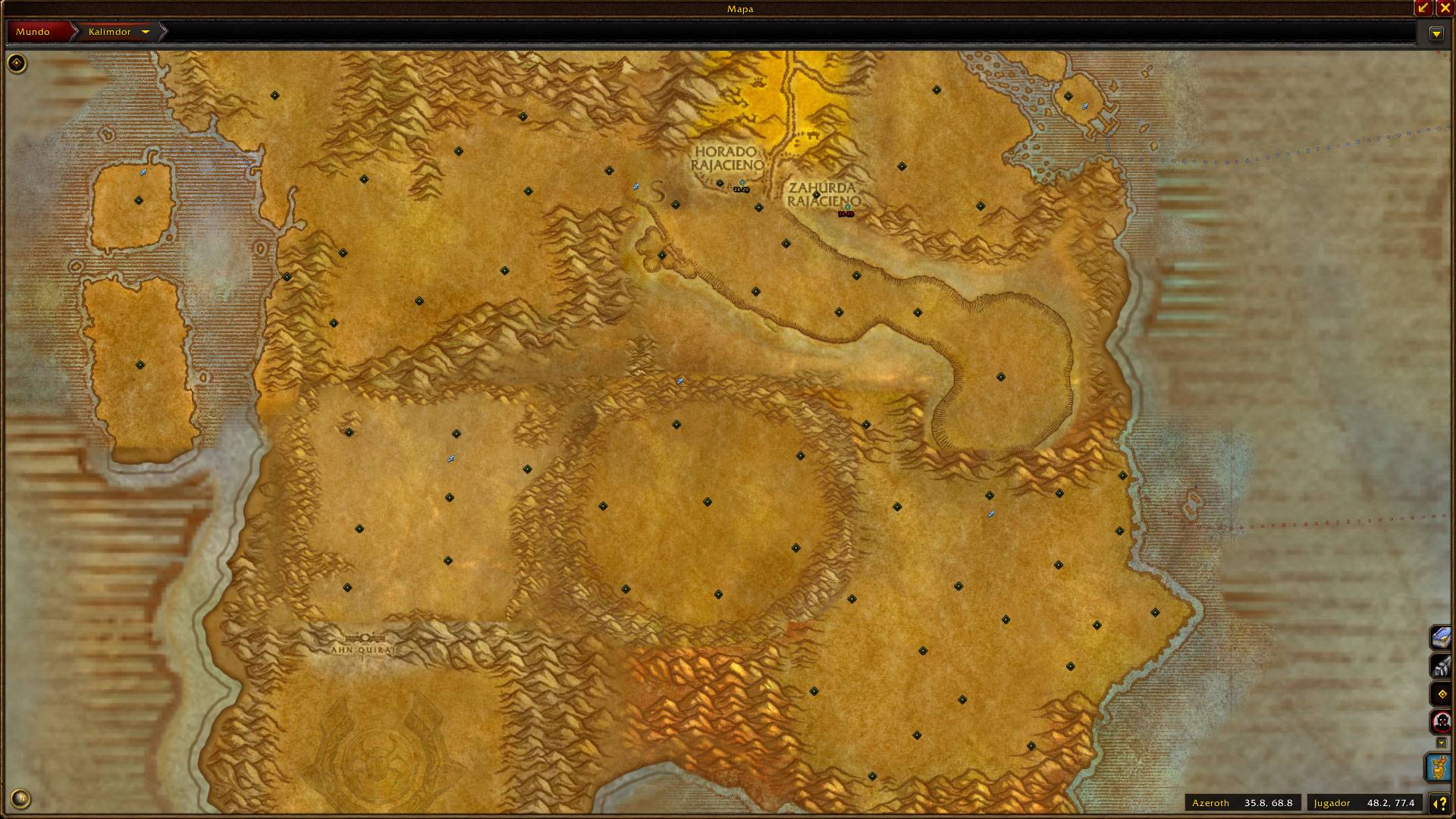
WoWScrnShot_111126_044207.jpg
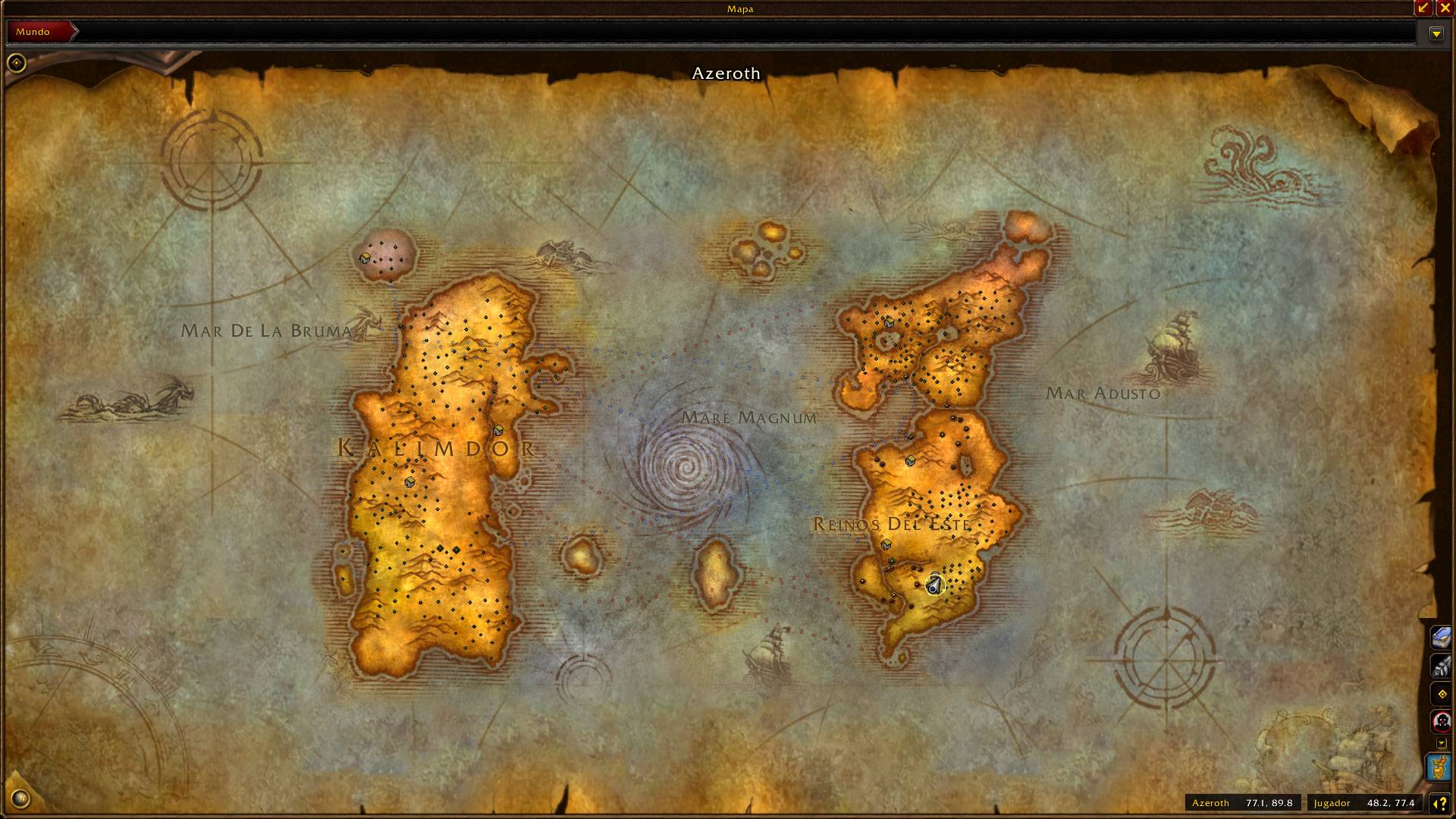
WoWScrnShot_111126_044154.jpg
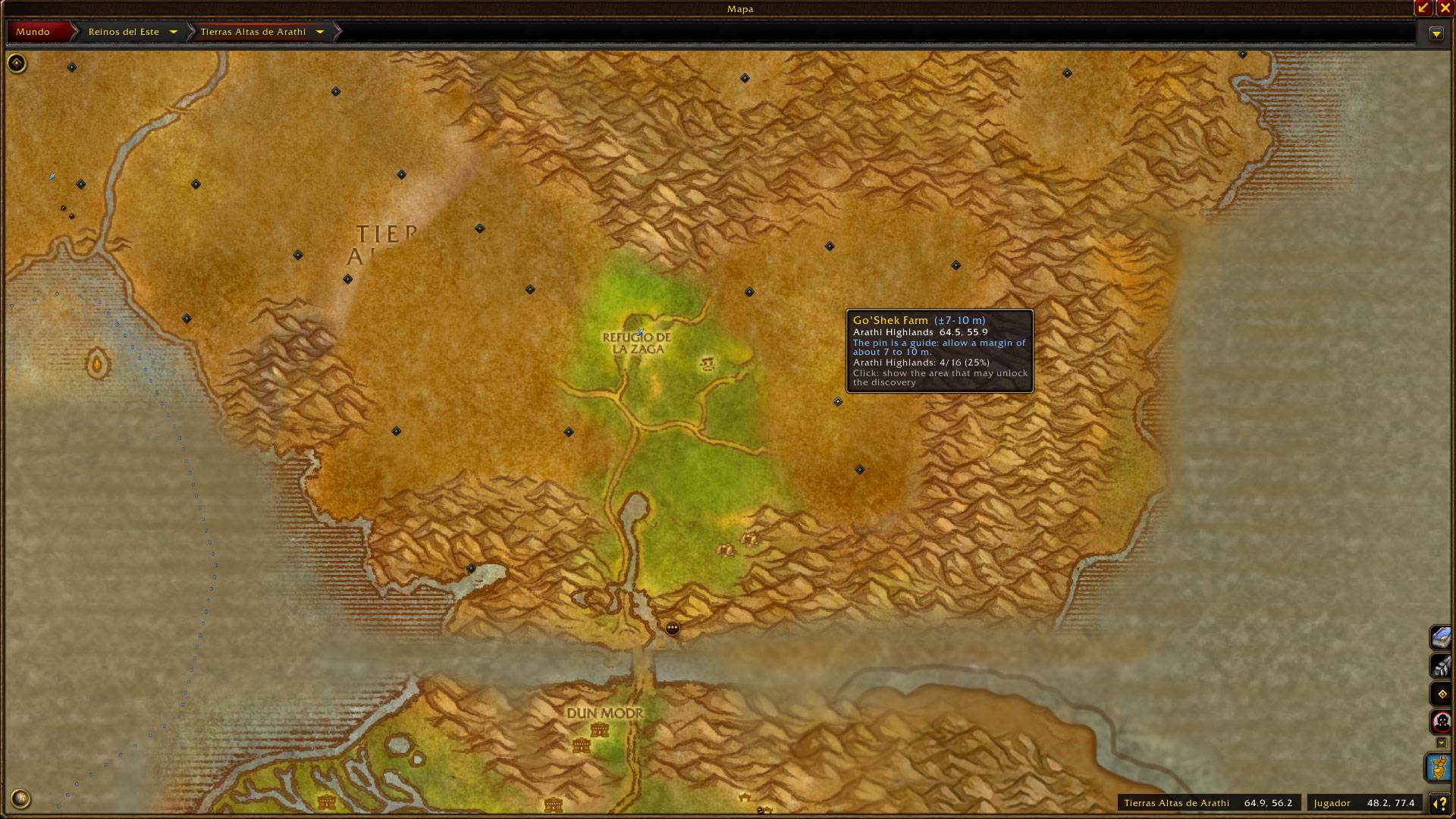
WoWScrnShot_111126_044222.jpg
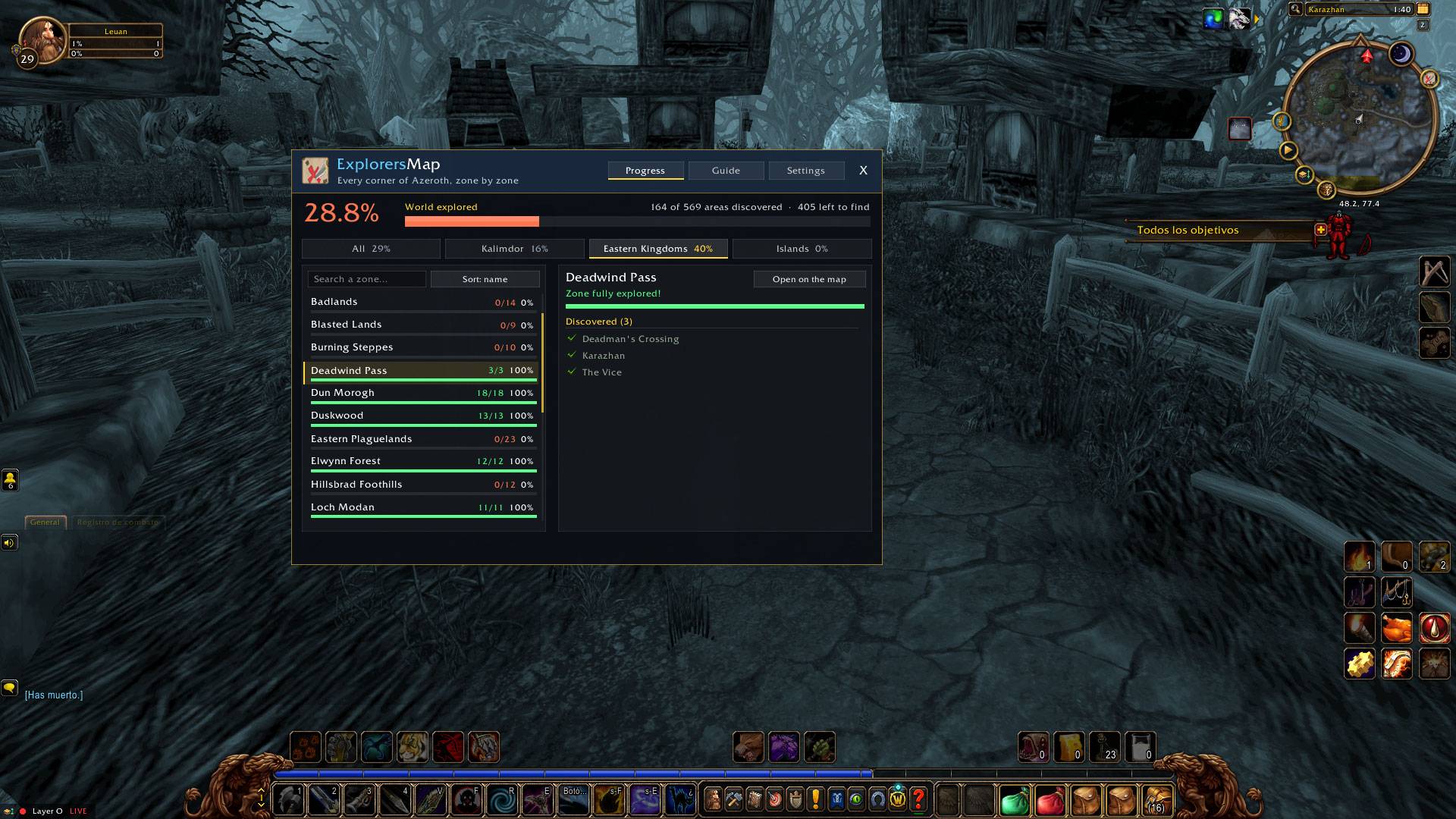
WoWScrnShot_111126_044249.jpg
WoWScrnShot_111126_044303.jpg
Description
ExplorersMap
============
Explore every corner of Azeroth without guessing where the missing piece is or losing time searching in Google.
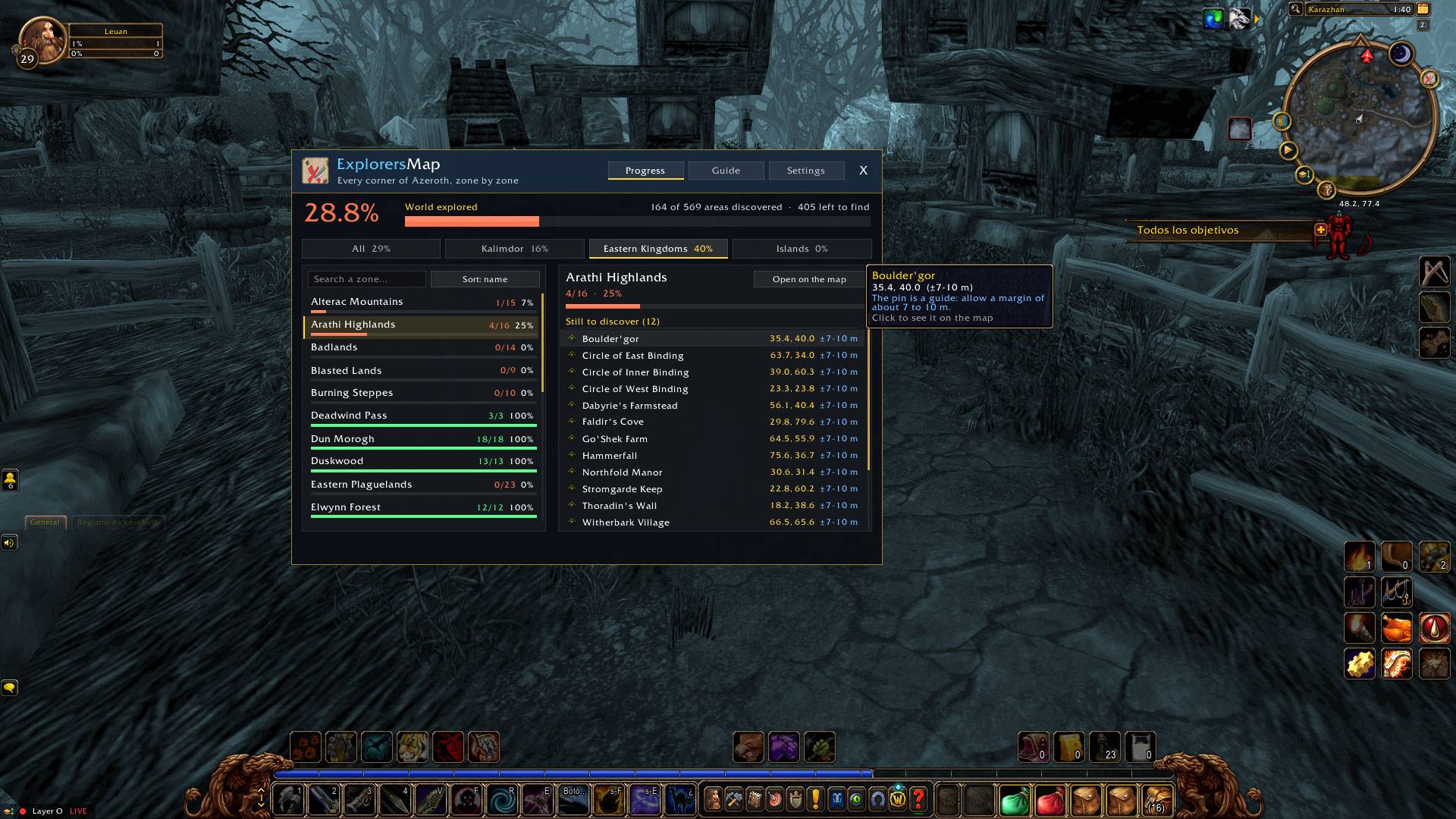
ExplorersMap is an addon for World of Warcraft: Forever. It knows every area that exploring reveals on each zone's map (569 areas across 44 zones, including Riverglades, Shen'dralas, Mount Hyjal and Zephras Isle), checks which ones your character has already found, and shows you the rest.
WHAT IT DOES
Pins on the world map
- A pin on every area you have not discovered yet. Discover the area and its pin goes away on its own.
- Hover a pin for the area's name, its zone, its coordinates and the zone's progress.
- Click a pin to draw a 10 m circle round the spot. The pin is a guide: allow a margin of about 7 to 10 m.
- Works on Blizzard's world map and on OpenMap's stitched map, where every zone's pins show at once.
The window (minimap button or /emap)
- Progress: how much of the world you have explored, by continent and by zone. Pick a zone to see the areas still to discover and the ones already found. Click any of them to open the map there. The window opens on the zone you are standing in.
- Guide: the zones that still have areas to find, sorted by how they suit your level and faction: the ones to explore now, the ones that need care, and the ones to leave for later. It also lists the hardest and slowest zones to finish, with the reasons (enemies above your level, enemy faction territory, elites, many areas left).
- Settings: language, pins on or off, pins only on zone maps, pin size, the minimap button, discovery announcements, and pin colours (one colour, by region, or by the zone's risk at your level).
Discoveries
- When you discover an area, its name shows on screen with the zone's count and your world percentage, and a line is added to chat.
LANGUAGES
English (default) and Spanish, switched in Settings. Zone and area names are translated too.
To add a language, open the Languages folder inside the addon: eng.lua explains it step by step, and custom1.lua to custom3.lua are free slots that need no other change.
COMMANDS
/emap opens or closes the window
/emap pins shows or hides the map pins
/emap help lists the commands
INSTALL
Extract the ExplorersMap folder into
World of Warcraft\_forever_\Interface\AddOns\
and restart the game. OpenMap is optional.
GOOD TO KNOW
- Each pin sits at the centre of the piece of map that the area reveals. In areas with an odd shape the centre can be a little off, so walk around the spot if the discovery does not trigger at once.
- The Guide's level ranges and faction ownership follow the Warcraft Wiki and the addon Zone Info: Forever. Which zones have elites near their areas is a judgment call based on the classic game.
- Cities and battlegrounds are not counted as zones of their own.
A huge shoutout to the "Chilean Society" guild in the PvP Server.
ExplorersMap - (WoW Forever) Team
