Screenshot 2026-03-14 143408.png
Screenshot 2026-03-14 143450.png
Screenshot 2026-03-14 143128.png
Description
GearFrame — Equipment Manager for TBC Classic Anniversary
by Evild
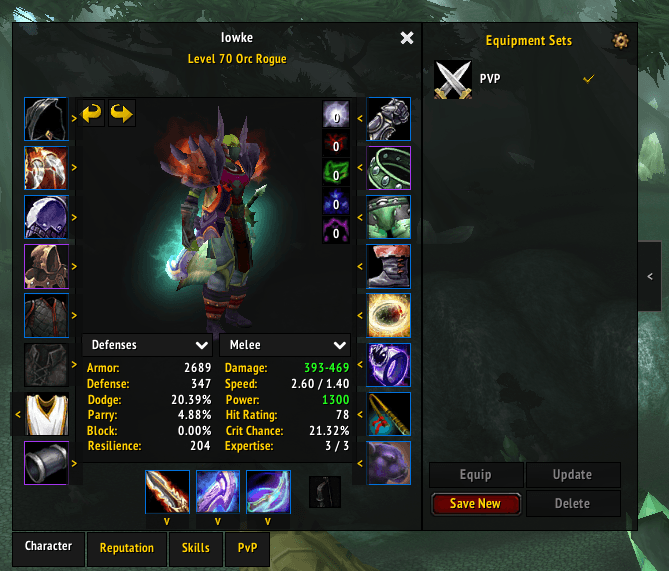
GearFrame brings retail WoW's Equipment Manager to TBC Classic Anniversary. Save gear sets, swap loadouts with one click, and browse available items per slot — all integrated directly into your character panel.
Features
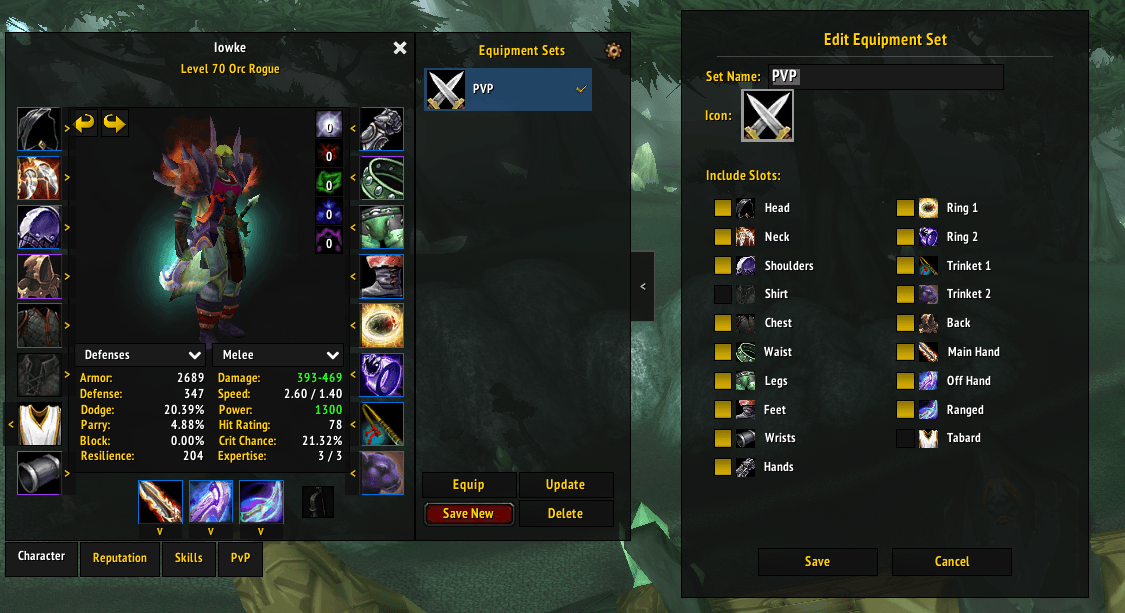
Equipment Sets
- Save up to 10 named equipment sets with custom icons
- Choose which slots each set tracks (head, chest, weapons, rings, etc.)
- One-click equip, update, or delete
- Double-click a set to equip instantly
- Right-click to edit
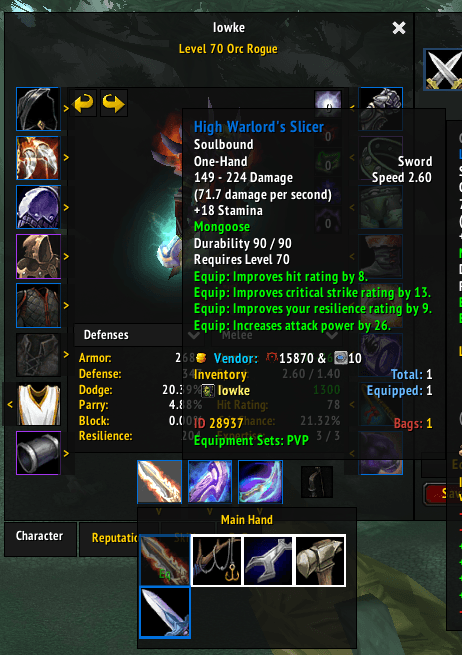
Slot Flyouts
- Click the arrow on any paperdoll slot to browse all compatible items from your bags
- Click an item in the flyout to equip it instantly
- Alt+hover shortcut also works
- Quality-colored borders on each item
Tooltip Integration
- Hovering any item shows which equipment sets it belongs to
- Green text: "Equipment Sets: PVP, Tank" — just like retail
Combat Queue
- Try to swap gear mid-combat? GearFrame queues it and equips automatically when combat ends
Smart Filtering
- Optional setting to hide Bind-on-Equip items from flyouts so you don't accidentally equip that green you're selling
- Already-soulbound items still show up normally
Collapsible Panel
- Equipment sets panel slides out from the character frame
- Toggle tab to collapse/expand — state remembered between sessions
Theme Support
- Auto-detects ElvUI and skins accordingly
- Manual theme options: ElvUI, Dark Modern, Classic WoW
- Settings panel:
/gf settingsor click the gear icon
Slash Commands
/gfor/gearframe— toggle equipment manager/gf settings— open settings/gf list— list saved sets/gf equip <name>— equip a set/gf save <name>— quick-save current gear/gf delete <name>— delete a set
Installation
- Download and extract the zip
- Place the
GearFramefolder in:World of Warcraft\_anniversary_\Interface\AddOns\ - Restart WoW or
/reload
Links
- GitHub: github.com/greenovate/gearframe
Evild's GearFrame Team