EveryQuest window with my preferred filtering.
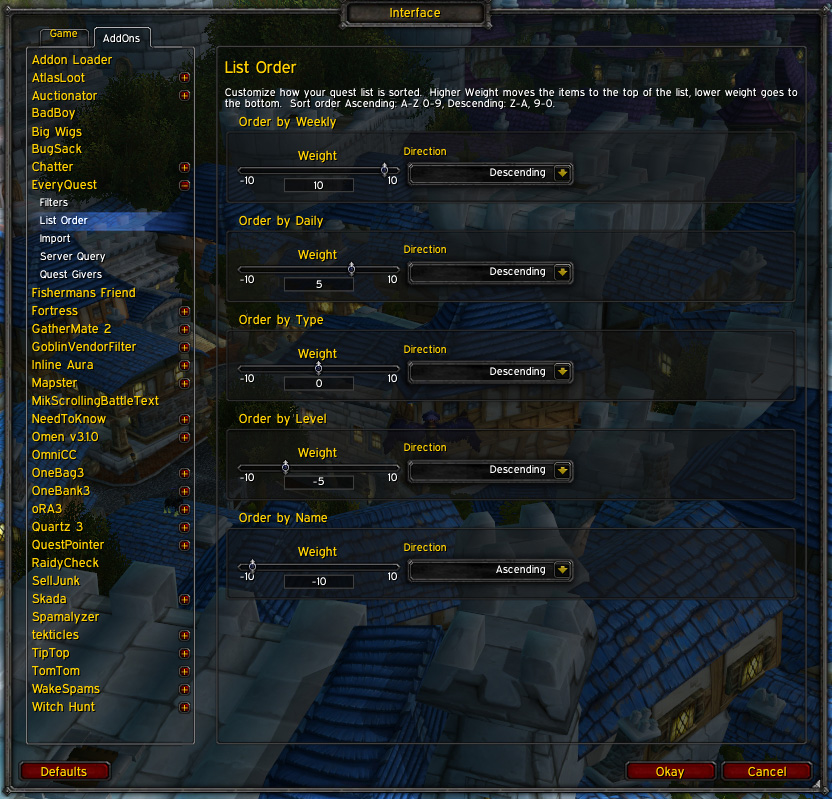
Use the list order to change how the list is ordered.
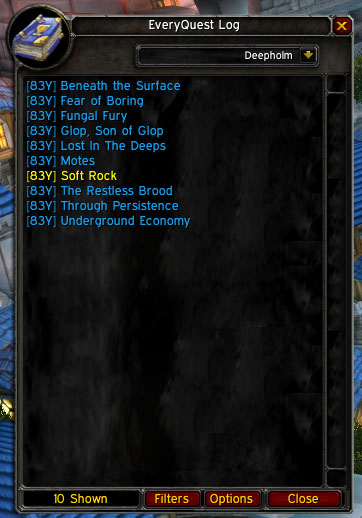
EveryQuest window filtered to show only Daily Quests. The yellow quest is a quest in progress (in your log).

The filters pane (top as it's a long list)
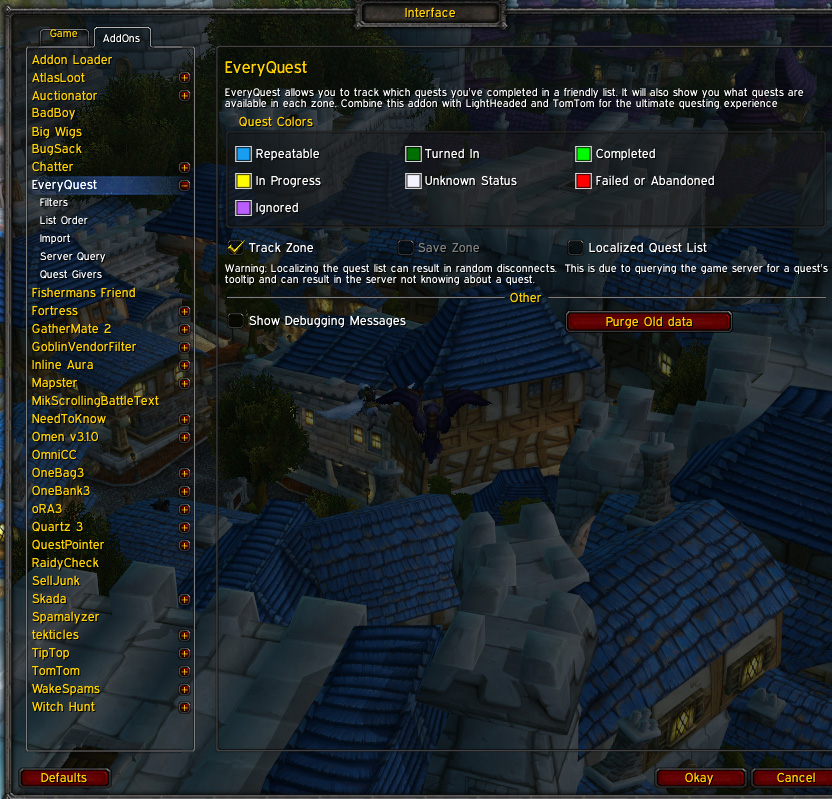
The general settings pane
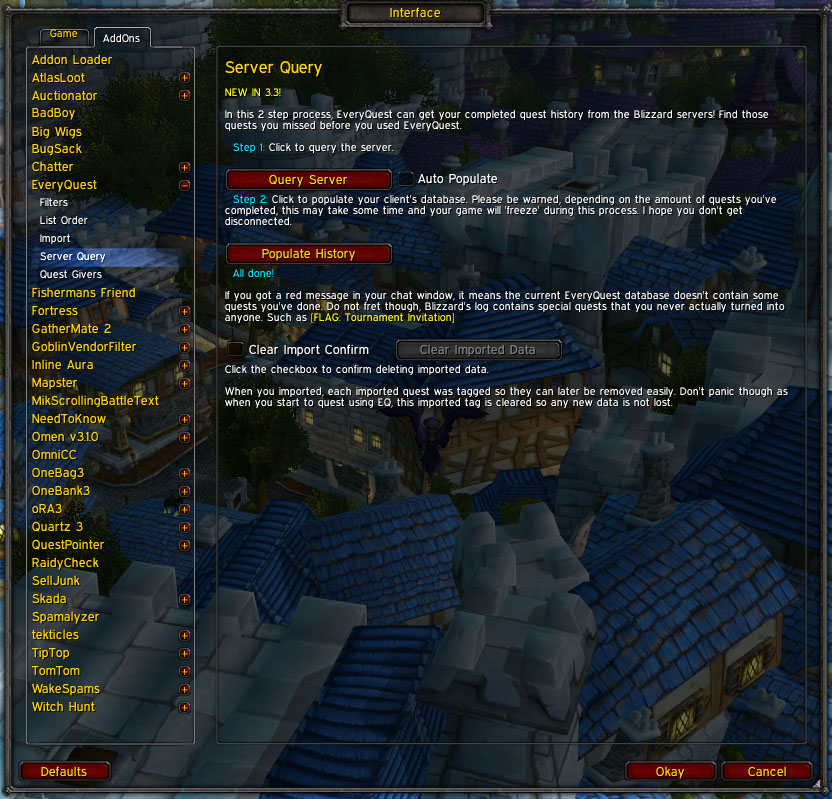
Query the server to get a list of all your completed quests
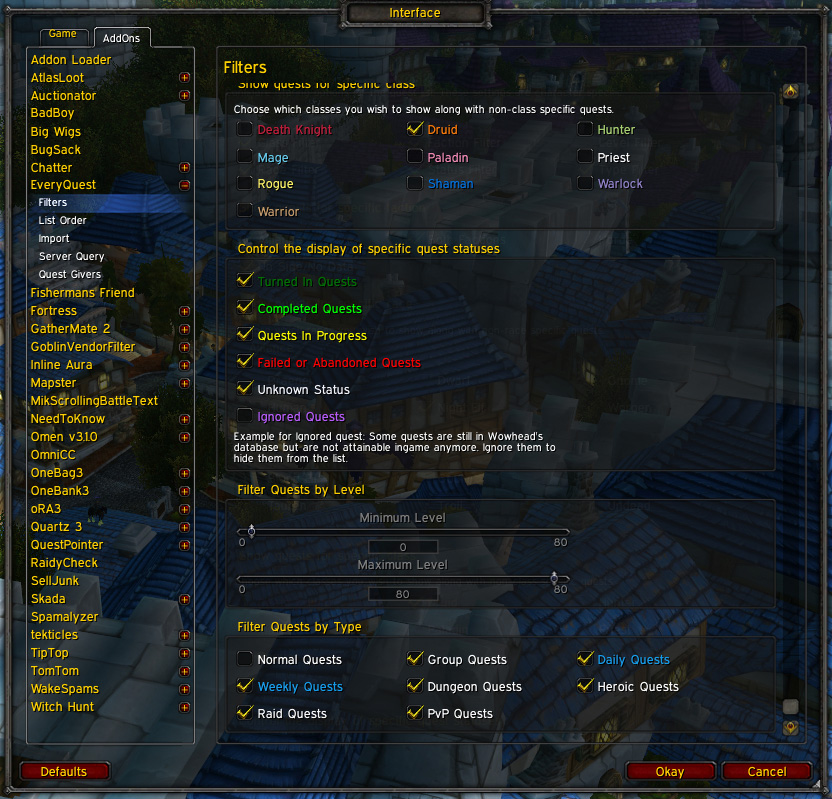
The filters pane (bottom as it's a long list)
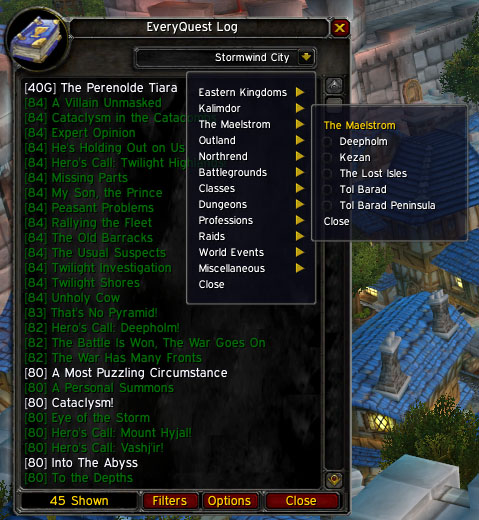
Use the zone menu to change the list displayed.
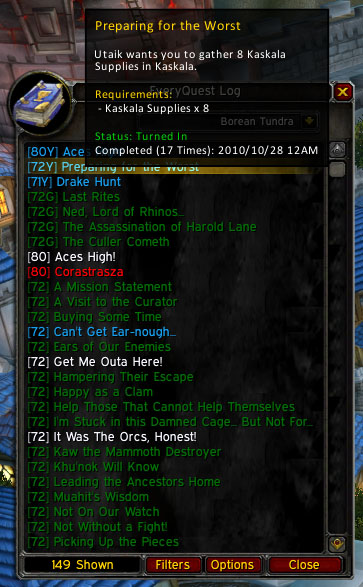
Hovering over a quest shows this tooltip. If a quest is a daily quest, weekly or instantly repeatable EveryQuest tracks how many times you've turned it in along with when.
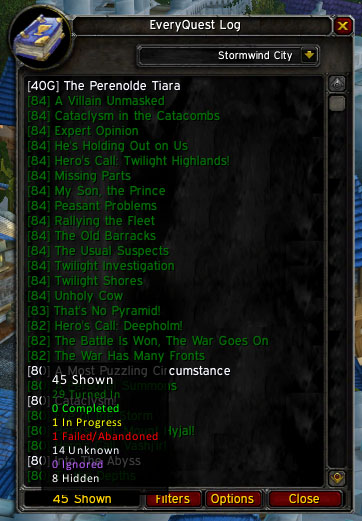
Not sure if you filtered out a quest by mistake? See the tooltip showing how many quests are in the list and how many aren't.
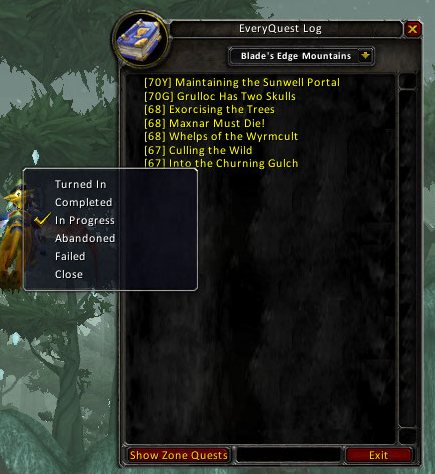
Right click a quest to change the status
Description
EveryQuest is a Quest History tracker and quest list window. Integrates with Lightheaded to show any comments for any quest in the game. Create chat links by shift-clicking the quest name.
What's New
- Go to Current Zone Button (r184) - Click the Book!
- Custom coloring (r184)
- Show if you've done that daily today using colors (above)
- Race Filter (r177)
- Class Filter (r177)
- Cataclysm Data (r174)
In the Works
- Updated EveryQuest:Quest Giver data
- Quest Series information
- Reputation lists and filters
Error Reports
Please direct all support requests to Wowace.
Before submitting error reports, reproduce the error with debugging on (in the main options window), if it's an import that you are doing, it will spam your default chat frame. I only need the last dozen or so lines of output.
Also, please be specific as to the version number of EveryQuest, WoW version, Locale (enUS, enGB, esES, etc.)
Lastly if it is a lua error (not something printed to your chat frame), provide a complete stack trace from an addon like Bug Grabber
Refrain from posting error reports to the comments section. Use a ticket instead
Localization
Wowace localization is now setup for all you world travelers! Visit the localization page to translate.
Opening the Window
To display the main quest list you have multiple options:
- If you are using the default questlog window, there will be a small button near the book icon with the letters "EQ" to toggle the window.
- If you are using a LibDataBroker display addon, such as Fortress, EveryQuest has its own launcher. Click the launcher to open the window. Right-click to open the options
- Bind the window the a key using the key bindings interface from the main menu.
- Type /everyquest
What does it do?
Quest History
As you complete quests in game, EveryQuest will keep track of which ones you have done. It also tracks which quests you've failed or abandoned so that you can easily get them again. Once you complete a quest, the date and time is saved to see when you did it. Additionally if the quest is a daily quest, it keeps a running total of how many times you've done the quest along with the most recent completion date.
Also you can query the server for quests you've completed prior to your first use of EveryQuest. Access this option from the options screen.
Quest List
EveryQuest comes with a database of quests available in game. These are browse able by quest category using the drop down menu at the top of the window. Quests in the list will change colors depending on there status (unknown, failed/abandoned, in progress, completed, turned in).
If you have LightHeaded loaded, clicking a quest will open the Lightheaded window the the quest you clicked on.
To create a quest link for insertion into the chat edit box, have the chat edit box open then shift-click the quest in the main window.
Filters
To filter the list of quests, click the Filters button on the main window or navigate to the filters window until the Blizzard Interface options. Changing these filters will update the window immediately.
Sorting
There is a default sorting of the quest list. This can be changed using the weights and order options in the options window (Click Filters or Options in the main EveryQuest window to open the options window).
Manually Changing a Quests status
To manually change a quests status, right click it in the main window and select the new status from the menu. Having a quest on ignore is different then it's status. When a quest is on ignore the status will still update when you start doing it or complete it.
EveryQuest: Quest Givers
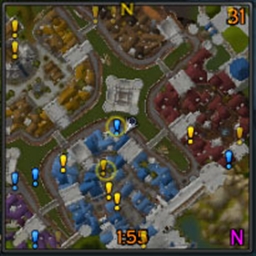
I finished up a quest giver module that mimics the functionality of Handynotes: Quest Givers but integrates EveryQuest quest history and filtering.
EveryQuest Team